
N12 Label Maker Machine
4.4Editor score
Ink-free direct thermal printing
Compact rechargeable construction
Creative app templates
Multiple fixed label sizes
This portable name tag printer guide compares ten compact Bluetooth and thermal models for name tags, classroom, office, home organization, and small business.
A portable name tag printer should make identification and organization quick, whether you are preparing classroom supplies, labeling products, sorting office materials, or marking belongings at home. The most useful models balance compact size, clear thermal output, easy phone connectivity, and enough creative controls for professional-looking labels.
We compared all ten options by examining print resolution, supported label formats, tape compatibility, app features, device support, battery details, maximum print width, and intended organization tasks. The list covers compact Bluetooth makers, wider home and office models, and a portable shipping-label printer for users who need more than name-tag-sized output.
Each pick highlights a different balance of portability, features, and usefulness, from budget-friendly label makers to advanced models for business workflows. Ratings reflect the supplied customer feedback, while specifications and compatibility details come from the product information. Prices and availability can change, so confirm the current listing before purchasing.
4.4Editor score

4.6Editor score

4.4Editor score
The table below compares the ten printers by print resolution, supported dimensions, app and device support, and practical label applications. It is designed to make the differences between compact organizers, wider creative makers, and shipping-capable models easy to understand at a glance.
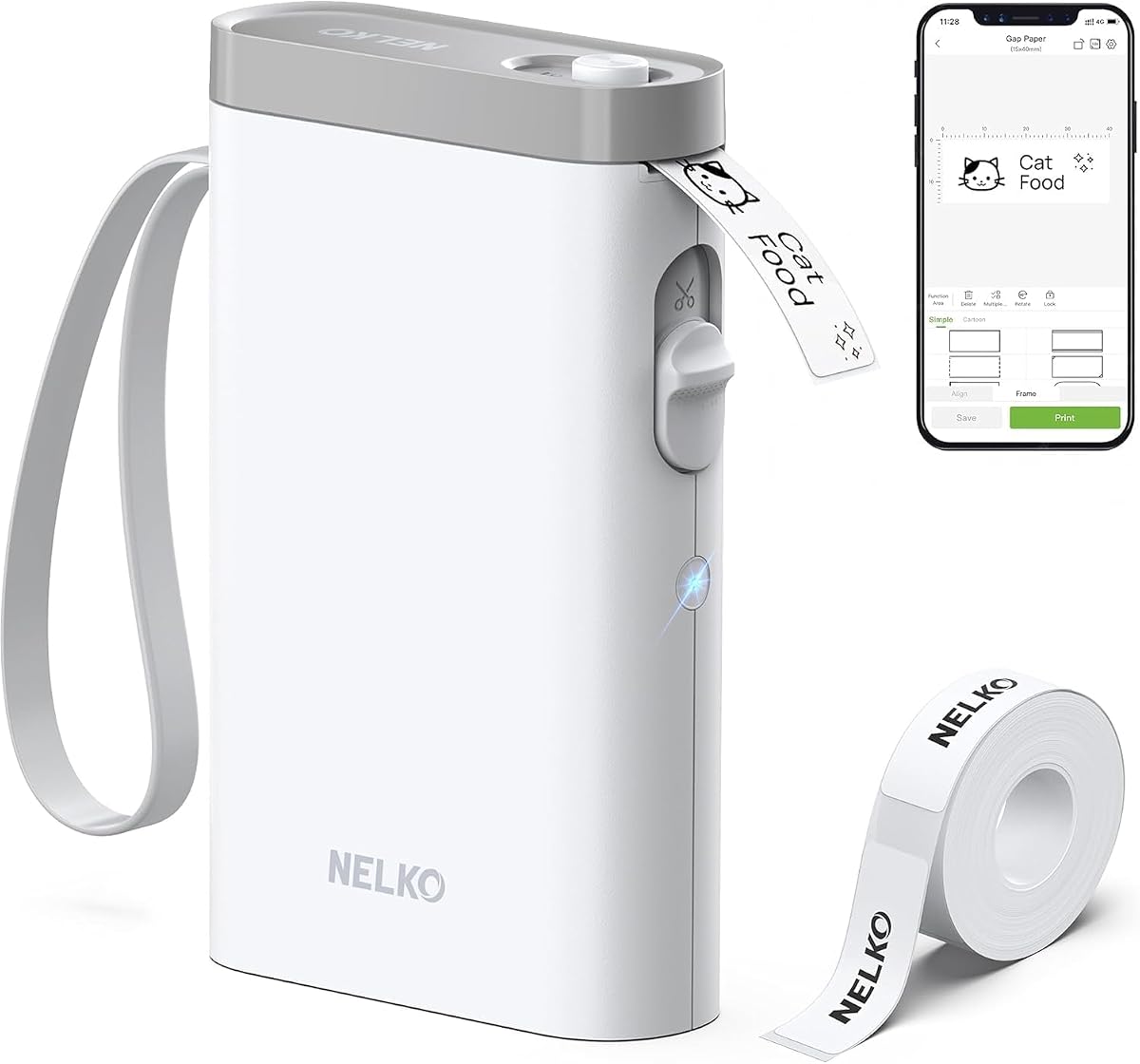

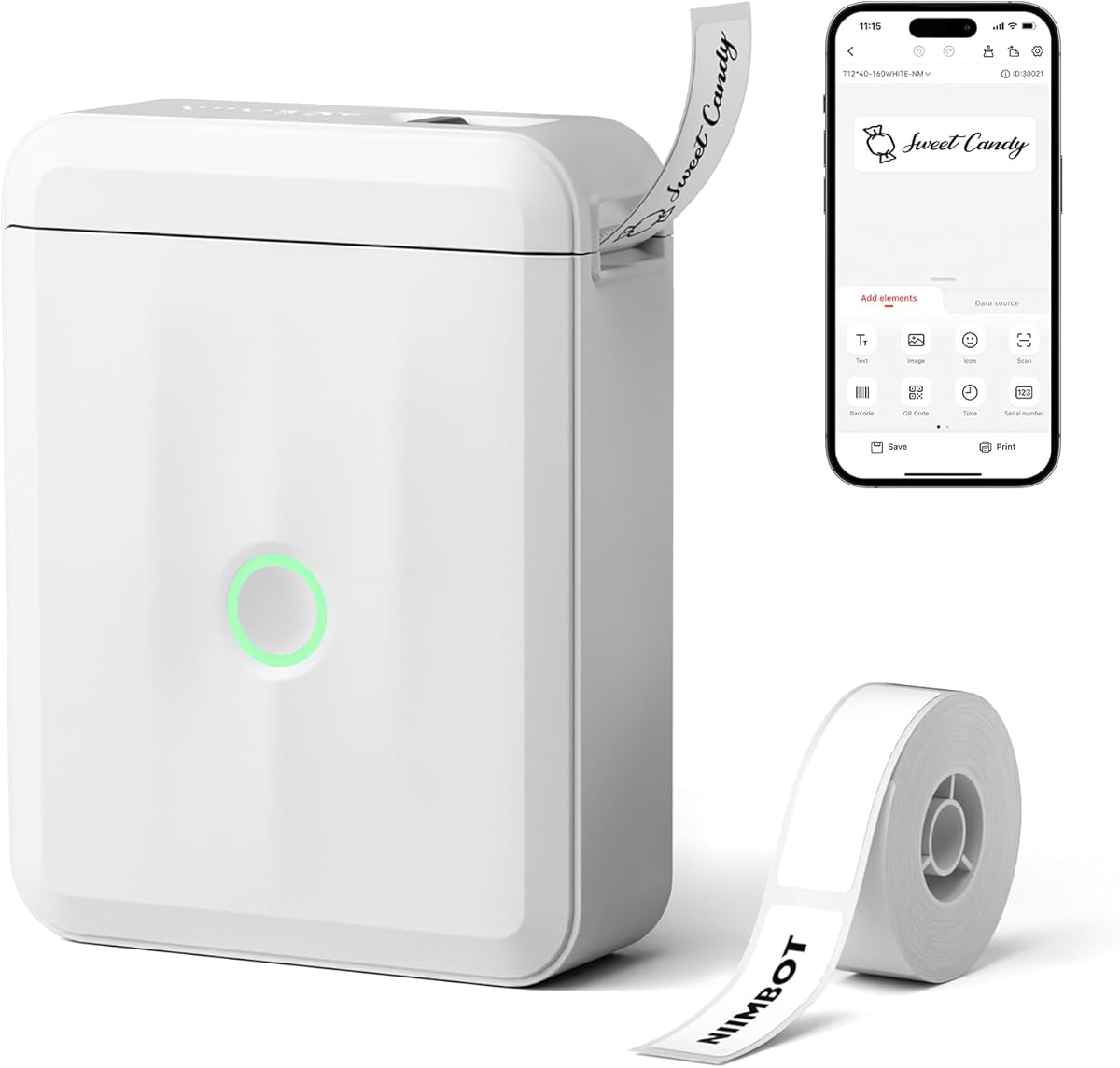



The Nelko P21 combines a pocket-oriented body with a 203 DPI direct thermal print head and a broad collection of creative tools. Its supplied rating is 4.4, placing it among the strongest all-around choices in this guide. The printer is designed for name tags, school supplies, office reminders, pantry labels, and many other everyday identification tasks.
We may earn a commission when you buy through this link, at no additional cost to you.
Its strongest feature is the combination of portability and app-based customization. The Nelko app includes thousands of icons, hundreds of borders, many fonts, materials, and templates, along with text, images, time, QR code, and barcode functions. The device supports fixed label lengths including 14 by 40 millimeters, 14 by 50 millimeters, and 14 by 75 millimeters, providing useful choices for name badges and compact container labels.
There are some important boundaries. It does not work with computers, continuous label tapes are unsupported, and the product information specifically notes that it is not compatible with Google Pixel phones running Android 14. It also prints black text rather than full color, although patterned color label tapes can create decorative results. A charging adapter is not included, so a suitable USB charger may need to be sourced separately.
Despite those limitations, the P21 is a strong recommendation for teachers, students, home organizers, and office users who want a genuinely portable Bluetooth printer with creative options. It works especially well when the required tape is available in a supported fixed length and the main editing device is an eligible iPhone or Android phone.
The app turns the P21 into more than a basic text printer. Icons, borders, images, timestamps, QR codes, and barcodes make it useful for visually distinct name tags, classroom bins, lunch boxes, and personal belongings. Its large template library also reduces the need to design every label from scratch.
The compact, rechargeable format supports printing away from a desk, which is useful for school preparation, travel, or a shared craft table. Because it uses direct thermal technology, the printer requires no ink, toner, or ribbon, although compatible thermal label stock remains essential.
We may earn a commission when you buy through this link, at no additional cost to you.
The Phomemo D30 is a compact Bluetooth label maker that supports both continuous label tapes and fixed-length labels, giving it more flexibility than several narrower alternatives. It carries a supplied rating of 4.3 and uses a 203 DPI direct thermal print head. The result is sharp monochrome output without ink, toner, or ribbons.
We may earn a commission when you buy through this link, at no additional cost to you.
Print Master is the D30's most substantial differentiator. Its library includes thousands of icons, hundreds of borders, many fonts, design materials, and ready-made templates. Users can also create tables, import logos and pictures, generate barcodes or QR codes, attach timestamps, import Excel data, scan documents, extract OCR text, and use voice input. These functions are useful for students, home organizers, and small businesses that need more than a single line of text.
The main compromises relate to complexity and output. The broad editing toolkit may take time to master, and only black text is printed; colorful visual effects depend on patterned tape. While the product description calls the body lightweight and portable, it does not provide the exact weight. It also relies on the dedicated app rather than presenting itself as a computer-compatible printer.
The D30 is a compelling option for buyers who value tape flexibility and sophisticated mobile design. It is particularly suitable for mixed-format projects, batch data labeling, classroom organization, or compact merchandise where users want customizable graphics, codes, and imported information in one workflow.
Supporting both continuous and fixed-length media means the D30 can adapt to differently sized projects. That versatility is useful when one household or small business uses narrow name labels, longer shelf strips, and compact tags across several categories.
Print Master goes beyond a basic template editor with OCR, voice input, Excel imports, tables, logos, and image placement. These functions give experienced users a way to create consistent labels in batches while remaining approachable for simple name-tag projects.
We may earn a commission when you buy through this link, at no additional cost to you.
The N12 Label Maker is a straightforward, budget-focused option for basic name tags and household identification. Its supplied rating is 4.4, matching several more specialized competitors. BPA-free direct thermal technology removes the need for ink, toner, or ribbons, while a built-in rechargeable lithium battery avoids routine battery replacements.
We may earn a commission when you buy through this link, at no additional cost to you.
The Nada Print app provides more than a thousand symbols, over 270 frames, and more than 100 fonts. Bluetooth works with both iOS and Android systems, and supported fixed label dimensions include 12 by 40 millimeters, 14 by 40 millimeters, 14 by 50 millimeters, and 14 by 75 millimeters. These formats are appropriate for student belongings, jars, food dates, cosmetics, cables, office files, and personal items.
Its limitations reflect the model's position as a simpler alternative. It supports fixed label lengths rather than continuous stock, and the package includes one tape roll. The app's feature set is useful for everyday designs but does not include the deeper OCR, document scanning, batch import, and extensive editing tools associated with higher-end models.
For a buyer seeking a compact, rechargeable printer without a complex learning curve, the N12 is a practical recommendation. It is especially appropriate for ordinary name tags, classroom belongings, pantry items, and small organization projects where dependable basic output matters more than maximum tape width.
The N12 focuses on the tasks that make up most household and school projects: names, dates, categories, and ownership marks. Its app supplies enough fonts, frames, and symbols to create attractive labels without requiring a complex design program.
A built-in lithium battery supports convenient recharging, while direct thermal printing means there are no consumable ink cartridges. The result is a compact device that can handle repeated labels with compatible thermal tape.
We may earn a commission when you buy through this link, at no additional cost to you.
The NIIMBOT D110 Mini Label Maker is a compact, upgraded option with a supplied rating of 4.5. It weighs 149 grams, prints at 203 DPI, and is designed to move easily among a home, classroom, office, or small shop. Its pocketable size makes it a natural fit for portable name tag printing.
We may earn a commission when you buy through this link, at no additional cost to you.
One of the most useful details is the upgraded automatic rewind positioning system. The device calibrates the first label when switched on, helping prevent offset printing and avoiding waste. It can print continuously for up to four hours after a full charge, and the 1500mAh battery helps support extended projects such as preparing a full set of classroom tags or labeling pantry containers.
The NIIMBOT app provides fonts, text, symbols, icons, borders, logos, and templates for creating custom stickers. Print width reaches 15 millimeters, with compatible styles including 12 by 40 millimeters, 14 by 30 millimeters, and 15 by 30 millimeters. It supports iOS and Android phones but does not work with computers, so it is best viewed as a mobile creative tool.
The D110 is a strong recommendation for users who value neat first-label positioning and a small footprint. Teachers preparing supplies, families identifying possessions, and office users creating name tags will find its automatic positioning and rechargeable construction particularly practical.
Automatic rewind calibration helps ensure that the first label begins in the correct position. For someone printing a series of similar name tags, that can reduce alignment problems and help preserve more of the installed tape.
The 1500mAh battery is rated for up to four hours of continuous printing after a full charge. This makes the D110 useful for larger sessions, provided users keep a compatible Type-C charging setup nearby when working away from home.
We may earn a commission when you buy through this link, at no additional cost to you.
The SUPVAN T50M Pro stands apart with its ability to print labels from 3/4 inch to 2 inches wide. Its supplied rating is 4.4, and the wider format makes it a more capable option for name badges, shipping details, QR codes, barcodes, product information, and substantial folder labels. The package includes three tapes for an immediately useful assortment.
We may earn a commission when you buy through this link, at no additional cost to you.
Its app emphasizes accessible customization. Users can add images from a phone, tablet, or computer and work with more than 30 fonts, 50 frames, and 660 icons, all described as free to use. The app requires no registration and automatically recognizes label size, reducing setup friction. Enhanced image processing is intended to produce clear, high-resolution results.
Media compatibility is broad, covering square, round, address, cable, jewelry, and file labels. This variety gives the T50M Pro more range than a dedicated narrow organizer, but buyers still need to use compatible rolls and observe the printer's width limits. The larger supported canvas also means the device may be less pocket-friendly than the mini models in this guide.
This is a strong premium recommendation for people who want a versatile label maker rather than a dedicated mini strip printer. It fits classrooms, home organization, small-business packaging, office files, and product labeling particularly well, especially when image-rich or information-heavy labels are needed.
Supporting labels up to 2 inches wide provides more room for a name, company information, barcode, logo, or short description. That makes the T50M Pro useful when a basic narrow name label cannot carry all the required details.
Automatic label-size recognition and a registration-free app shorten the path from loading a roll to making a design. The included tapes also reduce the need to immediately source compatible media for several common projects.
We may earn a commission when you buy through this link, at no additional cost to you.
The Rongta R22 offers a wide range of label dimensions and a 2.13-inch maximum width, giving it more room than many portable mini makers. It has a supplied rating of 4.0 and a 250-gram body, making it relatively substantial while still intended for bag, tote, or briefcase portability.
We may earn a commission when you buy through this link, at no additional cost to you.
The RONGTA app includes more than 40 fonts, 1,000 icons, and over 230 borders, and the product information states that these assets are free to use. It supports images from a phone or tablet, automatic label-size recognition, and no-registration access. For home organization, small business, school, or office labels, this gives enough flexibility for address labels, QR codes, logos, and product information.
The 1500mAh rechargeable battery is stated to support four hours of continuous printing, with a three-and-a-half-hour charge time. The printer uses a USB Type-C cable, though an adapter is not included and a fast-charging adapter is not recommended. It prints only in black and white, and it does not work with computers.
The R22 is best for a buyer who wants a portable Bluetooth label maker with a much wider media range than a fixed-strip device. Its app assets and automatic detection are useful strengths, while the lower rating and lack of PC support make it less compelling for demanding professional workflows.
The R22 supports label widths from 0.63 inch to 2.13 inches. That range accommodates compact name labels as well as broader address, storage, and product tags, depending on compatible media.
The app's large icon and border collections can speed up design work, while automatic size recognition helps users begin printing quickly. The lack of a registration requirement also makes it convenient for shared classroom or household devices.
We may earn a commission when you buy through this link, at no additional cost to you.
The Ponek M100 is notable for supporting Android, iOS, and PC, making it more versatile in device setup than several mobile-only competitors. Its supplied rating is 4.2, while direct thermal printing at 203 DPI and a stated speed of 20 millimeters per second position it as a productive option for classroom, office, and small-business use.
We may earn a commission when you buy through this link, at no additional cost to you.
Its printable width spans 0.78 inch to 2 inches, allowing for address labels, barcodes, logos, QR codes, folder identifiers, and standard name tags. The Print Master app offers more than 6,000 icons, over 3,000 templates, and approximately 300 fonts. PC users can install Labelife and appropriate drivers through the official website, while mobile users print over Bluetooth.
The printer weighs 0.6 pounds, which is manageable but not as pocket-light as the smallest models. Some templates marked as diamonds are restricted to premium members, although other templates are free. The device also uses an NTC temperature sensor for battery safety, supports smart first-label rewinding, and is stated to print as many as 4,200 labels on one charge.
The M100 is a compelling recommendation for users who need both phone and computer connectivity. Teachers, administrators, and small retailers who regularly switch between devices can appreciate its broader compatibility, fast output, and ability to handle labels as wide as 2 inches.
Bluetooth printing from iOS and Android devices is complemented by USB-based PC support. This makes the M100 suitable for workflows where labels are designed on a phone in the field and finalized on an office computer.
A stated print speed of 20 millimeters per second and an estimated 4,200 labels per charge suit repeated classroom or inventory tasks. Smart first-label rewinding also helps limit material waste between rolls.
We may earn a commission when you buy through this link, at no additional cost to you.
The Phomemo D30 Upgrade is a compact label maker distinguished by its unusually broad range of compatible label styles. Its supplied rating is 4.3, and it supports continuous tapes, gap labels, cable labels, index tabs, note tags, round stickers, solid colors, bubble and animal shapes, starry patterns, cartoon designs, luminous labels, and transparent formats.
We may earn a commission when you buy through this link, at no additional cost to you.
Its German thermal print head is described as producing 25 percent clearer output than the earlier version, while the device is 50 percent smaller and lighter than traditional label makers. The app includes more than 4,000 icons, 800 borders, 6,500 materials, 880 templates, and 29 languages. Features include barcodes, QR codes, Excel import, OCR, and voice input.
The breadth of media makes this version appealing for name tags, scrapbooking, photo tagging, school supplies, gift decorations, and colorful organizational projects. However, a larger library can make the app and media catalog more complex to navigate. The printer outputs black text, while visual color comes from the label stock, and some specialized formats may require careful tape loading.
The D30 Upgrade is a good fit for creative users who value label appearance as much as text clarity. It is less suited to someone who wants a single narrow, no-frills printer, but it offers considerable flexibility for decorating name tags, folders, notebooks, bottles, and personal belongings.
Patterned, holographic, transparent, luminous, and shaped media extend well beyond functional name tags. The D30 Upgrade is especially useful for scrapbooks, gifts, school decorations, and personal items where visual style matters.
Twenty-nine languages and thousands of templates make the app approachable for varied households and classrooms. QR codes, barcodes, OCR, Excel imports, and voice input also make it functional for more advanced cataloging tasks.
We may earn a commission when you buy through this link, at no additional cost to you.
The NIIMBOT D110 Upgrade has the highest supplied rating in the group at 4.6, making it a strong leading option for portable name tag printing. This 2026 version is described as smaller and improved, with clearer output, smoother printing, faster processing, and a body designed to fit in a pocket.
We may earn a commission when you buy through this link, at no additional cost to you.
Its defining feature is intelligent label recognition. The device automatically identifies the installed label and supports clear, colorful, gift-themed, and round options. Compatible refills are described as waterproof and oil-proof, which makes the printer useful for kitchen containers as well as school materials, office files, cables, personal items, jewelry, and small-business tags.
The NIIMBOT app supports batch printing over Bluetooth, and the rechargeable battery reaches a full charge in approximately two hours using a Type-C cable. Printing uses BPA-free direct thermal technology at 203 DPI and requires no ink or toner. The printer outputs black text, though color-pattern label tapes can provide a decorative appearance.
The main restriction is device compatibility: it works with iOS and Android smartphones but not computers. The D110 Upgrade is best for mobile-first users who want intelligent tape detection, a highly portable format, batch creation, and durable label options in one compact device.
Intelligent recognition reduces the chance of choosing the wrong canvas or wasting label stock. The system is particularly helpful when a user switches among several tape formats for kitchen, school, and craft projects.
Waterproof and oil-resistant compatible refills are useful for food containers, water bottles, and frequently handled supplies. Combined with batch printing, this makes the model suitable for preparing many ownership labels in a single session.
We may earn a commission when you buy through this link, at no additional cost to you.
The KNAON Bluetooth Thermal Shipping Label Printer is the most specialized model in this guide. It is designed for 4×6 shipping labels and small-business operations rather than pocket-sized name tags alone. Its supplied rating is 4.4, and it can produce address, barcode, thank-you, mailing, name, and price labels with a stated speed of up to 180 millimeters per second.
We may earn a commission when you buy through this link, at no additional cost to you.
Connectivity is broad but requires attention to setup. Mobile users and desktop users rely on the FlashLabel Pro app, while Windows 7 or later can print by Bluetooth after installing the latest advanced driver. USB connectivity supports macOS, Windows, ChromeOS, and Linux, and the built-in USB drive contains drivers and tutorial videos. ChromeOS users also need the FlashLabel extension.
The printer supports 1.5 to 4.2-inch paper widths and works with major commerce and logistics services, including Amazon, eBay, Shopify, Etsy, PayPal, Poshmark, DHL, UPS, and USPS. For those platforms, the logistics label should first be saved as a PDF and then imported into FlashLabel Pro. The package includes ten test papers, and the unit measures 7.17 by 3.9 by 3.43 inches.
The KNAON is a strong recommendation for Etsy sellers, home businesses, and small fulfillment operations that need compact shipping-label capability alongside name tags. It is less relevant for someone whose only goal is marking lunch boxes or school supplies, but its fast output and multi-platform workflow serve a distinctly professional need.
At 7.17 by 3.9 by 3.43 inches, the printer is portable enough for a small packing station but larger than a mini organizer. It supports standard shipping dimensions and up to 4.2-inch media widths for more substantial labels.
The app-based PDF import method supports widely used marketplaces and shipping services. This makes the printer useful for merchants who regularly create address labels without requiring a full-size desktop printer.
We may earn a commission when you buy through this link, at no additional cost to you.
The right portable name tag printer depends on the labels you need, the devices you use, and the amount of design work involved. Compare print width, media compatibility, app capabilities, battery life, and platform support before choosing a model.
Label width determines what a printer can actually produce. Compact fixed-format models are often centered on narrow strips around 12 to 15 millimeters wide, which works well for names, dates, and ownership labels. Wider models can print address labels, barcodes, logos, product descriptions, and shipping information. Some support continuous rolls, while others work only with gap-based or fixed-length tapes.
Most mini label makers in this guide use Bluetooth and connect to iOS or Android phones. That makes them ideal for portable creation, but it excludes direct computer use. The Ponek M100 supports both mobile devices and PCs, while the KNAON adds broad desktop support through USB and app-based workflows. Check your primary editing device before buying, especially if you already manage labels on a computer.
The app is the creative center of a Bluetooth label maker. Basic libraries with fonts, borders, icons, and templates are sufficient for name tags and basic organization. More advanced options add image imports, QR codes, barcodes, tables, Excel batch data, OCR, voice input, and document scanning. A larger library can be beneficial, although it may also make the editing process feel more complicated.
Most options use 203 DPI direct thermal printing, which is appropriate for readable text, simple graphics, QR codes, and barcodes when compatible label stock is used. Thermal printers do not require ink, toner, or ribbons, which reduces the number of consumables. Remember that most models print black text; colored results come from the label tape rather than full-color printheads.
Portable use depends on both size and battery endurance. Some mini makers can slide into a pocket, while broader shipping or office printers are better carried in a bag. Battery claims range from quick Type-C recharging to as much as four hours of continuous printing. Check charging-cable requirements, included accessories, and whether a wall adapter is supplied before relying on the printer away from an outlet.
A printer is only as flexible as its supported media. Look for automatic size recognition, support for continuous or gap tapes, and compatibility with the shapes or materials you need. Round, transparent, patterned, waterproof, and oil-resistant stocks may not be supported by every model. The KNAON and SUPVAN include tape, while several mini models include a smaller starter roll.
Classroom users may value batch printing, name tags, and first-label positioning. Home users may prioritize pantry labels, cosmetics, children's belongings, and cable identification. Small businesses need price tags, QR codes, logos, and address information, while sellers may need full shipping labels. Match the printer's width and app tools to the environment rather than choosing solely by appearance.
Begin by charging the printer according to its instructions and installing the manufacturer's recommended app. Install the label roll in the correct direction, keeping sensors and backing strips intact, then use automatic detection or manually select the exact size in the app. Begin with a simple test label before creating a large batch to confirm alignment and print clarity.
Design a name tag with a clear hierarchy: place the person's name prominently, add only essential details, and use borders, icons, or a company logo sparingly. QR codes and barcodes should be generated with the app's native tools and printed at a size that a scanning device can read. For batch work, create a consistent template and change only the variable information.
To care for the device, keep the print head and rollers clean and use compatible thermal tape. Do not tear the sensor chip, green backing strip, or other components that can interfere with feed detection. Store the printer away from excessive heat, moisture, and direct sunlight, and charge it periodically during long periods of inactivity.
Most of the models in this guide use direct thermal technology and print black text only. Some can create the appearance of color by printing on patterned, colored, transparent, or decorative label tapes. The appearance depends on the loaded media, and these printers should not be treated as general-purpose full-color inkjet devices.
No. These printers use direct thermal technology, so compatible thermal label stock replaces ink and toner. You still need to purchase replacement rolls when the included tape runs out, but there are no ink cartridges, toner cartridges, or print ribbons to maintain.
Most compact models are designed for iOS and Android phones through Bluetooth and do not work directly with computers. The Ponek M100 supports PC use in addition to mobile devices, while the KNAON provides USB-based desktop compatibility and a broader small-business application workflow.
Continuous labels let you choose the printed length for each job and can reduce waste when designs vary. Fixed-length labels are easier to organize and predict, and they work well for batches of similar name tags. The Phomemo D30 models support both styles, while several other products are limited to supported fixed dimensions.
The Nelko P21, NIIMBOT D110, and Phomemo D30 options are strong classroom choices because their apps support names, icons, borders, and other visual elements. The NIIMBOT D110 Upgrade also offers batch printing and intelligent label recognition, while the Rongta R22 provides a larger asset library for teachers who want more design flexibility.
Yes, the apps on these models support barcode and QR code generation in varying degrees. The Nelko P21, Phomemo D30, Ponek M100, and KNAON all explicitly include code support. Print the code with enough surrounding space and use compatible high-contrast label stock so a phone or scanner can read it reliably.
Waterproof and oil-resistant label refills are specifically mentioned for the NIIMBOT D110 Upgrade, and the Nelko P21 describes compatible labels as waterproof. Other models may also work with suitable media, so always verify the manufacturer's compatibility guidance. Water resistance refers to the label and should not be confused with the printer body itself.
The KNAON is the clearest choice because it is designed around 4×6 shipping labels and supports major commerce and shipping platforms. It can also produce name, address, price, barcode, and thank-you labels. The SUPVAN T50M Pro and Rongta R22 are more suitable for wider business labels that are not full shipping labels.
The NIIMBOT D110 Upgrade is the strongest all-round choice for a pocketable printer with intelligent label recognition, batch printing, and a high supplied rating. The N12 provides a simpler and more affordable route to compact Bluetooth labeling, while the SUPVAN T50M Pro stands out when wider labels, multiple included tapes, and expanded media support are priorities.
Before buying, match the device to your real workload. Choose a narrow mini maker for name tags and school belongings, a flexible continuous-tape model for varied creative projects, a PC-compatible option for office work, or the KNAON for genuine shipping-label production. Check tape sizes, phone or computer support, battery claims, and app features before downloading anything.
Customer ratings and product configurations can evolve, so review the latest listing details and app requirements before purchasing. Current prices and availability also change frequently. Comparing the printer's supported media and workflow against your most common labels will lead to the most practical choice.