
ASUS RT-AX1800S Dual Band Router
4.3Editor score
Subscription-free network security
Parental control features
Five Gigabit Ethernet ports
AiMesh expandability
Parental control routers combine robust filtering, device management, and secure connectivity. This guide compares the 10 leading models for homes and families.
Parental control routers put family online safety at the center of the home network, combining internet protection, device filtering, usage controls, and secure connections in one manageable system. A capable router can limit late-night browsing, pause a game console, create safer guest access, and reduce exposure to malicious sites without requiring every family member to manage separate software.
This guide compares ten routers based on their documented parental controls, network security, Wi-Fi generation, wired connectivity, mesh support, and practical household features. The list covers affordable dual-band models, capable Wi-Fi 6 and Wi-Fi 6E systems, advanced Wi-Fi 7 options, and a wired VPN-focused router for buyers who value network segmentation and flexible connections.
Each review explains where a model stands out, what limitations to consider, and which type of household it may suit best. The top selections emphasize clearly documented controls, dependable security, useful management options, and enough performance for common family demands. Product availability and pricing change, so compare current specifications and offers before purchasing.
4.3Editor score

4.4Editor score

4.2Editor score
The comparison below highlights the principal technologies, security features, connectivity options, and family-management strengths of each router. It includes wireless models for typical homes and a wired VPN router for more specialized network control.




The TP-Link AX1800 WiFi 6 Router, also identified as the Archer AX21 V5, earns a 4.4 rating and stands out as a balanced option for families seeking modern wireless performance without moving to the newest Wi-Fi generation. Its combination of dual-band Wi-Fi 6, four external antennas, beamforming, and a family-friendly management app creates a practical foundation for connected homes.
We may earn a commission when you buy through this link, at no additional cost to you.
The router offers up to 1200 Mbps on the 5 GHz band and up to 574 Mbps on the 2.4 GHz band, yielding 1.8 Gbps of aggregate bandwidth. OFDMA helps it communicate with multiple devices more efficiently, while beamforming and the advanced front-end module focus coverage toward clients. Its support for both OpenVPN and PPTP server functions also gives parents a useful way to create a secure path to their home network.
The main compromise is that this is a dual-band design and therefore does not provide a 6 GHz band. That means connected devices cannot take advantage of the additional spectrum offered by Wi-Fi 6E and Wi-Fi 7 routers. The supplied product information also does not detail granular scheduling or category filtering, so buyers wanting highly specific parental policies should verify those options in Tether before replacing an existing router.
It is a strong recommendation for households with a typical mix of phones, laptops, televisions, and game consoles that need dependable Wi-Fi 6 performance and basic network-level management. It is less suited to buyers who insist on the newest standard, multi-gigabit wired links, or extensive documented family filtering. Even so, its balance of coverage, speed, security, and provider compatibility makes it an easy router to recommend.
OFDMA, beamforming, and Wi-Fi 6 efficiency make the Archer AX21 V5 well suited to households where several devices are online simultaneously. The four external antennas and focused signal delivery help maintain useful coverage across typical family living spaces, although real results depend on distance, walls, and interference.
OpenVPN and PPTP server support is a meaningful addition for parents who want controlled access to their home network while away. It also makes the router more versatile for users who need secure remote access to connected home devices.
We may earn a commission when you buy through this link, at no additional cost to you.
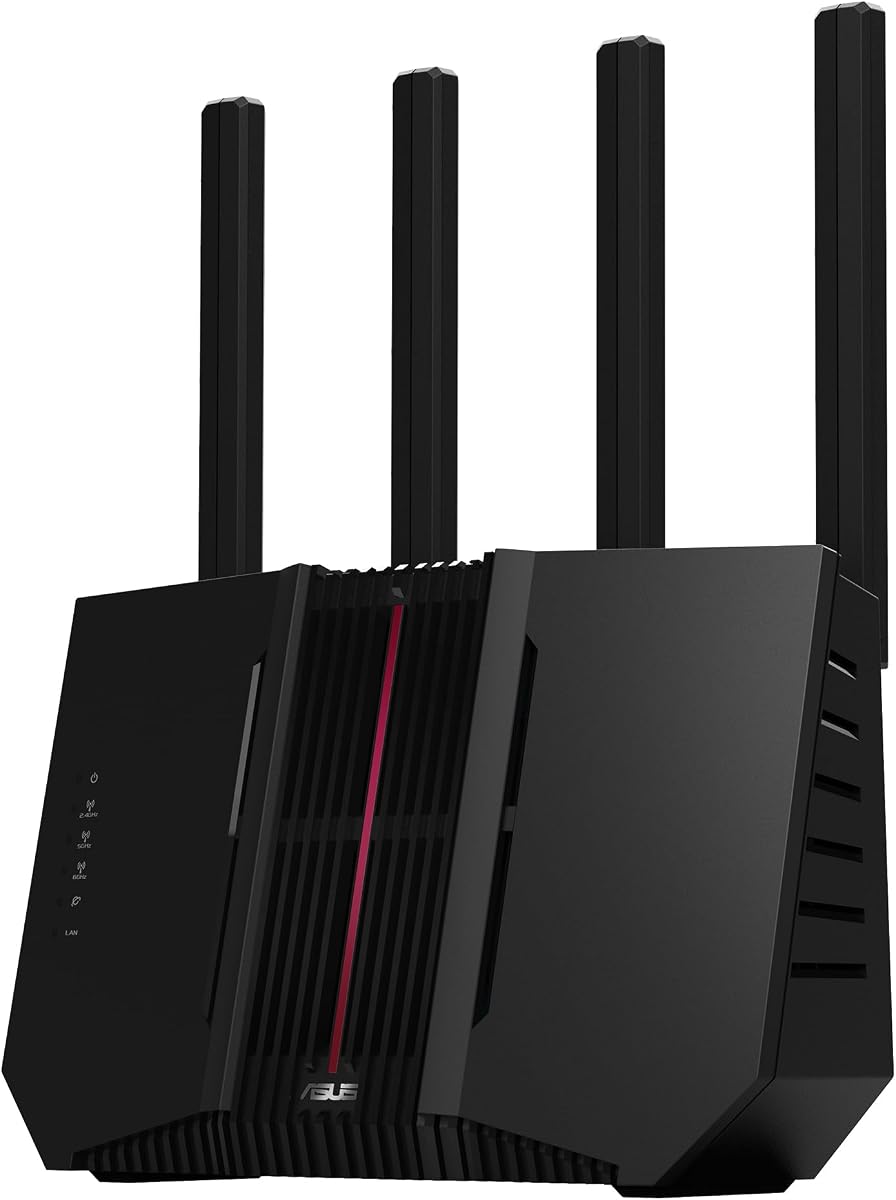
The ASUS RT-AX1800S carries a 4.3 rating and is one of the most compelling choices for families because it explicitly combines Wi-Fi 6 performance, subscription-free network security, parental controls, a built-in VPN, and AiMesh compatibility. It delivers a broad feature set in a dual-band design without relying on a premium multi-band specification.
We may earn a commission when you buy through this link, at no additional cost to you.
Its network is built around Wi-Fi 6 with MU-MIMO and OFDMA, allowing it to serve multiple devices more efficiently. Four external antennas and a dual-core processor support everyday family use, while one Gigabit WAN port and four Gigabit LAN ports provide generous wired connectivity. AiProtection Classic adds commercial-grade security derived from Trend Micro without the need for a recurring subscription.
As with any Wi-Fi router, actual throughput and coverage depend on the building, traffic volume, device distance, and other environmental factors. The lack of a 6 GHz band may matter for newer phones and computers that support Wi-Fi 6E or Wi-Fi 7. Buyers should also determine whether they need the specific ASUS parental-control options, such as time scheduling or per-device rules, before finalizing the setup.
This router is best for households that want explicit parental control and security features, several wired connections, and an easy path to larger coverage without moving beyond Wi-Fi 6. It is a particularly sensible value-oriented choice for mixed-device homes, while larger or newer-device households may prefer one of the Wi-Fi 7 models in this guide.
The combination of parental controls and subscription-free AiProtection Classic reduces the risk that core safety features disappear when a trial ends. It is a more attractive proposition for families that want network protection and household management in the same system.
One Gigabit WAN connection and four Gigabit LAN ports provide practical options for desktop computers, streaming equipment, and game consoles. Parents can also use ASUS Instant Guard when away to establish a secure connection through the router's VPN functionality.
We may earn a commission when you buy through this link, at no additional cost to you.
The TP-Link Archer BE230 has a 4.2 rating and represents a modern approach to family networking. Its dual-band Wi-Fi 7 platform, multi-gigabit ports, robust parental controls, real-time IoT security, and EasyMesh support make it a forward-looking choice for households that want more than basic filtering.
We may earn a commission when you buy through this link, at no additional cost to you.
The router can deliver up to 2882 Mbps on the 5 GHz band and 688 Mbps on the 2.4 GHz band. Multi-Link Operation, Multi-RUs, and 4K-QAM are among the Wi-Fi 7 technologies highlighted for improved speed, reliability, and data capacity. A 2.5G WAN/LAN port, a 2.5 Gbps LAN port, and three 1 Gbps LAN ports improve wired flexibility for demanding devices and local networks.
TP-Link HomeShield provides comprehensive network protection, parental controls, and real-time IoT security. However, it remains a dual-band product and does not support 6 GHz, so buyers must choose it for its other strengths rather than assuming it has the full spectrum of a tri-band Wi-Fi 7 system. The listed 2,000-square-foot coverage figure and capacity for up to 60 devices are useful targets, not guarantees in every environment.
The Archer BE230 is well suited to families with newer devices, demanding internet connections, and a desire to manage devices, IoT equipment, and online access through the Tether app. It may be more than a small household needs, but it offers a compelling balance of current technology, family controls, and expandable coverage.
Multi-Link Operation and 4K-QAM give the Archer BE230 tools for improving throughput and reliability across connected devices. The multi-gigabit ports are especially useful when a household wants faster local transfers or has an internet plan that can benefit from a 2.5G connection.
HomeShield combines robust parental controls with real-time IoT security, giving parents one place to manage connected devices. Its compatibility with EasyMesh routers and extenders can help maintain consistent coverage as the family moves through a larger home.
We may earn a commission when you buy through this link, at no additional cost to you.
The ASUS RT-AX3000S earns a 4.2 rating and is a strong fit for parents who want schedule-based control in a Wi-Fi 6 system. It combines a total networking speed of about 3000 Mbps with MU-MIMO, OFDMA, Instant Guard, parental control scheduling, a built-in VPN, and AiMesh expandability.
We may earn a commission when you buy through this link, at no additional cost to you.
Its 2.4 GHz band is listed at 574 Mbps, while the 5 GHz band can reach 2402 Mbps. The use of 1024-QAM, MU-MIMO, and OFDMA supports efficient handling of multiple wireless clients. For families with a larger number of active devices, that capacity-oriented design is a meaningful advantage over simpler entry-level routers.
The router does not include a 6 GHz band, which limits its appeal for households seeking a complete Wi-Fi 6E or Wi-Fi 7 experience. It also relies on an extendable-router system rather than including mesh nodes, so covering a large home requires adding compatible AiMesh equipment. The product information does not provide a detailed port breakdown, so buyers needing numerous wired connections should confirm hardware specifications.
This model is recommended for families that prioritize parental scheduling and future expansion over having the newest wireless standard. It works particularly well for homes with many phones, tablets, laptops, and smart-home devices that need a stable, efficiently managed dual-band network.
Parental control scheduling gives parents a direct way to define when particular devices should have access. That makes the router useful for homework periods, bedtime routines, and other recurring household rules without requiring every child to remember a separate timer.
AiMesh compatibility allows the RT-AX3000S to join a broader mesh network. Families can start with one router and add compatible units later, reducing dead zones while retaining access to ASUS network management features.
We may earn a commission when you buy through this link, at no additional cost to you.
The TP-Link Archer A54 holds a 4.3 rating and offers a simple dual-band solution for smaller homes, apartments, and families that do not need a new wireless standard. It provides up to 867 Mbps on 5 GHz and 300 Mbps on 2.4 GHz, for 1200 Mbps of total bandwidth.
We may earn a commission when you buy through this link, at no additional cost to you.
Four external antennas and a stated coverage target of up to 1,000 square feet make it suitable for compact living spaces. WPA3 improves protection for compatible personal networks, while the Tether app provides an accessible setup and management interface. IPTV-related functions such as IGMP Proxy/Snooping, Bridge, and Tag VLAN can improve the experience of certain television services.
Its most significant limitation is Wi-Fi 5. Newer Wi-Fi 6, 6E, and 7 routers provide better efficiency, more modern security options, and potentially stronger multi-device performance. The product data also does not describe comprehensive family filtering or detailed scheduling, so the A54 is better viewed as a secure general-purpose router than a specialized parental control system.
The Archer A54 is most appropriate for budget-conscious buyers in smaller homes who primarily need standard web, video, and device connectivity. Those wanting detailed content controls should verify the available Tether features, while households with many high-bandwidth devices will receive more headroom from a Wi-Fi 6 or Wi-Fi 7 model.
The A54's dual-band radio and four external antennas offer a familiar, uncomplicated way to create a stable wireless network. Its stated coverage target makes it a sensible starting point for apartments and smaller houses where a large mesh system would be unnecessary.
WPA3 support strengthens the security baseline for compatible devices, while the Tether app keeps administration approachable. EasyMesh compatibility also leaves room to add compatible equipment if the household later needs broader coverage.
We may earn a commission when you buy through this link, at no additional cost to you.
The TP-Link ER605 is a wired Gigabit VPN router with a 4.4 rating, and it stands apart from the wireless models in this guide. Rather than broadcasting a home Wi-Fi network, it focuses on secure routing, firewall policy, filtering, multiple WAN connections, and extensive VPN support.
We may earn a commission when you buy through this link, at no additional cost to you.
Its five Gigabit ports include one Gigabit WAN port, two configurable Gigabit WAN/LAN ports, and two Gigabit LAN ports. This lets a single device optimize bandwidth across up to three WAN connections. The USB port can support a compatible 4G or 3G modem for WAN backup, which can be valuable for remote workers who need a secondary connection.
Security capabilities include advanced firewall policies, denial-of-service defense, IP, MAC, and URL filtering, SPI firewall protection, and VPN pass-through. The router supports up to 20 LAN-to-LAN IPsec connections and 16 each for OpenVPN, L2TP, and PPTP. The drawback is equally important: it has no built-in Wi-Fi, so a family would need one or more access points or a separate wireless router.
The ER605 is best for a wired home office, small business, or technically inclined household seeking granular network control and resilient WAN access. It is not the easiest standalone family router for ordinary wireless use, but it can be an excellent centerpiece for a segmented network when paired with appropriate access points.
IP, MAC, and URL filtering gives administrators several ways to define which traffic and destinations are allowed. Combined with firewall policies, these tools can help separate trusted family devices from work equipment or less-trusted smart-home products.
Support for up to three WAN connections and a compatible USB modem creates more than one route to the internet. That flexibility can improve resilience while the many VPN protocol options accommodate remote-access and site-to-site needs.
We may earn a commission when you buy through this link, at no additional cost to you.
The ASUS RT-BE88U earns a 4.3 rating and offers an advanced combination of Wi-Fi 7 performance, 10G wired connectivity, and family management tools. Its ability to establish up to five SSIDs through Guest Network Pro makes it especially interesting for households that want to separate children, guests, work devices, and IoT products.
We may earn a commission when you buy through this link, at no additional cost to you.
Wireless throughput can reach up to 7200 Mbps using Multi-Link Operation and 4096-QAM, while a 10G SFP+ port and a 10G WAN/LAN port can support demanding wired networks. A quad-core 2.6 GHz 64-bit processor, 10G port support, and a USB port for 4G LTE or 5G mobile tethering make this a technical hub for advanced households.
AiProtection Pro brings Trend Micro-powered security, one-tap security scanning, comprehensive VPN support, site-to-site VPN, instant VPN connections, and convenient parental controls. The same sophistication creates a learning curve, and households with modest internet speeds and older devices may not benefit from every port or protocol. Actual coverage will still depend on the home and client hardware.
This is a strong recommendation for a connected family with high-speed internet, multiple 10G-capable devices, or a need to isolate several device categories. Parents can use separate SSIDs and built-in controls while benefiting from a router designed to serve advanced networking demands.
Supporting up to five SSIDs gives parents a practical way to divide main devices, children, guests, and connected equipment. Each network can offer a separate security boundary, making later device additions less disruptive to the primary family network.
The combination of a 10G SFP+ port and 10G WAN/LAN port is a major advantage for homes with fast storage, workstations, and local services. Mobile tethering through the USB port adds another WAN option for locations where conventional service is unreliable.
We may earn a commission when you buy through this link, at no additional cost to you.
The TP-Link Archer AXE75 has a 4.3 rating and is a polished tri-band option for families that want the extra headroom of a 6 GHz network without moving to Wi-Fi 7. It provides up to 5400 Mbps of aggregate bandwidth, split across 2402 Mbps on 6 GHz, 2402 Mbps on 5 GHz, and 574 Mbps on 2.4 GHz.
We may earn a commission when you buy through this link, at no additional cost to you.
The dedicated 6 GHz band can offer more available bandwidth and low latency for compatible modern devices, while true tri-band operation and OFDMA improve capacity when many clients are active. A 1.0 GHz dual-core processor, 512 MB of memory, and a cooling-conscious enclosure support sustained performance. The router also functions as both a VPN server and client using OpenVPN, PPTP, and L2TP.
TP-Link HomeShield provides network and IoT protection, basic parental controls, quality of service, and weekly or monthly reports. Some advanced capabilities are presented as premium features, so buyers should examine current service options and the distinction between included and subscription-based tools. The AXE75 is also one generation behind Wi-Fi 7, although it remains a capable standard for many homes.
This router suits households with Wi-Fi 6E-compatible devices, an interest in clean tri-band coverage, and a need for basic family controls plus solid security. It is less attractive for buyers committed entirely to the latest standard, but its balance of performance, features, and expandability remains attractive.
Separating the 6 GHz band from the other two radios can reduce congestion and provide a fast path for compatible devices. That is especially helpful for newer phones, laptops, and mixed households that also have many 2.4 GHz accessories.
HomeShield adds network protection, IoT device identification, basic parental controls, quality of service, and scheduled reports. These features give parents a more useful picture of household activity without requiring a separate security appliance.
We may earn a commission when you buy through this link, at no additional cost to you.
The ASUS RT-BE82U combines Wi-Fi 7 performance with an approachable set of 2.5GbE connections and a 4.2 rating. It is a compelling choice for families that want current wireless technology, fast wired links, and ASUS security features without moving to the most advanced multi-gigabit hardware in the guide.
We may earn a commission when you buy through this link, at no additional cost to you.
The router can reach up to 6500 Mbps through its dual-band Wi-Fi 7 platform, and 4096-QAM increases the transmission capability of a single frequency band. Multi-Link Operation allows a compatible client to use multiple bands for stable connections and efficient data transfer. Five 2.5GbE ports are a notable feature for wired devices and high-speed local workflows.
AiProtection Pro is powered by Trend Micro and includes a one-tap security scan and Safe Browsing, which can help parents protect household users from dangerous online destinations. The router remains dual-band, though, so it does not offer the dedicated 6 GHz spectrum found in higher tri-band systems. Its 2.5GbE ports are excellent for current high-speed plans but do not match the 10G options of the RT-BE88U.
The RT-BE82U is a strong fit for a modern household with several 2.5GbE-ready devices and a preference for ASUS's security ecosystem. It is well suited to parents who want Safe Browsing, robust network protection, and expandable AiMesh coverage in a Wi-Fi 7 design.
Five 2.5GbE ports give families meaningful wired headroom for modern laptops, network storage, and other high-bandwidth devices. This is a particularly useful configuration when more than one connected device benefits from a faster Ethernet link.
Safe Browsing helps guard household users against harmful websites, while AiProtection Pro supplies broader network security. One-tap scanning gives parents a convenient way to inspect the network without navigating through a long configuration process.
We may earn a commission when you buy through this link, at no additional cost to you.
The ASUS RT-BE9700 has a 3.9 rating and serves as the most technically advanced router in this guide. It combines tri-band Wi-Fi 7, a dedicated 6 GHz network, up to 9700 Mbps of aggregate throughput, dual WAN capability, advanced VPN functions, and subscription-free protection for demanding connected homes.
We may earn a commission when you buy through this link, at no additional cost to you.
The use of 320 MHz channels and 4096-QAM significantly expands network capacity, while Multi-Link Operation lets compatible devices use multiple bands for stability and efficient transfer. AI WAN detection and a USB port ready for 4G LTE or 5G tethering make it possible to establish backup or alternative internet paths, adding resilience for home offices.
ASUS Network Security uses a triple-level protection design and a commercial-grade cloud database to safeguard the network around the clock. It also supports advanced site-to-site VPN and the Instant Guard mobile app for secure access over public Wi-Fi. The lower supplied rating may reflect buyer feedback or product experience, but it should still be considered alongside the router's exceptional specifications and substantial feature set.
The RT-BE9700 is intended for households with very high-speed service, many modern wireless clients, or complex networking needs. Parents who want advanced family security, extensive VPN configuration, and seamless AiMesh expansion may appreciate it, while a smaller household may find its capabilities far beyond what it needs.
The tri-band design and 320 MHz 6 GHz channels provide exceptional capacity for compatible devices. In a busy home, the additional spectrum can help separate demanding clients from more conventional household traffic.
Triple-level protection is designed to safeguard the network continuously, while site-to-site VPN and Instant Guard support secure remote access. Together, these tools suit parents and professionals who need more comprehensive control over how family devices connect.
We may earn a commission when you buy through this link, at no additional cost to you.
Choosing a parental control router requires balancing family-management features with wireless performance, security, coverage, and budget. The right device should make everyday rules easy to apply, keep connected clients protected, and provide room for the household's connected devices to grow.
Begin by identifying the specific controls your family needs. Some routers emphasize time scheduling, while others provide content filtering, device pausing, usage reports, safe browsing, or separate SSIDs for children and IoT equipment. ASUS models in this guide explicitly mention parental controls or scheduling, TP-Link HomeShield products offer family-management features, and models with multiple SSIDs can make device grouping easier. Review the current administration interface and confirm that the required tools are included rather than assuming every protection feature is permanent or free.
Choose the router that matches the rules your household actually expects to enforce.
Parental controls are most valuable when they sit within a broader security framework. Look for WPA3 support, secure-by-design practices, IoT protection, malicious-site blocking, firewall controls, and safe-browsing tools. ASUS includes AiProtection Classic or Pro features across several models, while TP-Link offers HomeShield on selected Archer routers. The wired ER605 focuses on firewall policies, filtering, and VPN connections. No single feature guarantees perfect safety, so a layered approach is preferable.
Prioritize ongoing network protection alongside parental scheduling.
A faster standard can improve efficiency when many devices communicate at once, but raw aggregate speed is not the same as real-world throughput. Wi-Fi 6 models such as the Archer AX21 V5 and ASUS RT-AX1800S use OFDMA and MU-MIMO to serve busy networks efficiently. Wi-Fi 6E adds a 6 GHz band, while Wi-Fi 7 models introduce Multi-Link Operation, 4K-QAM, and wider channels. Match the router to the clients already in the home and the speed of the internet plan.
Faster technology helps most when the household has compatible devices and demanding traffic.
Coverage claims are useful comparisons, but walls, floor plans, interference, and router placement affect results. The Archer A54 is positioned for a more compact area, while the Archer BE230 lists coverage up to 2,000 square feet. For larger homes, mesh compatibility can be more important than a single router's stated range. ASUS AiMesh and TP-Link EasyMesh provide different ways to expand coverage, but compatible nodes, placement, and consistent administration still require planning.
Choose a router that can cover your rooms now and expand cleanly later.
Wired connections remain important for desktop computers, smart televisions, game consoles, and network storage. The RT-AX1800S includes five Gigabit ports, the ER605 offers multiple configurable Gigabit WAN and LAN ports, and the Archer BE230 includes two 2.5-gigabit connections. The ASUS RT-BE82U has five 2.5GbE ports, while the RT-BE88U goes further with two 10G ports. Count the devices that need Ethernet and consider whether they share high-speed local storage.
Match wired port speed and count to the household's actual devices.
VPN functions can let family members reach approved home resources from outside the house and can support advanced network architectures. The Archer AX21 V5 supports OpenVPN and PPTP server modes, the Archer AXE75 supports server and client functions, and ASUS models offer Instant Guard or broader VPN support. The TP-Link ER605 goes further with high VPN connection limits and multiple protocols. Determine whether the goal is simple family access, site-to-site connectivity, or a resilient secondary internet path.
Choose VPN features according to how and where the network will be accessed.
Controls are only effective if household members can use them consistently. TP-Link's Tether app and ASUS's browser-based management environment are designed to simplify configuration, while reports can help parents understand when devices are most active. Look for clear device naming, pause controls, schedules, and summaries. The most advanced router can still be a poor fit if its interface feels complicated to the person responsible for daily administration.
Favor a clear interface that the primary caregiver can manage confidently.
Wi-Fi 7 and 6 GHz support offer a longer runway for modern devices, but they are not mandatory in every household. A well-chosen Wi-Fi 6 router may satisfy a family with a modest connection and older clients, while a wired model can be preferable for a small office. Consider planned device upgrades, the available internet speed, the number of wired clients, and the size of the home before paying for advanced radio bands or multi-gigabit ports.
Buy for present needs and credible upgrades, not headline speed alone.
Begin by connecting the router to the modem or internet source, then use the manufacturer's setup process to establish administrator credentials and update the firmware. Create separate wireless networks for the main household, children, guests, and IoT devices when supported. Assign familiar names to every client, remove unknown entries, and set access rules before connected devices resume normal activity.
Configure schedules according to each child's age, homework routine, and bedtime. Apply content restrictions or safe-browsing protection at the network level, then use separate SSIDs or guest networks to reduce exposure to risky content. Review connected-device lists and usage reports regularly, pause unfamiliar devices promptly, and test restrictions with a child device so you know the rules are working as intended.
Keep the router in an open, central, ventilated location and avoid stacking it beneath equipment or inside a closed cabinet. Update firmware through the official app or administration interface, change the administrator password, and review parental-control settings after major updates. When coverage or security needs change, add compatible mesh equipment carefully and document the network layout so access and filtering rules remain consistent.
The most useful controls include device-specific time scheduling, content or category filtering, the ability to pause internet access, usage reports, and safe-browsing protection. Separate SSIDs can also help isolate children's devices from adult or IoT equipment. The best choice depends on the router's interface and the age of the children, so verify features in the current management software before purchasing.
Network-level controls provide a useful foundation, but device-specific tools can add more detailed history, app controls, and age-specific restrictions. Many families benefit from using both approaches, especially for personal phones and tablets that may leave the home Wi-Fi network. Router controls are especially valuable for shared televisions, consoles, and other devices that do not always run parental control software.
No. Wireless speed and family-management features are separate categories. A Wi-Fi 7 router can provide excellent capacity while offering modest controls, while a less advanced router may include more detailed scheduling and filtering. Compare the management tools, security features, coverage, and ports independently from the Wi-Fi generation.
Mesh is primarily a coverage solution, not a parental control feature. It can help maintain consistent access rules across a larger home when each node participates in the same managed network. If one router provides adequate coverage, a simpler system may be easier to administer. Choose mesh expansion when dead zones are a genuine problem, not simply because the largest home model is available.
In most cases, a standalone router can connect to an existing compatible modem, while some service providers supply combined modem-router units. The product data notes that separate modems are required for the listed TP-Link wireless routers, and most providers require an appropriate modem. Confirm connector type, addressing mode, and provider compatibility before replacing existing equipment.
Separate SSIDs place devices into different wireless networks, each with its own security and access settings. Parents can place children on a restricted network, keep guests away from private devices, and isolate IoT products that may need less access. Device reassignment can be inconvenient, so use clear naming and a consistent family policy when creating multiple networks.
No single tool can eliminate every risk. Router controls reduce exposure to harmful content, manage timing, and improve network security, but children also need guidance about privacy, scams, strangers, misinformation, and responsible communication. Combining network settings with device-level software and regular family conversations creates a more dependable approach.
It can be useful when a child needs approved access to a home resource while traveling or when an adult wants secure access to home devices. It also introduces configuration and account-security responsibilities, so use strong credentials and current firmware. A simpler alternative may be preferable for a household that does not have a clear remote-access requirement.
The TP-Link AX1800 WiFi 6 Router is the most balanced overall choice because it combines modern wireless performance, strong coverage features, useful VPN server support, and broad provider compatibility. The ASUS RT-AX1800S is a strong value pick for families that prioritize subscription-free protection, explicit parental controls, multiple Gigabit ports, and AiMesh expansion. The Archer BE230 represents the premium selection with Wi-Fi 7, multi-gigabit networking, HomeShield controls, and IoT security.
For most households, begin with the size of the home, the number and age of connected children, and the type of filtering or scheduling you actually need. Add Wi-Fi 6E or Wi-Fi 7 only when compatible devices and a fast connection can use the extra capability. Consider mesh for coverage, multiple SSIDs for separation, and multi-gigabit ports only when connected devices justify them.
Features and availability can change as manufacturers update software and hardware, while current offers vary by seller and time. Review the router's latest management interface, security documentation, compatibility list, and specifications before buying. The right parental control router is the one that makes safe rules understandable, keeps family devices connected, and fits the household's real network demands.