
Dell Inspiron 15.6-inch FHD
4.7Editor score
10-core Intel processor
Full HD IPS touchscreen
Numeric keypad included
A laptop with keypad and touchscreen combines two useful ways of working: tactile number-entry for spreadsheets and bills, plus direct on-screen control for browsing, presentations, and media. The right model should balance a responsive display, comfortable keyboard, capable processor, adequate memory, and enough battery life for your routine.
We compared ten touchscreen laptops with numeric keypad features, evaluating processor specifications, RAM, storage, display resolution and size, connectivity, portability, and special functions such as fingerprint readers, privacy shutters, backlighting, and Windows Copilot support. The guide covers business, student, home-office, and general-purpose configurations at multiple performance levels.
Each review identifies the strongest feature and the compromises worth considering, helping you match the machine to your workload rather than focusing on one specification alone. Ratings and availability can change over time, and retailer pricing also fluctuates, so confirm the current configuration and terms before making a purchase.
4.7Editor score

4.0Editor score
5.0Editor score
As an Amazon Associate we earn from qualifying purchases.
The comparison below places all ten models side by side, focusing on the processor, display, memory, storage, keypad-related design, and practical extras that distinguish each laptop.


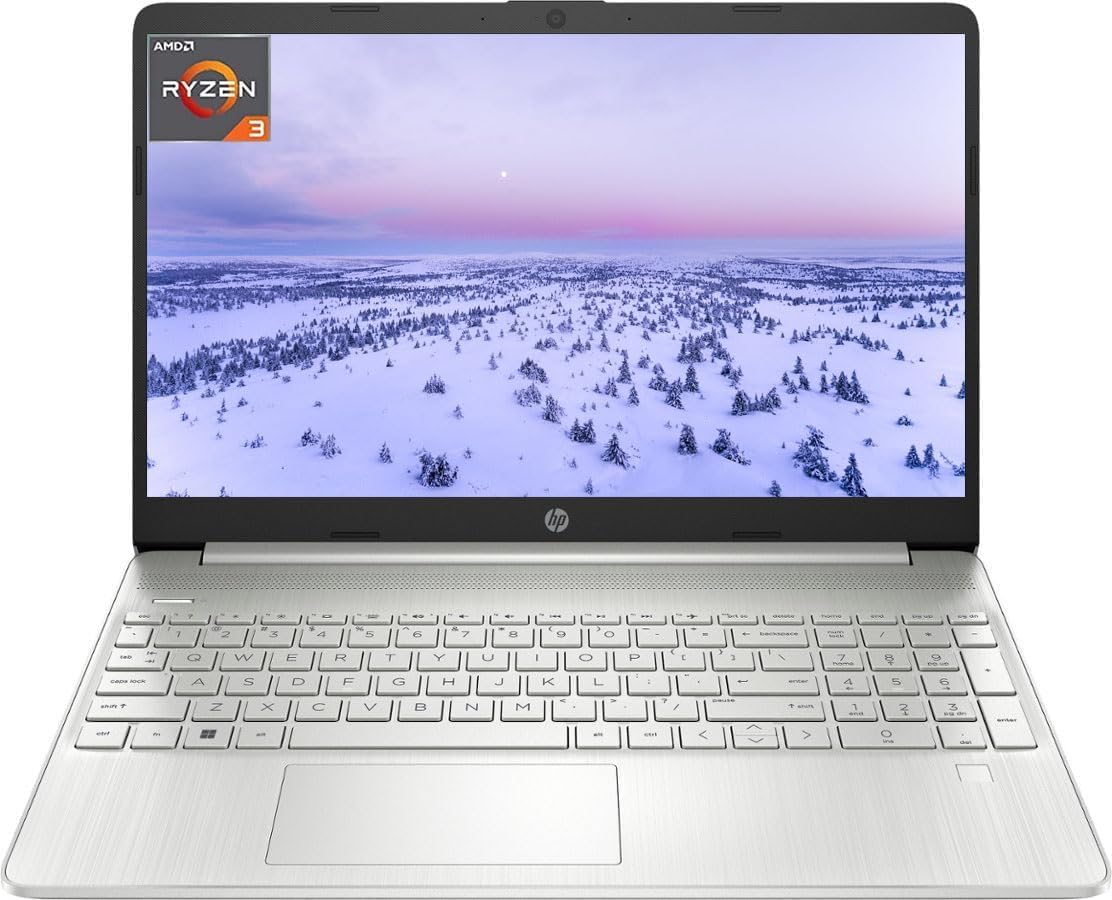


This HP combines a 15.6-inch Full HD IPS touchscreen with a full-size keyboard and numeric keypad, making it a versatile choice for office work, remote collaboration, and everyday media use. Its 4.0 rating reflects a broadly capable package rather than a flawless premium experience. The most attention-grabbing detail is the combination of 32GB RAM and a 1TB NVMe SSD.
We may earn a commission when you buy through this link, at no additional cost to you.
The Ryzen 7 7730U processor provides eight cores and sixteen threads, which gives it useful headroom for spreadsheet-heavy work, research with many browser tabs, video meetings, and cloud applications. The memory allows users to keep numerous programs open, while the NVMe drive provides room for documents, photos, and project files. Windows 11 Pro adds business-oriented functionality, and the webcam's privacy shutter is a thoughtful detail for frequent video callers.
Its 3.52-pound weight and claimed battery life of up to 10.75 hours make it easier to carry than its full-size keyboard might initially suggest. USB-C, two USB-A ports, HDMI 1.4, Wi-Fi 6, and Bluetooth cover the essential connectivity needs of most users. The trade-off is that the screen is Full HD rather than higher-resolution, and no fingerprint reader or biometric authentication system is listed.
This is our Editor's Choice because it balances touch, keypad, memory, storage, portability, and business software more completely than many alternatives. It is especially suitable for students, remote workers, and professionals who switch frequently between data entry and touch navigation. If you need high-resolution mobile visuals or biometric login, a different model may fit better, but this HP remains an excellent general-purpose choice.
The 32GB allocation is the defining practical advantage, giving heavy browser users, students, and office professionals ample room for many applications and open documents. It also reduces the likelihood of memory-related slowdown when compared with most 8GB configurations in this list.
USB-C, dual USB-A, HDMI, and a headset jack provide a practical mix of peripheral connections. Wi-Fi 6 and Bluetooth support modern wireless accessories, while the numeric keypad makes this particularly useful for spreadsheets and finance-oriented tasks.
We may earn a commission when you buy through this link, at no additional cost to you.
This HP 17.3-inch model is designed for users who want a generous workspace and a capable business processor. Its 5.0 rating is the highest in the group, while the Core i7-1355U provides ten cores and boost speeds up to 5.0 GHz. A 32GB RAM and 1TB SSD configuration further supports demanding multitasking and fast access to local files.
We may earn a commission when you buy through this link, at no additional cost to you.
The HD+ touchscreen measures 17.3 inches and operates at 1600 by 900 with a 60Hz refresh rate. That size is useful for side-by-side documents, online classes, presentations, and entertainment. Built-in speakers, an integrated microphone, USB-C, and HDMI support common work and communication needs. The listing also highlights Windows 11 Home, Copilot functionality, and extended battery operation for a full workday.
The main drawback is display sharpness. A 17.3-inch HD+ panel is less detailed than the Full HD and 2K alternatives, although the larger viewing area can still make it easier to work with multiple windows. Its large footprint is another consideration if you frequently carry the laptop between locations. The detailed upgrade coverage should also be reviewed carefully, particularly because the listing notes that the original seal was opened for RAM and SSD upgrades.
Choose this model when screen space, processor capability, and abundant memory matter more than compact dimensions or very high resolution. It is well suited to business users, students, and home offices that can accommodate a larger laptop. For a premium recommendation, it offers a persuasive combination of performance and workspace, though buyers who edit detailed images should consider a higher-resolution option.
The large screen provides enough space for reference documents, browser research, and presentations without requiring constant window switching. That makes it a practical choice for desk-based offices and learning environments where the laptop remains in one place.
Ten processor cores, substantial memory, and a 1TB SSD create a capable foundation for demanding office applications. The configuration is particularly attractive for users who want to run multiple business tools and communication apps simultaneously.
We may earn a commission when you buy through this link, at no additional cost to you.
The Dell Inspiron 15 3000 is a practical business laptop for anyone who explicitly needs both a touchscreen and numeric keypad in a familiar 15.6-inch form. Its 4.3 rating reflects a balanced specification sheet, including Windows 11 Pro, 16GB of DDR4 memory, and a 1TB PCIe SSD. The display provides a sharp 1920 by 1080 resolution with IPS viewing angles.
We may earn a commission when you buy through this link, at no additional cost to you.
Its Intel Core i5-1135G7 is a quad-core, eight-thread processor designed for efficient everyday operation. That is enough for office suites, research, email, video calls, and several browser tabs, while 16GB of RAM creates a comfortable multitasking margin. The PCIe SSD supports rapid boot and file access, and the built-in media reader simplifies moving photographs from compatible cards.
Battery convenience is another strength. Express Charge can raise the battery by 80 percent in 60 minutes according to the supplied information, which is helpful for people who travel or move between meetings. On the other side, the processor belongs to an older 11th-generation platform, so demanding software and long-term headroom may favor newer models. No backlit keyboard is explicitly listed.
This Inspiron is best for budget-conscious professionals and students who need a clear numeric keypad, Windows 11 Pro, and a sharp Full HD touch display. It may not be the strongest choice for intensive computation, but its core office functions are well served. For everyday business productivity, the combination is dependable and appropriately focused.
Windows 11 Pro brings business-oriented features to a familiar 15.6-inch chassis. Combined with 16GB of memory and fast PCIe storage, it provides a comfortable foundation for document work, research, and communication.
Express Charge is designed to reduce downtime around a power outlet. It is particularly relevant to commuters, students, and hybrid workers who cannot consistently keep the laptop plugged in throughout the day.
We may earn a commission when you buy through this link, at no additional cost to you.
This HP targets students and everyday users who want a large anti-glare touchscreen, a full numeric keypad, and convenient wireless connectivity. Its 4.4 rating is strong within the group. The 17.3-inch HD+ display includes touch controls, wide viewing angles, a 250-nit backlight, and an anti-glare finish that can make studying or streaming more comfortable.
We may earn a commission when you buy through this link, at no additional cost to you.
A backlit keyboard and full number pad are useful in dim rooms, while the fingerprint reader offers a faster and more secure alternative to repeatedly typing a password. Wi-Fi 6, Bluetooth 5.4, USB-C, two USB-A ports, HDMI 1.4b, and a headset jack cover most connection needs. Microsoft 365 personal premium applications are included, although subscription activation is required.
Performance comes from an Intel N100 quad-core processor, which is designed around efficiency rather than intensive workloads. The stated memory configuration is 8GB, and storage is a relatively small 128GB UFS device. That limitation matters if you plan to store large media libraries or extensive project files, while the processor may feel constrained under heavy multitasking. The upgraded configuration mentioned in the listing should be verified before ordering.
This laptop is best for coursework, web-based learning, document handling, and light productivity. Its large screen, backlit keypad, fingerprint reader, and Microsoft 365 package create a particularly student-friendly feature set. Choose it for convenience and essentials, but add storage or choose a more powerful option if large files and demanding applications are central to your work.
The backlit full-size keyboard makes the numeric keypad easier to use during evening study sessions. A fingerprint reader also adds secure, convenient access without taking up space in a busy workflow.
The anti-glare touchscreen is designed to remain usable in varied lighting and offers a large area for lessons, browsing, and media. Its 1600 by 900 resolution is less detailed than Full HD, but the physical size supports comfortable viewing.
We may earn a commission when you buy through this link, at no additional cost to you.
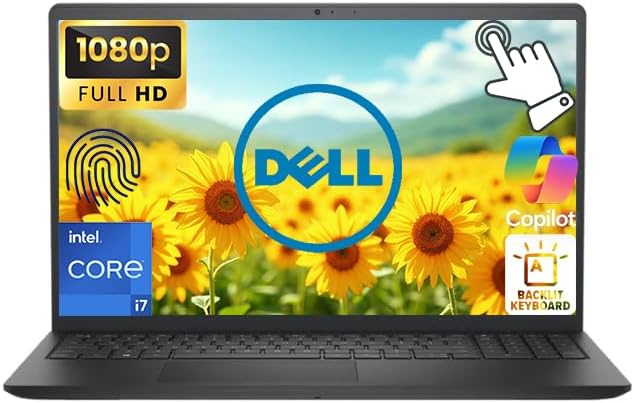
The Dell Inspiron 15.6-inch offers a strong budget combination of a Full HD IPS touchscreen, numeric keypad, and a 10-core Intel Core i5 processor. Its 4.7 rating is among the highest in the guide. The processor can reach 4.6 GHz and uses ten cores with twelve threads, providing more parallelism than many similarly positioned everyday laptops.
We may earn a commission when you buy through this link, at no additional cost to you.
The supplied listing describes configurations with up to 64GB of DDR4 memory and up to a 2TB SSD, but the selected product title identifies 8GB RAM and a 256GB SSD. Buyers should therefore verify the final configuration carefully. Connectivity is generous for a business laptop, including USB-C 3.2, two USB-A ports, HDMI 1.4, a headset jack, an SD card reader, Wi-Fi 6, and Bluetooth.
Windows 11 Home, a front-facing camera, Express Charge, and AI Copilot support make the laptop suitable for education, remote work, programming, streaming, and casual creative activity. The base 8GB memory and 256GB storage are the main limitations. They are adequate for lighter use but may require upgrades for large applications or extensive multitasking.
This is our Best Budget pick because it brings together more desirable features than many basic alternatives while retaining a full-size keypad and sharp touch display. It is best for home users, students, and office workers who want modern connectivity and solid everyday performance. Confirm RAM, storage, and the exact keyboard layout before purchase if either memory or storage is central to your needs.
Ten cores and twelve threads make this an unusually strong everyday processor option. It supports smooth multitasking across productivity applications, browser sessions, streaming, and communication tools.
USB-C, multiple USB-A connections, HDMI, an SD reader, Wi-Fi 6, and Bluetooth cover a broad mix of accessories and transfer needs. This makes the laptop practical for a compact office or mobile workspace.
We may earn a commission when you buy through this link, at no additional cost to you.
This HP 15.6-inch laptop prioritizes straightforward everyday computing with a touchscreen, numeric keypad, and fast solid-state storage. Its 4.3 rating indicates a capable basic configuration. The Intel Core i3-1115G4 operates at up to 4.1 GHz with two cores and four threads, making it most suitable for browsing, office applications, online learning, and video playback.
We may earn a commission when you buy through this link, at no additional cost to you.
The 1366 by 768 touch display is functional, though it offers less detail than the Full HD models in this roundup. Intel UHD Graphics supports casual gaming and multimedia. An SSD improves responsiveness and file access, while Wi-Fi, Bluetooth, two USB-A ports, USB-C, and HDMI cover everyday connectivity. A 720p TrueVision camera with privacy shutter and dual-array microphones support video communication.
Windows 11 Home in S Mode offers a security-conscious starting point for users who install applications through the Microsoft Store. The two-core processor and 8GB memory are the clearest constraints when running many browser tabs or heavier applications. The listing refers to upgraded RAM and SSD capacity, so the exact delivered configuration should be confirmed rather than inferred.
Choose this model for basic schoolwork, home browsing, document editing, and video calls in a traditional full-size laptop format. It delivers the core touchscreen-and-keypad combination without introducing a more complex premium design. For users who need sharp text, smooth intensive multitasking, or heavier software, one of the Full HD models with a newer processor would be a more logical choice.
The full-size numeric keypad makes the laptop convenient for basic accounting, contact lists, and repetitive number entry. It pairs that physical convenience with direct touchscreen control for browsing and media.
The 720p camera with a physical privacy shutter gives users greater control over video privacy. Dual-array microphones are also useful for calls and online classes in a home-office setting.
We may earn a commission when you buy through this link, at no additional cost to you.
The HP OmniBook 3 is defined by its 16-inch 2K IPS touchscreen, a combination that offers more resolution and physical workspace than most entries in this guide. It has a 4.5 rating, 16GB of RAM, and a 512GB SSD. A Ryzen 5 40 processor with four cores and eight threads supports everyday productivity, streaming, photo editing, and 1080p gaming.
We may earn a commission when you buy through this link, at no additional cost to you.
The 1920 by 1200 panel uses a 16:10 aspect ratio, anti-glare coating, 300-nit brightness, and AMD FreeSync support. It is particularly useful for detailed documents, creative work, and multitasking. The device weighs 3.61 pounds and measures 0.58 inches thick, making its large display surprisingly portable. A 41Wh battery, GaN adapter, FHD camera, and AI noise reduction add to the mobile-work appeal.
Windows 11 Pro and a dedicated Copilot key support productivity, while OMEN Gaming Hub provides access to AMD Radeon 610M graphics controls and software enhancements. However, the integrated Radeon 610M is not intended for demanding modern games. The supplied title and feature description also do not explicitly identify a numeric keypad, so buyers seeking this feature should confirm the keyboard configuration before ordering.
This OmniBook is best for users who prioritize a beautiful, detailed, portable touchscreen over gaming performance or an explicitly stated keypad. Students, professionals, and creative users will benefit from the 2K panel and 16GB memory. It is one of the most distinctive displays in the group, though keyboard layout verification is essential when the numeric keypad is part of your buying criteria.
The 2K resolution provides substantially more detail than the HD and Full HD alternatives. The taller 16:10 ratio also creates more vertical room for documents, browser pages, and side-by-side work.
A weight of 3.61 pounds and a thickness of 0.58 inches make the OmniBook easier to carry than its display size suggests. It suits mobile professionals who want a large canvas without the bulk of a conventional 17-inch notebook.
We may earn a commission when you buy through this link, at no additional cost to you.
This Dell is the most complete premium business configuration in the guide, combining a 5.0 rating with a Core i7-1355U processor, 16GB of DDR4 memory, a 1TB PCIe SSD, and a 15.6-inch Full HD LED touchscreen. It also includes a numeric keypad, backlit keyboard, and fingerprint reader, covering comfort, convenience, and security.
We may earn a commission when you buy through this link, at no additional cost to you.
The ten-core, twelve-thread processor can reach 5.0 GHz and is well suited to office workloads, research, communication, and multitasking. USB-C 3.2, two USB-A ports, HDMI, a headset jack, an SD reader, Wi-Fi 6, and Bluetooth 5.2 provide practical connectivity. MaxxAudio Pro, stereo speakers, an HD-RGB camera, and a built-in microphone improve the media and meeting experience.
The main limitation is that 16GB is no longer an unusually generous amount of memory, although it remains suitable for most business and creative applications. Intel UHD Graphics also places this laptop outside the realm of serious gaming. Those limits are consistent with its business positioning, which prioritizes responsive productivity, secure access, and a complete keyboard rather than specialized entertainment performance.
Choose this Dell when security, typing comfort, processing power, and storage all matter. It is an excellent option for office professionals, students, hybrid workers, and small businesses that want a capable daily machine with a numeric keypad. Among the products reviewed, it offers the strongest premium feature balance, making it our Best Premium recommendation.
The fingerprint reader provides fast biometric sign-in and reduces the need for repetitive password entry. It is a meaningful convenience for busy professionals who unlock the machine throughout the day.
A backlit keyboard illuminates the full-size layout and numeric keypad in dim conditions. That makes the system more comfortable for evening data entry, overtime, or study sessions.
We may earn a commission when you buy through this link, at no additional cost to you.
This Dell Inspiron offers an unusual amount of memory for a 15.6-inch business and student laptop. Its 32GB RAM, 1TB SSD, Full HD IPS touchscreen, and numeric keypad form a practical combination, while the 4.1 rating reflects a solid rather than spectacular overall package. It runs Windows 11 Pro 64-bit and includes a one-year manufacturer warranty.
We may earn a commission when you buy through this link, at no additional cost to you.
The Core i5-1155G7 uses four cores and eight threads with boost speeds up to 4.5 GHz and an 8MB cache. It is well suited to office applications, online learning, research, video meetings, and multitasking. The IPS touch panel offers 1920 by 1080 resolution, narrow bezels, and anti-glare treatment, improving readability for extended text-based work.
Connectivity includes two USB 3.2 Type-A ports, one USB 2.0 Type-A port, HDMI 1.4, a headset jack, an SD card reader, Wi-Fi 5, and Bluetooth. The older Wi-Fi 5 standard is the most significant limitation, especially when newer models include Wi-Fi 6. Display brightness of 220 nits may also make the screen less vivid in bright environments.
This laptop is best for students or office users who need lots of memory, substantial local storage, a numeric keypad, and Windows 11 Pro. It can hold many applications and files open with less concern about memory pressure. If fast contemporary wireless connectivity is your priority, consider a Wi-Fi 6 alternative, but this Inspiron remains a strong choice for memory-heavy productivity.
The 32GB allocation gives students and researchers room to keep documents, browser tabs, class applications, and communication tools open together. It is particularly useful for long study sessions and productivity software.
Windows 11 Pro adds business features to an approachable 15.6-inch design. The numeric keypad supports finance and data entry, while the Full HD anti-glare screen is suitable for documents and lessons.
We may earn a commission when you buy through this link, at no additional cost to you.
The HP Moonlight Blue combines a sharp 15.6-inch Full HD IPS touchscreen with a full-size numeric keypad and an efficient eight-core processor. Its 4.8 rating is the second highest among the selected products. The Intel Core i3-N305 operates at 1.8 GHz and can boost to 3.8 GHz, with 8GB of DDR4 memory and a 256GB PCIe SSD supporting everyday tasks.
We may earn a commission when you buy through this link, at no additional cost to you.
The display offers 1920 by 1080 resolution, 300-nit brightness, anti-glare treatment, narrow bezels, and consistent IPS viewing angles. It is a refined screen for documents, classes, streaming, and general creative work. Realtek Wi-Fi 6, Bluetooth 5.4, USB-C, two USB-A ports, HDMI 1.4b, and a headset jack provide modern everyday connectivity.
The main compromises are the modest memory and storage capacities. Eight gigabytes is acceptable for browsing, documentation, and communication but leaves less room for advanced applications and many simultaneous workloads. The 256GB SSD may also require careful file management. The USB-C port supports data transfer but not charging or an external display, according to the supplied specifications.
Choose this HP for users who want an attractive, sharp touchscreen laptop with modern wireless connectivity and a numeric keypad for daily data entry. It is particularly suitable for home users, students, and office workers handling standard productivity applications. If storage is important, consider pairing it with external media and confirming which accessories are included.
The 1920 by 1080 IPS panel is sharper than most alternatives in the guide and uses an anti-glare finish for daily visibility. Its 300-nit brightness also provides a more vivid presentation than lower-nit business displays.
The Core i3-N305 uses eight cores to handle standard productivity tasks efficiently. Its emphasis is on everyday computing, online learning, communication, and entertainment rather than demanding gaming workloads.
We may earn a commission when you buy through this link, at no additional cost to you.
Choosing the best laptop with keypad and touchscreen requires balancing input convenience, display quality, processing capability, memory, storage, connectivity, and portability. The right emphasis depends on whether you primarily handle numbers, write documents, attend classes, join calls, or perform more demanding creative work.
A numeric keypad is one of the main reasons to choose this product category, but you should verify its presence in the exact listing rather than assuming every 15-inch or 17-inch laptop includes one. The keyboard may also differ between configurations. Look for a dedicated block of number keys, a Num Lock function, and a full-size keyboard layout. This matters most for accounting, finance, data entry, inventory work, and users who enter long sequences of numbers.
Compact laptops often omit the keypad to save width, while larger business models are more likely to include it. Some listings in this guide explicitly state that a numeric keypad is included, while others describe a full-size keyboard without detailing every key. If the keypad is non-negotiable, confirm it with the seller and review the product images before ordering.
Processor specifications indicate how comfortably a laptop can handle multitasking and heavier applications. The Core i7-1355U models provide ten cores and twelve threads, while the Ryzen 7 7730U offers eight cores and sixteen threads. The Intel N100 and Core i3 options are more efficient and appropriate for lighter work, and the dual-core Core i3-1115G4 has the least headroom of the group.
For office applications, browsing, classes, and video calls, even a lower-end processor can be sufficient. For programming, complex spreadsheets, photo editing, or keeping many demanding applications open, prioritize more cores, higher boost speeds, and 16GB or 32GB of memory. Always consider the combination: a capable processor paired with limited RAM may not deliver the smooth experience you expect.
Memory determines how many applications and browser tabs can remain open without heavy performance degradation. The strongest configurations in this roundup provide 32GB, which is especially useful for research, many office applications, virtual workspaces, and creative software. Models with 8GB are appropriate for standard use but offer less flexibility as the number of open tasks grows.
Choose 8GB when the laptop will mainly handle web browsing, email, word processing, streaming, and remote learning. Consider 16GB for heavier multitasking and a broad mix of business applications. A 32GB option is most attractive if memory-intensive work matters or you want a configuration that should age comfortably as software demands increase.
Storage capacity determines how many documents, applications, photos, and videos can live locally. A 1TB PCIe SSD provides the most room in this group, while 256GB and 128GB configurations are better suited to lighter use or users who rely on cloud storage and external media. SSD storage is substantially more responsive than a traditional hard drive for everyday system operations.
Think about your actual files rather than choosing only by capacity. Cloud-heavy students may be comfortable with 256GB, while a professional who retains large project archives will benefit from 1TB. Also pay attention to the storage type: PCIe and NVMe drives are designed for rapid transfers, while the HP's 128GB UFS option prioritizes affordability and efficiency over maximum capacity.
Screen size, resolution, brightness, and finish all affect the experience. The 15.6-inch Full HD displays provide a useful balance of sharpness and portability, while the HP OmniBook 3's 16-inch 2K panel offers the finest resolution. The 17.3-inch HD+ models create more workspace but display fewer pixels across the larger area. The HP with a 1366 by 768 screen is the least detailed option.
Full HD or higher is worthwhile for small text, spreadsheets, photo viewing, and general polish. Anti-glare surfaces help in bright rooms or when working near windows, while 220- and 250-nit panels may look less vibrant than the 300-nit alternatives. A 60Hz or 90Hz-style touch interface can feel less fluid than a high-refresh touchscreen, so consider motion sensitivity as well as resolution.
A laptop with a numeric keypad is naturally larger than an ultraportable model, but weight still varies considerably. The HP 15.6-inch model weighing 3.52 pounds and the OmniBook 3 weighing 3.61 pounds are particularly portable. The 17.3-inch HP is less suitable for constant commuting, while the standard 15.6-inch business designs are a practical middle ground.
Consider how and where you will use the computer. A large 17.3-inch screen works well on a fixed desk, while 15.6 inches is easier to manage in meetings, classrooms, and shared spaces. Check the stated weight, chassis dimensions, battery capacity, and charger design together. Portability is not just a number; a balanced machine that feels comfortable and includes required ports may serve you better than the lightest option.
Modern work often requires USB storage, external displays, wired networking, headphones, and card readers. The strongest business configurations include USB-C, multiple USB-A ports, HDMI, a headset jack, and an SD reader. Wi-Fi 6 and Bluetooth 5.4 offer current wireless capabilities, while the Dell Inspiron with Wi-Fi 5 may offer less future-facing flexibility.
Inspect port placement and whether USB-C supports only data transfer or also charging and external displays. Several listings explicitly state that their USB-C ports support data transfer only. Check compatibility with the accessories you already own before purchasing. A complete port selection can eliminate dongles and make the laptop more convenient at a desk, meeting room, or shared workspace.
Features such as fingerprint readers, backlit keyboards, privacy shutters, and AI noise reduction can materially improve daily usability. A fingerprint reader improves convenience and security, a backlit keypad helps in low-light conditions, and a physical camera shutter provides clear privacy. Windows Copilot and dedicated AI features may assist with workflows, but they should complement rather than replace adequate hardware.
Battery claims and charging behavior are also worth checking. Express Charge, HP Fast Charge, and the OmniBook's GaN adapter can reduce the amount of time spent connected to a wall outlet. Look for credible battery-life information and understand the adapter restrictions. Prioritize the extras that solve a problem in your routine rather than treating every advertised feature as equally important.
Begin by configuring your display and input preferences in Windows. Adjust screen brightness, scaling, and orientation so text remains comfortable while touch targets stay large enough to select accurately. Use the touchscreen for browsing, zooming, scrolling, drawing, or presenting, while retaining the keyboard and keypad for typing, shortcuts, and numerical entry. Keeping each input method suited to its task creates the most efficient workflow.
Protect the touchscreen with a clean, soft microfiber cloth and avoid abrasive cleaners, excessive moisture, and sharp objects that could scratch the surface. Use a stable, ventilated surface rather than placing the laptop directly on soft bedding. Clean the keyboard with compressed air, disconnect power, and avoid spilling liquids. If you use a screen protector, select one designed for touch input to preserve responsiveness.
To extend battery life, reduce unnecessary screen brightness, close inactive applications, and use the available fast-charging method when the battery is low. Keep storage space free and restart periodically to clear temporary files. For security, use the fingerprint reader or camera shutter when available, enable Windows updates, maintain a current backup, and avoid leaving sensitive files accessible on shared systems.
A touchscreen can make browsing, scrolling, media control, and certain creative tasks feel more direct, especially on larger high-resolution displays. However, it is not a replacement for a good keyboard in every situation. Typing long documents and entering numerical data generally remain faster with physical keys, which is why a model with both a touchscreen and numeric keypad is especially versatile.
Eight gigabytes can handle email, browsing, document editing, streaming, and routine schoolwork, but 16GB provides more comfortable headroom when several applications remain open. A 32GB configuration is preferable for intensive research, complex spreadsheets, programming, photo or video editing, and users who keep many browser tabs open. The processor and storage also influence overall responsiveness.
Full HD is generally sufficient for spreadsheets, documents, web applications, and video calls because it provides more usable detail than the basic 1366 by 768 option in this guide. The 2K OmniBook is even better for dense spreadsheets or side-by-side work, but its larger display and higher resolution may not be necessary for everyone.
A numeric keypad is especially useful for accounting, finance, inventory, billing, and any workflow involving repeated numerical entry. It also provides more shortcut keys on a full-size layout. For general browsing and writing, the touchscreen may be more useful, so the best business laptop balances both inputs rather than treating the keypad as the only deciding feature.
A 15.6-inch model is easier to carry and usually easier to use in meetings, classrooms, and shared workspaces. A 17.3-inch model offers a larger canvas for documents, split-screen work, and media, but it is generally heavier and less convenient for travel. Consider your desk space, bag size, battery needs, and how often the computer will move.
A fingerprint reader usually offers faster sign-in and can improve practical security because a biometric is less likely to be forgotten or mistyped than a password. It is not a substitute for an account password, however, and the device should still be protected with a PIN, secure boot, and updated software. Several premium options in this guide include fingerprint readers.
Yes. Every featured product has a touchscreen, and the supplied information describes built-in cameras, microphones, speakers, or related communication features on the models. Models with AI noise reduction, privacy shutters, or dual-array microphones may be especially convenient for frequent calls. Check the exact camera and microphone specifications if call quality is a priority.
Compare the exact RAM, SSD capacity, processor, display, operating system, and warranty terms in the listing rather than relying only on the product family. Several systems are available with upgraded memory or storage, and one listing notes that its seal was opened for upgrades. Confirm what is physically included, what coverage applies to upgraded parts, and whether the configuration still satisfies your needs.
The HP 15.6-inch FHD Touchscreen stands out as the Editor's Choice because its 32GB memory, 1TB NVMe SSD, Ryzen 7 processor, 3.52-pound weight, and Windows 11 Pro create a notably balanced package. The Dell 15.6-inch FHD Touchscreen earns the Best Premium recommendation with its Core i7 processor, 1TB SSD, fingerprint reader, backlit keypad, and complete port selection.
For a less expensive route, the Dell Inspiron 15.6-inch FHD provides a strong mix of a 10-core processor, Full HD touch display, Wi-Fi 6, and an explicit numeric keypad. In every case, prioritize the features you will actually use: adequate memory for multitasking, a sharp and comfortable display, the correct numeric keypad layout, sufficient storage, and ports that match your accessories.
Finally, check the current retailer listing before ordering. Ratings, configuration availability, upgrade details, and prices can change, and two similarly named systems may ship with different memory, storage, or accessory bundles. Confirm the current specification and seller terms so the laptop you choose matches the features that matter most to your work, study, or daily use.