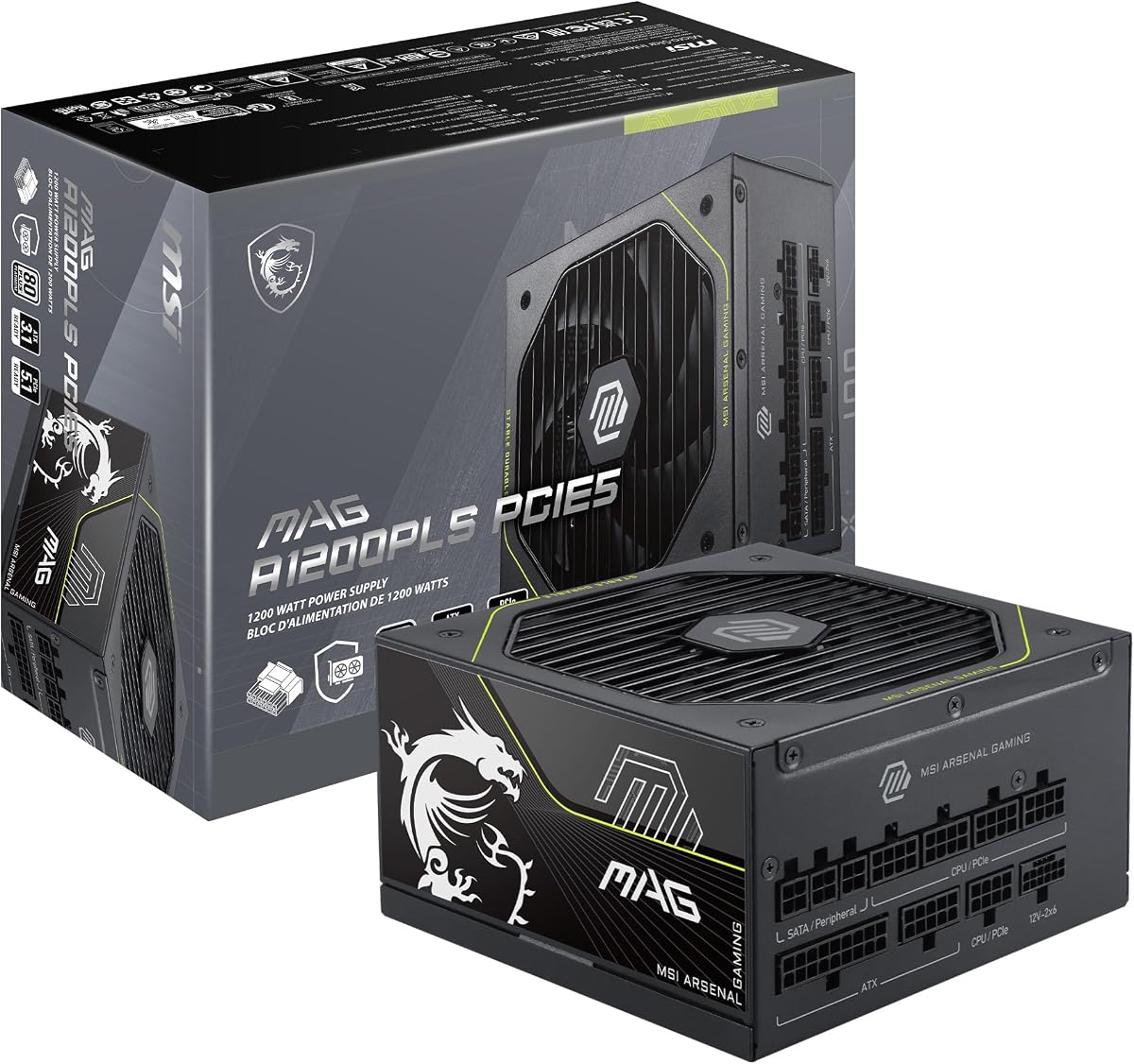
MSI MAG A1200PLS PCIE5
5.0Editor score
Native 12V-2×6 connector
80 Plus Platinum efficiency
ATX 3.1 PCIe 5.1 ready
Fully modular cable design
Compact 150mm dimensions
This 1200W Power Supplies guide compares efficiency, ATX 3.1 support, modular cables, cooling, protection, and build compatibility.
A 1200W power supply gives demanding PCs ample power for high-end graphics cards, fast processors, extensive storage, and upgraded components. The best model balances usable capacity with efficient conversion, dependable protection, quiet cooling, clean cable management, and compatibility with modern ATX and PCIe hardware.
This guide compares ten 1200-watt models using their supplied specifications, including efficiency certification, ATX and PCIe standards, connector arrangements, fan behavior, capacitor quality, dimensions, protection features, and warranty coverage. The list spans newer ATX 3.1 designs, software-managed units, and an established earlier platform.
Each review identifies the features that distinguish its power supply and explains who will benefit most from its particular design. Ratings and product details reflect the available listings, while pricing, availability, and promotional terms can change, so shoppers should confirm the current listing before buying.
5.0Editor score

4.6Editor score

4.4Editor score
The comparison below highlights efficiency certification, platform support, cabling, cooling, and notable safeguards across all ten power supplies, helping builders match capacity and features to their hardware and case.




The CORSAIR HX1200i (2025) combines 1200 watts of capacity with one of the most feature-rich monitoring ecosystems in this guide. Its 4.4 rating reflects a capable premium design built around ATX 3.1 certification, PCIe 5.1 readiness, fully modular wiring, and a 140mm fluid dynamic bearing fan.
We may earn a commission when you buy through this link, at no additional cost to you.
Its standout quality is CORSAIR iCUE software. The supplied information says users can create custom fan curves, monitor power settings, and switch between single-rail and multi-rail overcurrent protection on the fly. The zero RPM mode also stops the fan at low and medium loads, making the unit especially attractive when near-silence matters more than continuous airflow.
The trade-off is that software control is not necessary for basic operation and can make setup more involved than that of a conventional analog power supply. The listing also emphasizes a fully modular layout, so you only install the cables required by the system, reducing visual clutter and improving airflow around the power supply.
This is an excellent choice for a high-end workstation or enthusiast gaming PC whose owner values monitoring, customization, and quiet behavior. It also fits builders using current-generation graphics hardware that benefits from ATX 3.1 transient handling. For anyone who wants the most comprehensive control package among these models, the HX1200i stands out.
The ability to adjust fan curves and protection configurations through iCUE gives this model more day-to-day flexibility. Users can tailor behavior to their preferred noise level and system workload rather than relying solely on a fixed internal curve.
The fan stops entirely at low and medium loads according to the supplied specifications. That reduces acoustic output during ordinary desktop use, while the 140mm fluid dynamic bearing fan handles cooling when sustained demand makes it necessary.
We may earn a commission when you buy through this link, at no additional cost to you.
The MSI MAG A1200PLS PCIE5 earns a perfect 5.0 rating and stands as a well-rounded high-capacity power supply for modern gaming systems. It combines 80 Plus Platinum efficiency with ATX 3.1 and PCIe 5.1 readiness, a native 12V-2×6 connection, and a compact enclosure designed to ease installation.
We may earn a commission when you buy through this link, at no additional cost to you.
GPU Safeguard is the most distinctive feature. The supplied information describes real-time current monitoring that can issue an early alert when abnormal 12V-2×6 current is detected. A 135mm fluid dynamic bearing fan, 105°C main capacitor, fan safeguard, and extensive protections add further confidence for a power-hungry build.
Its main limitation is that only one native 12V-2×6 cable is listed, even though additional PCIe cables and a PCIe-to-dual-PCIe adapter are included. Buyers needing more than one native high-power connection should examine their graphics card requirements carefully. There is also no mention of software-based monitoring.
The A1200PLS is a strong all-around recommendation for gamers who want contemporary power standards without giving up compact dimensions or a broad accessory set. Its five-star rating, Platinum efficiency, native cable, ten-year warranty, and safeguards make it particularly compelling among modern 1200-watt alternatives.
The native 12V-2×6 cable can deliver up to 600W, matching the demanding power path used by PCIe 5.1 graphics cards. GPU Safeguard adds an alert-oriented safety layer by watching current behavior in real time.
At 150mm long and 150mm wide, the enclosure is intended to fit comfortably in many mid-size and larger cases. That leaves additional room for cable routing and airflow compared with longer power supply designs.
We may earn a commission when you buy through this link, at no additional cost to you.
The ASUS TUF Gaming 1200W Gold is a durable, well-balanced option with a 4.6 rating. It targets powerful PCs that need ATX 3.1 compatibility, a fully modular cable system, and robust internal components without relying on a software monitoring suite.
We may earn a commission when you buy through this link, at no additional cost to you.
ASUS highlights military-grade capacitors and chokes, a dual ball bearing fan, and a protective PCB coating designed to resist moisture, dust, and extreme temperatures. The 80 Plus Gold certification and Japanese capacitors reinforce its emphasis on efficiency and dependable power delivery, while the bundled 16-pin PCIe cable can supply up to 600W to PCIe Gen 5 graphics cards.
Compared with Platinum-certified alternatives, Gold efficiency is the clearest specification-level compromise. The listing also identifies a single bundled 16-pin cable, so unusual multi-GPU arrangements may require additional compatible wiring. Neither issue weakens its basic appeal for a conventional high-end single-graphics-card build.
This power supply is a sensible pick for builders who value robust construction, long warranty coverage, and modern graphics-card support. It is especially relevant when a system needs more headroom than a mainstream unit but does not require advanced fan or protection controls through software.
The coated PCB is intended to tolerate moisture, dust, and temperature extremes. While no enclosure is immune to poor placement, this added layer may be reassuring in workshops, dusty environments, or systems with less-than-ideal airflow around the power supply.
ASUS states that the dual ball bearing fan can last up to twice as long as sleeve bearing designs. The Axial-tech fan combines that bearing choice with ASUS thermal engineering intended to support stable operation over the product's service life.
We may earn a commission when you buy through this link, at no additional cost to you.
The Thermaltake Toughpower PT 1200W differentiates itself with two native PCIe 5.1 12V-2×6 cables, ATX 3.1 support, and 80 Plus Platinum efficiency. Its 3.6 rating is the lowest among the ten listed models, so buyers should weigh its strong physical feature set carefully against that customer feedback.
We may earn a commission when you buy through this link, at no additional cost to you.
The two native 12V-2×6 cables are valuable for systems with demanding graphics hardware or for future expansion. Each can deliver up to 600W. Thermaltake's etched flat cables support cleaner routing, while the dual-color Matcha H++ connectors provide an easy visual indication that the connector is fully seated.
The model also uses Japanese capacitors and includes protection for overcurrent, overvoltage, undervoltage, overpower, overtemperature, and short circuit conditions. Against those features, the lower rating may reflect buyer experiences not detailed in the supplied specifications, making it wise to read recent reviews and confirm warranty terms.
This power supply is most attractive to builders who specifically need two native high-power GPU connections and value straightforward cable identification. It remains a capable ATX 3.1 option, but the lower rating means it should not automatically outrank better-reviewed alternatives without checking current customer feedback.
Having two native 12V-2×6 leads provides uncommon flexibility at this power level. Each supports up to 600W, reducing the need for adapters when configuring compatible high-end graphics hardware.
The full modular set uses flat etched conductors intended to remain flexible around tight bends and behind the power supply shroud. Dual-color connector coding also makes it easier to identify the proper seating position.
We may earn a commission when you buy through this link, at no additional cost to you.
The MONTECH Century II 1200W offers a straightforward combination of current platform support and practical thermal behavior. Its 4.3 rating reflects a solid overall proposition built around ATX 3.1 and PCIe 5.1 readiness, 80 Plus Gold efficiency, and fully modular cabling.
We may earn a commission when you buy through this link, at no additional cost to you.
A native 12V-2×6 cable supports up to 600W for compatible graphics cards, while the 135mm fluid dynamic bearing fan can stop completely in zero RPM mode. Japanese capacitors form part of the internal design, and the protection list covers overcurrent, overvoltage, undervoltage, short circuit, overtemperature, and overpower conditions.
The main drawback is that it does not reach Platinum certification, although Gold remains an efficient tier for a high-output system. It also lacks the sophisticated software controls and fan customization found in premium alternatives, making it less compelling for enthusiasts who actively tune their power delivery.
The Century II is well suited to builders who need modern 12V-2×6 support, modular routing, and quiet idle operation without paying for a control-heavy model. It is a sensible choice for a contemporary gaming PC, provided the available cable set matches the selected motherboard and graphics card.
The zero RPM mode allows the 135mm fluid dynamic bearing fan to remain stopped during suitable low-load conditions. This can reduce everyday acoustic output while preserving active cooling for more demanding workloads.
Six listed protection categories cover common electrical and thermal fault conditions. That breadth makes the unit more compelling for builders who want standard safeguards without adding a software monitoring interface.
We may earn a commission when you buy through this link, at no additional cost to you.
This renewed CORSAIR HX1200i brings the established HXi platform into the guide with a 4.6 rating. It retains 80 Plus Platinum efficiency, fully modular wiring, digital power controls, Japanese 105°C-rated capacitors, and a ten-year warranty while using ATX 3.0 and PCIe 5.0 compliance.
We may earn a commission when you buy through this link, at no additional cost to you.
Its strongest attraction is the combination of premium efficiency and iCUE-based control. Users can configure fan curves, monitor power settings, and take advantage of zero RPM behavior at low and medium loads. Modern Standby support is also highlighted for faster wake-from-sleep performance and improved low-load efficiency.
Renewed status is the factor that deserves the most attention. The listing should be checked carefully for the exact condition, included accessories, seller information, and applicable warranty coverage. Its older ATX 3.0 designation also places it behind the newest ATX 3.1 models in the guide, although the supplied description still notes PCIe 5.0 compliance.
This option makes sense for a knowledgeable buyer who values Platinum efficiency, digital monitoring, and the HXi feature set but wants a more accessible route into the platform. It is best suited to a modern system that does not specifically require the newest ATX 3.1 transient-handling standard.
The fully digital platform makes the power supply visible and configurable through CORSAIR iCUE. Custom fan curves and live power monitoring are particularly useful for users who want direct control over noise and system behavior.
A renewed power supply may offer a different ownership proposition from a new unit, so shoppers should examine the condition description, accessory list, seller details, and warranty terms. Confirming those points is especially important for a high-power component intended for years of service.
We may earn a commission when you buy through this link, at no additional cost to you.
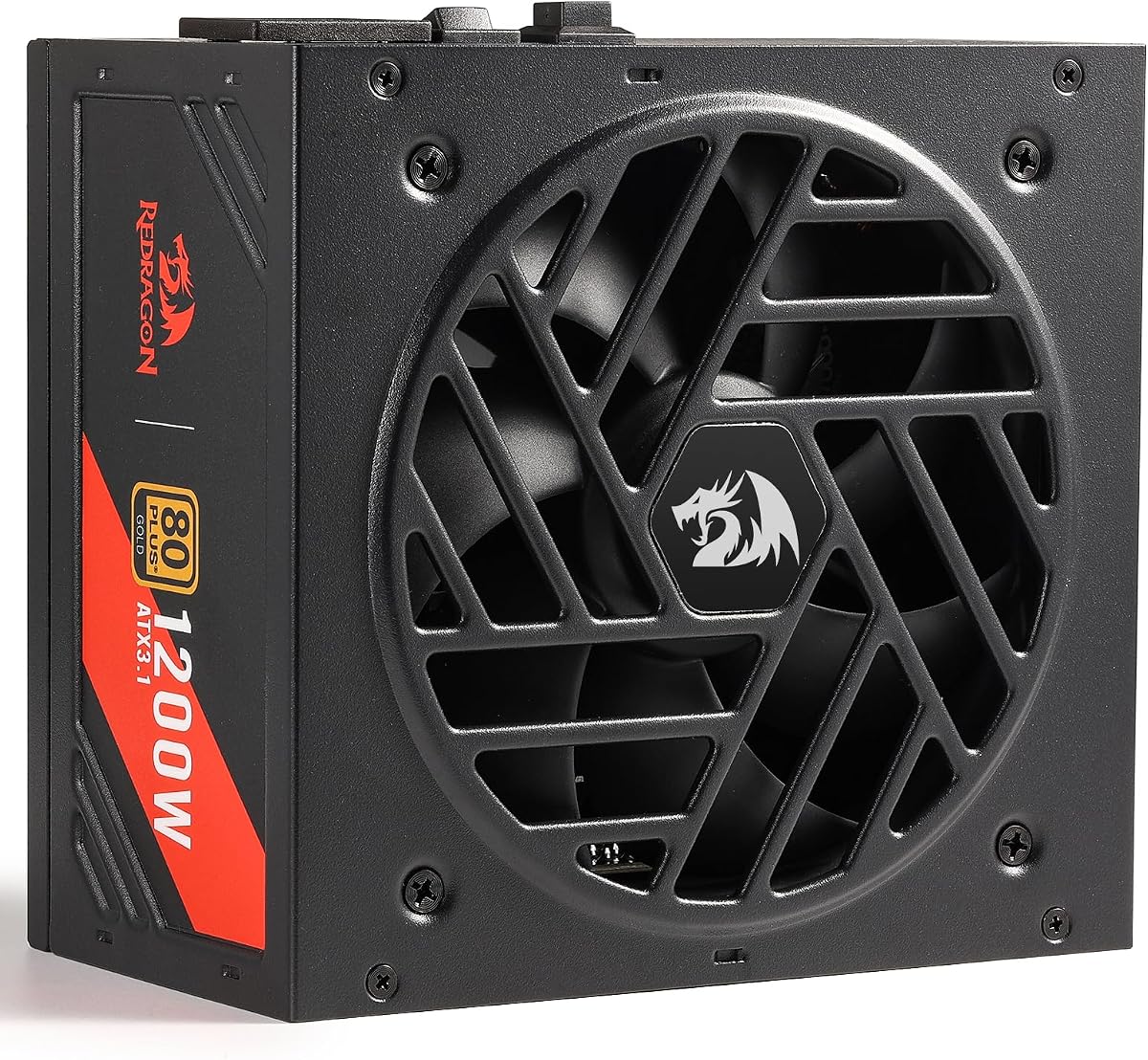
The Redragon RGMS-1200W PRO combines a perfect 5.0 rating with modern ATX 3.1 and PCIe 5.1 support. Its defining practical advantage is a compact 150mm chassis, making it easier to fit into cases where space around the power supply is limited.
We may earn a commission when you buy through this link, at no additional cost to you.
The fully modular flat cable set is designed to reduce clutter and support airflow. A smart zero RPM mode keeps the fan stopped until the internal temperature reaches 60°C, while the 2000 RPM fluid dynamic bearing fan is specified to provide cooling with an average noise level of 36dB.
Japanese capacitors and an LLC resonant plus DC-DC structure support power delivery, while listed protections cover overvoltage, overcurrent, overpower, overtemperature, undervoltage, and short circuit conditions. Compared with Platinum-rated models, Gold efficiency is the main efficiency-level distinction, and no monitoring software is mentioned.
The RGMS-1200W PRO is a strong choice for gamers who want a compact, modern power supply with high customer ratings and a complete modular cable set. It fits the keyword particularly well for builds using high-performance NVIDIA or AMD graphics cards that need PCIe 5.1-era power support.
The compact 150mm design gives builders more freedom in tighter chassis layouts. It can also leave extra room for cable bends and airflow behind a shroud, helping a fully modular system remain tidy.
The fan remains at zero RPM until the temperature reaches 60°C, allowing the power supply to operate quietly at cooler operating points. Once active, its fluid dynamic bearing design provides the cooling required for sustained high-output use.
We may earn a commission when you buy through this link, at no additional cost to you.
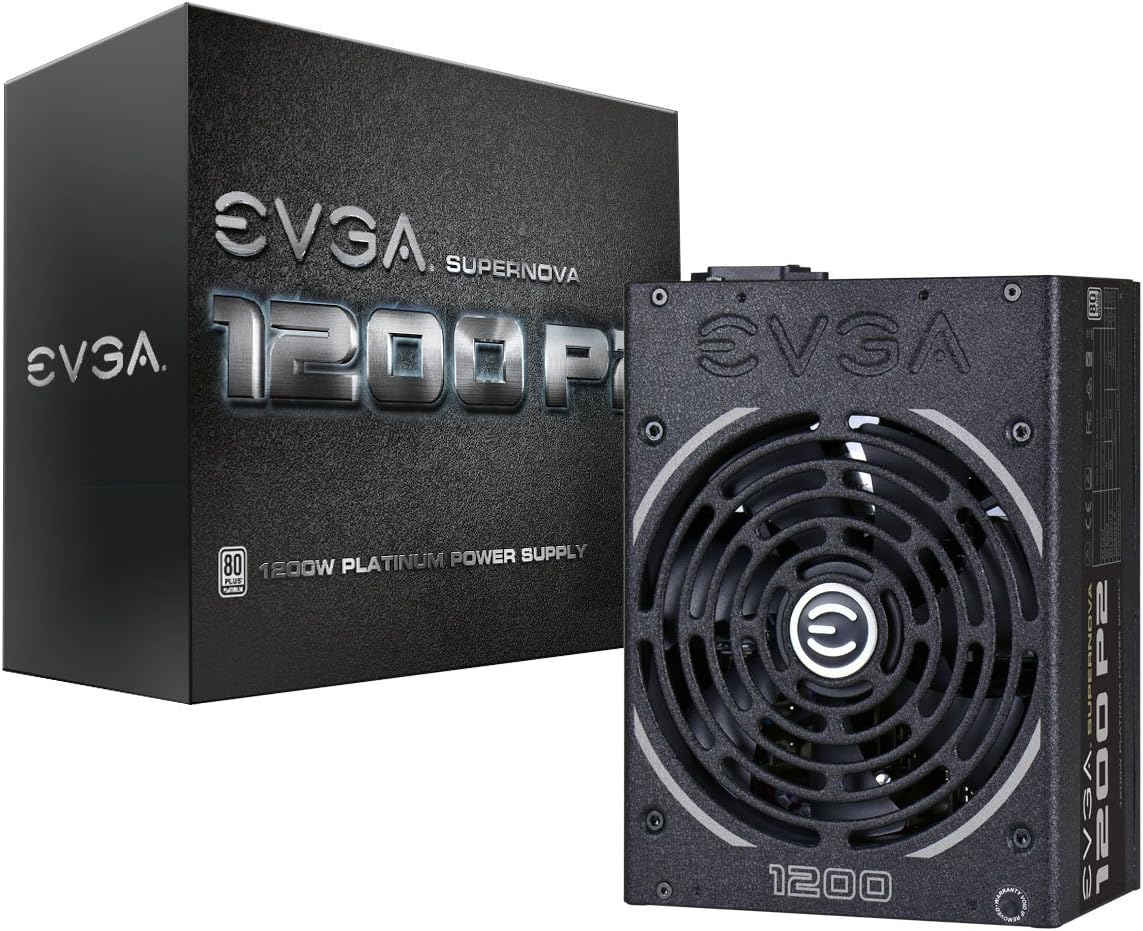
The EVGA Supernova 1200 P2 is an established 1200-watt power supply with a 4.6 rating, Platinum efficiency, and a ten-year warranty. Rather than competing through the newest connector standard, it emphasizes proven efficiency, modular cabling, and long-term component choices.
We may earn a commission when you buy through this link, at no additional cost to you.
The supplied specifications state 92% efficiency under typical loads at 115VAC and 94% at 220–240VAC. Fully modular wiring helps reduce clutter and improve airflow, while Japanese capacitors and a 140mm double ball bearing fan support long-term reliability. ECO mode provides another avenue for quieter operation.
Its age is the primary consideration. The listing does not identify ATX 3.1, PCIe 5.1, or a native 12V-2×6 connection, so it is less attractive for a brand-new build centered on the newest graphics-card standard. Compatibility depends on the cables and adapters supplied with the selected system.
The Supernova 1200 P2 is best for builders seeking an established high-efficiency design and prioritizing mature fundamental features over the newest platform. It remains a capable option for compatible systems, but new ATX 3.1 builds are usually better served by one of the newer models in this guide.
The listed efficiency reaches 92% under typical loads at 115VAC and rises to 94% at 220–240VAC. Platinum certification can help reduce energy waste and heat generation in a system drawing sustained high power.
A 140mm double ball bearing fan provides a durable cooling approach, while Japanese capacitors form part of the reliability-focused internal design. The ten-year warranty also supports confidence in long-term ownership.
We may earn a commission when you buy through this link, at no additional cost to you.
The CORSAIR RM1200e (2025) is a modern 1200-watt model centered on efficient delivery, modular wiring, and support for the latest high-power graphics platforms. Its 4.1 rating is the lowest among the new-design units here, although the supplied specifications provide a capable feature set.
We may earn a commission when you buy through this link, at no additional cost to you.
ATX 3.1 and PCIe 5.1 compliance, native 12V-2×6 support, and Cybenetics Platinum efficiency make it relevant for new enthusiast builds. The 140mm rifle bearing fan uses a specially calculated fan curve to reduce noise, and 105°C-rated Japanese electrolytic capacitors support dependable performance.
Unlike the HX1200i (2025), the supplied information does not mention zero RPM operation or detailed iCUE fan customization. That makes it a less feature-rich option for users who actively manage acoustics, though its dedicated fan curve still targets low noise. Buyers should also consider the comparatively modest 4.1 rating.
The RM1200e is most suitable for a builder who values current standards and efficient power delivery without needing extensive software controls. It offers a modern foundation for a high-end PC, but the stronger rating and control features of certain competing models make those alternatives safer all-around recommendations.
The 140mm rifle bearing fan is paired with a specially calculated curve intended to keep noise controlled even during heavier operation. Although zero RPM mode is not stated, the carefully selected curve reflects an emphasis on balancing cooling and acoustics.
Modern Standby compatibility is highlighted for quicker wake-from-sleep times and improved low-load efficiency. These qualities are particularly useful in systems that spend a meaningful amount of time suspended but need to resume operation quickly.
We may earn a commission when you buy through this link, at no additional cost to you.
The ASUS ROG Strix 1200W Platinum is tailored for systems where graphics-card performance and power stability are the priority. Its 4.5 rating pairs with 80 Plus Platinum efficiency, ATX 3.1 compliance, fully modular construction, and a ten-year warranty.
We may earn a commission when you buy through this link, at no additional cost to you.
Its signature feature is GPU-First intelligent voltage sensing. ASUS says the patented intelligent voltage stabilizer can enhance voltage delivery to the graphics card by up to 45%, supporting smoother performance during demanding workloads. GaN MOSFET technology is also highlighted for improved efficiency and a more organized internal layout.
Large ROG heatsinks cover critical components and are intended to produce lower temperatures and noise than reference designs. The dual ball bearing fan is stated to last up to twice as long as sleeve bearing alternatives, while 0dB technology supports quiet light gaming. However, the supplied information does not detail the native 12V-2×6 cable arrangement.
This is a compelling choice for a high-end gaming build centered on a demanding graphics card and ROG ecosystem. It may be unnecessary for a system that does not place similar emphasis on graphics performance, but for that use case, its GPU-first approach distinguishes it from more general-purpose power supplies.
GPU-First sensing monitors the graphics-card power path and is designed to improve voltage delivery where the system needs it most. ASUS claims the stabilizer can enhance delivery by up to 45%, making the feature particularly relevant to graphics-intensive configurations.
GaN MOSFETs support efficient conversion and a more compact internal arrangement. Large ROG heatsinks then help manage component temperatures, while the dual ball bearing fan provides durable cooling with a claimed service life of up to twice that of sleeve-bearing designs.
We may earn a commission when you buy through this link, at no additional cost to you.
Choosing a 1200W power supply involves matching electrical standards and connector needs to the components in your PC while considering efficiency, cooling, physical fit, protection, and long-term support.
ATX 3.1 and PCIe 5.1 readiness are the most relevant platform markers for a new high-end build in this category. ATX 3.1 compatibility is associated with support for the PCIe Gen 5 platform and resistance to transient power spikes, which can be valuable when using a demanding modern graphics card. A native 12V-2×6 connection can provide up to 600W on its designated cable path.
Choose ATX 3.1 and PCIe 5.1 support when building a new system around current or future high-power graphics hardware. Older platforms can still work with compatible equipment, but buyers should verify every connector and avoid assuming that a 1200-watt rating automatically includes the newest cable standard.
Efficiency determines how effectively a power supply converts AC power into usable DC power, while also influencing waste heat and fan activity. Models in this guide carry either 80 Plus Gold or 80 Plus Platinum certification, with one CORSAIR model using Cybenetics Platinum efficiency. The MSI and ASUS TUF models use Japanese capacitors in their described construction, and several other models make similar component claims.
Platinum certification is the stronger efficiency tier in this group and is worth considering for a system that runs at high output for long periods. Gold remains a capable efficiency class for many builds. Prioritize an honest certification and suitable electrical design over minor differences that are unlikely to be noticeable during ordinary use.
The number and type of graphics cables can determine whether a power supply suits your exact system. Native 12V-2×6 cables support up to 600W and are cleaner than adapter-based arrangements. The MSI includes one native cable, the Thermaltake includes two, and the CORSAIR RM1200e explicitly includes one. Other units specify PCIe cables or a PCIe-to-dual-PCIe adapter without clearly detailing native 16-pin support.
Check the graphics card's recommended connection method and confirm that the power supply includes the appropriate cable. Do not mix modular cables from different power supplies or brands, even when the plugs appear similar. For a single modern high-end GPU, one suitable native cable is often sufficient; unusual multi-GPU plans may justify two.
A fully modular design lets builders install only the cables their components require. That reduces clutter behind the power supply shroud, can improve airflow, and makes a finished build look cleaner. The Thermaltake's etched flat cables add a routing-focused treatment, while the Redragon includes flat modular leads and several other models use conventional modular cabling.
Fully modular construction is especially helpful in compact cases and clean-build projects. It does not change the unit's electrical capacity, but it can make installation and future maintenance easier. Keep unused cables together for storage, and route each cable without creating sharp bends or tension at the connector.
Cooling design determines how quietly the power supply operates during low-demand tasks and how effectively it manages heat under sustained load. Several models feature a fan that stops at low or medium loads, including the CORSAIR HX1200i (2025), MONTECH Century II, and Redragon RGMS-1200W PRO. Fan sizes range from 135mm to 140mm, and the supplied information describes fluid dynamic or ball bearing constructions on many models.
For a quiet office or gaming setup, look for a zero RPM or ECO mode and a carefully tuned fan curve. For sustained heavy loads, focus on the quality of the cooling design and unobstructed airflow around the power supply. A stopped fan is not inherently better; it is simply a sign that the unit's thermal design can remain silent during suitable conditions.
A power supply may deliver ample power and still be unsuitable if its enclosure does not fit. The MSI A1200PLS and Redragon RGMS-1200W PRO are listed at 150mm in their compact dimensions, while the Thermaltake PT is described as having a 140mm case length. Larger cases generally provide more installation flexibility, but compact systems require careful measurement.
Measure the available power supply bay and allow room for the modular connector housing and cable bends. Consider the case's airflow orientation as well as the raw dimensions. Installing the unit with its intake toward an unobstructed area helps it draw cooler air and operate with less fan activity.
Electrical protections help the power supply and connected hardware respond safely to abnormal conditions. Common categories include overcurrent protection, overvoltage protection, undervoltage protection, overpower protection, overtemperature protection, and short circuit protection. The MSI also highlights GPU Safeguard for real-time 12V-2×6 current monitoring, while the ASUS TUF adds a protective PCB coating against moisture, dust, and extreme temperatures.
Prefer models that clearly document multiple protection mechanisms and reputable internal components. Several products specify Japanese capacitors, with the renewed CORSAIR HX1200i listing 105°C-rated electrolytic capacitors. Component quality, protection coverage, and warranty terms should be evaluated together rather than treating any single specification as a complete reliability guarantee.
Long warranty coverage can provide useful confidence in a high-power component that is expected to remain in service through several hardware upgrades. The MSI, ASUS TUF, ASUS ROG, and EVGA products list ten-year warranty coverage, while the renewed Corsair listing also states a ten-year warranty. Exact terms for a renewed unit should always be confirmed with the seller.
A long warranty is most valuable when paired with clear support, documented protections, and modern standards. Before purchasing, verify the warranty's transferability, geographic coverage, and exclusions. Keep the purchase record and packaging because they may be useful when a claim is filed.
Install the power supply with the system powered off, disconnected from the wall, and fully drained. Mount it in the orientation recommended by the case or power supply manufacturer, ensuring the fan intake has access to cool, unobstructed air. Connect the motherboard, CPU, graphics card, storage, and peripheral cables before restoring power.
Use only the modular cables supplied with the exact power supply model. Match each connector by shape and keying rather than force it into a socket that appears similar. When using a 12V-2×6 or 16-pin connection, seat it fully and route the cable without creating a hard bend immediately beside the connector.
After installation, power on the system and confirm that the power supply starts normally. Monitor the system for unusual sounds, smells, repeated restarts, or immediate shutdowns, and check the supplied software or firmware tools where applicable. Keep the intake area clear, use a grounded outlet, and avoid frequent unplugging when the system does not require it.
It can be, but it depends on the graphics card, processor, and the way the system is used. A high-end CPU and graphics card combination can justify the additional headroom and modern transient handling. If the system draws far less under normal workloads, an appropriately sized lower-wattage model may be more practical. Match capacity to the components rather than choosing solely by case size or marketing priority.
No, not every graphics card requires the newest connector. Some use multiple traditional PCIe cables, while others use one or more 12VHPWR or 12V-2×6 connections. Check the graphics card manufacturer's power requirements and confirm the exact cable included with the chosen power supply. Never substitute a visually similar modular cable from another unit.
Both are efficiency certifications, with Platinum representing a higher efficiency tier under the relevant testing conditions. A more efficient unit can reduce waste heat and may need less fan activity for the same output. The practical difference depends on load, system efficiency, local electricity conditions, and the rest of the computer, so certification should be considered alongside build quality and protection features.
Not by itself. A 1200W unit provides capacity for components to draw power safely and may support higher-performing CPUs and graphics cards, but rated wattage does not increase processor or GPU speed. Performance comes from the installed hardware, software settings, cooling, and system design. An oversized unit can still operate efficiently when its load is appropriate.
Fully modular construction usually makes cable management easier because unused leads do not need to be stored inside the case. It can improve appearance and airflow around the power supply shroud. The electrical performance still depends on the internal design and protections, so modularity should not be treated as the only measure of quality.
Zero RPM fan mode stops the power supply's cooling fan during suitable low or medium load conditions. This can make a system quieter during ordinary use because the power supply no longer creates fan noise. The fan should operate when temperatures or electrical demand require additional cooling, and adequate case airflow remains important.
Renewed status does not automatically make a power supply unsafe, but it makes careful purchasing more important. Review the seller's condition description, included accessories, warranty terms, and return policy. Confirm that the unit has not been opened or modified and that all modular cables belong to that exact model. If any information is unclear, choosing a new unit is the more conservative option.
Choose a unit with enough continuous capacity, current connector support, and appropriate efficiency for your likely hardware. ATX 3.1 and PCIe 5.1 readiness are useful for systems expected to add a high-power modern graphics card. Modular cabling and a reasonable warranty also make upgrades easier, but every connector and the physical case clearance should still be verified before purchase.
The MSI MAG A1200PLS PCIE5 is the strongest budget-oriented all-rounder, combining a perfect rating with Platinum efficiency, modern platform support, a native 12V-2×6 cable, and a compact design. The ASUS TUF Gaming 1200W Gold offers a durable, balanced alternative with protective coatings and strong customer feedback. For users who value detailed control, the CORSAIR HX1200i (2025) provides iCUE monitoring, configurable fan behavior, and zero RPM operation.
Prioritize ATX 3.1 and PCIe 5.1 support for a new high-end system, especially if the graphics card uses a 12V-2×6 connection. Also consider efficiency, fan behavior, modular cabling, physical dimensions, protection features, and warranty coverage. A 1200-watt supply should be matched to real component needs and the available space in your case.
Product listings, ratings, availability, and pricing can change over time. Before making a final purchase, verify the current specification details, cable set, seller information, warranty terms, and case compatibility. Those checks are especially important when buying a renewed unit or relying on an adapter for a high-power graphics card.
