
MOCREO WiFi Freezer Alarm Refrigerator Thermometer
4.5Editor score
Hub-free 2.4GHz WiFi connection
Push, email, and flashing alerts
Continuous USB-C power
Two years of exportable history
A freezer thermometer with app gives you more than a convenient digital reading. It can watch temperature conditions remotely, notify you when a limit is exceeded, preserve historical data, and help reveal patterns associated with open doors, compressor cycles, power loss, or equipment trouble.
This guide compares ten smart temperature-monitoring options based on the supplied specifications, including alert methods, measured ranges, stated accuracy, wireless reach, data retention, power requirements, and installation flexibility. It covers systems that use WiFi, Bluetooth with a gateway, and long-range LoRa-based communication.
Each pick highlights the circumstances in which it stands out, from a simple single-sensor setup to expandable multi-zone monitoring. Product configurations and connectivity requirements differ, and pricing can change, so readers should confirm current availability and compatibility before making a final purchase.
4.5Editor score

4.4Editor score

4.6Editor score
As an Amazon Associate we earn from qualifying purchases.
The comparison below highlights the major differences among all ten products, including connectivity, alert options, temperature performance, and data capabilities. Some require a separate hub, while others connect directly to a 2.4GHz network, making setup complexity an important selection factor.


This GoveeLife system combines a two-pack of probe sensors, a gateway, app monitoring, and a built-in 80dB alarm. Its 4.4 rating reflects a well-rounded approach for households that want both remote visibility and an immediate local warning. The 2.7mm NNC probe is specified to measure from -40°F to 158°F with ±0.9°F accuracy and refresh readings every two seconds.
We may earn a commission when you buy through this link, at no additional cost to you.
The strongest feature is its three-way alert design. Users can receive app notifications, email alerts, and a buzzer when readings leave the selected range. That combination is particularly useful when a freezer is in a garage, basement, or secondary property because the phone may not be the only means of learning about a problem. The gateway can also support up to ten sensors within 230 feet, making the system practical for several cold-storage areas.
There are some compromises. A gateway and compatible network setup are necessary, and the local buzzer must be silenced by pressing the side button unless it is configured to mute. The included magnetic and hanging design offers placement flexibility, while a probe holder helps keep the cable organized and limits interference with the door seal.
This is the strongest general recommendation for someone seeking a freezer thermometer with app because it balances monitoring, alerts, and local alarm coverage without requiring a subscription. It is especially appropriate for families, frequent entertainers, or anyone responsible for multiple refrigerators and freezers who wants a clear warning both nearby and remotely.
Combining app notifications, email messages, and an 80dB local buzzer reduces the chance that a single disabled phone notification will hide a temperature excursion. The local alarm is especially valuable when immediate action is needed.
The gateway can coordinate as many as ten sensors across an area of up to 230 feet. That capacity makes this pack a sensible starting point for a home with a refrigerator, chest freezer, garage appliance, or several storage spaces.
We may earn a commission when you buy through this link, at no additional cost to you.
This GoveeLife package is designed for buyers who want two wired temperature sensors, a WiFi gateway, and an LCD display. It carries a 4.4 rating and provides remote app access to readings from -40°F to 158°F. The slim probes and included holder are designed to fit neatly into refrigerators or freezers without leaving cables scattered around the interior.
We may earn a commission when you buy through this link, at no additional cost to you.
Its anti-false-alarm system can delay notifications for a user-selected period of one to ten minutes after a threshold is exceeded. That helps avoid unnecessary alerts during brief door openings while still protecting food if a temperature problem persists. The app can also provide low-battery reminders, and the two-year data history can be viewed as graphs or exported for analysis.
The important limitation is that the sensor itself does not sound an alarm. Users who require a loud local warning should consider a system with an audible buzzer. In addition, the gateway relies exclusively on 2.4GHz WiFi, and remote app operation requires the sensor to be connected to the included gateway rather than used only in Bluetooth proximity mode.
Despite those limitations, this is a strong choice for users who want a two-sensor bundle, historical graphs, and direct LCD readings. It is well suited to a refrigerator and freezer monitored as a pair, especially for anyone who prefers delayed threshold notifications over immediate local alarms.
Two years of stored data makes it possible to compare compressor cycles, identify recurring temperature changes, and retain records for a home, laboratory, or commercial setting without a paid monitoring plan.
The included pair can cover separate refrigerator and freezer zones while keeping the probes organized. A dedicated holder and flexible placement options help reduce visual clutter and make routine temperature checks easier.
We may earn a commission when you buy through this link, at no additional cost to you.
This MOCREO kit includes two remote wireless temperature sensors and an H6Lite hub with a 4.4 rating. It is aimed at buyers who want dependable remote monitoring, multiple alert channels, and a platform that can grow. Stated accuracy is ±0.9°F across a -40°F to 158°F measurement range, with slim 0.9mm flat cables designed to pass through refrigerator door seals.
We may earn a commission when you buy through this link, at no additional cost to you.
App push notifications, email alerts, and a 90dB hub alarm cover both remote and nearby scenarios. The app can mute the hub remotely, and the system includes offline, power outage, low-battery, and anti-false-alarm settings. The hub can connect as many as 30 compatible MOCREO Bluetooth sensors within 230 feet, creating a flexible foundation for a larger monitoring network.
Users can view graphs and export two years of data to CSV without a subscription. Each sensor uses three replaceable AAA batteries, and the stated battery life can reach two years, with a low-battery warning sent below 10 percent. Magnetic backing, an included metal plate, and dedicated cable organizers make placement more orderly.
This system is well suited to people monitoring a freezer plus another temperature-controlled area, such as a hot tub, garage refrigerator, greenhouse, or RV. Its main trade-off is the extra hub and reliance on 2.4GHz WiFi, but in exchange it offers strong expansion capacity and a versatile combination of local and remote warnings.
The 0.9mm flat cable is narrow enough for door gaskets and can also serve fish tanks, hot tubs, RVs, greenhouses, nurseries, and commercial or laboratory spaces. That makes the hub useful well beyond a single freezer.
Muting the hub from the Smart App avoids the need to walk to it whenever the hub beeps. This is a practical convenience for a system meant to monitor freezers located beyond immediate earshot.
We may earn a commission when you buy through this link, at no additional cost to you.
This MOCREO H5Pro system is the most feature-rich monitoring package in the roundup, earning a 4.6 rating. It includes two wireless temperature sensors, a digital monitoring hub, and a premium long-range connection. The hub can communicate with up to 100 sensors across an open-air distance of approximately 1,640 feet, or one-third of a mile.
We may earn a commission when you buy through this link, at no additional cost to you.
The sensors carry IP66 splash-proof protection, making them suitable for humid refrigerators, garages, restaurants, offices, pet shelters, RVs, greenhouses, nurseries, and other indoor or outdoor locations. The hub supports Ethernet or 2.4GHz WiFi and includes a display for real-time readings, historical information, alarms, a clock, weather, and calendar updates.
Alerts can be delivered through app push notifications, email, or a 95dB hub beep, with settings for power outages, WiFi disconnects, low batteries, and false-alarm prevention. Users can view charts and export two years of data to CSV. The stated temperature range is -4°F to 131°F, with ±0.9°F accuracy and battery life of up to two years when used above 32°F.
This is the best premium option for a property with a detached freezer, greenhouse, rental cabin, or several remote cold-storage areas. Its trade-off is complexity: the hub and broad compatibility list require more deliberate setup, and the manufacturer warns that fully enclosed metal containers can interfere with the wireless signal.
A stated one-third-mile open-air range separates this system from compact WiFi thermometer kits. It is better suited to properties where a freezer or outdoor environment sits well away from the router.
The LCD hub consolidates readings, trends, alarms, and other status information. Compatibility with numerous MOCREO BLE and LoRa sensors lets buyers build a broader environmental-monitoring network over time.
We may earn a commission when you buy through this link, at no additional cost to you.
This compact WiFi freezer thermometer has a 3.8 rating and includes two wireless sensors with no probe cables. Each sensor measures both temperature and humidity, a useful addition for environments where condensation or moisture matters. The system connects to 2.4GHz WiFi and sends app notifications when readings leave a configured range.
We may earn a commission when you buy through this link, at no additional cost to you.
Temperature coverage runs from -4°F to 140°F with stated accuracy of ±1.8°F, while humidity coverage spans 0 to 99 percent relative humidity. The app provides historical graphs and CSV export for up to one year without a subscription. A 492-foot stated range and support for as many as nine sensors make it potentially useful for a garage, basement, or several cold-storage locations.
The main limitation is its operating floor. Temperatures below -20°C, or -4°F, cannot be detected, so it is not suitable for every deep-freezer environment. Its accuracy specification is also less precise than the ±0.9°F figures associated with several competing products. The included freeze-resistant AAA batteries can last up to two years, but the same battery type is recommended for later replacement inside a refrigerator.
This system is a practical option for buyers who value wireless placement, humidity information, and a long stated range more than laboratory-style accuracy. It is particularly appropriate for refrigerators, freezers, and cold storage operating above its minimum temperature and within its stated accuracy range.
Because the sensors operate wirelessly and do not rely on attached probe cables, they can be positioned without routing a lead through the door seal. This makes installation cleaner in refrigerators and storage cabinets.
Tracking relative humidity alongside temperature can help explain condensation and broader environmental changes. The readings are especially relevant in greenhouses, storage rooms, and humid cold-storage environments.
We may earn a commission when you buy through this link, at no additional cost to you.
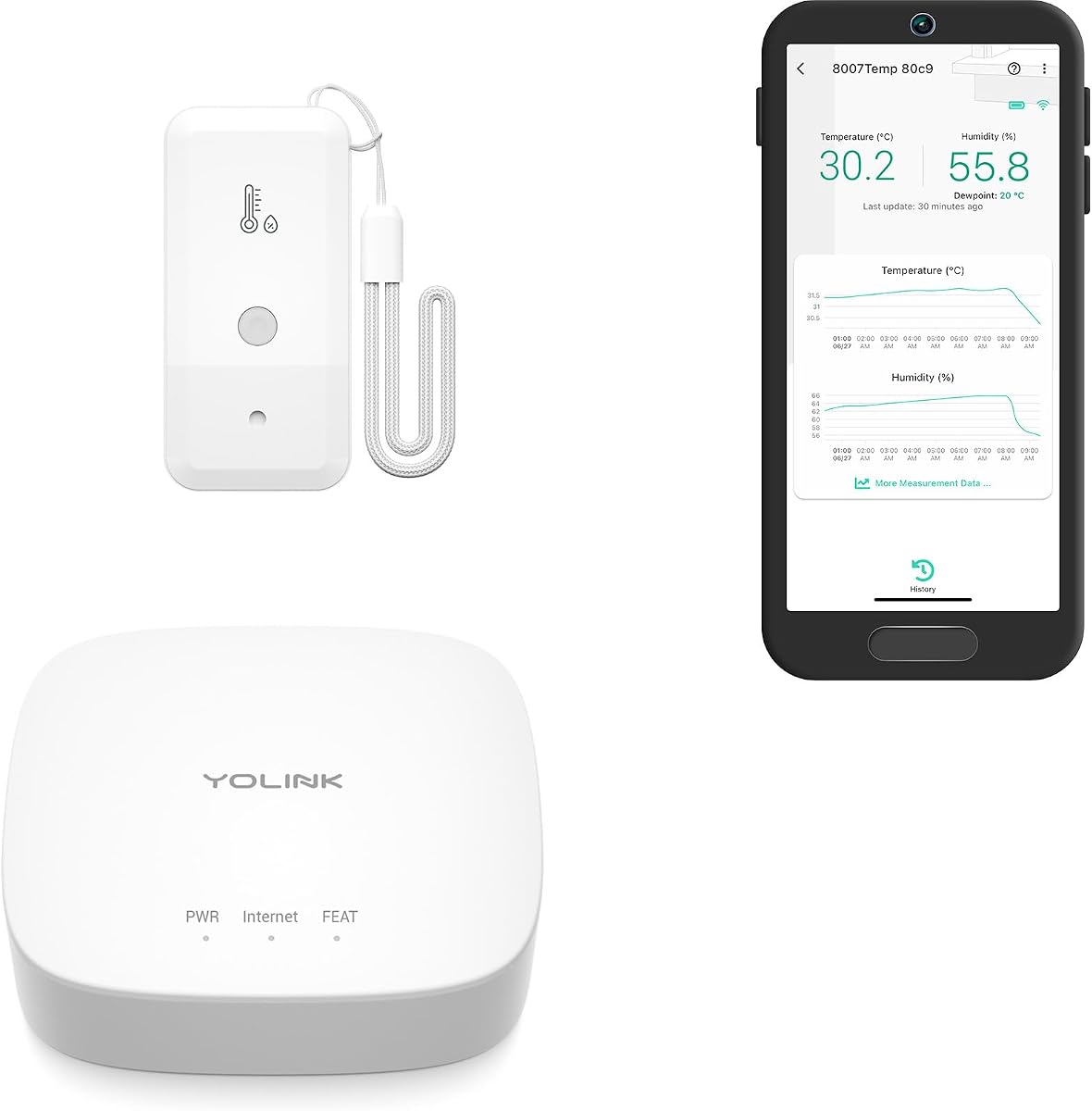
The YoLink three-pack combines a hub with three temperature sensors and earns a 4.6 rating. It uses a LoRa-based protocol rather than relying on the home WiFi network, allowing the sensors to operate across floors, outdoors, or in locations where a conventional WiFi signal may be difficult. The stated open-air monitoring distance is as much as 2,034 feet.
We may earn a commission when you buy through this link, at no additional cost to you.
Each sensor measures from -4°F to 122°F. Stated accuracy is ±0.36°F from 32°F to 129°F and ±0.72°F from -20°F to 32°F. Users can set custom temperature thresholds and choose text, email, or push notifications. Apple devices can use Critical Alerts, while Android devices support similar alert options, although the text-message allowance is limited.
Two AA batteries power each sensor for up to five years, depending on usage and environmental conditions, and low-battery notifications appear in the app. The sensors can also trigger IFTTT applets when configured alerts are reached, while Alexa can be used for temperature voice queries. Alexa routine triggering is not supported.
This kit is a strong choice for buyers who want three sensors, long wireless reach, and operation independent of their router. Its limitations are the absence of humidity sensing and the restrictions on text alerts. For temperature-only freezer monitoring across a large home or property, however, the package is unusually capable.
The LoRa-based connection avoids adding sensor traffic to the home WiFi network. It can be especially useful in detached buildings, multi-level homes, and other locations where conventional wireless coverage is inconsistent.
The included trio can monitor separate refrigerators, freezers, or other temperature-sensitive areas. With up to five years of stated battery life, the sensors also reduce the frequency of maintenance in hard-to-reach locations.
We may earn a commission when you buy through this link, at no additional cost to you.
This GoveeLife H5108 is a single Bluetooth refrigerator thermometer with a 4.4 rating, an LCD screen, and a slim wired probe. It measures from -40°F to 158°F with stated accuracy of ±0.9°F and a two-second refresh rate. A magnetic body, lanyard, and probe holder offer several simple placement options.
We may earn a commission when you buy through this link, at no additional cost to you.
When used alone, the sensor can provide app proximity alarms within 197 feet, provided the app remains active in the background. Connecting it to a compatible H5151, H5042, or H5043 gateway expands the role to a WiFi thermometer with remote access. The gateway is not included, which is the central trade-off for this pick.
Its anti-false-alarm delay can be set from one to ten minutes, and low-battery reminders help maintain monitoring. The app can display two years of temperature graphs and export the data. The sensor itself does not sound an alarm, so users wanting a local warning need to rely on app notifications.
This product works well for a buyer who already owns a compatible GoveeLife gateway or wants to begin with one sensor. It is also useful as a display-equipped thermometer for nearby checking. For dependable remote monitoring without a separate hub, one of the direct WiFi options would be a more complete solution.
The sensor can begin in Bluetooth proximity mode and later connect to a compatible gateway for remote WiFi monitoring. That makes it a practical option within an existing GoveeLife ecosystem.
The local LCD provides an immediate temperature reference, while the app stores graphs and two years of history. A configurable delay helps separate routine door-opening events from sustained temperature changes.
We may earn a commission when you buy through this link, at no additional cost to you.
The AcuRite 00515M has a 4.5 rating and takes a more appliance-focused approach than most app-connected competitors. It includes one refrigerator thermometer and one freezer thermometer that transmit readings to a digital display. The display also tracks maximum and minimum temperatures and supports customizable alarms.
We may earn a commission when you buy through this link, at no additional cost to you.
Its magnetic backing, wall keyhole, and foldout stand allow the display to sit on a countertop, attach to a refrigerator, or mount on a wall. The silicone sensor straps can be secured with the included suction cups or wrapped around a wire shelf. This flexible installation is useful in both home kitchens and restaurant environments.
The main limitation is that it does not provide the requested app experience. There are no phone notifications, remote access, online graphs, or off-site monitoring. It is best understood as a wireless digital thermometer with an alarm rather than a smart system for monitoring a freezer while away.
That distinction does not make it a poor thermometer, but it changes the intended buyer. Choose this model when a nearby display and min-max tracking matter more than phone access. It is especially appealing for restaurants or homes where someone can regularly view the display and act on its alarm without relying on cloud connectivity.
Maximum and minimum records give a quick summary of recent temperature behavior. They can reveal that a door was left open or that the appliance struggled to maintain its set range.
Magnetic backing, a wall keyhole, and a foldout stand let the display move with the household. The sensor straps can use suction cups or wrap around wire shelving for a stable interior position.
We may earn a commission when you buy through this link, at no additional cost to you.
This MOCREO NS1 has a 4.5 rating and avoids the separate hub required by many smart freezer monitors. It connects directly to a 2.4GHz WiFi network and provides app push notifications, email alerts, a flashing red display, and current units that also beep on the device. It is a straightforward option for a single freezer or refrigerator.
We may earn a commission when you buy through this link, at no additional cost to you.
The stated accuracy is ±0.9°F across a wide -40°F to 257°F range, making it suitable for deep-freeze environments. Its 4.9-foot ultra-thin flat probe is designed to pass through a door gasket without propping it open. The app can also be used to fine-tune the reading when it is compared with another thermometer already in the freezer.
Unlike battery-powered competitors, this monitor runs continuously through USB-C power. The trade-off is that a suitable wall outlet must be within reach of the cable, and a USB power adapter is not included. It also joins 2.4GHz networks only, which may matter for a garage or basement with weak router coverage.
Users can export up to two years of history to CSV for free, useful for reviewing compressor cycling and temperature changes over time. This is the best budget recommendation for someone who wants direct app monitoring, email alerts, and deep-freeze range without managing a gateway or replacing batteries.
Direct WiFi connectivity keeps the installation focused on the sensor, app, and network. It removes the extra powered device that would otherwise need placement, pairing, and ongoing connection management.
Push notifications, email, a red flashing display, and a current-unit beep provide several ways to notice a problem. The alarm delay is user-controlled, allowing brief door openings without unnecessary warnings.
We may earn a commission when you buy through this link, at no additional cost to you.
The YoLink one-pack has the highest listed customer rating in this roundup at 4.7. It includes a hub and a single temperature-and-humidity sensor designed for use with the YoLink app. Its LoRa-based connection can reach up to 2,034 feet in open air and does not depend on the home WiFi network.
We may earn a commission when you buy through this link, at no additional cost to you.
Custom temperature and humidity thresholds can generate text, email, or push notifications. Apple users can employ Critical Alerts, and Android offers similar functionality, although SMS use is limited. The sensor uses two AA batteries and is rated for up to five years of continuous operation depending on usage and conditions, with low-battery notices in the app.
Its stated temperature coverage extends from -4°F to 122°F, with accuracy of ±0.36°F from 32°F to 129°F and ±0.72°F from -20°F to 32°F. IFTTT applets can be triggered by configured high or low temperature alerts, and Alexa can answer temperature queries. Alexa routines and humidity voice queries are not supported.
This kit is ideal for a single freezer that also needs humidity context, especially where WiFi coverage is weak. Its limitation is the single-sensor configuration, so buyers monitoring several appliances may need the three-sensor kit. The app experience, long range, and battery life nevertheless make it an attractive all-around choice.
Monitoring both variables gives a fuller view of the freezer environment. The app can maintain separate thresholds, making it possible to react to excessive moisture as well as temperature changes.
The sensor communicates with its hub through a long-range, low-power protocol, so it can work in detached structures or across several floors. This also prevents additional devices from crowding the household WiFi network.
We may earn a commission when you buy through this link, at no additional cost to you.
The right smart freezer thermometer depends on where it will be installed, how you want to receive warnings, and whether the system needs to grow. Review the network, sensor, alert, power, and placement requirements before choosing a model.
Most app-based systems rely on a 2.4GHz WiFi network, a Bluetooth link, or a proprietary long-range protocol. Direct WiFi products are usually the simplest for one appliance, while gateway systems offer greater sensor capacity and can be more suitable for a larger home. Bluetooth-only proximity monitoring is less dependable when the phone is not nearby, and LoRa-based systems are attractive when the freezer sits beyond reliable WiFi coverage.
Remote notifications are useful when you are away, but a local alarm can be important when a freezer is in a garage, basement, or outbuilding. Compare push notifications, email, text messages, flashing displays, and audible hub or device alarms. Some products allow the user to set a delay, which helps avoid false alerts after brief door openings. Critical Alerts can also help important iPhone notifications bypass silent modes.
A freezer monitor should cover the lowest temperature expected in the appliance. Products in this guide state ranges from -4°F to -40°F, while accuracy varies from ±0.36°F to ±1.8°F. Pay attention to the minimum operating temperature, especially for commercial or deep-freeze use, and note that the included comparison figures are manufacturer specifications rather than independent test results.
A hub adds another powered device, but it may provide local audible alarms, broader range, and centralized control of multiple sensors. Direct WiFi systems can be simpler for a single refrigerator. If monitoring more than one location, check the stated capacity of the hub and confirm that the included sensor models are compatible with it. A large stated maximum is useful only if the ecosystem supports the sensors you actually plan to add.
Battery-powered sensors are convenient in remote locations and can run for two to five years according to the stated specifications. A continuously powered system avoids dead-battery failures but requires access to a wall outlet and a suitable USB power source. Low-battery warnings add reassurance, but they do not eliminate the need to inspect remotely installed equipment. Choose the power method that matches the installation site rather than only the headline battery figure.
Manufacturer range figures generally describe open-air conditions, which can differ greatly from the inside of a home. Walls, floors, metal appliances, walk-in coolers, and thick freezer doors may weaken signals. One MOCREO model specifically advises against placing its sensor in a fully enclosed metal container. For a garage or basement, compare the stated range with the actual distance and obstacles between the sensor and hub.
Historical graphs can reveal compressor cycling, repeated temperature excursions, and the effect of a door left ajar. Storage periods in this roundup range from one year to two years, and several products allow CSV export without a subscription. This feature is especially useful for commercial operations, laboratories, or anyone conducting an extended review rather than checking only the current reading.
Wired probes can be routed through a door seal and secured with a holder, while wireless sensors avoid cables but may need more room. Some kits also measure humidity, and some include water resistance for damp environments. Check IP ratings, magnetic mounting, included plates, cable organizers, and the minimum temperature before installation. Good probe placement can also reduce influence from vents, defrost cycles, and the warmest part of the appliance.
Begin by deciding which appliance and location need monitoring, then install the app and pair the sensor or hub before positioning the probe. For wired models, route the thin cable through the door seal without forcing the door open and secure it with the supplied holder or strap. Wireless sensors can be placed directly on an approved shelf or mounting surface. Avoid positioning the probe directly beside a cooling vent, heater, or door where routine opening creates large short-term variations.
Set alert thresholds around the conditions appropriate for the stored food or equipment, and allow a short delay if the appliance will be opened regularly. Test the app, email, audible alarm, and offline notifications before relying on the system. For gateway systems, confirm the final placement by checking communication strength after all doors, walls, and appliances are in their normal positions. If the system is monitoring a freezer that is rarely visited, ask someone nearby to acknowledge the first test alert.
Check the app's graphs periodically rather than watching individual readings constantly, since compressor and defrost cycles can create normal temporary variation. Inspect probe placement, cables, batteries, and sensor adhesion at regular intervals. Clean exposed sensor surfaces gently and avoid moisture around electrical contacts. Update the app and firmware when offered, and maintain current emergency contacts or notification settings so the system remains useful when a real problem occurs.
No. Some products connect directly to a 2.4GHz WiFi network, while others require a gateway or hub that connects to the network. Bluetooth proximity models may also need a compatible gateway for remote monitoring, and the YoLink products use a proprietary LoRa-based protocol that does not rely on home WiFi.
That depends on the hub or system capacity. Several MOCREO and GoveeLife options support multiple compatible sensors, while some YoLink configurations include additional sensors in separate packages. A single-sensor model can still be used in a second location, but it may need its own hub and app pairing.
A brief opening can move air near the sensor enough to cross a configured limit. Products with anti-false-alarm settings can wait one to ten minutes before notifying you. Positioning the probe away from the door and warming air also helps distinguish normal openings from sustained temperature changes.
Yes. App and email notifications can tell you that a freezer door was left open or that temperatures moved outside a safe range while you were away. Some systems also send an offline alert if the hub or WiFi connection fails, while others can alert you if the appliance loses power while the monitor remains operational.
The products described here offer monitoring and data features without a subscription. Retention and export periods vary, with one system offering one year of CSV export and several offering two years. Notification options such as SMS may still have usage limits even when the core app service is free.
Yes, though temperature range, humidity support, and water resistance differ. Some models are explicitly suited to greenhouses, RVs, garages, nurseries, pet shelters, and hot tubs. The IP66 MOCREO sensor has stronger splash resistance, while other products should be checked carefully for their stated environmental limits.
A wired probe is useful when you want a stable internal reading and do not mind routing a thin cable through the door seal. A wireless sensor offers cleaner placement and can monitor humidity, but it may need a suitable shelf, mounting surface, and adequate signal path to the hub.
Set an appropriate delay, install the probe away from vents and the door, and choose thresholds that reflect normal compressor and defrost fluctuations. Test the system regularly and avoid repositioning the sensor after establishing its baseline. Graph views can also help identify whether repeated alerts follow a predictable cycle.
The GoveeLife WiFi Refrigerator Thermometer Sensor with Alarm is the best overall choice because it combines app and email notifications, an 80dB local buzzer, a two-sensor pack, and room to expand to ten sensors. The MOCREO Hub-Free WiFi Thermometer is the best budget option for straightforward direct connectivity, while the MOCREO Long-Range system leads the premium category with extensive reach, IP66 construction, and broad expansion support.
Prioritize the operating environment first. Choose direct WiFi for simple single-appliance monitoring, a gateway for multiple sensors and local alarms, and LoRa-based equipment for locations where home WiFi is weak. Also consider whether humidity matters, how much space you have for a hub, and whether a continuously powered model is more suitable than a battery-powered sensor.
Before buying, verify the current product configuration, compatible gateway, network frequency, probe length, temperature floor, and notification terms. Features and package contents can change, and pricing also fluctuates, so checking the current listing ensures the selected freezer thermometer with app matches your installation and monitoring needs.