
HP 255 G10 Business Laptop
4.8Editor score
16GB RAM, 512GB SSD
15.6-inch FHD display
Wi-Fi 6 connectivity
Lightweight 3.4-pound design
A laptop for a Realtor has to do more than run listing software and email. It needs to support virtual property tours, video calls, market research, document preparation, photo editing, and long periods of work in offices, cars, cafés, and homes that may not have convenient outlets. The right balance of performance, portability, screen quality, battery life, and connectivity matters more than chasing top-tier specifications.
We compared ten business-oriented laptops across important working factors, including processor capability, memory, storage, display size, webcam features, port selection, wireless standards, and practical extras such as numeric keypads, fingerprint readers, and privacy shutters. The list includes conventional HP, Dell, and Lenovo business laptops, along with models designed around portability, large displays, flexible work arrangements, and dedicated productivity features.
Each pick reveals what it is best suited to, whether that means handling demanding multitasking, working away from the office, presenting property information, or managing heavy spreadsheets. Customer ratings provided with the products informed the shortlist, but hardware specifications and real-estate workflows remained the central considerations. Product availability and pricing can change, so confirm the current configuration and terms before purchasing.
4.8Editor score

4.5Editor score

4.4Editor score
As an Amazon Associate we earn from qualifying purchases.
The comparison highlights the processor, memory, storage, display, and key portability or connectivity features most likely to affect a Realtor's daily workflow, from virtual showings and client meetings to listing management and property research.





The HP 17 inch Business Laptop Computer balances a large workspace with a configuration that suits everyday real-estate work. Its 17.3-inch Full HD anti-glare display provides room to compare property details, review photographs, edit listing information, and join video meetings without feeling cramped. The product carries a 4.5 customer rating and stands out for its numeric keypad, long-battery-life positioning, and full-size keyboard.
We may earn a commission when you buy through this link, at no additional cost to you.
Inside, an AMD Ryzen 5 processor, 16GB of RAM, and a 512GB SSD form a practical foundation for running browser-based listing platforms, multiple communication tools, spreadsheets, and document applications at the same time. Windows 11 and Office 365 for the web support office workflows, while built-in Copilot features are presented as tools for organizing tasks, summarizing information, and creating content. A 720p camera, digital microphones, and HP Fast Charge support mobile work.
The tradeoff is size. A 17.3-inch display is excellent for showing floor-plan details or working at a kitchen table, but it is less convenient in crowded coffee shops, on airplane-style tray tables, or when the laptop must be carried through many property showings. The 512GB drive also offers less local room for extensive photo libraries and large video files, although cloud storage and external media can supplement it.
This laptop makes the most sense for a Realtor who wants a roomy, dedicated office machine and frequently works from a fixed desk, home, or brokerage office. It is a particularly good fit for agents who enter addresses, budgets, square footage, and other figures frequently enough to appreciate the numeric keypad. For buyers who need maximum portability, one of the smaller 14-inch or 15.6-inch alternatives may be easier to carry.
The anti-glare 17.3-inch panel gives Realtors a wide canvas for comparing floor plans, editing listing copy, and presenting property information during calls. Its Full HD resolution provides sharp details, while the large screen reduces the need to keep constantly rearranging multiple windows.
Windows 11, Office 365 for the web, and built-in Copilot features support the document-heavy nature of property work. The included tools are useful for drafting communications, organizing follow-ups, and working with presentations or spreadsheets.
We may earn a commission when you buy through this link, at no additional cost to you.
The HP 255 G10 Business Laptop is an appealing option for Realtors who need a capable everyday computer without carrying a large workstation. It combines a 15.6-inch Full HD IPS anti-glare display, 16GB of RAM, a 512GB SSD, and a 3.4-pound body. Its 4.8 customer rating is the highest among the ten products in this roundup, making it a strong all-around business choice.
We may earn a commission when you buy through this link, at no additional cost to you.
The AMD Ryzen 3 7330U processor has four cores and eight threads with boost capability up to 4.3GHz, which is appropriate for listing software, email, web research, virtual meetings, document editing, and routine photo management. Wi-Fi 6 and Bluetooth 5.3 improve wireless readiness, while the port selection includes USB Type-C, two USB Type-A ports, HDMI, and a headphone and microphone combination jack. A wide dynamic range HD camera and AI-based noise reduction support client calls.
Windows 11 Pro and Microsoft Copilot add business-oriented functionality without requiring a separate operating-system purchase. The 15.6-inch display is a manageable compromise between roomy productivity and easy carrying. However, the 41Wh battery is not especially large, so buyers frequently working for an entire day away from an outlet should confirm their battery needs. This configuration also lacks the full numeric keypad found on several larger alternatives.
For a Realtor balancing a briefcase-friendly size, a professional operating system, modern connectivity, and enough memory for heavy browser use, the HP 255 G10 is especially compelling. It also suits buyers who want Windows 11 Pro rather than Home. Agents focused primarily on media editing or other sustained creative workloads may prefer a faster processor and larger storage, but for daily property operations it delivers an effective balance.
At 3.4 pounds and 0.73 inches thick, the HP 255 G10 is designed for movement between client meetings, property visits, and a home office. Its anti-glare Full HD screen remains practical for drafting notes, reviewing documents, and joining calls from different locations.
USB Type-C, multiple USB Type-A ports, HDMI, Wi-Fi 6, and Bluetooth 5.3 cover most daily accessories. The webcam and AI-based noise reduction add useful support for virtual tours and client conversations in changing lighting conditions.
We may earn a commission when you buy through this link, at no additional cost to you.
The Dell Pro 15.6-inch Laptop offers one of the strongest combinations of smooth everyday performance, modern memory, and practical connectivity in this guide. Its 4.5 customer rating reflects a well-received general-purpose business laptop, and the 120Hz Full HD display gives property research, web browsing, and video calls a noticeably fluid visual character.
We may earn a commission when you buy through this link, at no additional cost to you.
The Intel Core 3 100U processor has six cores and boost capability up to 4.7GHz, while integrated Intel UHD Graphics handle routine visual work. The title configuration includes 16GB DDR5 memory and a 256GB M.2 PCIe NVMe SSD. Ports cover USB 3.2 Gen 1 Type-A, USB 2.0, USB 3.2 Gen 1 Type-C, HDMI 1.4, a universal audio jack, and an SD card slot. Realtek Wi-Fi 6 and Bluetooth support modern wireless workflows.
The anti-glare IPS panel provides wide viewing angles and 250 nits of brightness, useful for agents who review photographs or share listing information in bright rooms. The non-backlit keyboard and 4.19-pound carbon-black design represent the principal compromises. Storage is also more limited than on several competitors, and buyers who retain many high-resolution property images or videos may need cloud space, an external drive, or an SD card.
This Dell Pro is a strong recommendation for a Realtor who wants responsive multitasking without moving to a large workstation. The screen size remains suitable for travel and ordinary client meetings, while the port selection reduces the need for adapters. It is especially attractive for users who value a high-refresh display, DDR5 memory, and direct media transfer. Those needing extensive local storage should choose a configuration with more capacity.
The 120Hz refresh rate makes websites, listing dashboards, and video meetings feel more fluid than a standard 60Hz panel. Paired with 16GB of DDR5 memory, it suits agents who keep several browser tabs, email windows, and documents open throughout the day.
An integrated SD card slot makes importing property photos and videos convenient. USB Type-C, multiple USB Type-A connections, HDMI, Wi-Fi 6, and Bluetooth cover most essential peripherals without relying on a single connection type.
We may earn a commission when you buy through this link, at no additional cost to you.
The HP 15.6-inch FHD Touchscreen Laptop is built for Realtors who keep many applications and property files open simultaneously. Its 32GB of RAM and 1TB NVMe SSD provide unusually generous headroom for browser-based CRM systems, spreadsheets, photographs, virtual tours, and communication apps. The touchscreen adds direct control, while the full-size keyboard and numeric keypad support data entry.
We may earn a commission when you buy through this link, at no additional cost to you.
An AMD Ryzen 7 7730U processor with eight cores and 16 threads provides strong multitasking performance. Windows 11 Pro is preloaded, and the supplied feature list emphasizes smooth movement between Excel spreadsheets, video meetings, research tabs, cloud applications, and everyday browsing. The 15.6-inch Full HD IPS touchscreen has wide viewing angles, and the camera's privacy shutter is a thoughtful safeguard for confidential client discussions.
At 3.52 pounds, the laptop is not excessively heavy, though a touchscreen can add visual bulk. Its listed battery life reaches up to 10.75 hours, though actual results depend on display brightness, wireless activity, and workload. The 4.0 customer rating is the lowest among these picks, so prospective buyers should consider recent customer feedback in addition to the strong specifications. The product's title does not specify a storage form factor, and the supplied details are less complete than those of several alternatives.
This model is best for an agent whose daily work involves many open applications, extensive local property media, and a preference for touch navigation. It also makes sense for buyers who value Windows 11 Pro and a privacy shutter. A Realtor whose needs are limited to email, browsing, and standard listing software may not need 32GB of memory, but for sustained professional multitasking, this configuration provides considerable flexibility.
The 32GB configuration allows demanding multitasking without relying on frequent application closing. It is particularly helpful when a high-volume agent runs CRM pages, numerous browser tabs, calls, spreadsheets, and editing tools throughout the working day.
The built-in HD camera, privacy shutter, Wi-Fi 6, and full-size keyboard support a professional remote-work setup. A touchscreen can also make it easier to review photos, scroll long property pages, and annotate information during a conversation.
We may earn a commission when you buy through this link, at no additional cost to you.
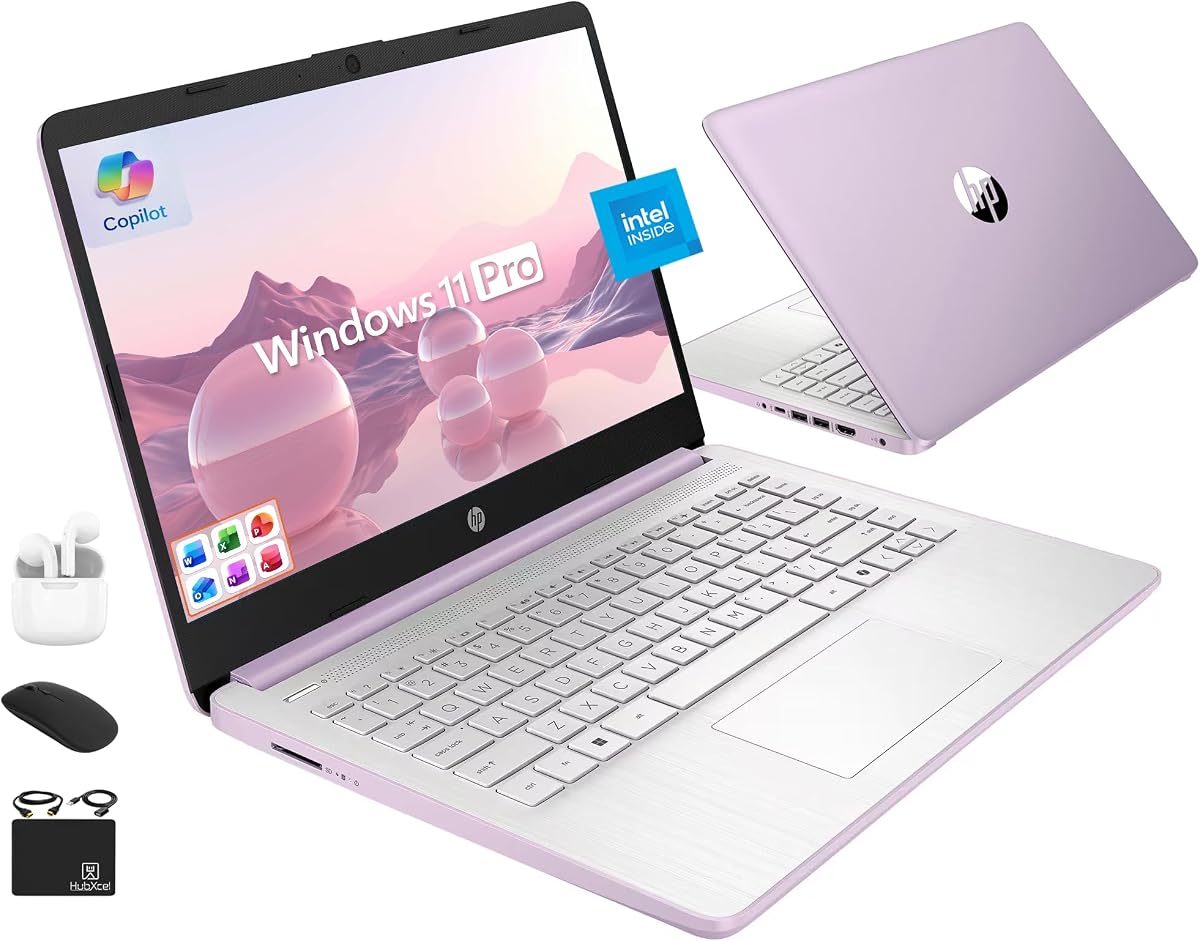
The HP 14-inch Ultrabook is aimed at Realtors who prize a compact screen and a generous bundle of accessories over maximum processing power. Its 14-inch anti-glare display, 16GB of DDR4 memory, and Windows 11 Pro create a practical mobile office, while the package includes a 500GB external drive, wireless mouse, earbuds, HDMI cable, USB extension cord, and mouse pad.
We may earn a commission when you buy through this link, at no additional cost to you.
The 13th-generation Intel N150 is a four-core, four-thread processor with boost capability up to 3.6GHz. It is designed for web applications, document editing, routine photo handling, and ordinary productivity rather than intensive rendering or advanced content creation. Internal storage consists of 128GB UFS, supplemented by the 500GB external drive in the bundle. Wi-Fi 6 and a 720p camera with dual-array microphones support online communication.
The main limitation is performance headroom. Four cores and four threads are less accommodating than the processors in several competing models, and the package's internal storage is quite small. The listing also makes broad claims about the included Office arrangement, so buyers should verify the activation details and terms directly with the seller. A numeric keypad is not listed, which may matter for agents who enter many figures.
This is a good fit for a Realtor seeking a lightweight, small-screen system for travel, home-based work, and standard office tasks. The external storage and included peripherals can make setup easier, particularly for someone building a first mobile office. If the computer will regularly handle advanced photo editing, large virtual-tour software, or sustained heavy multitasking, a more powerful Core or Ryzen model would offer a safer margin.
The 14-inch anti-glare display provides a compact area for email, listing review, and client communication. Its one-million-pixel resolution supports clear documents and web content, while the anti-glare treatment helps during outdoor property visits.
The 500GB external drive provides immediate additional storage, while the mouse, earbuds, HDMI cable, and USB extension cord cover common setup needs. These accessories are especially helpful for agents building a portable workstation.
We may earn a commission when you buy through this link, at no additional cost to you.
The Lenovo V15 Gen 4 Business Laptop combines a capable Intel Core i5-13420H processor with the practical connectivity expected from a business notebook. Its 15.6-inch Full HD display, 16GB memory configuration, 512GB SSD, and Windows 11 Pro create a conventional productivity platform suitable for listing management, virtual meetings, document preparation, and market analysis.
We may earn a commission when you buy through this link, at no additional cost to you.
The processor has eight cores and 12 threads, reaches up to 4.6GHz, and works with Intel UHD Graphics. Connectivity includes USB 3.0 Type-A, USB 2.0 Type-A, USB Type-C, HDMI, and RJ45 Ethernet, along with a webcam, Wi-Fi, Bluetooth, and a headphone and microphone combination jack. The RJ45 connection is valuable for a desk setup, while the numeric keypad helps with figures associated with budgets, square footage, and comparative market analysis.
One detail needs clarification before purchase: the title states 16GB RAM and 512GB SSD, while one supplied feature bullet mentions 4GB RAM and 128GB storage. The title configuration is the more specific and appears intended to describe the offered computer, but buyers should verify the actual memory and drive in the listing or with the seller. The display is also not a touchscreen, and no battery-life figure is supplied in the available data.
This Lenovo is well suited to a Realtor who wants full-size office ergonomics and stable wired networking without moving to a large 17-inch model. It is a strong option for desktop-based agents, brokerage offices, and home offices where an Ethernet connection and numeric keypad are useful. The ambiguous component description should be resolved before purchase, especially for buyers who need maximum memory or storage.
The RJ45 Ethernet port provides a dependable option for fixed office networks, large file transfers, and virtual meetings. It can also reduce dependence on crowded wireless networks in brokerage environments.
The Core i5-13420H offers eight cores and 12 threads with boost capability up to 4.6GHz. That headroom supports responsive multitasking across browser tabs, listing platforms, spreadsheets, and communications tools.
We may earn a commission when you buy through this link, at no additional cost to you.
The Dell 16 Laptop DC16251 delivers a large, polished workspace for Realtors who spend considerable time comparing documents, reviewing images, and presenting information. Its FHD+ display uses a 16:10 aspect ratio, while Dell ComfortView Plus is designed to reduce harmful blue-light emissions during prolonged screen sessions. The product has a 4.4 customer rating and an Intel Core 7-150U processor.
We may earn a commission when you buy through this link, at no additional cost to you.
Its virtual-conversation features are particularly relevant to property professionals. The up-to-FHD camera uses wide dynamic range and temporal noise reduction to improve image clarity under varying lighting. Adaptive thermal technology detects when the computer is on a stable surface and adjusts power and thermals accordingly. The 16GB memory configuration supports common productivity workflows, and Windows 11 Home is preloaded for general home and office use.
The large display creates an excellent canvas for side-by-side property research, but it also makes the laptop less discreet and potentially more cumbersome to carry. Storage capacity and exact port details are not included in the supplied information, so buyers who routinely retain large photo collections should verify them before purchase. The product is also more focused on premium productivity than on a full numeric keypad, which is not listed as a feature.
The Dell 16 is a compelling premium option for a high-volume agent who prefers a visually expansive screen and enhanced video-call hardware. It is also well suited to users who spend the day at a desk but occasionally collaborate through a laptop. The one-year onsite service is an important ownership benefit, potentially offering in-person support without requiring a trip to a service location.
The 16-inch FHD+ screen and 16:10 aspect ratio provide a broad area for property comparisons and document review. ComfortView Plus is intended to reduce blue-light emissions while maintaining lifelike colors during extended work.
A wide dynamic range camera and temporal noise reduction support clearer appearances in client meetings and virtual property consultations. The feature is especially useful in offices, homes, and vacant properties with inconsistent lighting.
We may earn a commission when you buy through this link, at no additional cost to you.
The HP 17.3-inch FHD Laptop provides a large, sharp workspace with a 13th-generation Intel Core i5 processor and 16GB of memory. Its Full HD IPS display offers 178-degree wide viewing angles, making it useful for sharing property details across a desk or reviewing visual content without severe color shifts. The customer rating is 4.3.
We may earn a commission when you buy through this link, at no additional cost to you.
A 512GB PCIe NVMe M.2 SSD supports quick booting and file access, while 16GB of DDR4 RAM provides sufficient capacity for multiple browser tabs and standard business applications. Intel Iris Xe Graphics improve the visual output for content creation and media. A 720p HP True Vision HD camera and physical camera shutter support private video calls, with the shutter providing clear control over when the camera is active.
The 17.3-inch display is the defining benefit and the main limitation. It is ideal for extensive spreadsheets, comparative market analysis, floor-plan review, and content visible to colleagues, but its size may be awkward during travel or in tight workspaces. The product information does not list a numeric keypad, and Windows 11 Home is less oriented toward some enterprise management features than the Pro alternatives in this guide.
This HP is a good option for a Realtor who values screen size, storage speed, and physical camera privacy more than maximum mobility. It also suits agents who regularly work from a dedicated desk and occasionally show property details to a spouse, assistant, or colleague. Those frequently traveling between appointments may want a smaller 14-inch or 15.6-inch machine instead.
The IPS panel's 178-degree viewing angles make the large display easier to share across a desk. This is useful for reviewing a property database, collaborating on a presentation, or comparing listing information with another person.
The physical camera shutter adds straightforward control over camera privacy. Meanwhile, the 512GB NVMe SSD supports fast boot and transfer performance, and 16GB of RAM allows substantial multitasking.
We may earn a commission when you buy through this link, at no additional cost to you.
The HP Essential 17t Business Laptop combines a large touchscreen, a 1TB SSD, and an Intel Core i7-1355U processor. It is aimed at users who want extensive local storage and the ability to work directly with visual content. Its 4.7 customer rating is the second-highest listed in the guide, reflecting strong interest among buyers.
We may earn a commission when you buy through this link, at no additional cost to you.
The processor provides 10 cores and 12 threads, with a base frequency of 1.2GHz and boost capability up to 5.0GHz. It operates with 16GB of high-bandwidth DDR4 memory and a 1TB PCIe NVMe M.2 SSD, creating a generous platform for multiple applications, photographs, listing documents, and cloud-based tools. The 17.3-inch HD+ touchscreen offers 1600-by-900 resolution, 250-nit brightness, and a 60% NTSC color specification.
The display resolution and color coverage are less refined than a Full HD panel, which may matter when editing property photographs or evaluating fine visual details. The larger screen and touch assembly also reduce portability. On the positive side, the port selection includes SuperSpeed USB Type-C, two SuperSpeed USB Type-A ports, HDMI 1.4b, an AC connector, and a headphone and microphone combo. Wi-Fi 6, Bluetooth 5, and a fingerprint reader add useful modern conveniences.
This model suits a Realtor who prioritizes storage, touch interaction, biometric login, and a large workspace over a highly compact form factor. It is particularly relevant for agents accumulating property media or working with large local project folders. Buyers whose core work involves detailed photo editing should consider a higher-resolution display, while frequent travelers may prefer one of the smaller alternatives.
The 1TB PCIe NVMe SSD provides ample room for listing documents, client files, property photographs, and software. Fast PCIe storage also helps the system remain responsive during boot, file transfer, and application loading.
A fingerprint reader provides a convenient way to unlock the computer, while Wi-Fi 6 and Bluetooth 5 support current wireless accessories. The touchscreen can make photo review, scrolling, and on-screen navigation more direct.
We may earn a commission when you buy through this link, at no additional cost to you.
The Lenovo V-Series V15 is the most generously equipped option in this guide, with 40GB of RAM, a 1TB SSD, and an AMD Ryzen 7 5825U processor. That amount of memory is unusual in a business laptop at this tier and gives high-volume Realtors substantial room to run CRM systems, dozens of browser tabs, communication tools, and local media without worrying about capacity.
We may earn a commission when you buy through this link, at no additional cost to you.
The Ryzen 7 5825U has eight cores and 16 threads, a 16MB cache, and boost capability up to 4.5GHz. Its Radeon Graphics support visual workflows, while the 15.6-inch Full HD display offers familiar office proportions. A numeric keypad supports property figures, and connectivity includes USB 3.2 Type-C, USB 3.2 Type-A, USB 2.0 Type-A, HDMI, RJ45 Ethernet, a webcam, Wi-Fi, and Bluetooth. Windows 11 Pro is preloaded.
The obvious question is whether all 40GB is necessary. For basic email, browsing, and document editing, a 16GB configuration would be adequate, making this model more appropriate for agents with unusually heavy workloads, shared family use, development tools, or a preference for purchasing extra memory as a long-term buffer. The available information does not list battery capacity, weight, display brightness, or whether the memory is upgradeable, so those details deserve confirmation.
For a performance-focused Realtor who retains extensive property assets on the laptop, the V15 V-Series is an easy recommendation. The combination of memory, storage, an eight-core processor, a numeric keypad, and Ethernet connectivity supports both mobile work and a productive desk setup. Buyers whose requirements are more modest should compare the specification value with simpler alternatives before deciding.
The 40GB memory capacity is especially useful when many CRM tabs, spreadsheets, email accounts, and media applications remain open. It offers a generous buffer for demanding listings work and other intensive office use.
The numeric keypad, RJ45 Ethernet, webcam, and varied USB selection make it easy to work at a brokerage desk or move between locations. Windows 11 Pro adds a business-focused operating environment for organization and collaboration.
We may earn a commission when you buy through this link, at no additional cost to you.
The best laptop for a Realtor is the one that comfortably supports listing management, communication, research, and mobile property work. Rather than comparing isolated specifications, prioritize the workflows you perform most often, the size of your property files, and how often you work away from a fixed desk.
A modern Intel Core 3, Core 5, Core 7, AMD Ryzen 3, Ryzen 5, or Ryzen 7 processor provides a useful baseline for real-estate productivity. These processors handle browser-based CRM platforms, email, spreadsheets, virtual meetings, and document editing without difficulty. A Core i5-13420H with eight cores and 12 threads offers a wider multitasking margin, while the Ryzen 7 5825U and Ryzen 7 7730U provide eight-core configurations suited to heavier concurrent workloads. The Intel N150 is a more modest four-core, four-thread option that works best for web-focused tasks and lighter office use.
Memory determines how many applications can remain open without slowing down. For a Realtor running a CRM platform, numerous browser tabs, video calls, messaging tools, and spreadsheets, 16GB is a sensible minimum. The 32GB HP configuration provides additional headroom, while the Lenovo V15's 40GB is more than most agents need but may be useful for intensive workflows or shared use. Memory also matters when editing property photos, running many cloud applications, or using multiple client communications channels at once.
Real-estate professionals may accumulate listing documents, floor plans, high-resolution photographs, videos, and presentation files. A 256GB SSD offers fast performance but little local breathing room, while 512GB provides a more comfortable balance and 1TB is preferable for heavy media retention. NVMe PCIe storage is preferable because it supports fast booting and file transfers. If you select a small internal drive, use cloud storage, an external SSD, or the SD card slot included on some models for photographs and client files.
Screen size affects portability, spreadsheet visibility, floor-plan review, and video presentations. A 14-inch panel is easiest to carry, 15.6 inches offers a strong balance, and 17.3 inches provides ample room for side-by-side research. Full HD resolution is preferable for sharp documents, while 120Hz can make navigation smoother. Touchscreens add direct interaction but may increase size and cost. For color-sensitive photo work, check brightness, color coverage, and resolution rather than relying on screen size alone.
A Realtor may carry a laptop from car to client meeting, open house, brokerage office, and home. Weight therefore matters as much as performance. The HP 255 G10 weighs 3.4 pounds, the HP 15.6-inch touchscreen model weighs 3.52 pounds, and the Dell Pro weighs 4.19 pounds, but larger-screen models can feel more cumbersome. Battery specifications vary widely, with one product listing up to 10.75 hours. Treat published figures as estimates and carry a charger during long field days.
Wi-Fi 6 and Bluetooth 5 or newer provide current wireless support, but USB Type-A, USB Type-C, HDMI, and a headphone jack remain important for external monitors, wired peripherals, storage, and presentation equipment. RJ45 Ethernet is valuable in a fixed brokerage office or when wireless service is unreliable. For client calls, look for a capable webcam, microphones, and camera privacy controls. The Dell 16 adds wide dynamic range and temporal noise reduction, while several HP models include wide dynamic range imaging, AI noise reduction, or a physical camera shutter.
Realtors routinely work with listing prices, budget figures, square footage, commission calculations, and property comparison tables. A full-size keyboard with a numeric keypad can therefore save meaningful time compared with a compact layout. The HP 17-inch Business Laptop, HP 15.6-inch touchscreen, Lenovo V15 Gen 4, and Lenovo V-Series V15 include numeric keypads. If you prefer a smaller, lighter machine, make sure the trackpad, key travel, and screen remain comfortable for long sessions.
Windows 11 Home suits general home and office use, while Windows 11 Pro adds business-oriented management, security, and collaboration features. Several picks also mention Microsoft Copilot or Office 365 for the web, which can help with document creation, summaries, and routine communications. Support can be another differentiator: the Dell 16 includes one year of onsite service, which may reduce the inconvenience of taking a large or business-critical computer to a repair center.
Begin by configuring your laptop for a real-estate workflow rather than leaving every default application running. Organize client, property, and transaction folders, enable automatic cloud backups for critical documents, and set your primary browser profile to retain important listing tabs. Use separate desktop spaces for active listings, communication, marketing, and personal tasks so a busy day does not turn into a collection of overlapping windows.
For property visits, carry a compact charger, a USB-C or HDMI adapter appropriate for the laptop, and an external drive if you photograph homes. Enable automatic screen locking, use the fingerprint reader or a strong password, and use the camera shutter or system privacy controls when sensitive information is visible. Before virtual meetings, check the camera framing, lighting, microphone quality, and background, particularly when joining from an empty property or temporary office.
Maintain the system with regular operating-system updates, trusted antivirus protection, and periodic storage checks. Keep vents clear, avoid placing the computer directly on soft bedding, and use a stable, hard surface during long work sessions. Clean the screen and ports with suitable materials, back up active client files regularly, and confirm that your brokerage's security requirements and device-management policies are being followed.
For most Realtors, 16GB of RAM is a strong minimum for listing platforms, email, spreadsheets, browser tabs, and video meetings. If you routinely keep many applications open, work with large property libraries, or use advanced media tools, 32GB provides additional comfort. A 40GB configuration is useful for unusually intensive workflows but is not necessary for standard real-estate tasks.
A 17-inch laptop is not inherently too large; it is a tradeoff between workspace and portability. It works well for desk-based agents, large spreadsheets, and frequent on-screen presentations. Realtors who travel between showings or carry their computer everywhere may prefer a 14-inch or 15.6-inch model with comparable core performance.
A touchscreen is convenient for scrolling, reviewing images, and direct on-screen interaction, but it is not essential for listing management or client communication. The more important criteria are processor performance, memory, storage, display quality, and battery life. A non-touchscreen model can be lighter and often less expensive for the same broad business use.
A business-oriented laptop can be helpful because it often emphasizes durability, practical ports, support, and security features. You do not necessarily need a costly workstation-grade computer for normal real-estate work. A mainstream model with 16GB RAM, a 512GB or larger SSD, a current processor, and a comfortable display will usually meet everyday needs.
Wi-Fi 6 improves wireless efficiency, speed, and behavior when several compatible devices share a network. It is useful in offices and homes with modern routers, but real-estate agents should also plan for weak or absent service at some properties. A hotspot, Ethernet adapter, phone tethering option, or offline access to essential listing information can provide a backup.
Yes, particularly if you regularly enter prices, square footage, budgets, commissions, and property comparison figures. Several picks include a full-size keypad. If you prefer a smaller laptop, check that the keyboard remains comfortable and consider a separate external numeric keypad for occasional data entry.
At least 512GB is preferable for an active Realtor, while 1TB offers comfortable room for extensive local libraries. Cloud storage can reduce local demand, but reliable synchronization and backup are important. If you choose a smaller SSD, make sure you have an external drive, SD card solution, or secure cloud workflow ready.
A clear webcam, effective microphones, stable Wi-Fi, a good display, and sufficient processor performance are the core requirements. Wide dynamic range camera features and noise reduction can improve the experience when lighting or background noise is inconsistent. A privacy shutter is also useful when confidential information appears on screen between calls.
The HP 255 G10 stands out as the Best Budget choice because it combines 16GB of memory, Windows 11 Pro, modern wireless connectivity, a practical port selection, and a highly portable 3.4-pound body. The Dell Pro 15.6-inch is the Editor's Choice for buyers who value DDR5 memory, a smooth 120Hz display, and excellent everyday connectivity. For a larger premium workspace, the Dell 16 offers an expansive FHD+ screen, advanced camera features, and onsite service.
Most Realtors should prioritize a capable processor, at least 16GB of RAM, a 512GB SSD, a comfortable keyboard, dependable wireless networking, and enough battery life for the workday. A numeric keypad is valuable for data-heavy roles, while a 15.6-inch model is the most broadly balanced. Choose a 17.3-inch screen for a desk-centered workflow or a 14-inch model for frequent travel, adding storage or memory only when your workload justifies it.
Before purchasing, verify the exact configuration, display, port selection, battery details, operating system, included software, warranty, and seller information. Product listings and prices change over time, and upgrade-modified systems may carry different coverage terms. Check the current offer and all customer feedback, then choose the laptop that best matches your typical property, client, and travel schedule.
