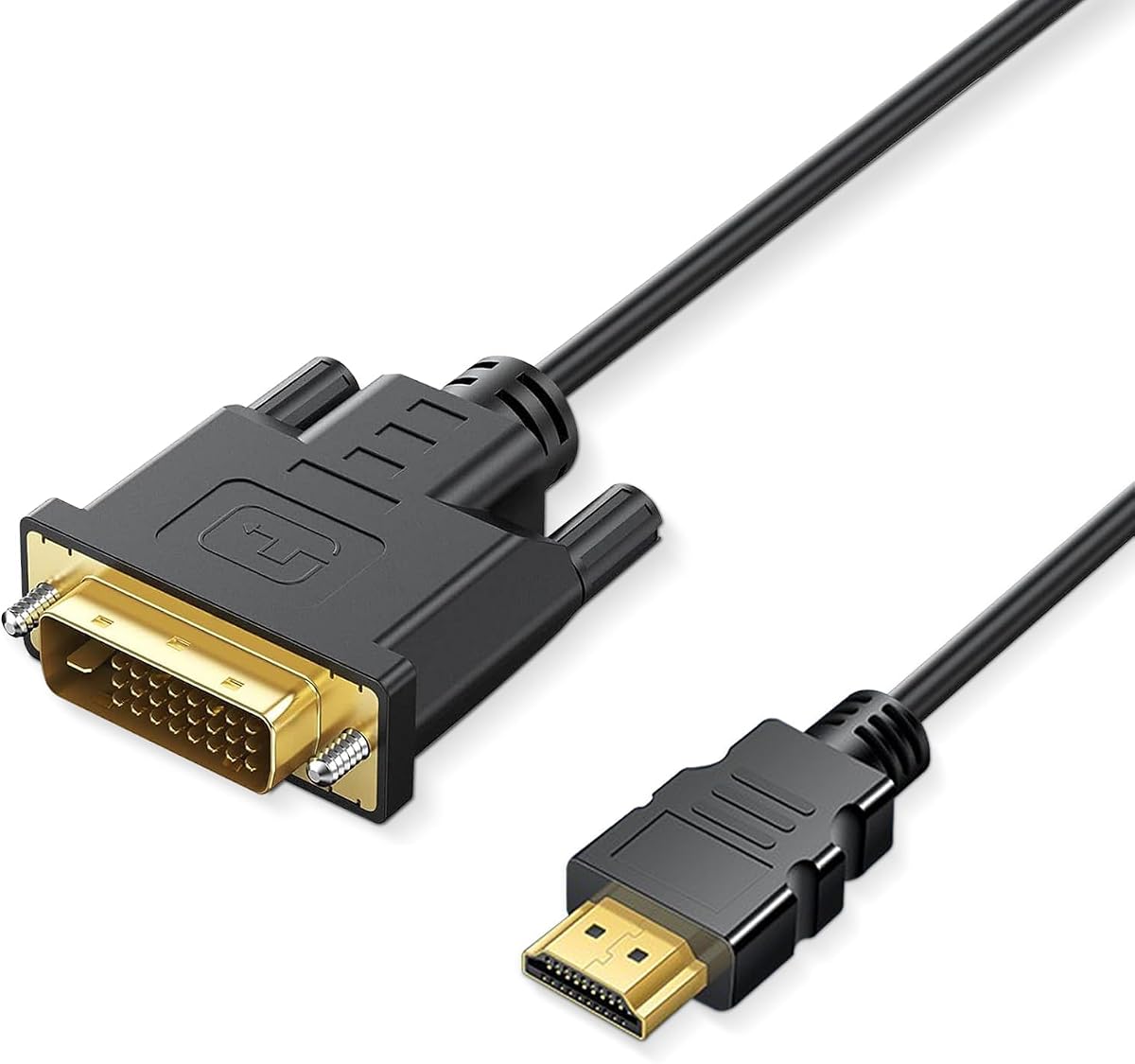
HDMI to DVI Adapter Cable
4.9Editor score
Bi-directional DVI-D connection
1080p at 60Hz
Gold-plated connectors
Multiple device options
Our HDMI to DVI Adapters Cables guide compares 10 bi-directional options for compatibility, length, shielding, resolution, construction, and everyday setup.
HDMI to DVI adapter cables provide a practical bridge between older displays and newer source devices, but connector shape, signal direction, and supported resolution determine whether they work as intended. The best options combine secure DVI connections, dependable shielding, useful lengths, and broad compatibility with monitors, televisions, projectors, and game consoles.
This guide compares ten HDMI to DVI adapter cables based on the supplied specifications, including DVI-D or DVI-I support, bi-directional capability, maximum resolution, cable length, shielding, connector materials, and device compatibility. It covers both integrated male-to-male cables and compact adapter-style alternatives for different desk, travel, and entertainment setups.
Each review explains the standout benefits, limitations, and ideal use case, while the comparison table provides a quick side-by-side view of the complete list. Ratings and product availability can change over time, and retailer listings may also vary in wording, so readers should verify the current specifications and listing details before purchasing.
4.9Editor score

4.7Editor score
4.7Editor score
The comparison below covers ten bi-directional HDMI to DVI options, highlighting differences in connector format, cable length, resolution support, shielding, and the need for a separate cable. The ratings reflect the supplied product data, while technical details should be confirmed against the current listing before purchase.


The Capshi HDMI to DVI-D 24+1 Adapter Cable combines a useful six-foot length with bi-directional connectivity and a supplied rating of 4.7. It supports resolutions ranging from 800×600 through 1080p, making it a strong general-purpose option for connecting an HDMI source to a DVI-D display or a DVI-D source to an HDMI-equipped screen.
We may earn a commission when you buy through this link, at no additional cost to you.
Its strongest attributes are physical rather than software-based. The cable uses 24K gold-plated full-metal connectors, oxygen-free copper lines, aluminum foil, and a reinforced nylon braid. Molded strain relief and finger-tightened DVI screws help the connection remain secure, while the shielding is designed to reduce electromagnetic and radio-frequency interference.
The important limitation is that DVI is a digital-only connection in this use case. Although the DVI-I socket may physically fit equipment with a 24+5 layout, the listed specifications indicate that only digital signals are transmitted. Buyers who need analog DVI, audio over the same cable, or high-refresh 4K should look elsewhere.
This is a well-rounded choice for a monitor, projector, HDTV, desktop, laptop, or game console located several feet from the source. The six-foot run reduces cable clutter while still keeping the product easy to deploy. For users seeking a versatile, long cable with secure connectors and no separate adapter, the Capshi earns the Editor's Choice recommendation.
The six-foot length is useful when a monitor or television sits farther from a computer, game console, or media player than a short adapter allows. It also offers more placement flexibility than a compact dongle without becoming unwieldy for routine desk use.
Aluminum foil, a reinforced braid, and metal connectors work together to support stable transmission. Thumb screws on the DVI side reduce the chance of accidental disconnection, which is particularly helpful with heavier desktop displays and projectors.
We may earn a commission when you buy through this link, at no additional cost to you.
The Amazon Basics HDMI to DVI Adapter Cable is a straightforward three-foot option with a supplied rating of 4.7. Its bi-directional design works with HDMI-equipped and DVI-D 24+1-equipped devices, and the listing also states compatibility with DVI-I 24+5 equipment for digital signal transfer.
We may earn a commission when you buy through this link, at no additional cost to you.
This cable is particularly easy to understand because it arrives as one integrated HDMI-to-DVI cable. There is no need for a separate adapter body and standard display cable, reducing the number of connections around a monitor. Gold-plated connectors support conductivity, and the protective net jacket adds a layer of everyday durability.
The specification sheet clearly states that the cable cannot support 4K at 60Hz. As a result, buyers should treat it as a 1080p-oriented solution rather than a future-proof high-bandwidth link. It also cannot carry audio through the DVI connection, and buyers using a DVI-I port should verify that digital operation is the required mode.
The Amazon Basics cable suits a monitor or projector positioned within three feet of a computer, laptop, console, or streaming box. It is a particularly sensible choice for users who value a recognizable, uncomplicated cable design and do not need 4K, long reach, or audio. It ranks second because its clean design is balanced by more limited bandwidth and length than several alternatives.
Because the HDMI and DVI connectors are integrated, this option reduces desk clutter. It is a direct solution for a nearby display and avoids the separate cable required by many dongle-style adapters.
The explicit 1080p ceiling and lack of 4K at 60Hz support make the cable easier to assess. Prospective buyers can quickly determine whether it suits their equipment without paying for capabilities the design does not offer.
We may earn a commission when you buy through this link, at no additional cost to you.
The BENFEI HDMI to DVI cable is a bi-directional DVI-D 24+1 male-to-HDMI male solution with a supplied rating of 4.7. Its listed compatibility extends across laptops, desktops, Blu-ray players, Xbox systems, PlayStation consoles, Roku devices, Wii systems, DVD players, set-top boxes, and other HDMI-equipped sources.
We may earn a commission when you buy through this link, at no additional cost to you.
Signal handling is designed around familiar HD resolutions. The listing includes 800×600, 1024×768, 1280×1024, 1600×1200, 1920×1200, and 1080p. Aluminum foil and braided shielding are used to stabilize transmission and reduce electromagnetic and radio-frequency interference, while gold-plated connectors and molded strain relief address durability.
Compatibility claims should still be interpreted carefully. The cable supports DVI-D 24+1 equipment and is listed as compatible with DVI-I 24+5 devices, but the practical signal remains digital. DVI-I analog operation and audio transmission are not established, making the source and display interface types worth checking before ordering.
BENFEI is a compelling selection for a mixed entertainment setup that includes a computer, game console, streaming device, or disc player. The wide device list makes it convenient for households that may switch sources regularly. It ranks third because of its strong compatibility and shielding, although the lack of a clearly stated cable length gives less certainty for permanent installations than the six-foot and five-foot alternatives.
Compatibility with common consoles, streaming products, computers, and disc players makes the cable useful across a household entertainment center. It can reduce the need to keep a different adapter for each type of HDMI source.
The combination of aluminum foil and braided shielding is designed to preserve a stable connection in rooms with nearby electronics. Gold-plated connectors and molded strain relief complement that protection at the points most exposed to repeated handling.
We may earn a commission when you buy through this link, at no additional cost to you.
The HDMI to DVI Adapter Cable Bi-Directional DVI-D Male to HDMI 6FT is a long, flexible option with a supplied rating of 4.7. It supports up to 1080p and can mirror or extend video to an LCD or LED monitor, making it useful for larger-screen work, presentations, and entertainment.
We may earn a commission when you buy through this link, at no additional cost to you.
The connector specification calls for 24K gold-plated, all-metal components designed to resist corrosion and maintain stable signal transmission. A protective PVC jacket adds another layer of durability, while hand-tightened screws help secure the DVI connection. Its bi-directional capability allows the same product to carry either an HDMI source to a DVI display or a DVI source to an HDMI screen.
One caution is the importance of choosing the correct signal source. The listing warns that a mismatch can result in no image, so users should understand which connector carries the source signal and which connects to the display. Although the source description mentions simultaneous video and audio transmission, the DVI endpoint itself may not carry audio, making a separate audio route advisable when using a DVI display.
This cable is well suited to installations where the source and display are not directly adjacent. It also works with common Apple TV, laptop, Blu-ray, desktop, PC, console, Roku, and Wii U sources according to the listed compatibility. It ranks fourth as a balanced general option, with the six-foot reach and secure connector system serving as its defining advantages.
A six-foot cable gives a monitor or television more freedom in relation to the source device. It can sit behind furniture, run along a wall, or connect equipment positioned on a separate stand without requiring an extension.
Gold-plated metal connectors support consistent conductivity and resist corrosion. The DVI-side screws are especially useful in permanent installations where frequent cable movement could loosen a standard plug.
We may earn a commission when you buy through this link, at no additional cost to you.
The CableCreation HDMI to DVI Cable is a compact 15-centimeter male-to-female adapter with a supplied rating of 4.7. Unlike a long male-to-male cable, it presents an HDMI female port and DVI male plug, making it a practical converter when a standard HDMI cable must be reused.
We may earn a commission when you buy through this link, at no additional cost to you.
The adapter supports 1080p resolutions and is listed with 3D compatibility. Its 24K gold-plated full-metal connectors, aluminum-foil and braid shielding, and oxygen-free copper core are designed to support stable transmission. These construction details are useful in a compact unit where the connection often sits close to a display or other equipment.
The major trade-off is its very short integrated length. It works best when the source is already near the screen, and it may need an appropriate standard cable to reach a more distant device. Its DVI connector is not fitted for audio, so a separate audio cable or optical connection is required for sound.
CableCreation fits travelers, office workers, and anyone using a shared or fixed display cable. Its adapter design can also be more convenient than carrying a second complete cable. It ranks fifth because the format is highly practical, although the limited reach prevents it from serving as a general replacement for a full-length desktop connection.
The female HDMI end allows a standard HDMI cable to be connected to a DVI-equipped display. This can be useful when a room already has a long HDMI cable and a bulky second cable would be inconvenient.
At only 15 centimeters, the adapter is easy to carry in a laptop bag or equipment case. Its small form also helps avoid excess cable hanging behind a closely positioned display.
We may earn a commission when you buy through this link, at no additional cost to you.
The HDMI to DVI Adapter Cable Bi-Directional DVI-D 24+1 Male to Male has the highest supplied rating in the group at 4.9. It supports 1080p Full HD at 60Hz and offers bi-directional transfer, covering the basic requirements for a 1080p monitor, television, or projector setup.
We may earn a commission when you buy through this link, at no additional cost to you.
The compatibility list includes Apple TV, Roku, PlayStation 3, PlayStation 4, PlayStation 5, Xbox One, Xbox 360, Nintendo Wii, Nintendo Switch, Raspberry Pi, and Blu-ray or DVD players. Gold-plated connectors and molded strain relief are intended to withstand repeated insertion and removal, making the cable a practical choice for frequently switched sources.
The listing describes a DVI-I dual-link connector port while identifying the cable as a DVI-D 24+1 male-to-male product. Because DVI configurations can differ, buyers should confirm the shape and pin layout of the port on the intended display. Audio also requires careful consideration because the DVI side does not natively deliver audio.
This adapter earns the Best Budget label because it focuses on the essential features without adding a substantial premium for unnecessary extras. It is a sensible choice for a home office, gaming setup, or media center that operates at 1080p. The only meaningful uncertainty in the supplied information is its length, so buyers should check that detail before finalizing a purchase.
The stated 1080p at 60Hz capability is appropriate for many computer displays, televisions, and projectors. It provides a more precise refresh-rate target than listings that mention only 1080p.
Compatibility spans several console generations, streaming products, and Raspberry Pi devices. That makes the cable useful for users who connect different HDMI sources to a shared DVI display.
We may earn a commission when you buy through this link, at no additional cost to you.
The HDMI to DVI 5ft is a five-foot bi-directional cable with a supplied rating of 4.5. It supports resolutions from 800×600 through 1920×1200 and 1080p, giving users a flexible middle ground between compact adapters and longer six-foot runs.
We may earn a commission when you buy through this link, at no additional cost to you.
The cable emphasizes both signal protection and physical durability. It uses 24K gold-plated full-metal connectors, oxygen-free copper lines, and a doubled shielded PVC coat. The construction is intended to resist signal loss, remain flexible, and tolerate repeated plugging and unplugging over the life of the connection.
Its function is limited to digital video, and the DVI end does not carry audio. The listing also gives a clear warning that this is not a VGA or DisplayPort cable. That distinction matters because visually similar connectors can still be physically incompatible, and a wrong purchase cannot be corrected by changing the display's input setting.
This is a good choice for a game console, media player, laptop, or desktop connected to a nearby monitor or projector that needs a little more distance than a short cable provides. It ranks seventh because it offers a useful length and robust construction, although its 4.5 supplied rating is lower than several alternatives and its 1080p limitation excludes modern high-refresh 4K demands.
Five feet is long enough to improve placement around a desk or entertainment unit without creating a large coil of excess cable. It works particularly well for displays positioned at a moderate distance from their source.
The doubled shielded jacket and full-metal connectors provide a durable combination for frequently handled cables. Gold plating supports conductivity and adds corrosion resistance at both connection points.
We may earn a commission when you buy through this link, at no additional cost to you.
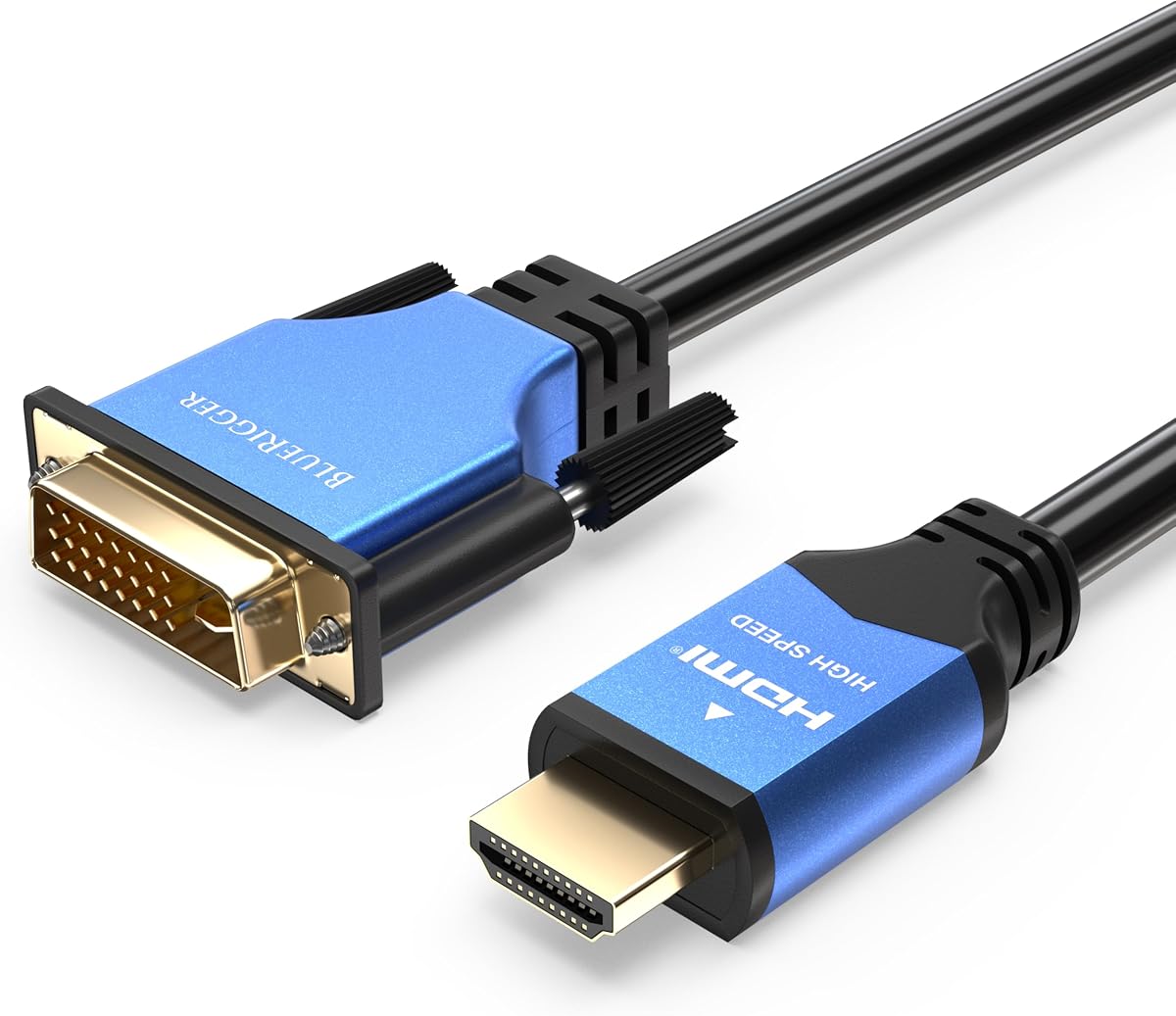
The BlueRigger DVI to HDMI Adapter Cable is a six-foot high-speed male-to-male cable with a supplied rating of 4.7. It supports bi-directional connections between HDMI and DVI equipment at up to 1080p Full HD, combining useful reach with a polished physical design.
We may earn a commission when you buy through this link, at no additional cost to you.
Its connector shells use a durable aluminum alloy construction, while corrosion-resistant 24K gold-plated connectors and oxygen-free copper wires support conductivity. A flexible PVC jacket protects the cable, and non-slip DVI screws help maintain a secure attachment to the monitor. The listing also highlights a lifetime warranty and US-based customer support.
Digital compatibility is broad, covering both DVI-D 24+1 and DVI-I 24+5 layouts. However, the cable does not carry DVI-I analog signals, so buyers need a digital display configuration. Audio depends on the source: the product description notes that certain newer graphics cards can transmit sound when suitable drivers and sound chips are present, but DVI itself does not natively carry audio.
BlueRigger is the Best Premium option for buyers who value metal connector housings, a six-foot length, strong shielding, and warranty support in one package. It suits Raspberry Pi systems, streaming devices, game consoles, graphics cards, monitors, and HDTVs. It ranks eighth because its overall feature set is polished, although several simpler cables offer similar resolution support at lower levels of construction.
Aluminum alloy shells and gold-plated contacts create a robust connection that should withstand frequent handling. The DVI-side non-slip screws add stability for displays that remain connected for long periods.
The stated lifetime warranty and US-based support distinguish this option from many basic cables. That support may be particularly valuable for buyers connecting less conventional source equipment such as Raspberry Pi systems or specialized graphics hardware.
We may earn a commission when you buy through this link, at no additional cost to you.
The CableCreation DVI to HDMI Adapter 2-Pack provides two compact, bi-directional adapters with a supplied rating of 4.6. Each adapter uses a DVI male connector and HDMI female port, allowing it to pair with a standard HDMI cable for displays that are positioned away from the source.
We may earn a commission when you buy through this link, at no additional cost to you.
The adapters support up to 1080p Full HD and 3D video. Their gold-plated connectors resist corrosion and oxidation, while high-grade PVC molding improves wear resistance and grip. Because these are compact adapters, the design is especially convenient for home, office, and travel use where a full male-to-male cable would be unnecessarily long.
A separate HDMI cable is required, and audio must also be transmitted through another route. The two included units improve availability for users who need more than one connection point, but they do not include the full cables needed to reach distant equipment. Buyers should therefore consider the complete setup rather than judging the adapters in isolation.
This two-pack is a good match for households with a primary DVI monitor and a second DVI television, projector, or travel display. It is also convenient for technicians or office users who want a spare converter available in different workspaces. It ranks ninth because the included quantity adds value, although the requirement for separate cables makes it less economical than a complete cable for a single setup.
Having two adapters allows a user to keep a permanent connection and carry a spare, or connect separate displays in different locations. The set reduces the inconvenience of searching for a second compatible converter later.
The HDMI female port accepts a conventional HDMI cable, making the adapters adaptable to different room layouts. No drivers or complicated setup are required, so connection is generally a matter of matching the signal direction correctly.
We may earn a commission when you buy through this link, at no additional cost to you.
The DTECH DVI to HDMI Adapter is a compact bi-directional converter with a supplied rating of 4.6. It supports resolutions up to 4K at 30Hz, 1920×1200, and 1080p Full HD, making it the most capable option in the group for a DVI-equipped display with a higher-resolution mode.
We may earn a commission when you buy through this link, at no additional cost to you.
The DVI male plug can fit compatible DVI-D 24+1 and DVI-I 24+5 female ports, while the HDMI female end accepts a standard HDMI cable. Gold-plated connectors are intended to resist corrosion and improve durability. Grip treads and DVI screws make the connection easier to attach and help prevent it from loosening.
Its maximum 4K rate is 30Hz, and it cannot handle 144Hz. The adapter also does not carry audio, and a separate HDMI or DVI cable is required. The higher-resolution claim should therefore be considered in context: it is useful for certain 4K displays, but it is not a substitute for a full 4K at 60Hz or high-refresh gaming connection.
DTECH is a practical choice for a desktop with a DVI port that needs to reach an HDMI monitor, or for a DVI source connected to a modern television or projector. It also suits users who want a small adapter instead of a permanently integrated cable. It rounds out the list as the only option explicitly specifying 4K at 30Hz, though the lower refresh limitation narrows its appeal.
The adapter can carry 4K at 30Hz under compatible source, display, and cable conditions. This may benefit productivity, general viewing, or a display that is used primarily at a standard 30Hz refresh rate.
The small converter reduces excess cable near the display, while grip treads and screws improve handling at the DVI port. Gold-plated contacts support durability in a connector that may remain plugged in continuously.
We may earn a commission when you buy through this link, at no additional cost to you.
The most important choice is not simply whether a product is called HDMI to DVI. You need to match the connector format, signal direction, intended resolution, cable length, and audio requirements to the exact devices involved.
DVI-D is a digital-only interface commonly identified by a 24+1 pin arrangement, while DVI-I has a 24+5 layout and can include analog and digital contacts. Many HDMI to DVI cables use a DVI-D plug, although the supplied listings also describe compatibility with DVI-I 24+5 equipment. That compatibility generally means the physical plug fits and digital video can pass, not that every analog feature of the DVI-I port will work.
A male-to-male cable connects directly between an HDMI port and a DVI port, usually providing the simplest one-cable arrangement. A male-to-female adapter combines a DVI plug with an HDMI socket and requires a separate HDMI cable. This adapter format is often better for travel, fixed room installations, or situations in which you want to reuse an existing HDMI cable.
Most products in this roundup are designed around 1080p and various standard computer resolutions. One option states support for 4K at 30Hz, but it does not support 144Hz, while the Amazon Basics listing explicitly excludes 4K at 60Hz. For gaming, high-refresh operation, demanding editing work, or large modern displays, check the source output, display input, and cable specification together.
The available lengths range from a very compact 15-centimeter adapter to integrated six-foot cables. Longer cables make placement easier but can add clutter and may be more than necessary beside a monitor. Very short adapters require a separate HDMI cable, which should be long enough to reach the source without creating a sharp bend at either connector.
Bi-directional capability allows a product to carry either an HDMI source to a DVI display or a DVI source to an HDMI display. It does not mean the product can receive and transmit video simultaneously, nor does it make every source-to-display combination possible. The source must produce a compatible digital signal, and the receiving display must support the selected input and resolution.
DVI does not natively carry audio, and several listings explicitly warn that a separate audio cable or optical route may be needed. Some modern graphics cards can pass audio through their output when suitable hardware and drivers are installed, but that depends on the specific computer and operating system. Speakers, a display with its own audio input, or a separate digital audio connection can solve this limitation.
Aluminum foil, braided shielding, and double-shielded jackets are intended to reduce electromagnetic and radio-frequency interference. Gold-plated contacts can improve conductivity and resist corrosion, while molded strain relief protects the cable where repeated bending occurs. These features are especially useful in permanent installations, crowded entertainment centers, and setups running near power equipment or other electronics.
DVI connectors may include thumb screws to improve retention, particularly with heavier desktop monitors and projectors. The screws can make installation less convenient than a simple push-fit connector, so users should verify that the intended DVI port has the matching threaded holes. A smooth fit without screw access is common, while some displays provide convenient DVI release mechanisms instead.
Begin by identifying the source and display. Determine which device has HDMI and which has DVI, inspect the DVI input for its exact configuration, and confirm that your intended resolution and refresh rate are supported. If using a male-to-female adapter, make sure the required HDMI cable is available and long enough for the intended placement.
Connect the cable while the devices are powered off or at least properly shut down, then turn the source on and select the DVI input on the display. Tighten the DVI-side thumb screws by hand if the port supports them, but avoid over-tightening. If the screen is blank, check that the source is outputting the expected digital resolution and confirm that the cable is oriented from the correct source-side connector.
For maintenance, route the cable without creating tight bends or pulling on the connector. Keep the DVI screws accessible if possible, and avoid leaving the cable plugged in while moving a heavy display. Store coiled cables loosely, keep both ends free from dust and moisture, and investigate flicker, intermittent sound, or signal drop rather than continuing to reconnect a damaged cable aggressively.
Most of the products listed here support both HDMI-to-DVI and DVI-to-HMI signal paths. They still require compatible digital sources and displays, and they do not transmit two video streams at once. The direction must also match the actual source and display rather than merely the shape of the connectors.
DVI does not natively support audio, so most of these cables require a separate audio connection. Some newer graphics cards can deliver sound through DVI when the necessary sound hardware and drivers are installed. Even then, the display must provide a usable audio route or an external speaker system must be connected.
A DVI-D cable can physically fit many DVI-I ports because of the shared digital pin layout. It will carry digital video, which is normally what an HDMI connection requires, but it will not use the additional analog contacts. Check the monitor manual if you need to know whether its DVI-I input accepts digital signals through that arrangement.
Most of the listed cables are specified for up to 1080p, and the Amazon Basics option expressly excludes 4K at 60Hz. The DTECH adapter supports up to 4K at 30Hz but does not support 144Hz. If 4K at 60Hz is essential, verify the specification rather than assuming it from the HDMI label.
A male-to-male cable is the simplest option when both devices have the correct sockets and their distance fits the cable. A male-to-female adapter is more compact and lets you reuse an existing HDMI cable, but that separate cable must be long enough to reach the source.
First confirm that the source is sending video to the correct DVI input and that the cable is connected from the proper source-side connector. Then check the selected resolution, refresh rate, DVI configuration, and any required display settings. Also inspect the DVI screws and connector fit to rule out a loose or partially seated connection.
Several products in the list include compatibility with PlayStation, Xbox, Nintendo, and Wii systems. The source and television must use compatible digital video settings, while audio may need a separate route. Modern gaming modes that exceed 1080p or require a particular refresh rate may not be available through the listed specifications.
No. Length is useful only when it improves placement. A long cable can create clutter, and a compact adapter may be better beside a closely positioned monitor. For a male-to-female adapter, remember that the separate HDMI cable contributes to the total reach, so measure both components together.
The Capshi HDMI to DVI-D cable is the strongest all-around selection because it combines bi-directional operation, a six-foot length, 1080p support, shielding, and secure DVI screws. The HDMI to DVI Bi-Directional DVI-D cable is a compelling budget choice with the highest supplied rating, while the BlueRigger cable stands out for premium connector construction, warranty support, and six-foot reach.
Before buying, prioritize the display's DVI configuration, the direction of the required signal path, supported resolution, and available reach. Compact adapter designs are ideal for travel or reusing an existing HDMI cable, while integrated male-to-male cables offer fewer separate pieces. Remember that DVI audio generally requires an additional route.
Product ratings, specifications, availability, and retailer listings can change, so confirm the current details before ordering. In particular, verify the DVI pin layout, cable length, maximum resolution, and whether the source and display require separate audio. Those checks are more reliable than assuming every HDMI to DVI option is interchangeable.