
Thermalright TL-C12C X3
4.6Editor score
1.53 mmH₂O static pressure
66.17 CFM airflow
Four-pin PWM control
Our static pressure fans for PC cooling guide compares airflow, noise, speed, bearing design, radiator fit, PWM control, dimensions, and ideal build setups.
Static pressure fans for PC cooling are designed to move air through restrictive spaces such as radiators, dense heat sinks, narrow intake paths, and filtered vents. A capable example combines useful airflow with enough pressure to overcome resistance, while PWM control, a suitable bearing, and manageable noise determine how comfortably it performs in a finished system.
The ten fans in this guide were compared using the specifications and product information supplied for each model. The evaluation considers static-pressure capability, airflow, speed range, acoustic characteristics, dimensions, mounting applications, PWM support, daisy-chaining, lighting, bearing design, pack quantity, and the practical needs of different PC builders.
The list includes full-size 25 mm fans, slim 15 mm models, multi-packs, lighting options, and practical choices for compact systems. Each review explains where the fan is most useful, what makes it distinctive, and where it may be less suitable; prices and availability can change, so compare current listings before purchasing.
4.6Editor score

4.8Editor score
4.7Editor score
This side-by-side comparison highlights the strongest differences among the selected fans, including pressure capability, maximum airflow, speed control, physical depth, bearing technology, lighting, and daisy-chain convenience.


The ARCTIC P12 Slim PWM PST three-pack is a practical choice when physical clearance matters as much as cooling performance. Its 4.6 rating reflects a broadly favorable buyer response, while the pressure-optimized design targets heat sinks and radiators. The slim profile makes it particularly valuable in compact cases and installations where a conventional 25 mm fan will not fit.
We may earn a commission when you buy through this link, at no additional cost to you.
The motor operates from 200 to 2100 RPM through a four-pin PWM connection, allowing motherboard software to reduce speed when additional cooling is unnecessary. The listed airflow is 34.51 CFM, equivalent to 58.62 m³/h, and static pressure reaches 1.33 mmH₂O. These figures position the fan as a capable airflow device for restrictive routes without requiring the full depth of a standard 120 mm fan.
Its main compromise is the physical trade-off inherent to slim fans. Although the specification supports efficient cooling through increased air resistance, the listed airflow is lower than that of several full-size options in this guide. A radiator may therefore need more fans to produce the same total movement of air, while a builder with abundant space could obtain greater flow from a 25 mm model.
This three-pack is most suitable for compact builds, front and rear exhaust positions with shallow radiators, and users who want PWM control without giving up valuable clearance. It is also a sensible way to establish a matched group of slim fans. For a full-size tower with generous spacing, a deeper model may be easier, but for tight installations this package is difficult to overlook.
The 15 mm depth is the defining advantage. It allows the fan to sit behind a thicker radiator, under a restrictive bracket, or in a case section that cannot accept a 25 mm model.
A 200–2100 RPM PWM range provides broad control. Quiet settings can handle light loads, while higher speeds are available when the radiator or heat sink demands additional airflow.
We may earn a commission when you buy through this link, at no additional cost to you.
The Noctua NF-P12 redux-1700 PWM combines a 4.8 rating with a well-established pressure-optimized design, making it one of the most balanced choices in the guide. Its 120x120x25 mm body fits standard mounting locations, while the pressure-focused blade design is intended to produce strong airflow through CPU coolers, radiators, and other restricted paths.
We may earn a commission when you buy through this link, at no additional cost to you.
The maximum operating speed is 1700 RPM, and the listed maximum noise level is 25.1 dBA. More importantly for everyday use, four-pin PWM support enables automatic motherboard speed control: the fan can remain quiet during idle periods and accelerate when a temperature curve calls for more cooling. This is especially useful in systems where a constant maximum-speed setting would be unnecessarily disruptive.
The main limitation is that the NF-P12 redux-1700 PWM is a conventional, non-lighting fan. Builders seeking ARGB effects, a 2100 RPM ceiling, or a magnetic dome bearing would need to look elsewhere. Compared with high-speed alternatives, its 1700 RPM maximum is also lower, but that does not automatically make it weaker; the balance between airflow, pressure, acoustics, and control is the central appeal.
This fan is well suited to a quiet workstation, a restrained gaming build, or any system that benefits from a single unobtrusive 120 mm solution. It is particularly compelling for air-based CPU coolers and radiators where quiet PWM response matters. For builders prioritizing straightforward performance without RGB, it remains an especially convincing recommendation.
Automatic motherboard control lets the fan match its output to the cooling demand. The result is less unnecessary noise at idle and more reserved airflow under load.
The streamlined, pressure-optimized blades are intended to preserve useful airflow through dense heat sinks and radiators, where unrestricted case fans would be less effective.
We may earn a commission when you buy through this link, at no additional cost to you.
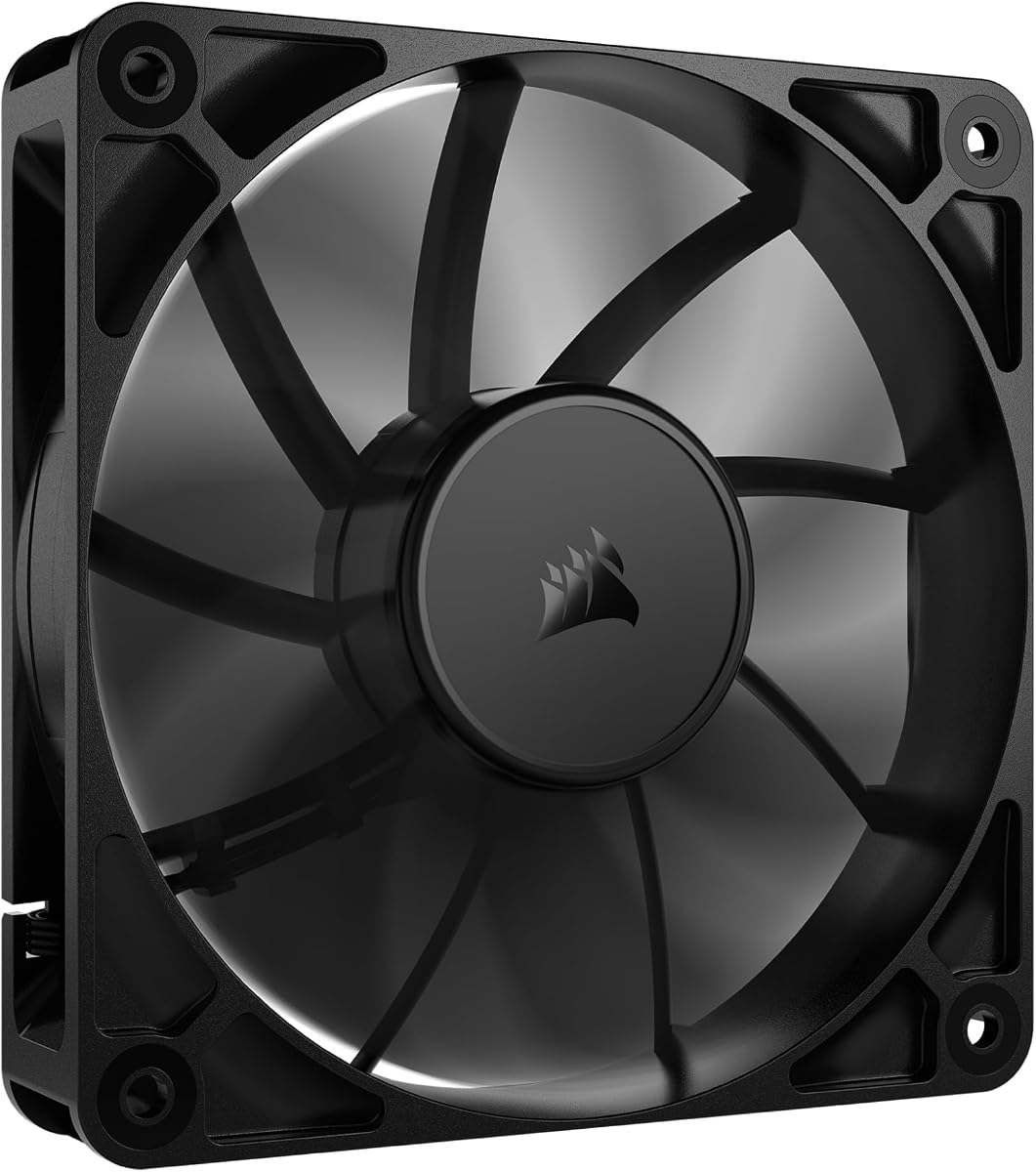
The CORSAIR RS120 single pack stands out for its combination of 4.15 mmH₂O static pressure, 72.8 CFM airflow, and a maximum speed of 2100 RPM. Its 4.7 rating indicates strong buyer approval, and the specification makes this a compelling option for radiators, restrictive heat sinks, and high-performance systems that need more pressure than a basic case fan provides.
We may earn a commission when you buy through this link, at no additional cost to you.
AirGuide vanes are designed to reduce vortex behavior and direct air toward hot components when the fan is mounted on a radiator or heat sink. A magnetic dome bearing is intended to minimize friction, noise, and wear. The daisy-chain system also simplifies multi-fan wiring, allowing several fans to be controlled through one four-pin PWM connection when additional compatible hardware and connectors are available.
The single-pack format is the principal drawback for a builder assembling a full radiator set. Matching fans in a larger group requires buying separate packs, which may also mean checking the selected variant carefully because the ARGB versions list different static-pressure figures. The non-lighting design is another limitation for builds in which synchronized lighting is part of the intended design.
Despite those points, the RS120 is a strong recommendation for a builder who wants high maximum performance and a clean wiring approach. It is particularly appropriate for a performance-oriented PC with a radiator or substantial CPU heat sink, where the listed pressure and airflow provide meaningful headroom. Users seeking a decorative package may prefer one of the triple-pack ARGB alternatives.
The 4.15 mmH₂O pressure figure and 72.8 CFM airflow offer substantial capacity for radiator and heat-sink positions where the fan must work against dense fins and tubing.
Daisy chaining reduces the number of separate PWM connections needed for a matching group. It is especially convenient in cases where cable routing and header availability are limited.
We may earn a commission when you buy through this link, at no additional cost to you.
The Thermalright TL-C12C X3 is a three-fan package that combines useful pressure with a notably high listed airflow figure of 66.17 CFM. Its 4.6 rating suggests a favorable response among buyers, while the inclusion of three matching 120x120x25 mm fans makes it convenient for a radiator, several case positions, or a CPU-cooler replacement group.
We may earn a commission when you buy through this link, at no additional cost to you.
Static pressure is listed at 1.53 mmH₂O, which is sufficient for a range of heat-sink and radiator applications. The four-pin PWM interface supports automatic motherboard speed control, and the maximum speed of 1550 RPM is reached only when the selected temperature profile calls for it. A long controller cable and an S-FDB bearing support stable, low-noise operation according to the supplied specifications.
Four silicone corner pads are included to reduce vibration and friction where the fan meets its mounting surface. This is a useful refinement for a case fan, although it does not guarantee a particular noise level in every installation. The 25.6 dBA figure and 0.20 A current rating are worth checking against the system configuration, especially when several units share a header or power source.
The TL-C12C X3 is a good fit for builders who want a complete matching group without selecting fans one at a time. It can serve as case ventilation, support a CPU cooler, or fit a radiator. Those wanting synchronized lighting or a very high maximum speed should choose a different model, but for conventional 120 mm pressure-cooling duties, this package is difficult to dismiss.
Three matching fans simplify radiator population, front and rear intake placement, or a multi-position case upgrade without having to mix separate models.
The combination of 66.17 CFM airflow and 1.53 mmH₂O pressure makes the TL-C12C X3 suitable for constrained positions where moving a meaningful volume of air matters.
We may earn a commission when you buy through this link, at no additional cost to you.
The single ARCTIC P12 Slim PWM PST is a focused solution for builders with a clear space constraint. It carries a 4.6 rating, has the same 15 mm installation depth as the related three-pack, and is expressly pressure-optimized for heat sinks and radiators. It is a particularly natural fit for small-form-factor cases and locations where a standard 25 mm fan cannot be installed.
We may earn a commission when you buy through this link, at no additional cost to you.
Its 200–2100 RPM range offers considerable control through the four-pin PWM connector. At lower speeds, the fan can contribute to quiet case ventilation; at higher speeds, it is positioned to handle increased air resistance. The listed 34.51 CFM or 58.62 m³/h airflow and 1.33 mmH₂O static pressure provide a useful performance baseline for a slim design.
The unavoidable limitation is that its listed airflow trails the full-size 25 mm models in this comparison. A thicker radiator may not reach ideal temperatures with only one slim fan, and a system with open intake and exhaust paths may benefit more from a deeper model. Build dimensions and radiator thickness should therefore be checked before choosing this option.
For one particularly tight position, the single version offers a straightforward solution without buying extra fans. It works well for a slim radiator section, a densely packed case, or a replacement that must preserve clearance. It is less compelling when several fan positions are needed, but it remains one of the most relevant slim choices in the guide.
Buying a single unit avoids carrying unnecessary spare capacity into a build where every millimeter matters. It is ideal for replacing or adding one pressure fan in a constrained location.
The 2100 RPM ceiling gives the compact blade design room to work against resistance, while the lower end of the range allows a quiet response under lighter demand.
We may earn a commission when you buy through this link, at no additional cost to you.
The black CORSAIR RS120 ARGB triple pack combines high airflow with integrated lighting and straightforward multi-fan wiring. Its 4.6 rating reflects a well-received feature set, while 72.8 CFM airflow and a 2100 RPM maximum give it meaningful performance for radiators, heat sinks, and case ventilation.
We may earn a commission when you buy through this link, at no additional cost to you.
Eight LEDs per fan provide customizable lighting through a compatible motherboard's five-volt ARGB control. The fans can daisy-chain both PWM and ARGB connections, helping reduce the number of separate headers required in the finished system. AirGuide vanes focus the airflow toward hot components, and the magnetic dome bearing is designed to reduce friction and noise.
Static pressure is listed at 2.8 mmH₂O for this ARGB variant. That is below the 4.15 mmH₂O figure given for the non-lighting RS120 packages, so buyers should not treat all RS120 versions as identical in this respect. The ARGB requirement is another important consideration: the motherboard must support the appropriate lighting connection, and mixing lighting standards can create installation complications.
This triple pack is aimed at builders who want a coordinated group for a radiator or several case positions without compromising on lighting. It is less attractive to someone who does not need RGB or whose motherboard lacks compatible ARGB support. Within that intended use, the combination of airflow, daisy-chaining, and matched lighting is compelling.
The ARGB version adds eight customizable LEDs without abandoning the high-speed airflow design. It is a practical way to coordinate a visible build while maintaining radiator or heat-sink performance.
Daisy-chained PWM and ARGB connections make it easier to install several matching fans, although a compatible controller or motherboard lighting system is still required.
We may earn a commission when you buy through this link, at no additional cost to you.
The five-pack ARCTIC P12 PWM PST is a comprehensive choice for a system that needs several matching pressure fans. Its 4.8 rating is among the highest in the guide, and the listed 2.20 mmH₂O static pressure is notably stronger than that of the ARCTIC slim models. The five included fans are designed for pressure-optimized cooling in heat sinks and radiators.
We may earn a commission when you buy through this link, at no additional cost to you.
The motor supports 200–1800 RPM under PWM control and can stop completely when demand falls below five percent. This stop feature can eliminate unnecessary fan noise during idle periods. The listed airflow is 56.30 CFM, or 95.65 m³/h, while the specified noise level is 0.3 Sone. PWM Sharing Technology is intended to support coordinated control when multiple fans are connected to a suitable system.
The obvious limitation is quantity. A five-fan package is excellent for a sizable radiator and several case positions, but it can be unnecessary for a compact build or a single replacement. A five-pack also requires sufficient mounting locations and appropriate wiring, so prospective buyers should think beyond the attractive completeness of the bundle.
For a builder creating a fully matched ventilation set, this package offers a compelling blend of pressure, airflow, quiet operation, and coordinated control. It is especially suitable for a full-size air-cooled or liquid-cooled system with several fan mounts. Smaller systems should instead consider a single or three-fan option to avoid unused hardware.
PWM Sharing Technology is designed to simplify management of multiple fans, helping them operate consistently under a system-wide speed profile.
The ability to reach zero RPM below five percent can remove fan noise entirely during light loads, provided the rest of the system can maintain stable temperatures.
We may earn a commission when you buy through this link, at no additional cost to you.
The white CORSAIR RS120 ARGB triple pack serves builders who want a coordinated appearance without giving up the RS120 airflow platform. Its 4.6 rating indicates a positive response, and the white finish is especially relevant to light-themed cases where black fan frames may disrupt the intended appearance.
We may earn a commission when you buy through this link, at no additional cost to you.
The fans deliver a listed 72.8 CFM airflow, operate up to 2100 RPM, and use AirGuide vanes to direct flow through radiators and heat sinks. Eight integrated LEDs per fan can be customized through a compatible motherboard's ARGB system. PWM and ARGB daisy-chaining support makes a matching three-fan installation more manageable, and the magnetic dome bearing is intended to minimize friction and noise.
Like the black ARGB triple pack, this version lists 2.8 mmH₂O static pressure. That remains useful for radiator and restricted-path work, but it is below the 4.15 mmH₂O figure supplied for the black non-lighting single and triple packs. The lighting system also introduces a five-volt ARGB dependency that must be supported by the motherboard, controller, or compatible header.
This is a strong option for a white build that requires a complete, coordinated fan group. It is less suitable if the system lacks ARGB support or if maximum pressure is the overriding concern. Within a lighting-focused build, however, the airflow rating, PWM range, and daisy-chain design make the package a well-rounded choice.
The white frame and integrated lighting are designed to blend into light case themes. Matching all three fans avoids visual inconsistency in prominent radiator or case positions.
ARGB does not come at the expense of the core RS120 specification in the supplied data, with 72.8 CFM airflow and a 2100 RPM maximum available.
We may earn a commission when you buy through this link, at no additional cost to you.
The single black CORSAIR RS120 ARGB fan provides a flexible way to add one high-airflow lighting component without purchasing a full group. It has a 4.6 rating, reaches 2100 RPM, and offers the same 72.8 CFM maximum airflow stated for the other RS120 variants. A magnetic dome bearing supports lower friction and reduced noise according to the product information.
We may earn a commission when you buy through this link, at no additional cost to you.
Eight integrated LEDs bring customizable five-volt ARGB effects through a compatible motherboard. The fan supports daisy-chaining, so it can later be joined with matching RS120 units while using shared PWM and lighting connections. AirGuide vanes are intended to direct air toward hot components when the fan is installed on a radiator or heat sink.
Its specified static pressure is 2.8 mmH₂O, below the 4.15 mmH₂O listed for the non-lighting RS120 single pack. This difference should be considered if the fan will sit behind a particularly dense radiator or restrictive filter. ARGB compatibility is also a requirement rather than an optional feature, and the single format may not be the most economical way to equip every case position.
This single fan is ideal for a targeted upgrade where one visible position needs matching lighting, or for a builder who prefers to add matching units gradually. It performs well as a case or radiator fan and can be speed-controlled through PWM. Builders who do not need RGB should compare it with the non-lighting model before deciding.
The single pack supports gradual expansion. A builder can replace one visible fan now and add matching illuminated units later as mounting positions or budget allow.
Daisy-chain support is useful when a final design includes several RS120 ARGB fans, because the group can be organized with fewer separate connection points.
We may earn a commission when you buy through this link, at no additional cost to you.
The black CORSAIR RS120 triple pack combines three matching fans with the strongest listed static-pressure figure in the guide. Its 4.7 rating indicates a favorable response, while the combination of 4.15 mmH₂O pressure, 72.8 CFM airflow, and a 2100 RPM maximum gives it substantial capability for radiator and CPU-cooling positions.
We may earn a commission when you buy through this link, at no additional cost to you.
Daisy chaining means the group can be controlled through one four-pin PWM connection, reducing wiring complexity in a case with several mounts. AirGuide vanes direct the airflow toward components and help it work as a radiator fan. The magnetic dome bearing is designed to reduce friction, noise, and wear, supporting consistent operation over the product's intended service life.
The package does not include ARGB lighting, so it will not visually match an illuminated setup unless the lighting is supplied elsewhere. Three fans may also exceed the available mounting capacity of a small case, although they are a natural fit for a 240 mm radiator or a combination of case and cooler positions. Buyers should verify the radiator's fan thickness and mounting pattern before ordering.
This triple pack is a strong all-around choice for a performance build that values airflow, pressure, speed, and tidy wiring. It suits a radiator that needs a matched group and can also serve as the basis for a broader case-fan arrangement. For a quiet, lighting-free system, it delivers the central performance of the RS120 line without requiring a specialized ARGB controller.
All three fans provide the 4.15 mmH₂O pressure specification, making the group well suited to dense radiators and heat sinks where each position faces meaningful resistance.
The unlit black design avoids RGB dependency and concentrates on cooling, controlled speed, and organized daisy-chain wiring.
We may earn a commission when you buy through this link, at no additional cost to you.
Choosing a static pressure fan means balancing the resistance of its intended position against airflow, noise, speed, dimensions, and wiring. The following factors help narrow the options before you check compatibility with your case, cooler, radiator, and motherboard.
Static pressure indicates how effectively a fan can push air through a restrictive path. Radiator fins, dense tower heat sinks, mesh filters, and narrow intake openings all create resistance, and a fan that merely moves a high volume of air in open space may perform poorly when it encounters these barriers. A pressure-optimized fan maintains a more useful stream of air through the obstruction, which can improve the transfer of heat away from the component.
Prioritize models with a clearly stated pressure specification and choose one that exceeds the demands of the intended position. The guide ranges from 1.33 mmH₂O for the slim ARCTIC fans to 4.15 mmH₂O for the non-lighting CORSAIR RS120 packages. Higher pressure is useful, but it should be considered together with airflow rather than treated as the only measure of quality.
Airflow describes the volume of air a fan can move under its operating conditions. It matters when filling a case, supplying cool intake air, removing warm exhaust air, or supporting a heat exchanger. A balanced fan should provide enough flow to support the intended cooling task without making the system substantially louder than necessary. A figure such as 56.30 CFM can be substantial for a 120 mm fan, while 72.8 CFM indicates a particularly high-output design in this group.
Do not choose solely by the highest CFM number. Airflow, pressure, speed, noise, and fan size interact, and a higher ceiling may produce more noise than a system requires. Compare the listed figures, then assess whether the physical design and control range suit the placement.
Dimensions determine whether a fan can physically fit. Most 120 mm models in this guide are 25 mm thick, while the ARCTIC P12 Slim PWM PST options measure only 15 mm. The slim format can fit behind a thick radiator or inside a compact case where a full-depth fan would collide with another component. Standard 25 mm fans generally offer greater space for blade volume and are a safer default when clearance is unrestricted.
Measure the available area rather than relying only on the nominal 120 mm face size. Check radiator thickness, CPU-cooler overhang, drive-bay spacing, filter depth, and the distance to the case panel before ordering. A fan with excellent specifications is irrelevant if it cannot be mounted.
Pulse-width modulation, or PWM, allows the motherboard to vary fan speed according to a temperature curve. This is valuable because full-speed operation is rarely necessary around the clock. A wider RPM range gives the user more opportunity to reduce noise during idle periods and reserve maximum airflow for demanding workloads. The fans here operate at maximum speeds ranging from 1550 to 2100 RPM, with the ARCTIC P12 Slim models reaching 2100 RPM.
Check that the motherboard has a controllable four-pin PWM header and that the chosen cable is compatible. A PWM fan may still require a separate SATA power connection, and automatic control depends on correct software configuration. Adjustable performance is most useful when it is paired with a sensible temperature curve.
Noise and maximum speed must be considered together. A higher ceiling can provide useful airflow for a dense radiator, but it may also create more audible turbulence. The Noctua NF-P12 redux-1700 PWM lists a maximum of 25.1 dBA, while the Thermalright TL-C12C X3 lists 25.6 dBA. The ARCTIC models use a Sone figure, which is a different acoustic measurement and should not be compared directly with decibel values without understanding the distinction.
For quiet builds, prioritize smooth control, anti-vibration materials, and a broad low-speed operating range. For a high-load system, higher maximum speed and stronger pressure may be worth additional noise. Actual acoustics vary with mounting, vibration, airflow obstruction, and surrounding components, so system-level testing remains important.
The bearing affects smoothness, friction, durability, and noise. The Thermalright TL-C12C X3 uses an S-FDB bearing and four silicone corner pads, while the CORSAIR RS120 range uses a magnetic dome bearing intended to reduce friction and vibration. These features can contribute to a more stable operating environment, especially when the fan is mounted to thin metal or a vibrating radiator frame.
A quality bearing does not guarantee silence in every installation. Proper mounting, unobstructed airflow, and compatible control settings remain important. Always follow the manufacturer's mounting instructions and avoid forcing a fan into a position that places uneven pressure on its frame.
ARGB fans add visible lighting but also require a compatible five-volt lighting connection. The CORSAIR RS120 ARGB models support daisy-chaining and can be controlled through a compatible motherboard, while the non-lighting RS120 packages use only a four-pin PWM connection for fan control. More lighting can be visually appealing, but it adds a compatibility requirement that some systems do not have.
Daisy chaining simplifies the arrangement of several fans and can reduce the number of occupied headers. Confirm that the case has enough mounting positions and that the daisy-chain cable reaches them without sharply bending the connector. Avoid mixing incompatible lighting standards or power connections merely to complete an aesthetic plan.
Pack quantity should reflect the number of locations that genuinely need a pressure-oriented fan. A single fan can solve a targeted clearance or upgrade need, while three- and five-packs are more useful for radiators, front and rear positions, or a complete matched set. Buying extra fans that will not be mounted adds unnecessary cost and can create unused clutter inside the case.
Count the mounting positions first. For a 240 mm radiator, a matching three-fan group is usually a natural fit, subject to the radiator thickness and the case's actual dimensions. For a compact chassis, a single slim fan may be the more appropriate package. Matching models also improve visual consistency and simplify PWM grouping.
Begin by identifying the fan's role. Position pressure fans where air must pass through a radiator, heat sink, filter, or other restricted component, and use more open case positions for general ventilation. Confirm the mounting pattern, fan thickness, connector clearance, and airflow direction before installation. A fan that draws air through a component should be oriented so that its intake side faces the incoming cool air.
Connect the four-pin PWM cable to a suitable motherboard or fan-controller header, and connect the fan's power lead as required by its design. ARGB versions also need a five-volt lighting connection from a compatible controller or motherboard. Use the supplied daisy-chain arrangement when installing a matching group, route cables away from sharp edges, and avoid placing the connector under tension.
After installation, create a fan curve in the motherboard or controller software. Begin with a conservative profile, listen for changes in airflow and vibration, and raise the speed only when temperatures require it. Keep the fan clear of cables and intake filters, clean accumulated dust periodically with a soft brush or controlled burst of compressed air, and never obstruct the blade or motor housing.
A static pressure fan is designed to push air through restrictive components such as radiator fins, dense heat sinks, filters, and narrow vents. Its pressure-optimized blade design helps maintain airflow where a conventional high-volume case fan may struggle. It is especially useful for liquid-cooling radiators and large air coolers, although it can also serve as a general case fan.
They are better suited to restrictive positions, not necessarily every part of a case. A radiator, dense tower cooler, or filtered intake benefits from a pressure-optimized design, while open front and rear ventilation can be handled by either type. Choosing by the installation location gives a more useful result than treating all fans as interchangeable.
No. Pressure must be balanced with airflow, noise, speed, dimensions, and price. A higher rating can help against strong resistance, but the best fan for a particular system is the one that fits the location, moves adequate airflow, and can run quietly under the required temperature profile.
A slim fan can be used on a compatible radiator, but radiator thickness must be checked carefully. The ARCTIC P12 Slim PWM PST is 15 mm deep and is useful where a 25 mm fan will not fit. It may also require more fans to achieve the same total airflow as a group of deeper models, depending on the radiator's resistance.
PWM control is strongly recommended because it allows the fans to slow down when temperatures are low and accelerate under load. Each product in this guide supports four-pin PWM control. Automatic behavior depends on motherboard or controller configuration, and the fan also requires the appropriate power connection specified in its documentation.
Daisy chaining lets several compatible fans connect in sequence, which can simplify wiring and reduce the number of separate headers required. It does not eliminate the need to verify header capacity, connector direction, cable reach, or power requirements. The CORSAIR RS120 families support daisy-chain connections, while the ARCTIC P12 PWM PST models use PWM Sharing Technology for coordinated control.
Choose ARGB if coordinated lighting is important and your motherboard or controller supports the required five-volt standard. Otherwise, a non-lighting model avoids an extra connection and may suit a restrained build better. Lighting does not determine cooling performance, so the airflow, pressure, noise, and dimensional specifications should remain the primary criteria.
Noise depends on the model, operating speed, mounting quality, airflow obstruction, and surrounding components. The guide includes models with different published measurements and control ranges, but real system acoustics can differ. Use a PWM curve, use anti-vibration mounting where provided, and listen for rattle or turbulence after installation before finalizing the profile.
The Noctua NF-P12 redux-1700 PWM is the most balanced standalone choice because it combines pressure-oriented blade design, PWM control, quiet operation, and a 4.8 rating. The Thermalright TL-C12C X3 stands out as a useful three-fan package, while the CORSAIR RS120 single pack offers the strongest listed pressure and high airflow for a performance-focused installation.
Match the fan to the resistance of the installation rather than choosing only by headline speed. Use slim models where depth is critical, full-size 25 mm fans where airflow and radiator support matter, and ARGB versions only when a compatible lighting system is available. Confirm dimensions, mounting locations, header capacity, and the intended airflow direction before finalizing the purchase.
Product listings, configurations, and prices can change, so check the current specifications and availability for the exact variation before ordering. Comparing the current product page with the fit, control, and acoustic priorities of your build is the most reliable way to choose among these ten strong candidates.
