
ARRIS SURFboard SB8200
4.4Editor score
DOCSIS 3.1 gigabit performance
Two Gigabit Ethernet ports
Requires separate WiFi router
Compare the 10 best modem for Spectrum options, including DOCSIS 3.1 speeds, modem routers, Ethernet ports, WiFi coverage, and provider compatibility.
Choosing a modem for Spectrum starts with confirming that your service uses coaxial cable and identifying the speed tier available in your area. The right DOCSIS 3.1 modem can support gigabit service, reduce reliance on provider equipment, and provide the Ethernet foundation your router needs. Compatibility matters as much as headline speed.
This guide compares ten cable modems and modem-router combinations based on their supplied DOCSIS version, supported plan tiers, Ethernet configuration, WiFi capability, and stated Spectrum compatibility. It includes standalone modems for households that already own a router, an all-in-one option, and advanced multi-gig models for higher-tier service.
Each review explains who benefits from a particular model and where its limitations may matter. The three leading options cover a value-focused gigabit modem, a convenient router-and-modem combo, and a premium multi-gig unit. Availability and prices change, so confirm your current Spectrum plan and the provider's approved equipment list before ordering.
4.4Editor score

4.1Editor score

4.3Editor score
The table below compares the ten featured models by network standard, maximum supported service tier, wired connectivity, and WiFi design, making it easier to identify the right Spectrum modem for your setup.


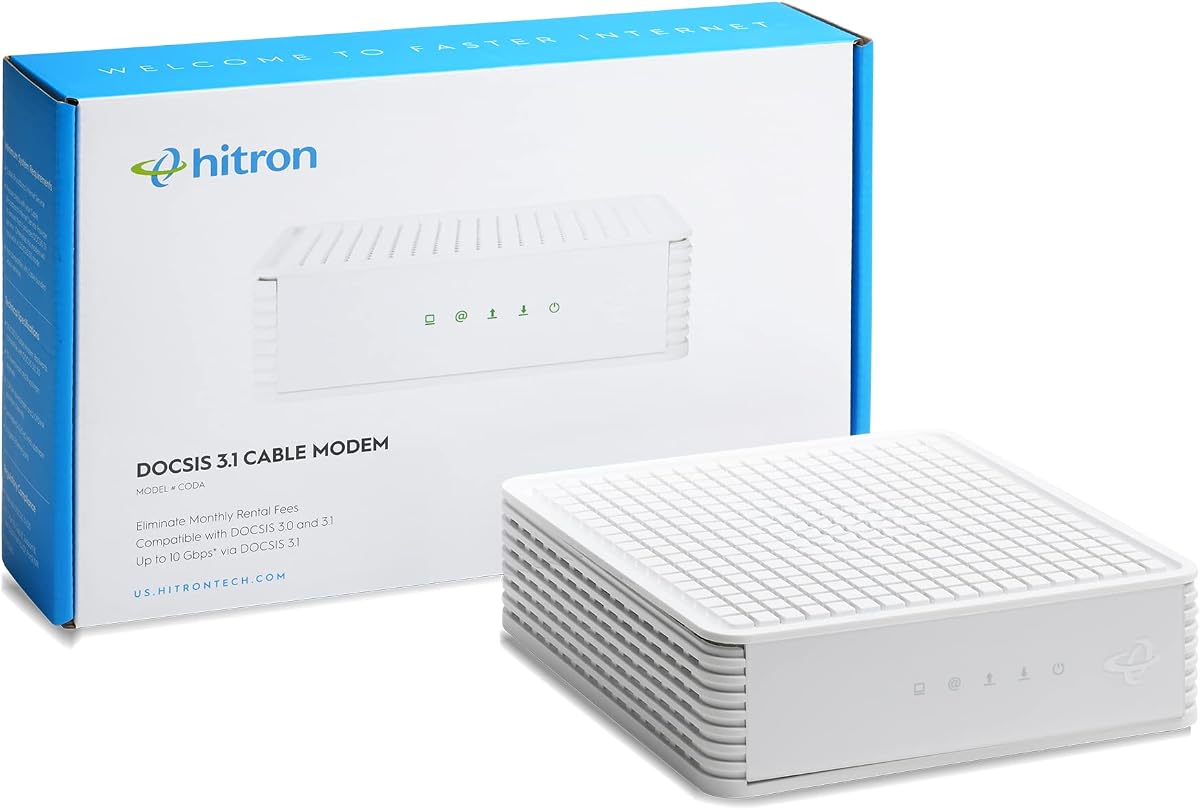

The Hitron CODA56 is a standalone DOCSIS 3.1 cable modem with a 4.4 rating and a stated capability of supporting plans up to 2.5Gbps. Its defining advantage is a 2.5Gbps Ethernet connection, which gives a capable router room to work with gigabit and multi-gig Spectrum service without relying on a slower 1Gbps handoff.
We may earn a commission when you buy through this link, at no additional cost to you.
It is particularly attractive to households that already have a good WiFi router or plan to build a mesh system. The supplied information identifies compatibility with Xfinity, Spectrum, and Cox, including Spectrum service at 1Gbps. DOCSIS 3.1, backward compatibility with DOCSIS 3.0, and a 2.5Gbps port make it a sensible foundation for a modern network.
The tradeoff is straightforward: this is a modem only. It has no WiFi radio and does not replace an existing router. Spectrum activation is also required. Buyers must have genuine coaxial cable service rather than fiber, DSL, satellite, or fixed wireless access. The listed potential rental-fee savings depend on the provider's current equipment policy.
The CODA56 is our overall choice because it balances high-speed capability, clear provider positioning, and a straightforward wired handoff. It is especially suitable for someone with a WiFi 6 or WiFi 7 router, multiple high-bandwidth devices, and an interest in preserving the option to move to faster service later.
The 2.5Gbps Ethernet port is the feature that separates this model from many entry-level cable modems. Pair it with a router that also supports 2.5Gbps networking to preserve a fast connection between the modem, local network, and compatible devices.
If you already own a capable router, this focused design avoids paying for unused WiFi hardware. It is also useful for people who prefer a separate mesh system or plan to place a high-performance router in a more useful location.
We may earn a commission when you buy through this link, at no additional cost to you.
The NETGEAR Nighthawk CAX30 combines a DOCSIS 3.1 cable modem with dual-band AX2700 WiFi 6. Its 4.1 rating reflects a versatile approach rather than class-leading specifications. It is a practical choice for Spectrum customers who want one device to provide both wired connectivity and a wireless home network.
We may earn a commission when you buy through this link, at no additional cost to you.
The supplied specifications state compatibility with Spectrum plans up to 1Gbps. Its four Gigabit Ethernet ports give desktops, game consoles, televisions, and other wired devices convenient connections, while the integrated WiFi 6 network is stated to cover up to 2,000 square feet and support more than 25 connected devices under favorable conditions.
Real-world coverage still depends on floor plans, walls, router placement, and nearby interference. The Nighthawk app assists with installation, WiFi management, speed testing, device pausing, and guest-network creation. NETGEAR Armor is offered as a trial, while continued protection requires a separate subscription. Bundled voice services are not supported.
This is our value pick for a new Spectrum installation, especially when replacing provider equipment and needing WiFi without buying two separate boxes. It may not be the right choice for a home already equipped with a superior mesh system or for a Spectrum tier above the stated 1Gbps compatibility.
Combining the modem and router reduces the number of devices on a desk and simplifies initial setup for many households. It is a sensible option for apartments and medium-sized homes where one router can provide adequate wireless coverage.
The free Nighthawk app puts guided setup and common network controls in one place. Guest networks, device pausing, and WiFi settings are easier to manage from a phone than through a basic provider gateway.
We may earn a commission when you buy through this link, at no additional cost to you.
The ARRIS SURFboard SB8200 is a straightforward DOCSIS 3.1 standalone modem with a 4.4 rating. It supports cable plans up to 2Gbps and has been tested and qualified for use with Spectrum, making it a credible option for gigabit households that do not need a multi-gig Ethernet handoff.
We may earn a commission when you buy through this link, at no additional cost to you.
Its two Gigabit Ethernet ports are useful for linking a router and one additional wired device. Setup follows the familiar cable-modem process: connect the coaxial line, power the unit, connect Ethernet, and complete activation with Spectrum. The modem-only design keeps the package focused and avoids adding WiFi hardware you may already own.
The principal limitation is the maximum 1Gbps Ethernet rate on its two ports. A 2Gbps service tier can exceed the capacity of a single 1Gbps link, so the modem's headline DOCSIS capability does not guarantee full multi-gig performance in every arrangement. It also provides no voice service and cannot work with fiber, DSL, or satellite.
The SB8200 is our budget recommendation for a Spectrum customer with a gigabit plan, a compatible WiFi router, and no need for advanced upload features. Its strong rating, compact design, and broad cable-provider positioning make it a practical, uncomplicated choice.
The physical design emphasizes clear LED indicators for power, upstream and downstream channels, and online status. Spectrum can use the modem for activation, making it approachable for users replacing a provider-supplied device.
Two Gigabit Ethernet ports are enough for a typical router-first network. This configuration suits households that prioritize uncomplicated ownership over multi-gig handoffs or the newest upstream capabilities.
We may earn a commission when you buy through this link, at no additional cost to you.
The ARRIS Surfboard S33 is a compact DOCSIS 3.1 modem that supports cable plans up to 2.5Gbps. Its 4.2 rating reflects a capable standalone option for users who already have a multi-gig router or intend to add one.
We may earn a commission when you buy through this link, at no additional cost to you.
This modem-only design keeps networking responsibilities clear. The S33 connects Spectrum's coaxial service to a router, which then distributes traffic over wired and wireless networks. The supplied information highlights a space-saving footprint, discreet power and channel indicators, and easy activation.
Its practical limitation is the need for suitable downstream hardware. Without a router with a suitably fast Ethernet connection, some of the modem's multi-gig capability may not be reached in normal use. It also does not create a WiFi network by itself, and Spectrum must support customer-owned equipment on the selected service tier.
Choose the S33 if you want a modern, compact DOCSIS 3.1 foundation for a high-tier Spectrum plan. It is less complicated than a full gateway and less concerned with future upload expansion than models explicitly designed around mid/high-split networking.
The S33 focuses on the modem function and avoids adding WiFi radios, voice support, and a large router interface. That makes it suitable for installations where the wireless system is already in place.
Support for plans up to 2.5Gbps gives users a path beyond a basic gigabit modem. The equipment should still be paired with a router and network devices capable of handling the available bandwidth.
We may earn a commission when you buy through this link, at no additional cost to you.
The single-port Hitron CODA56 is a DOCSIS 3.1 data modem with a 4.2 rating and stated support for plans up to 2.5Gbps. It serves a more specialized role than the multi-port CODA56 because its only wired output is a 2.5Gbps Ethernet connection.
We may earn a commission when you buy through this link, at no additional cost to you.
That single high-speed port is sufficient for a clean router-first arrangement. Connect the modem to a capable WiFi router or mesh system, and the router becomes the central connection point for household devices. The modem uses 32×8 channel bonding and remains backward compatible with DOCSIS 3.0 networks.
It will not support telephone or voice service. People whose Spectrum bundle includes phone features need a voice-capable device or separate voice solution. A second Ethernet port would also provide flexibility for a direct connection, but that is not part of this model's design. Compatibility with fiber, DSL, satellite, and fixed wireless service is expressly excluded.
This version is best for a streamlined installation with one high-performance router and no desire for voice features. It offers a modern multi-gig handoff, but buyers should confirm that their chosen router supports 2.5Gbps and that Spectrum permits this customer-owned model on their plan.
The single 2.5Gbps port makes the intended topology clear: the modem connects to a router, and the router handles all local connectivity. This reduces visual cable clutter while preserving a fast backbone.
Spectrum customers who retain bundled voice service should resolve compatibility before purchasing. This model handles internet data only and does not replace a voice-capable gateway or VoIP adapter.
We may earn a commission when you buy through this link, at no additional cost to you.
The Arris Surfboard S34 is a DOCSIS 3.1 modem with a 4.3 rating, support for plans up to 2.5Gbps, and a distinctive combination of 2.5Gbps and 1Gbps Ethernet ports. The additional wired port makes it more flexible than a single-port standalone modem.
We may earn a commission when you buy through this link, at no additional cost to you.
Its next-generation upstream support is an important feature for households that value uploads for video calls, large file transfers, remote access, and other high-traffic activities. The 2.5Gbps port can feed a high-speed router, while the 1Gbps port can serve a secondary wired device or act as another handoff depending on provider configuration.
As a modem-only product, it still requires a separate WiFi router or mesh system. Fiber, DSL, and satellite services are not supported. The S34 is designed for users who want a premium cable connection without giving up multiple Ethernet options, so buyers who only need one basic connection may find it more elaborate than necessary.
The S34 is our premium choice because it combines multi-gig download capability, improved upstream positioning, and useful port flexibility. It is a strong candidate for a Spectrum household that has, or will add, a router able to handle 2.5Gbps service and wants flexibility for both primary and secondary wired connections.
Two Ethernet ports at different speeds support a primary router connection and an additional wired path. This can be valuable in offices, game rooms, and homes where wired stability is important.
Next-generation upstream support makes the S34 relevant beyond ordinary streaming and browsing. It is worth considering for frequent video conferencing, cloud backups, gaming uploads, and remote access to home devices.
We may earn a commission when you buy through this link, at no additional cost to you.
The Hitron CODA is a focused DOCSIS 3.1 modem for coaxial cable service. With a 4.1 rating, it offers support for plans up to 1Gbps and one Ethernet connection, making it most appropriate for a straightforward Spectrum setup with a separate router.
We may earn a commission when you buy through this link, at no additional cost to you.
Its limited interface is not necessarily a disadvantage. People who only want the modem to feed a capable WiFi router do not need several wired ports or built-in radio features. The supplied setup process is clear: connect coax, plug in power, connect Ethernet to the router, and complete Spectrum activation.
The modem does not support voice, multiple WiFi networks, or direct connection to several wired devices. It also cannot work with fiber, DSL, satellite, or 5G home internet. One line in the supplied compatibility checklist appears inconsistent with the stated 1Gbps maximum, so buyers should rely on the product's stated plan support and confirm the exact specification with the provider.
The CODA works for a Spectrum customer whose service fits the supported tier and who wants a simple bridge into an existing router. It is less attractive for multi-gig plans, advanced upload users, or anyone who needs the modem itself to provide WiFi.
A single Ethernet port keeps the role of the device unambiguous. It converts the cable connection into a wired network feed and leaves wireless coverage entirely to a router selected for your home.
The square coaxial wall connector is the key visual clue, but a provider name alone does not guarantee the same connection technology. Confirm that your Spectrum installation is cable rather than fiber before buying.
We may earn a commission when you buy through this link, at no additional cost to you.
The NETGEAR Nighthawk CM3000-1AZNAS is a mid/high-split DOCSIS 3.1 modem with a 4.2 rating. It supports plans up to 2.5Gbps and is designed to pair with a WiFi router or mesh system, making it a high-performance option for advanced Spectrum service.
We may earn a commission when you buy through this link, at no additional cost to you.
Its networking feature set includes a 2.5Gbps Ethernet port and two 1Gbps ports that can be combined with a compatible router for up to 2Gbps. Active Queue Management and OFDMA are intended to improve responsiveness when a household network becomes congested, while the Nighthawk app supports guided setup and remote management.
The critical issue is availability. The supplied data specifically advises confirming mid-split availability with the provider. Bundled voice and fiber are not supported, and actual results depend on the Spectrum plan, network conditions, and the router used downstream. A premium modem cannot create faster service than the provider offers in the area.
This model suits a Spectrum subscriber with confirmed support for faster mid/high-split tiers and a suitable router already in place. It is a strong technical foundation, but the extra complexity makes provider confirmation more important than it is for a standard DOCSIS 3.1 modem.
Mid/high-split technology is intended for the fastest cable plans and improved upstream performance. It is most valuable when the local provider actually offers a matching tier and activation path.
The mix of 2.5G and 1G ports supports a fast primary router link and additional wired possibilities. On compatible equipment, link aggregation can provide additional throughput.
We may earn a commission when you buy through this link, at no additional cost to you.
The NETGEAR Nighthawk CM2500 is a mid/high-split DOCSIS 3.1 modem offering up to 2Gbps downloads and 1Gbps uploads. Its 4.3 rating makes it one of the strongest-rated entries in this guide, particularly for households that place substantial importance on upstream performance.
We may earn a commission when you buy through this link, at no additional cost to you.
The two Gigabit Ethernet ports can be connected to a router with link aggregation for up to 2Gbps. It is intended to work with major U.S. cable providers, including Spectrum, but the fastest result depends on provider support, the subscribed plan, and a compatible WiFi 6E, WiFi 7, or Orbi router as described in the supplied information.
Compared with a single-port multi-gig modem, its two-port arrangement is useful for a primary router plus a secondary connection when the service configuration allows it. It remains a US-only, modem-only product, so users must provide their own wireless system and cannot rely on it for fiber, DSL, satellite, or Xfinity Voice plans.
The CM2500 is a compelling choice for remote workers, creators, gamers, and households with many simultaneous uploads. It may be unnecessary for ordinary browsing and standard gigabit service, but its 1Gbps upload target and aggregation support offer meaningful room for demanding connected-home applications.
Fast uploads benefit cloud backups, video meetings, large transfers, and remote camera access. The stated 1Gbps upload capability is the CM2500's most distinctive feature.
The modem is only one part of a high-speed path. Pair it with a router that can handle the available throughput and, when desired, use both Gigabit ports with link aggregation.
We may earn a commission when you buy through this link, at no additional cost to you.
The NETGEAR Nighthawk CM3000 is a premium standalone cable modem with a 4.3 rating. It supports mid/high-split DOCSIS 3.1 service up to 2.5Gbps downloads and 1Gbps uploads, placing it among the most technically advanced products featured here.
We may earn a commission when you buy through this link, at no additional cost to you.
Its Ethernet arrangement includes one 2.5Gbps port and two 1Gbps ports, with link aggregation stated to support up to 2Gbps on a wired connection. A 2.5Gbps-capable WiFi 6E or WiFi 7 router, Orbi system, or equivalent network is the logical companion. Active Queue Management and OFDMA are designed to improve response times during congestion.
This is not a universal replacement for a provider gateway. It has no built-in WiFi, does not support bundled cable voice, and cannot work with fiber or DSL. Spectrum must offer a compatible fast tier, and activation should be confirmed in advance. The supplied information also states that owning the modem can avoid monthly equipment charges, although current provider terms determine actual savings.
The CM3000 is best for a Spectrum home that subscribes to the fastest available plan, values high upload performance, and already has premium networking equipment. For a standard gigabit plan, a less advanced standalone modem may provide a more appropriate balance of capability and cost.
The combination of 2.5Gbps downloads, 1Gbps uploads, and multiple high-speed ports prepares a home for demanding traffic. It is a logical choice when a fast Spectrum tier and capable router are both available.
Advanced hardware cannot bypass network availability or plan limits. Confirm the exact Spectrum tier, modem approval, and activation process before purchasing to avoid an unsuitable purchase.
We may earn a commission when you buy through this link, at no additional cost to you.
The best Spectrum modem depends on your service technology, plan tier, router situation, and need for wired or wireless connectivity. Review these factors before selecting a model.
Every product in this guide is designed for coaxial cable internet. Spectrum service is sometimes confused with fiber, and a modem listed for Spectrum may not work if your actual installation uses an optical network terminal or another connection method. Check the outlet, the provider account, and the technology listed for your address before buying.
The short answer: verify that your line uses a round coaxial wall connector and that your account specifically says cable internet.
A DOCSIS 3.1 modem can be compatible with your provider while still exceeding the speed of your current plan. That is not a problem, but paying for advanced multi-gig hardware offers little practical benefit on a lower tier. Conversely, a 1Gbps Ethernet connection cannot carry a full multi-gig service tier by itself.
The short answer: choose a port speed and modem class that match the fastest plan Spectrum currently offers at your address.
A standalone modem is ideal when you already own a router, want better wireless equipment, or prefer to separate network functions. A modem-router combo is more convenient for a new installation and may be sufficient for a small home. Separate equipment usually offers more flexibility but requires another purchase and another device to manage.
The short answer: buy a standalone modem for control and router choice, or a combo for convenience and immediate WiFi.
Count the devices that will connect by cable and consider the speed of each link. Two Gigabit ports are adequate for many gigabit installations. A 2.5Gbps port is important for faster Spectrum tiers, while multiple ports and link aggregation offer additional configuration flexibility for advanced networks.
The short answer: match port count and speed to your router, wired devices, and the service tier you expect to use.
CableLabs certification and a stated compatibility list are useful evidence, but they do not guarantee that every model is enabled for every location, plan, or network feature. Spectrum can maintain a list of approved customer-owned modems, and advanced mid/high-split models may require additional confirmation or activation support.
The short answer: check Spectrum's current supported-modem list and confirm your exact model before ordering.
Download speed attracts attention, but upload speed matters for video calls, cloud storage, remote access, gaming, and large file transfers. Several premium models emphasize mid/high-split upstream performance. If your household uploads frequently, compare the stated upload tier rather than focusing only on download speed.
The short answer: prioritize a stronger upload path when remote work, backups, or live communication are part of daily internet use.
WiFi 6 can improve efficiency across many connected devices, but advertised aggregate wireless speed does not guarantee the same result in every room. Building materials, floor plan, router placement, and interference matter. A combo unit with one central router may be adequate for a small home but less effective in a large or multi-level residence.
The short answer: consider the size and construction of your home before accepting a single all-in-one wireless device.
Buying a customer-owned modem may avoid recurring provider equipment charges, but savings are not guaranteed because providers can change rental policies, waive fees, or bundle equipment into other services. Compare the purchase cost with the provider's current terms rather than relying on an old estimate.
The short answer: check current Spectrum equipment fees and approved-device rules before treating a modem purchase as a guaranteed saving.
Begin by confirming that Spectrum has approved the selected model for your address and service tier. Connect the modem to the coaxial wall outlet, attach the power cable, and allow it to boot. Standalone models should be connected by Ethernet to a compatible router, while combo units should be configured through the manufacturer's app or browser interface.
After the modem appears online, use Spectrum's activation process or its customer-support resources to complete registration. If you own a router, configure it with the credentials from the modem's online interface, update the router firmware, and set a strong WiFi password. Rename the network and enable modern security features appropriate to the router.
For maintenance, keep the unit in a cool, ventilated location away from enclosed cabinets and direct heat. Avoid stacking equipment that obstructs signal, and inspect cables for damage. Reboot the modem before troubleshooting a connection issue, and use the manufacturer or Spectrum for activation problems, failed synchronization, and recurring outages.
Spectrum maintains an approved-device list that can change by service tier and location. All ten models in this guide state Spectrum compatibility, but you should still confirm the exact model before purchasing. Approval for a standard gigabit tier does not necessarily mean a model supports every advanced mid/high-split plan.
Yes, a standalone modem needs a router to create a WiFi network and connect multiple devices. It can provide a wired Ethernet connection for one device or a limited number of devices, but it does not perform normal household WiFi duties. A router or mesh system is therefore required for most homes.
DOCSIS 3.1 is designed for high-speed cable service, but compatibility also depends on the specific plan, provider approval, network configuration, and whether advanced upstream features are available locally. Check the tier published for your address and ask Spectrum to confirm the exact model.
A DOCSIS 3.0 modem may still handle many standard cable plans, but every model in this guide uses DOCSIS 3.1 for better future compatibility. A 3.1 unit also provides a stronger path toward faster service, provided your Spectrum tier and local network support it.
Only if your actual Spectrum service uses fiber and that modem is specifically designed and approved for that network. The products in this guide are cable modems and do not work with fiber, DSL, satellite, or fixed wireless service. The provider brand alone is not enough to determine connection type.
A combination is convenient for a new installation, a small home, or anyone who wants a single device to manage cable and WiFi. A separate router and modem offer more choice, especially if you already own a capable router or want a better mesh system. Coverage requirements should guide the decision.
A Gigabit Ethernet port can carry a full gigabit service tier. For faster tiers, look for a 2.5Gbps port and a router that supports the same speed. Multi-gig performance also depends on the service available at your address and the capabilities of the devices connected behind the modem.
Connect the equipment, let the modem synchronize, and then use Spectrum's activation process. Depending on the model and service tier, Spectrum may complete activation automatically or provide instructions when you call. If synchronization fails, check the coax connection, power cycle the equipment, and contact Spectrum or the manufacturer.
The Hitron CODA56 is the most balanced overall choice because it combines DOCSIS 3.1, a 2.5Gbps Ethernet handoff, and stated Spectrum compatibility in a focused modem-only design. The NETGEAR CAX30 is the convenient value option for households that also need integrated WiFi 6, while the NETGEAR CM3000 represents the premium end for the fastest service and upload-intensive use.
Before buying, prioritize the connection type, Spectrum plan, provider approval, and router setup. A faster modem cannot create a faster network than Spectrum offers, and a multi-gig port cannot help if the downstream router is limited. Buyers who already have a strong router should focus on a standalone model; new users in small homes may find the CAX30 more convenient.
Finally, check current prices, provider equipment policies, and activation requirements at the time of purchase. Modem approval and technical availability can change, and provider rental fees vary. Confirming those details at checkout will help ensure that the selected equipment fits both the service and the home network.