
BOSGAME E5 Mini PC
4.6Editor score
Ryzen 3 5300U processor
Dual M.2 storage slots
Dual 2.5GbE networking
Our expert guide compares 10 Mini PC with SSD Slot options, covering storage expansion, memory, displays, networking, processing power, and everyday performance
A mini PC with an SSD slot offers the convenience of a compact desktop while preserving the storage flexibility of a traditional computer. The best models make it easy to add a faster NVMe drive, retain a secondary SATA SSD, or expand capacity as files, applications, and media libraries grow.
We compared the ten featured systems by examining processor capability, memory configuration, available storage slots, display support, networking, cooling, and intended workload. The list includes budget office computers, expandable productivity models, gaming-oriented mini PCs, and premium systems designed for demanding professional applications.
Each review identifies the strongest reason to consider the model and the compromises that may affect particular buyers. Storage arrangements differ significantly across the list, so checking the exact slot type, existing drive configuration, memory limits, and connector layout is essential. Product availability and pricing can change, so verify current retailer details before buying.
4.6Editor score
4.5Editor score

4.4Editor score
The comparison below highlights each mini PC's processor, memory, storage expansion, and strongest connectivity features, making it easier to identify the model that matches your workspace and upgrade plans.


The BOSGAME E5 combines a 4.6 rating with unusually useful expansion options for a budget-oriented mini PC. Its Ryzen 3 5300U processor provides four cores and eight threads, while the included 8GB of DDR4 memory and 256GB M.2 SATA SSD cover fundamental office and browsing needs.
We may earn a commission when you buy through this link, at no additional cost to you.
Storage is the model's defining attraction. The supplied drive occupies one M.2 position, while an additional empty M.2 2280 NVMe PCIe 3.0 slot allows a second drive to be installed without removing the original storage. Two SODIMM sockets also support memory expansion up to 64GB, making this a practical base for a larger project.
The networking and display provisions further separate it from basic compact computers. Two Realtek RTL8125 2.5GbE ports suit network appliance, virtual machine, and high-speed file-transfer arrangements, while HDMI, DisplayPort, and full-function USB-C support three independent 4K displays. Wi-Fi 5 is less advanced, and the processor is not intended for demanding professional 3D rendering or intensive 3A games.
This is a strong recommendation for students, home-office users, and technically inclined buyers who want meaningful SSD expansion without moving to a premium system. The base configuration is best treated as a starting point, with additional memory or a larger NVMe drive likely worthwhile for long-term use.
The E5's second M.2 slot is its most useful feature for long-term ownership. You can retain the installed SATA drive while adding an NVMe SSD for faster working files, applications, or a separate data volume.
Dual 2.5GbE ports provide a substantial upgrade over a single basic Ethernet connection. That makes the mini PC especially relevant to home-server, firewall, virtual-machine, and network-storage experimentation.
We may earn a commission when you buy through this link, at no additional cost to you.
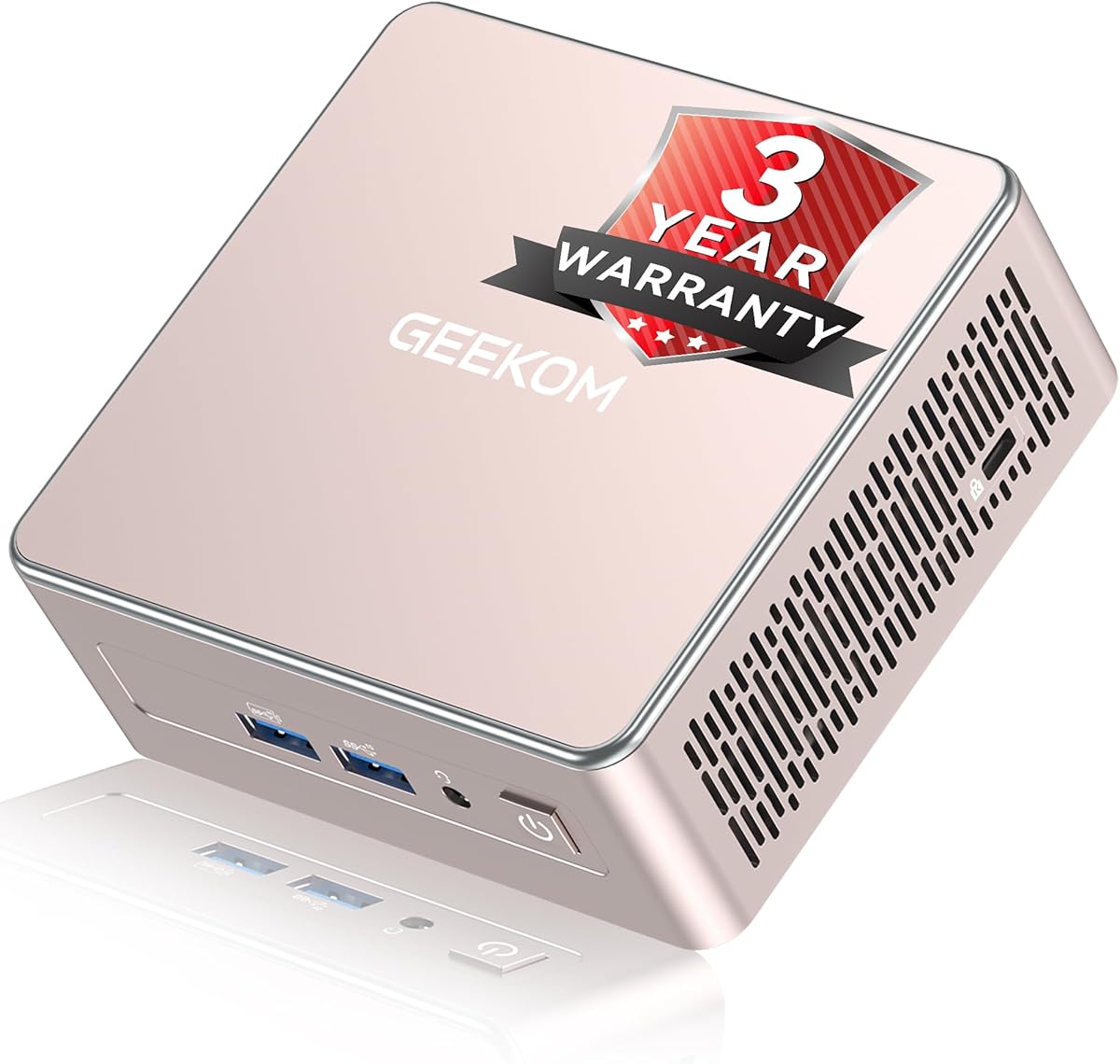
The GEEKOM Air12 is a highly compact mini PC built for office, study, digital signage, and cloud-based workflows. Its 4.3 rating reflects a balanced configuration centered on the Intel Pentium Gold 7505, 8GB of DDR4 memory, and a 256GB factory-tested NAND SSD.
We may earn a commission when you buy through this link, at no additional cost to you.
The clearest strength is its combination of size and connectivity. At only 4.6 by 4.4 by 1.35 inches, it can fit behind a display or on a crowded counter. HDMI 2.0, Mini DisplayPort 1.4, and USB-C support up to three 4K displays, while Wi-Fi 6, Bluetooth, Ethernet, five USB ports, and a full-size SD card reader cover routine peripheral needs.
Memory is more flexible than the memory found in many similarly compact models. One 8GB DDR4 module is installed, and two SODIMM slots support expansion to 64GB. The product information identifies a single included SSD without explicitly listing an accessible M.2 expansion slot, making the Air12 less compelling for buyers whose main requirement is multiple physical SSDs.
It is best suited to users who prioritize compact dimensions, multi-monitor flexibility, and straightforward cloud productivity over local AI models or intensive gaming. The 48-EU integrated graphics also give it more display and media capability than many basic N-series alternatives.
The Air12's three-display capability is unusual for such a small chassis. It can separate communication, reference material, and active work across separate panels without requiring a full-size desktop.
Two SODIMM slots mean an owner can increase memory beyond the included 8GB module. This is more future-friendly than relying on permanently soldered LPDDR memory.
We may earn a commission when you buy through this link, at no additional cost to you.
The GEEKOM IT15 is the premium choice in this collection, combining a 4.4 rating with the Intel Core Ultra 9 285H. Its 32GB of DDR5 memory and 1TB NVMe Gen 4 SSD provide a strong foundation for video editing, code compilation, local AI workloads, and extensive multitasking.
We may earn a commission when you buy through this link, at no additional cost to you.
The processor's distributed AI capability is the headline feature. The listed 99 TOPS combines 13 TOPS from the NPU, 77 TOPS from the Arc GPU, and 9 TOPS from the CPU, allowing supported tasks to use different processing resources. The system also supports Linux and Ubuntu and is positioned for professional applications such as Adobe software, Blender, and Unreal Engine.
Its display and peripheral options are exceptional. Dual HDMI outputs and two USB4 Type-C ports support up to four displays, with the product information describing two 8K and two 4K outputs. Wi-Fi 7, Bluetooth 5.4, 2.5Gbps Ethernet, and external GPU support make it appropriate for advanced desk setups. Cooling is designed for quiet operation, with the manufacturer listing under 35dB under load.
The IT15 is recommended for video professionals, developers, designers, and buyers who want local AI performance without a full tower. Those needing only browsing and office applications can obtain similar practical value from less advanced systems, while the IT15 makes the most sense when its processor, AI, and connectivity capabilities are genuinely needed.
The combined NPU, GPU, and CPU AI resources make the IT15 suitable for local reasoning and supported creative workflows. Local processing can also keep sensitive files on the machine instead of requiring continuous cloud transfers.
Four-display support and USB4 expansion create a flexible command-center setup. Traders, programmers, editors, and designers can distribute windows across multiple high-resolution panels while retaining fast wired networking.
We may earn a commission when you buy through this link, at no additional cost to you.
The GMKtec G3 Ultra combines an Intel Pentium Gold 7505 with 16GB of LPDDR4 memory and a 512GB M.2 SATA SSD. It is a practical choice for office applications, web browsing, media playback, and light photo work, although the supplied data does not include a customer rating.
We may earn a commission when you buy through this link, at no additional cost to you.
Its storage arrangement is one of the more useful aspects of the system. The primary slot accepts an M.2 2280 PCIe drive, while the secondary slot supports M.2 2280 SATA storage. This allows the installed drive to remain in place while an additional drive is added, giving the system more flexibility than a single-storage compact PC.
Connectivity is also well developed. Three USB 3.2 Gen 2 ports, one USB 2.0 port, dual HDMI outputs, a 3.5mm audio jack, Wi-Fi 6, Bluetooth 5.2, and Gigabit Ethernet cover a broad range of desktop arrangements. The included processor graphics support AV1 decoding and two 4K displays, while an upgraded cooling fan and thermal paste are intended to manage heat and noise.
The main compromise is fixed LPDDR4 memory. Buyers cannot add RAM later, so the included 16GB capacity matters considerably. It is best for users who already know 16GB is sufficient and want dual M.2 storage without the bulk of a conventional computer.
The primary PCIe slot offers greater bandwidth potential, while the secondary SATA slot accepts compatible 2.5-inch-format M.2 drives. That combination supports a fast system drive plus a less expensive secondary storage solution.
The Pentium Gold 7505 and 48-EU graphics provide more headroom than basic N-series systems. It remains better suited to mainstream productivity than intensive 3D rendering, but the platform is comfortable for normal office and media tasks.
We may earn a commission when you buy through this link, at no additional cost to you.
The GMKtec K15 stands out because it combines 32GB of DDR5 memory, a 1TB PCIe 4.0 SSD, and three M.2 2280 expansion slots. Its 4.2 rating accompanies an Intel Core Ultra 5 125U with a 12-core, 16-thread design and a listed turbo frequency of up to 4.3GHz.
We may earn a commission when you buy through this link, at no additional cost to you.
Storage is the standout feature. Each of the three M.2 positions is described as capable of holding up to 8TB, creating a theoretical maximum of 24TB. The supplied information also indicates that the platform includes a 1TB PCIe 4.0 drive, making it particularly appealing for users who want numerous NVMe volumes, high-speed scratch storage, or a large local library.
Performance extends beyond storage. The Intel AI Boost NPU provides up to 13 TOPS for INT8 calculations, and the Intel Arc 140T includes eight Xe cores with support for modern graphics and media standards. Oculink provides PCIe x4 bandwidth for external GPU setups, while HDMI 2.1, DisplayPort 1.4, and USB-C support four displays with high-resolution output.
The K15 is best suited to advanced users who genuinely need multiple NVMe drives, substantial memory, and AI acceleration. Its triple-fan cooling system, 2.5GbE networking, Wi-Fi 6, and RGB lighting make it visually and technically elaborate, but the platform is more complex and power-hungry than a straightforward office mini PC.
The three M.2 2280 positions offer exceptional internal flexibility. Separate drives can isolate operating-system files, active projects, caches, and archival data while avoiding network storage bottlenecks.
Oculink expands the system beyond ordinary USB expansion. At PCIe x4 speeds, it offers a more direct path for compatible external graphics hardware, making the K15 relevant to specialized mobile workstation builds.
We may earn a commission when you buy through this link, at no additional cost to you.
The GEEKOM A5 pairs an eight-core, 16-thread Ryzen 7 7730U with 16GB of RAM and a 256GB PCIe NVMe SSD. Its 4.5 rating reflects a versatile productivity platform designed for office software, many browser tabs, spreadsheets, remote learning, and cloud-based automation.
We may earn a commission when you buy through this link, at no additional cost to you.
Its expansion design is more versatile than that of most compact systems. Dual-slot DDR4 memory can be upgraded to 64GB, while the storage arrangement supports an M.2 SSD up to 4TB and an additional M.2 2242 position alongside a 2.5-inch hard-drive bay. The listed maximum combined storage is 10TB, allowing a user to retain fast NVMe storage while adding a larger secondary drive.
The A5 is also well equipped for displays and networking. Dual HDMI and dual USB-C connections support as many as four displays, including up to 8K output over USB-C. Wi-Fi 6, Bluetooth 5.4, 2.5GbE Ethernet, an SD card reader, and multiple USB ports support a desk that mixes wired and wireless peripherals.
The main practical weakness is the relatively small 256GB SSD for a modern productivity system. Fortunately, the storage options make an immediate upgrade straightforward. The A5 is a strong all-rounder for buyers who want processor power, upgradeable memory, several displays, and flexible storage without moving into a premium workstation class.
Unlike systems limited to a single short M.2 position, the A5 accommodates a larger M.2 SSD, a smaller 2242 drive, and a 2.5-inch bay. This makes it easier to separate fast active storage from high-capacity media.
Four-display support and 2.5GbE networking make the A5 suitable for financial monitoring, research, creative work, and business dashboards. Its reinforced frame and upgraded cooling add confidence for extended operation.
We may earn a commission when you buy through this link, at no additional cost to you.
The GMKtec M6 Ultra is a performance-oriented mini PC based on the Ryzen 5 7640HS, a six-core, 12-thread Zen 4 processor with a listed boost clock of 5.0GHz. It arrives with 32GB of dual-channel DDR5 memory and a 1TB M.2 PCIe SSD, giving it a more substantial foundation than entry-level compact systems.
We may earn a commission when you buy through this link, at no additional cost to you.
The Radeon 760M integrated GPU is the feature that gives the M6 Ultra its gaming relevance. With eight compute units and a listed clock up to 2,600MHz, it can handle moderate games and provides hardware encoding and decoding for AV1, HEVC, and AVC. It is not equivalent to a dedicated gaming graphics solution, but it is more capable than basic office mini-PC graphics.
Storage and expansion are also strong. The included 1TB drive uses the M.2 2280 format, and the system supports dual slots with PCIe 4.0 drives up to 8TB. Memory can be raised to 128GB. Display support includes up to three screens, with 8K over USB4 and 4K through HDMI and DisplayPort.
The M6 Ultra is recommended for buyers who want a small PC capable of light gaming, streaming, content work, and heavy multitasking. Its dual 2.5GbE ports, Wi-Fi 6, and Bluetooth 5.2 suit advanced network use, while the memory and SSD capacity reduce the need for immediate upgrades.
The Ryzen 5 7640HS and Radeon 760M combination provides credible integrated graphics performance in a compact enclosure. It is most suitable for modern games at practical settings rather than demanding high-refresh gaming.
Dual-channel 32GB DDR5 supports demanding multitasking, while the 1TB PCIe SSD provides useful starting capacity. Additional M.2 and memory expansion keep the platform viable as workloads grow.
We may earn a commission when you buy through this link, at no additional cost to you.
The GMKtec G10 combines the Ryzen 5 3500U with 16GB of DDR4 memory and a 1TB SSD. Its 4.2 rating reflects a useful office and light-gaming configuration, while the generous starting storage makes it less dependent on an immediate upgrade.
We may earn a commission when you buy through this link, at no additional cost to you.
Two M.2 2280 PCIe 3.0 positions provide clear expansion potential. The included 1TB SSD occupies one position, and the product information lists support for dual storage expansion up to 16TB when configured with two 8TB drives. RAM can also be increased to 64GB, making the chassis a practical foundation for a file-heavy workstation.
The processor is a 15-watt quad-core design based on Zen+, with Radeon Vega 8 graphics operating up to 1.2GHz. It handles web browsing, document editing, media playback, video work, and casual gaming, but newer Ryzen and Core Ultra processors offer a substantial performance advantage. A configurable range of 12 to 35 watts provides some flexibility for performance and energy use.
Three displays can be connected through HDMI 2.1, DisplayPort 1.4, and USB-C, making the G10 useful for financial dashboards, monitoring, or productivity. It is best for budget-conscious office users who prioritize storage capacity and expandability over cutting-edge processing, Wi-Fi 6, or dedicated gaming performance.
A 1TB starting drive is unusually generous for a mini PC. Combined with a second M.2 position, it allows users to add capacity gradually without replacing their operating system drive.
The listed 12-to-35-watt configurable range lets an owner balance processing demand and energy use. This is useful for offices where the same computer may alternate between idle applications and sustained tasks.
We may earn a commission when you buy through this link, at no additional cost to you.
The Bmax B1 Plus is an entry-level mini PC aimed at browsing, document editing, and routine office tasks. It carries a 4.2 rating and combines an Intel Celeron J3355 processor with 6GB of LPDDR3 memory, 128GB of onboard eMMC storage, and a preinstalled copy of Windows 11 Home.
We may earn a commission when you buy through this link, at no additional cost to you.
Despite the modest starting point, its storage design is useful. The system includes a dual M.2 arrangement with one SATA position and one NVMe position, supporting expansion up to 2TB according to the supplied information. Because the existing 128GB drive is onboard eMMC rather than the M.2 SSD itself, buyers can add dedicated SATA and NVMe drives without removing the base storage.
The B1 Plus also supports Linux and Ubuntu, includes a VESA mounting bracket, and can operate behind a monitor to create a compact desk setup. Dual HDMI outputs support 4K at 60Hz, while dual-band Wi-Fi, Bluetooth 5.0, Gigabit Ethernet, and a smart cooling system provide standard connectivity. A one-click restore function accessed with the F9 key can simplify recovery.
This model is recommended for basic home-office use, digital signage, and inexpensive dedicated workstations where extra internal drives matter more than advanced performance. Its soldered 6GB memory cannot be upgraded, so buyers should avoid memory-intensive applications and consider the operating system's demands carefully.
The separate SATA and NVMe M.2 positions allow different drive types to coexist. This is useful when a buyer wants a high-capacity archive drive alongside a faster NVMe working drive.
At 4.2 by 4.1 by 1.4 inches and 0.49 pounds, the B1 Plus is easy to position around a desk. Its VESA bracket and one-click recovery feature make it approachable for basic users.
We may earn a commission when you buy through this link, at no additional cost to you.
The 16GB BOSGAME E5 is a more balanced version of the earlier E5 configuration. It retains the Ryzen 3 5300U's four cores and eight threads, but increases memory to 16GB and equips it with a 512GB M.2 2280 NVMe PCIe 3.0 SSD. Its 4.6 rating is among the strongest in the group.
We may earn a commission when you buy through this link, at no additional cost to you.
Both the memory and installed storage are more practical for sustained productivity than the smaller baseline configuration. Two SODIMM slots allow memory to be raised to 64GB, while an additional empty M.2 2280 NVMe slot supports a second fast drive without displacing the included 512GB SSD. That makes the system especially well matched to file-heavy office work or a compact home server.
Two Realtek RTL8125 2.5GbE ports provide advanced networking, including suitability for firewall, NAS, virtual machine, and pfSense or OPLSense-oriented use. HDMI 2.0, DisplayPort, and full-function USB-C support three independent 4K displays, and the front USB-C port provides data, display, and power-delivery functions.
The E5 16GB is recommended for users who want more headroom than an entry model but do not need modern gaming or AI hardware. Its limitations are the older four-core processor and Wi-Fi 5, though those are acceptable for office, education, networking, and virtual-machine workloads.
The combination of 16GB memory and a 512GB NVMe drive reduces the need for immediate upgrades. It leaves room for several applications and browser-heavy work while providing faster file access.
The included NVMe drive occupies one M.2 slot, and a second matching slot remains open. Users can add another high-speed drive without sacrificing their operating system, applications, and project data.
We may earn a commission when you buy through this link, at no additional cost to you.
The right mini PC depends on more than processor speed. Storage interfaces, memory expandability, networking, display needs, cooling, and the intended workload should all guide your decision.
An M.2 slot is not a single universal standard. NVMe PCIe drives use a high-speed PCIe interface, while SATA M.2 drives use the SATA protocol and are generally slower. Some mini PCs support both, others support only one, and certain compact models may have a shorter 2242 position rather than the common 2280 size. Check the number of physical slots, supported protocol, supported form factor, and maximum capacity for each drive before purchasing an upgrade.
Also determine whether the advertised SSD is installed in one of the accessible M.2 slots. A system with onboard eMMC storage and two empty M.2 positions can be more flexible than a model whose only M.2 slot contains a small included drive. The best choice preserves the original drive while providing room for a larger or faster secondary device.
Modern office browsing, document editing, and video calls are comfortable with 8GB or 16GB of memory, while many browser tabs, spreadsheets, virtual machines, and creative applications benefit from 32GB. Prefer replaceable SO-DIMM memory when future expansion is important. LPDDR memory can be more compact and energy efficient, but it is usually soldered and cannot be upgraded after purchase.
A system with 8GB installed and two memory slots offers a more gradual upgrade path than one with soldered memory. Confirm the supported memory type, generation, maximum capacity, and whether the modules should be matched for dual-channel operation. Avoid planning around advertised maximum figures without checking the manufacturer's detailed restrictions.
Entry-level Intel N-series and Celeron processors are designed around basic productivity and low power consumption. Pentium Gold and mainstream Ryzen 5 or Ryzen 7 chips provide more headroom for numerous applications, media work, and virtualization. Processors with integrated AI engines and newer graphics can support more demanding creative workloads, but they also use more power and generate more heat.
Choose based on sustained tasks rather than a single benchmark. Light browsing does not require a premium chip, while video editing, software compilation, local AI, and gaming benefit significantly from more cores, higher clocks, and stronger integrated graphics. The cooling system must sustain the processor's advertised power range for those benefits to remain consistent.
Multi-monitor support can transform productivity, but port counts alone do not tell the whole story. Check resolution, refresh rate, whether outputs can operate simultaneously, and whether USB-C supports DisplayPort Alternate Mode. Some systems use USB-C for video and data, while others require a docking station for more displays.
A basic dual-4K arrangement is sufficient for many office setups. Trading, engineering, media editing, and financial monitoring may benefit from three or four high-resolution displays. Also consider whether the graphics processor supports AV1 decoding and professional media workflows. Outputs advertised as 4K or 8K are most useful when the operating system and connected displays support the intended refresh rate.
Wi-Fi 6 is convenient for everyday browsing, while Wi-Fi 7 is useful in crowded wireless environments and for high-bandwidth local transfers. Ethernet remains important for large file movement, virtual machines, network storage, and stable remote access. A single Gigabit port covers basic office traffic, whereas a 2.5GbE port or dual 2.5GbE ports provide substantially more headroom.
Server and network-appliance buyers should also consider interface chipset compatibility, Wake-on-LAN, PXE boot, and operating-system support. The listed ports alone do not guarantee that every firewall or virtualization platform will function as intended, so review the product documentation before committing to a specialized deployment.
USB-C can provide data transfer, display output, and power delivery, but not every USB-C port supports all three functions. Check the specifications for each port rather than assuming they are interchangeable. Full-size USB-A, USB-A, USB-C, audio, Ethernet, and display connectors determine how many adapters and hubs a desk requires.
Look for a full-size SD card reader if you routinely transfer camera files or media. USB4 and Oculink can provide high-bandwidth expansion for storage arrays or external graphics, while Bluetooth simplifies keyboard, mouse, headset, and speaker connections. The most useful system is the one whose physical ports match your existing equipment.
Compact processors and SSDs generate heat, and a constrained chassis needs active cooling to maintain stable performance. Look for multiple heat pipes, effective airflow, quiet fan modes, and a design intended for sustained workloads. Systems marketed for servers, virtual machines, or continuous operation need stronger cooling than a basic browser-oriented mini PC.
Noise specifications are helpful when the computer will sit in a bedroom, office, or studio, though the stated mode matters. A system can be quiet at low load and audible under sustained pressure. Place the mini PC where airflow remains unobstructed, and avoid enclosing it in a tightly packed cabinet.
A preinstalled operating system can reduce setup time, but buyers should verify which edition is included and whether a clean installation is expected. Some product descriptions emphasize cloud workflows rather than local AI performance, while others support Windows, Linux, Ubuntu, Proxmox, and popular virtualization environments. Specialized server use should be validated against the specific platform's requirements.
Warranty length, return policy, technical support, and replacement terms can influence long-term value. A three-year warranty is listed for several models, while the Bmax B1 Plus includes a 12-month warranty and lifetime technical support. Compare coverage with the expected service life and the level of support needed for your home or business.
Begin by checking the installed operating system, firmware, storage layout, and included accessories before moving files or connecting accessories. Confirm that the computer boots, networking is active, and Windows Update or the equivalent system updater has completed. If you plan to add an SSD, power down completely, disconnect power, and use appropriate anti-static precautions before opening the chassis.
Install storage according to the manufacturer's instructions and confirm that the correct slot, protocol, and physical size are being used. Secure the drive with the provided fastener or retention mechanism, reconnect power, and enter the system's firmware or storage utility if a new drive is not recognized. Create a backup before changing partitions, cloning the original drive, or replacing an operating-system device.
For routine care, keep the vents clear and place the mini PC on a stable surface with unrestricted airflow. Use the included VESA bracket when appropriate, but ensure that mounting behind a monitor does not block ventilation. Periodically back up important files, review storage health, keep the operating system updated, and use an surge protector or properly conditioned power supply for an always-on installation.
An NVMe M.2 slot communicates through PCIe and generally offers much faster transfer performance than SATA. A SATA M.2 slot uses the SATA protocol but retains the compact M.2 form factor. You must use a drive whose protocol is explicitly supported by the slot, because an NVMe drive will not work in a SATA-only position.
No. Several systems have clearly documented accessible M.2 positions, including dual-slot and even three-slot designs. Others, such as the GEEKOM Air12, do not explicitly identify an additional SSD expansion position in the supplied specifications. Always check the manual and product listing before buying a separate drive.
It can improve responsiveness when the original drive is nearly full or slow, especially if the larger device uses a faster interface. Capacity alone does not improve processor speed, graphics performance, or memory bandwidth. A suitable NVMe drive can also help with loading applications, transferring files, and maintaining responsiveness during demanding work.
Several systems are well suited to these roles because they include multiple M.2 positions, 2.5GbE networking, and hardware that supports common server or virtualization platforms. The BOSGAME E5 models, GMKtec G3 Ultra, and GMKtec G10 are particularly relevant options. Choose the appropriate operating system, configure reliable storage, and verify application compatibility before deployment.
Most of the featured systems support at least two displays, while several support three or four. Actual output depends on the specific connector and graphics configuration, so check whether the advertised resolution and refresh rate apply when all displays are active. USB-C video requires a port with DisplayPort Alternate Mode, and some systems may need an adapter.
At least 16GB is advisable for many browser-heavy workflows, while 32GB provides more comfortable headroom for creative applications, virtual machines, and large spreadsheets. Replaceable SO-DIMM memory offers the greatest upgrade flexibility. If a system has soldered LPDDR memory, select a capacity that meets your needs because it cannot be expanded later.
Not if the mini PC has an unused M.2 position and supports the drive you want to install. An external USB or Thunderbolt enclosure is useful for backups, shared media, and portable storage, but it is less integrated and may be slower than a properly installed NVMe device. Use a suitable enclosure and cable for the interface and drive type.
No. Several systems support Linux or Ubuntu, and network-focused users may prefer operating systems optimized for firewalls, virtualization, or home-server services. The GEEKOM models include a preinstalled operating system according to their product information, while other systems may require installation. Confirm the license, driver support, and application requirements before setup.
The BOSGAME E5 offers the most approachable balance of processor performance, dual M.2 expansion, and dual 2.5GbE networking. The GEEKOM A5 is the most well-rounded general-purpose recommendation because it combines an eight-core Ryzen processor, upgradeable memory, multiple storage options, four-display support, and modern networking.
Prioritize the expansion details that match your plans rather than focusing only on the processor name. Confirm the SSD protocol, physical drive size, number of M.2 positions, memory limitations, display configuration, and network requirements. More demanding creative or AI workloads justify the GEEKOM IT15, while the GMKtec K15 is the standout when three M.2 positions are essential.
Finally, review the current listing, component configuration, warranty, and retailer details before ordering, since hardware packages and product information can change. A mini PC with the right SSD slot, sufficient memory, and dependable connectivity can remain useful long after its initial setup, but only if it is configured for your actual workload.