
Complete Wi-Fi Developer Board Kit
4.2Editor score
Tool-free board case
Full-body silicone cover
Three screen protectors
Explore the best Flipper Zero accessories for protection, wireless development, GNSS navigation, and portable storage in this expert comparison guide for 2026.
Flipper Zero accessories can transform a capable multi-tool into a more protected, connected, and easier-to-carry system. The most useful additions cover everything from basic scratch protection and fitted cases to Wi-Fi development boards, radio-frequency equipment, and multi-constellation GNSS reception.
We compared the featured products by examining their stated compatibility, included components, installation approach, protection level, portability, supported functions, and suitability for common Flipper Zero workflows. The list includes comprehensive kits, individual expansion modules, screen protectors, protective covers, and cases rather than focusing on one narrow type of accessory.
Each review explains what the product adds, who is most likely to benefit, and where its trade-offs may matter. The selections also show which packages include multiple useful pieces and which require you to add other gear. Product details and availability can change, so check the latest listing before purchasing.
4.2Editor score

4.6Editor score

4.4Editor score
This side-by-side comparison shows how the ten accessories differ across functionality, protection, connectivity, portability, and included components, making it easier to match a product to a particular Flipper Zero setup.




This external development board kit is the broadest all-in-one option in the roundup, combining an OLED screen, Wi-Fi, 433MHz radio functionality, and GPS in one module. Its 4.6 rating reflects a strong overall reception, while the included hard carry case, soft PUV pouch, silicone protective case, and Type-C cable make it considerably more than a bare expansion board.
We may earn a commission when you buy through this link, at no additional cost to you.
The most appealing feature is the consolidation of functions that would otherwise require separate purchases. Developers and technically inclined users can use Wi-Fi-enabled projects, examine information on the built-in OLED, and experiment with 433MHz or positioning features without assembling a collection of unrelated modules. The board is designed around the standard Flipper Zero interface, and USB-C provides a straightforward route for setup, power delivery, and firmware updates.
Protection and transport are unusually well covered for an electronics development kit. The hard case is intended for storage and travel, the pouch adds another layer, and the silicone cover helps protect against scratches, dust, and ordinary handling. This makes the package more practical for users who move between a desk, a classroom, a workshop, or a field-testing location, provided they understand that the added bulk is the cost of carrying more capability.
The trade-off is complexity. A buyer who only needs a screen protector or a simple carrying case will find this package excessive, and the OLED, radio, and positioning functions require appropriate firmware, configuration, and compatible software workflows. For a developer or security enthusiast who wants a broad experimentation platform and values having protective storage included, however, it is the most complete and versatile package in the guide.
Use it as a dedicated development setup rather than treating it as a mandatory add-on for every Flipper Zero owner. The included custom-project potential is strongest for users who already understand the platform and want to test lawful, educational, or authorized wireless and navigation workflows.
Combining the OLED, Wi-Fi, 433MHz, and GPS functions reduces the need to source and coordinate separate expansion hardware. The result is a more cohesive development kit for users experimenting with connected, radio-enabled, or location-aware projects.
The silicone cover, soft pouch, and hard carry case address three different storage needs. Together they help guard the module during routine handling, short trips, and longer transport, making the bundle easier to organize as well as protect.
We may earn a commission when you buy through this link, at no additional cost to you.
This Wi-Fi developer board starter kit combines a wireless expansion board with a complete protection set for the Flipper Zero. The package includes a board protective case, a silicone cover, three screen protectors, and an EVA carrying bag. Its 4.2 rating reflects a useful and broadly accessible bundle, especially for buyers who want wireless development hardware without separately selecting every protective accessory.
We may earn a commission when you buy through this link, at no additional cost to you.
The tool-free, screw-free design of the Wi-Fi board case is a practical detail for users who do not want to manage tiny fasteners every time the board is attached or removed. Precision snap-fit construction is intended to hold the board securely, while the full-body silicone cover protects the front, back, corners, and iButton area. Three separate screen protectors provide a spare or allow replacement after a scratch.
The screen protector count and complete outer coverage distinguish this kit from a simple development board. It is particularly attractive for a new Flipper Zero owner assembling a first portable setup, because the necessary Wi-Fi hardware, case, screen protection, and carrying solution arrive as one coordinated package. The EVA bag also makes it easier to keep the related components together when moving between locations.
This is not the most technically expansive package, since it focuses on Wi-Fi rather than bundling radio-frequency, GNSS, and OLED functions. It also does not include the Flipper Zero itself. Some buyers may prefer a more compact board-only option or want a different style of hard storage, but the included protection and replacement screens make this a convenient, premium-style starter bundle.
Choose it when convenience and organization matter as much as the development board itself. It is a sensible option for users beginning Wi-Fi experiments who also want their device shielded from scratches, dust, and everyday knocks without assembling a separate parts list.
The board, fitted cover, screen protectors, and carrying bag solve several setup needs at once. This reduces the chance of ordering a Wi-Fi module and discovering afterward that the device still lacks basic physical protection.
A snap-fit board case avoids the need for tools and screws during assembly. That makes the development board more convenient to attach, remove, store, or swap while preserving a close-fitting arrangement.
We may earn a commission when you buy through this link, at no additional cost to you.
This three-pack of 9H tempered glass protectors is the most straightforward way to protect the Flipper Zero display. The 4.4 rating suggests a solid balance of protective features, installation convenience, and value, particularly for owners who want a simple screen upgrade without purchasing a full case or expansion board.
We may earn a commission when you buy through this link, at no additional cost to you.
The glass is described as ultra-thin at 0.33mm and highly transparent, which helps preserve the display's original sharpness and contrast. Its oleophobic coating is intended to repel fingerprints and oils, while the precision-cut shape is designed to fit the Flipper Zero screen. A self-adhesive silicone layer supports smooth placement, and cleaning accessories are included to help prepare the display before installation.
Three protectors provide useful redundancy. One can be installed immediately, while the others remain available if the first becomes scratched, trapped with debris, or is damaged during fitting. That makes the pack more than a disposable spare: it also allows the owner to replace the protector with minimal downtime.
The main limitation is scope. A screen protector addresses the most visible surface but does not protect the body, buttons, ports, or corners from drops. It is therefore best viewed as a complement to a silicone or hard case rather than a complete physical-protection solution. Even so, it is one of the most universally useful accessories in the roundup.
This is the easiest recommendation for a new owner who wants to preserve the display with minimal complication. The three-pack, transparent construction, and simple installation make it a sensible low-effort addition to nearly any Flipper Zero kit.
The 9H tempered glass provides a sacrificial surface against scratches, scuffs, and routine wear. Because the material is thin and transparent, the protection is designed to remain visually unobtrusive during normal use.
Keeping two spare protectors avoids the need to order a replacement after accidental damage. It also provides flexibility when one sheet is installed and another is desired for later use.
We may earn a commission when you buy through this link, at no additional cost to you.
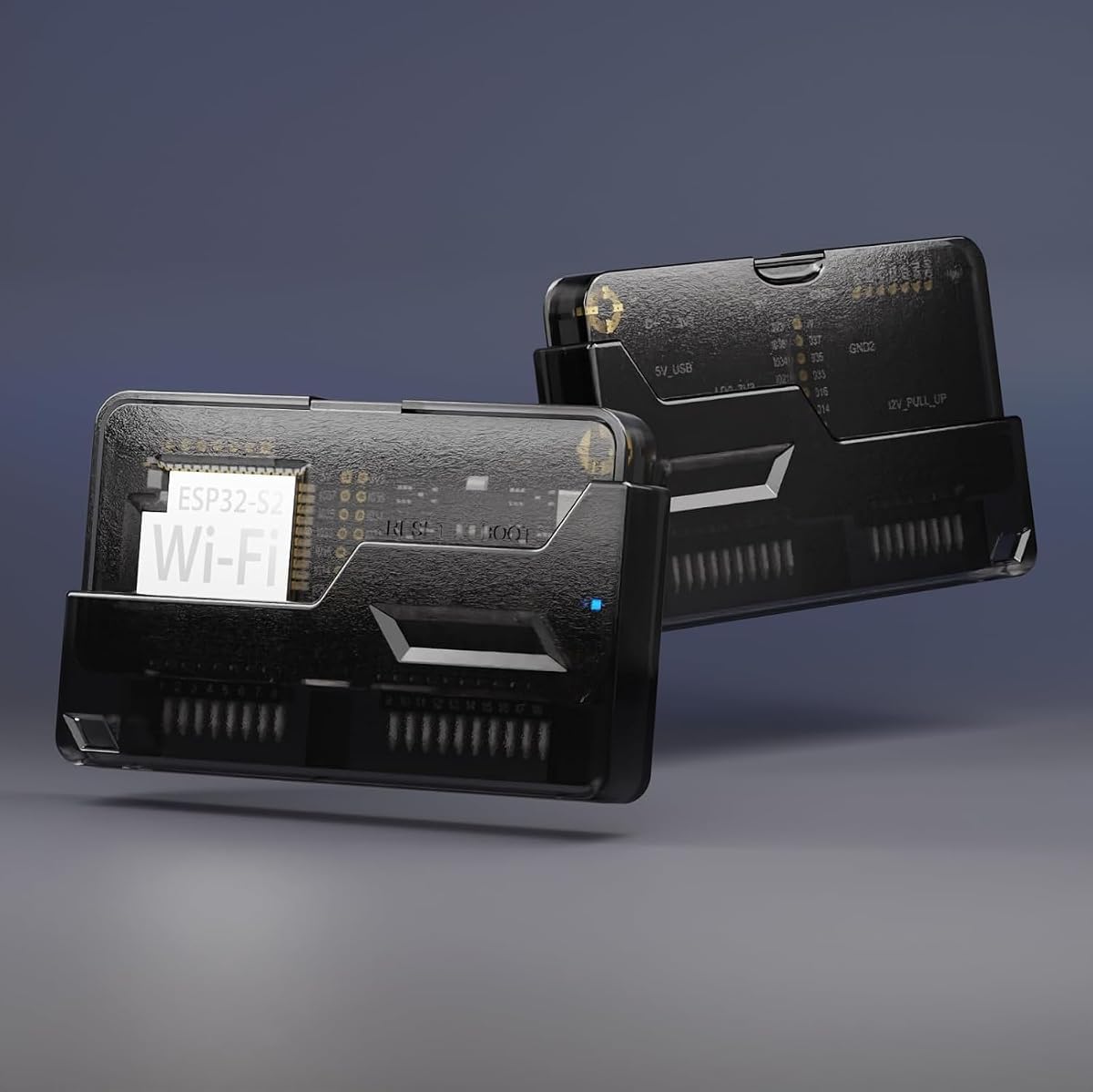
This translucent-black Wi-Fi development board is a focused two-piece package consisting of the board and its protective case. It carries a 4.8 rating, the highest numerical rating among the featured products, indicating especially strong customer reception. It is aimed at users who want a compact wireless expansion option without buying a larger all-in-one kit.
We may earn a commission when you buy through this link, at no additional cost to you.
The board supports experimentation with alternative ESP32 firmware and custom Wi-Fi-enabled projects. Its GPIO pins can connect additional modules to the ESP32-S2 when custom firmware is available, giving the accessory value beyond simple wireless connectivity. The included case fits with a precision snap-fit design and can be assembled without tools or screws, which should make repeated installation and removal more convenient.
The translucent black finish also allows the board's internal design to remain visible, giving a Flipper Zero setup a more distinctive appearance. That visual element is not the main function, but it may appeal to hobbyists who want their equipment to look different from a standard configuration rather than completely concealed.
The limitations are clear. The Flipper Zero itself is not included, and this package does not supply a full-body device cover, screen protectors, or carrying bag. It also focuses on Wi-Fi rather than adding radio-frequency, GNSS, or display hardware. As a result, it is more versatile than a bare board but less complete than the larger starter kit.
For a knowledgeable developer who values compactness, custom firmware support, and a high-rated board with a fitted case, this is a strong recommendation. It is especially suitable for users who already own the remaining protection and storage accessories they need.
The ESP32-S2 board provides a base for custom Wi-Fi firmware and project development. Additional GPIO-connected modules can expand the range of experiments when suitable custom firmware is available.
The precision snap-fit enclosure secures the board without requiring screws or tools. This reduces small-part handling and simplifies the process of putting the expansion module into or taking it out of its protective cover.
We may earn a commission when you buy through this link, at no additional cost to you.
This five-in-one accessory set focuses on comprehensive physical protection rather than expanding the Flipper Zero's electronic capabilities. It includes a soft silicone case, three screen protectors, an EVA carrying case, a hand strap, and a carabiner. Its 4.7 rating reflects a favorable reception for a package that addresses protection, organization, and everyday carrying in one coordinated set.
We may earn a commission when you buy through this link, at no additional cost to you.
The silicone cover uses a 360-degree front-and-back design intended to protect the body, including difficult-to-reach corners and the iButton area. It is also stated to remain compatible with the Flipper Zero video game module. Precise cutouts preserve access to buttons, controls, and ports, reducing the inconvenience of repeatedly removing the case for routine use.
The addition of three screen protectors means the package protects both the body and the display. The EVA case provides storage, while the hand strap and carabiner offer two ways to keep the device nearby during travel or daily use. These smaller additions may seem secondary, but they make the kit more practical for someone who carries a Flipper Zero in a pocket, bag, or on a belt.
The set has no development board, radio antenna, GNSS receiver, or OLED. A user focused on connected or specialized projects will still need separate expansion hardware. In addition, the number of included pieces can make organization more complicated than with a single fitted case, although the dedicated carrying case is intended to keep them together.
This is a strong general-purpose choice for owners who want durable coverage and convenient transport but do not need advanced wireless modules. It is particularly useful for daily carry, travel, and protecting a Flipper Zero that already has separate accessories installed.
The wraparound silicone design extends coverage beyond the flat face of the device. Its cutout placement is intended to preserve access to controls and ports while shielding the more vulnerable edges and corners.
The hand strap, carabiner, and EVA case make the set useful beyond basic device protection. They provide several ways to retain, organize, and transport the Flipper Zero and its small accessories.
We may earn a commission when you buy through this link, at no additional cost to you.
This black silicone case is a simple, lightweight accessory for Flipper Zero owners who want soft full-body protection without a larger development kit. The package includes one fitted silicone cover and a metal carabiner. Its 4.7 rating places it among the most favorably reviewed products in the guide.
We may earn a commission when you buy through this link, at no additional cost to you.
The upgraded-thickness silicone is intended to guard against scratches, dust, shocks, drops, and everyday wear. A 360-degree layout covers the front, back, and corners, including a soft area around the iButton. The fitted design and precise openings keep buttons, controls, and ports accessible, so the case does not need to be removed for normal operation.
The included carabiner is useful because it allows the covered device to be attached to a belt, bag, or key. That makes the accessory more relevant for people who want their Flipper Zero readily available rather than buried in a drawer or larger case. The simple two-item package also avoids unnecessary storage complexity.
The main limitation is that the screen is not protected by this particular product. It is also a soft silicone cover rather than a rigid shell, so it should not be treated as guaranteed protection against severe impact. A separate screen protector would complete the physical-protection setup.
Choose this case when portability, tactile handling, and scratch protection are priorities. It is a good match for daily-carry users who want a simple protective layer and a reliable way to clip the device to a bag, belt, or key ring.
Flexible silicone reaches around the body, corners, and iButton region without requiring a rigid frame. That makes it a practical everyday layer against scratches, dust, and minor knocks.
The metal carabiner keeps the protected device easy to retrieve and less likely to be misplaced. It adds useful daily-carry convenience without requiring a separate pouch or larger storage case.
We may earn a commission when you buy through this link, at no additional cost to you.
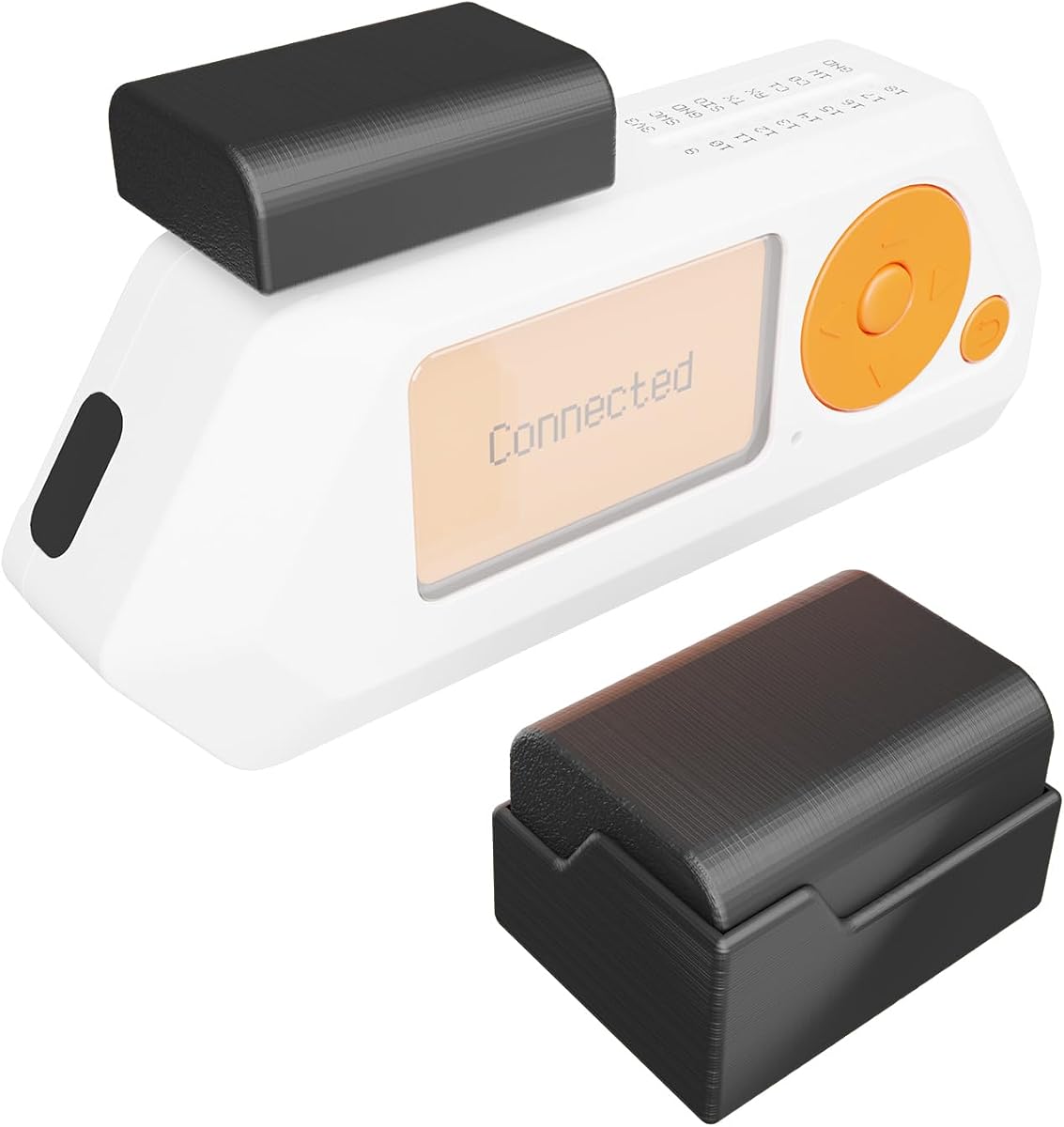
This external CC1101 antenna adds a dedicated 433MHz radio-frequency attachment to a Flipper Zero through its GPIO interface. It is the more specialized option in the guide, and its 3.6 rating is the lowest among the ten products. Buyers should evaluate it primarily as a technical expansion accessory for lawful, educational, or authorized radio experimentation.
We may earn a commission when you buy through this link, at no additional cost to you.
The included 12dB omnidirectional antenna is designed as a low-power component for wireless applications. The product information states that transmission was tested beyond 2,000 feet and receiving beyond 80 feet. It is powered by 5 volts and connects through GPIO pins 1 through 8 without interfering with GPIO 9 through 18, according to the supplied details.
Physical design is a major part of the product's appeal. The 3D-printed structure includes a portable stand and a transceiver cover, helping protect the pins from bending and reducing the chance of losing a small attachment. Chamfered edges and a denser construction are also intended to improve durability and provide a better grip.
The package contains one CC1101 antenna, and the Flipper Zero is not included. It also does not provide a full protective cover, screen protection, or carrying case, so it is best paired with separate basic accessories. Its low rating may reflect a smaller buyer base or more varied experiences, which makes checking the current customer feedback especially important.
This antenna is most appropriate for a user already comfortable with GPIO attachments and 433MHz wireless development. Its compact design, protective stand, and stated reach make it a focused tool for extending SubGhz experiments without building a larger multi-function development board.
The 12dB omnidirectional antenna and CC1101 platform provide a specialized way to explore 433MHz wireless behavior. It is best used in authorized test environments, on equipment you own, or for educational and lawful research activities.
The integrated stand and transceiver cover help guard exposed pins from bending and make the board easier to place on a work surface. This is especially helpful for a compact module that may otherwise be handled frequently.
We may earn a commission when you buy through this link, at no additional cost to you.
This hidden-antenna version combines a CC1101 433MHz board with a soft silicone Flipper Zero case and an EVA carrying case. The resulting set offers more support for a complete portable setup than a module sold by itself. Its 4.1 rating indicates moderate but favorable customer reception.
We may earn a commission when you buy through this link, at no additional cost to you.
The hidden 433MHz antenna uses a low-power design and connects to GPIO pins 1 through 8. The listing states that it does not interfere with GPIO 9 through 18. Its plug-and-play arrangement and compact size make it suitable for users who want an external radio module without the profile of a large visible antenna.
Protection is built around the small and vulnerable parts of the setup. A portable stand and transceiver cover help protect the pins from bending, while the chamfered, densely printed body is designed for durability and grip. The soft silicone device cover and EVA case extend that attention to storage and transportation.
The stated range figures are more modest than those of the visible-antenna model: transmission was tested at 450 feet and receiving at 15 feet. These figures come from the supplied product information and should not be treated as a guarantee for every environment. The package also lacks a screen protector and does not add Wi-Fi, OLED, or GNSS functionality.
This is a good match for users who prioritize a compact radio setup and want basic protection in the same purchase. It is less suitable for someone seeking the greatest stated transmission reach, but the included cases make it a more self-contained option for portable use.
Integrating the antenna into a low-profile design preserves a cleaner, more compact appearance. That can be useful for portable kits where a tall external antenna would add unnecessary visual and physical bulk.
The silicone cover and EVA carrying case add protection that a board-only purchase would not provide. They are particularly useful for storing the radio attachment and the Flipper Zero together between authorized test sessions.
We may earn a commission when you buy through this link, at no additional cost to you.
The transparent hard case is intended to give a Flipper Zero a modified appearance while changing the visual impression of the standard device. Its 3.9 rating is close to the middle of the group, reflecting a product with a clear stylistic purpose but a narrower set of functions than the bundled kits.
We may earn a commission when you buy through this link, at no additional cost to you.
The product is described as premium quality and distinctly different from a typical 3D-printed case, with a fit that closes similarly to an original enclosure. The transparent shell exposes the internal design features, allowing the Flipper Zero to appear more visually customized. The case is also presented as straightforward to transfer into, reducing the setup effort.
Because it is a hard enclosure, it offers a different protection profile from the soft silicone accessories in this guide. A rigid shell can guard against scratches and everyday impacts when fitted correctly, while the transparent construction retains visibility of the device. That combination appeals to owners who value appearance as much as basic physical protection.
The package does not include a screen protector, silicone cover, carabiner, or carrying case, and the Flipper Zero itself is not included. It is therefore less useful as a complete protection system. Users who require easy access to buttons and ports may also want to review the product's exact opening and control arrangement before committing.
This case is best for a Flipper Zero owner who wants a distinctive, rigid-style enclosure rather than added wireless functionality. It works well as a visual upgrade and basic shell, especially when paired with a separate screen protector for more complete everyday coverage.
The clear enclosure exposes the Flipper Zero's internal visual details while giving it the look of a modified device. This makes the case a practical style accessory for users who want their setup to stand apart.
Unlike a soft silicone skin, a hard shell provides a firm outer layer against scratches and ordinary knocks. The close-fitting design is intended to preserve a compact profile while securing the device inside.
We may earn a commission when you buy through this link, at no additional cost to you.
This GNSS receiver module adds multi-constellation satellite support to a Flipper Zero. It is compatible with GPS, BeiDou, GLONASS, and QZSS, while also supporting AGNSS. Its 4.3 rating places it among the stronger-reviewed technical accessories in the guide.
We may earn a commission when you buy through this link, at no additional cost to you.
The module includes a high-performance active antenna designed to support GPS L1 C/A, BDS B1, and GLONASS L1 bands. A built-in low-noise amplifier is included to improve reception sensitivity, while a SAW filter is intended to enhance noise-reduction performance. These features make the package relevant to users developing positioning-based projects rather than merely adding a conventional accessory.
Communication uses UART with a selectable baud-rate range of 4,800 to 115,200 bps, with 9,600 bps as the default. The module supports the NMEA 0183 standard protocol and the CASIC proprietary protocol, giving developers different output options. A green LED indicates a 1PPS output on fix, and a pre-soldered CR1220 coin-cell holder is provided on the board.
The Flipper Zero is not included, and there is no device cover, screen protector, or carrying case in the package. It is a specialized development module rather than an all-in-one accessory kit. Buyers also need compatible software, a suitable project, and an understanding of how they intend to use the positioning data lawfully and responsibly.
For a developer interested in multi-GNSS experimentation, this is a capable and clearly specified option. The active antenna, multi-system support, selectable communication speed, and included quick-start guide provide a solid basis for authorized navigation and location-technology projects.
Supporting GPS, BeiDou, GLONASS, and QZSS gives a project access to several satellite systems rather than a single constellation. The practical benefits will depend on the receiver environment, compatible software, and the intended authorized use case.
The integrated low-noise amplifier and SAW filter focus on improving reception and reducing noise. Adjustable UART baud rates and support for both NMEA 0183 and CASIC make the module easier to incorporate into different development workflows.
We may earn a commission when you buy through this link, at no additional cost to you.
The right accessory depends on whether you want stronger physical protection, more convenient transport, wireless development, radio-frequency reach, satellite positioning, or a display upgrade. Compatibility, included parts, and intended use should guide the decision.
Start by identifying the outcome you want from the purchase. A screen protector preserves the display, a silicone case reduces everyday wear, a hard case changes the appearance and provides a rigid outer layer, and a development module adds connected or radio functionality. A large all-in-one bundle can be convenient, but it may include functions you do not need and add bulk to your setup.
Choose one accessory for one clear purpose, or a bundle when you want a coordinated first setup. Prioritize the function you will actually use most often.
All featured products are intended for Flipper Zero use, but the type of connection differs. Screen protectors, covers, and hard cases fit the physical device, while development boards, radio attachments, and GNSS modules connect through the platform's expansion interface. Check whether the Flipper Zero itself is included, as most electronic modules and several protective packages do not include it.
Also confirm whether a separate protective case remains compatible with the expansion hardware you plan to use. Product combinations should be checked against the latest descriptions before purchase.
Wi-Fi boards support connected projects and alternative ESP32 firmware. A CC1101 antenna is designed for 433MHz radio experimentation, while a GNSS module supports satellite positioning across several systems. The large OLED kit combines several of these categories, including a display, Wi-Fi, 433MHz, and GPS functionality. These are not interchangeable accessories, so assess the protocol and project support you require before choosing.
A product with more functions is not automatically better. Focused hardware can be easier to configure and carry for a specialized workflow.
Screen glass protects only the display, while a silicone cover addresses the body, buttons, ports, corners, and iButton area. A hard enclosure offers a rigid outer shell, and a carrying case protects the device during storage and travel. The most complete protection setup can combine a fitted case with a screen protector and a separate storage solution.
Match the protection level to where the device is used. Desk-based development may need less impact protection than regular pocket or travel use.
Several listings combine a main accessory with cases, screen protectors, cables, antennas, bags, straps, or carabiners. Package contents can make one purchase more economical and convenient than sourcing each piece separately. Carefully note exclusions, especially when a listing says the Flipper Zero device is not included. Screen protector quantities, protective layers, and storage cases vary considerably.
Compare the actual contents rather than relying only on a product title. A bundle with several items is not automatically better if those items duplicate accessories you already own.
A good protective case should fit closely, cover vulnerable areas, and leave buttons, controls, and ports accessible. Some expansion board cases use a tool-free snap-fit design, which is convenient when the board will be attached or removed regularly. By contrast, a hard shell or fitted protective cover may require more deliberate placement during installation.
Check the described installation method and control layout. Convenient daily access is as important as initial fit for a device that is used on the move.
A multi-function board with an OLED, radio, positioning, cable, and multiple protective components will naturally require more space than a single screen protector or silicone skin. Compact Wi-Fi boards and hidden-antenna designs reduce visible bulk, while hard cases and EVA pouches are more useful when the device is stored between sessions.
Choose a larger kit for a dedicated workstation or portable field setup, and favor a smaller accessory for pocket use. The best balance depends on how and where you plan to use the Flipper Zero.
Wireless, radio-frequency, and satellite-positioning modules can support legitimate development, education, testing on equipment you own, and authorized research. They should not be used to interfere with systems you do not own or have permission to test. Review the product's protocols, voltage requirements, supported firmware, and local rules before deploying an electronic module.
Responsible use also includes protecting personal information and handling any collected location or wireless data appropriately. Technical capability should be paired with clear authorization.
Before installing any accessory, compare its connectors, dimensions, and stated compatibility with the exact Flipper Zero setup. Clean and dry the device and accessory surfaces, and consult the current instructions included with a development board or electronic module. For a screen protector, begin in a dust-free area and use the supplied cleaning materials before placing the glass onto the display.
Fit protective pieces without forcing them. A screen protector should be aligned carefully so bubbles and dust do not become trapped, while a silicone or hard case should be pressed only around its intended edges. Development boards and radio or GNSS attachments should be connected according to their instructions, with the Flipper Zero powered off if the manufacturer's guidance recommends it. Firmware and configuration steps should be completed before starting an active wireless or positioning test.
For long-term care, keep development boards in their supplied cases and remove protective covers only when access is required. Store GNSS and radio modules where their antennas and pins are not under pressure, and avoid leaving any electronic accessory in extreme heat, moisture, or direct prolonged sunlight. Clean silicone and hard cases with a soft, lint-free cloth, and replace a screen protector when scratches begin to interfere with visibility.
Most do not. The Wi-Fi boards, CC1101 antennas, GNSS module, and several protective products are listed without the Flipper Zero itself. The all-in-one development kit includes an external module and accessories rather than a complete Flipper Zero device. Always read the package contents and exclusions in the current listing before ordering.
Installing the screen protector first is often the more convenient sequence because it provides a flat, protected surface for case fitting. Some cases are designed with enough clearance for a protector, but you should check the stated fit. A complete setup can pair tempered glass with a silicone or hard enclosure for broader coverage.
The Wi-Fi accessories are ESP32-based development boards intended for connected projects and custom Wi-Fi firmware. The CC1101 accessories are focused on 433MHz radio-frequency work and include external antenna designs. They serve different technical purposes, so choose based on the protocol and project you intend to test.
Yes. The supplied specifications list support for GPS, BeiDou, GLONASS, and QZSS, along with AGNSS. It supports NMEA 0183 and CASIC protocols and includes an active antenna. Actual satellite visibility and usable positioning performance will depend on the environment, compatible software, and antenna placement.
They can be, but they are intended for experimentation and custom development rather than a simple on-and-off accessory. A new user should begin with the supplied instructions, identify the relevant firmware and software, and work through basic projects before building more advanced ones. A bundle that includes a fitted case and screen protectors can provide a more organized starting point.
A kit that combines a protective cover, screen protector, and dedicated carrying case offers the most complete travel-oriented setup. The five-in-one protection set, OLED development bundle, and hidden CC1101 set all include storage or carrying components. A silicone case with a carabiner is lighter and more convenient for quick everyday attachment to a bag or belt.
The five-in-one protective set specifically states that its silicone case is compatible with the Flipper Zero video game module. Compatibility with other cases should be confirmed from the product description, particularly if another expansion module occupies the same interface or changes the device's overall profile.
Use radio-frequency and GNSS accessories only for lawful, educational, research, or authorized testing on equipment and systems you have permission to examine. Follow local radio regulations, avoid unauthorized transmissions, and protect any personal or location data that a project collects. Technical experimentation should never create interference or privacy risks for others.
The OLED Wi-Fi 433MHz GPS kit stands out as the most complete expansion bundle, combining several development functions with layered protection and transport. The complete Wi-Fi developer kit is a convenient alternative for users who want wireless hardware and a coordinated set of protective accessories, while the three-pack of 9H tempered glass remains the most straightforward and broadly useful physical upgrade.
For most owners, prioritize the accessory that addresses a real need rather than adding complexity for its own sake. Screen glass and a fitted case are practical foundations; a Wi-Fi board suits connected development; a CC1101 antenna serves specialized 433MHz work; and a GNSS module is appropriate for authorized positioning projects. Check the included parts, dimensions, interface requirements, and device exclusion before buying.
Product details, package contents, and availability can change over time, and purchase costs fluctuate as well. Review the current listing, recent customer feedback, and compatibility notes before checkout, especially when combining a new expansion board with an existing protective case or carrying system.