MEKO 3-in-1 Universal Stylus
4.6Editor score
Transparent disc and rubber tips
Tool-free replaceable tip design
Works across major touchscreen devices
This Fine Point Stylus guide compares 10 top models for precision, responsiveness, compatibility, tip design, comfort, and everyday use.
A fine point stylus can make handwriting, sketching, navigation, and small-screen selection feel more controlled than using a fingertip. The best model depends on tip diameter, touch sensitivity, device compatibility, and whether you prefer a passive pen or an active stylus with added features.
We compared 10 fine point styluses across their stated tip sizes, writing characteristics, power requirements, compatibility, replacement options, and intended uses. The roundup includes passive capacitive models, rechargeable active pens, multi-tip designs, and bulk packs for homes, classrooms, and offices.
The selections reveal three common approaches: a compact dual-tip option for everyday control, a multi-tip model for flexible tasks, and a larger set for convenient sharing. Product ratings and availability can change, so confirm the latest listing details and current price before purchasing.
4.6Editor score

4.5Editor score

4.6Editor score
The table below compares all 10 styluses by tip design, power needs, compatibility, and practical advantages, making it easier to identify the right model for handwriting, drawing, navigation, or shared use.




This stylus combines two rubber nibs with a transparent disc tip, making it one of the most adaptable passive designs in the roundup. Its 4.5 rating reflects a generally positive reception, particularly from buyers who want more control than a fingertip without dealing with charging, pairing, or apps.
We may earn a commission when you buy through this link, at no additional cost to you.
The transparent disc is the standout feature because it lets the user see the exact point of contact. That visibility can improve placement accuracy in handwriting, drawing, icon selection, and other detailed tasks. Meanwhile, the 0.18-inch and 0.27-inch rubber tips provide alternatives for precise work, scrolling, gaming, and broader navigation.
Its main limitation is that it offers no pressure sensitivity, so line weight does not naturally change with the amount of pressure applied. It also does not provide palm rejection, making it less suitable for people who rest their hand on the display while writing. Those limitations are understandable for a simple passive stylus, but they matter for serious digital illustration.
This is a strong choice for students, casual artists, travelers, and anyone who wants one pen for several devices. Choose it if interchangeable tips, immediate operation, and broad compatibility matter more than pressure response or advanced low-latency features. For most everyday writing and navigation, it offers an excellent balance of control and convenience.
The transparent disc makes the contact point visible, which is useful when placing small marks or writing in confined spaces. It can also feel more deliberate than a fully hidden rubber nib.
The replaceable nibs can be exchanged within seconds, allowing you to move between broad navigation and finer pointing without buying another stylus. Replacement tips are also sold separately according to the product information.
We may earn a commission when you buy through this link, at no additional cost to you.
The MEKO 3-in-1 Universal Stylus pairs a clear disc with 0.18-inch and 0.27-inch rubber tips. It holds a 4.6 rating, placing it among the strongest-rated products here, while its passive design avoids the setup demands of an active stylus.
We may earn a commission when you buy through this link, at no additional cost to you.
The most useful aspect is the package. It includes two stylus bodies, four replacement rubber tips of each size, and two disc tips. That makes it convenient for households sharing devices, while also providing enough spares to extend the useful life of the original nibs. The disc tip offers visibility at the contact point, and the smaller rubber tip supports more precise selection.
This remains a basic capacitive pen rather than a pressure-sensitive drawing instrument. It does not offer palm rejection, pressure levels, Bluetooth shortcuts, or configurable gestures. Users who place their palm on the screen may encounter unwanted input, so a more advanced stylus could suit that particular workflow better.
It is a compelling choice for everyday notes, web browsing, casual sketching, and navigating phones or tablets. Buy it if you value multiple tips, replacement nibs, and immediate use at an accessible cost. It is also a strong pick for families because both stylus bodies and numerous spare tips are included.
Two bodies, four small rubber tips, four large rubber tips, and two disc tips provide a practical foundation for regular use. The extra nibs are particularly helpful in classrooms or homes where pens are shared.
The soft silicone nibs are designed to glide without scratching the display or adding as many fingerprints as direct finger contact. The broad compatibility list covers iPads, iPhones, Samsung devices, Kindles, Nintendo Switch systems, and other capacitive touchscreens.
We may earn a commission when you buy through this link, at no additional cost to you.
This active stylus differentiates itself with a rechargeable design, a one-touch power switch, and magnetic attachment to certain recent iPad Pro models. Its 4.4 rating indicates solid overall appeal, though the extra features also create a more involved setup than a passive pen.
We may earn a commission when you buy through this link, at no additional cost to you.
The magnetic design is particularly convenient because the stylus can remain attached to a compatible tablet instead of being misplaced. It charges in approximately 40 minutes and offers a stated nine to ten hours of continuous use. The included nibs and responsive writing experience make it suitable for note-taking and general drawing.
Compatibility is more nuanced than the product name may initially suggest. The magnetic feature is limited to the 11-inch and 12.9-inch iPad Pro models listed in the third and fourth generations, while the product may still function as a touchscreen pen on other compatible devices. The instructions also describe a Bluetooth troubleshooting process, which can be inconvenient for users expecting a fully passive experience.
Choose this model if magnetic storage and a rechargeable active stylus matter to you, particularly if you own one of the supported iPad Pro configurations. It is less suitable for users who prioritize power-free operation or want broad magnetic attachment across every device.
On supported iPad Pro models, the magnetic attachment keeps the pen close to the device and reduces the chance of leaving it behind. This is one of the most useful features for daily note-taking.
The stated battery life of nine to ten hours supports a full workday of typical use. A 40-minute charge time also makes it practical to top up between activities.
We may earn a commission when you buy through this link, at no additional cost to you.
This active pencil uses a 1.5mm tip and a rechargeable lithium battery, giving it a focused 4.0 rating. It is designed for detailed drawing and handwriting without requiring a Bluetooth connection, which separates it from more complex paired styluses.
We may earn a commission when you buy through this link, at no additional cost to you.
Its straightforward operation is a major advantage. The product is described as powering on within one second, while a 30-minute inactivity timer shuts it off automatically. A one-to-two-hour charge provides a stated ten to twelve hours of continuous use, making it suitable for long sketching or note-taking sessions.
The important limitation is that the tip does not provide different pressure sensitivity, so every line has the same thickness. It also requires charging and uses a Micro USB charging port, adding friction compared with a passive stylus. Its compatibility list is broad, but buyers should verify their particular device model before relying on advanced behavior.
This model suits users who want a narrow 1.5mm point and an active pen without Bluetooth complexity. It is less attractive for pressure-sensitive illustration or for anyone who wants a stylus that can be picked up and used without charging. For basic handwriting and controlled drawing, however, the concept is appealing.
The 1.5mm tip gives the pen a pen-like profile that can help with handwriting, small details, and controlled marks. It is especially relevant to users who find a broad fingertip imprecise.
The stated 10-to-12-hour active runtime and automatic 30-minute shutdown reduce the likelihood of leaving the battery on. Charging remains necessary, so timing matters when planning uninterrupted work.
We may earn a commission when you buy through this link, at no additional cost to you.
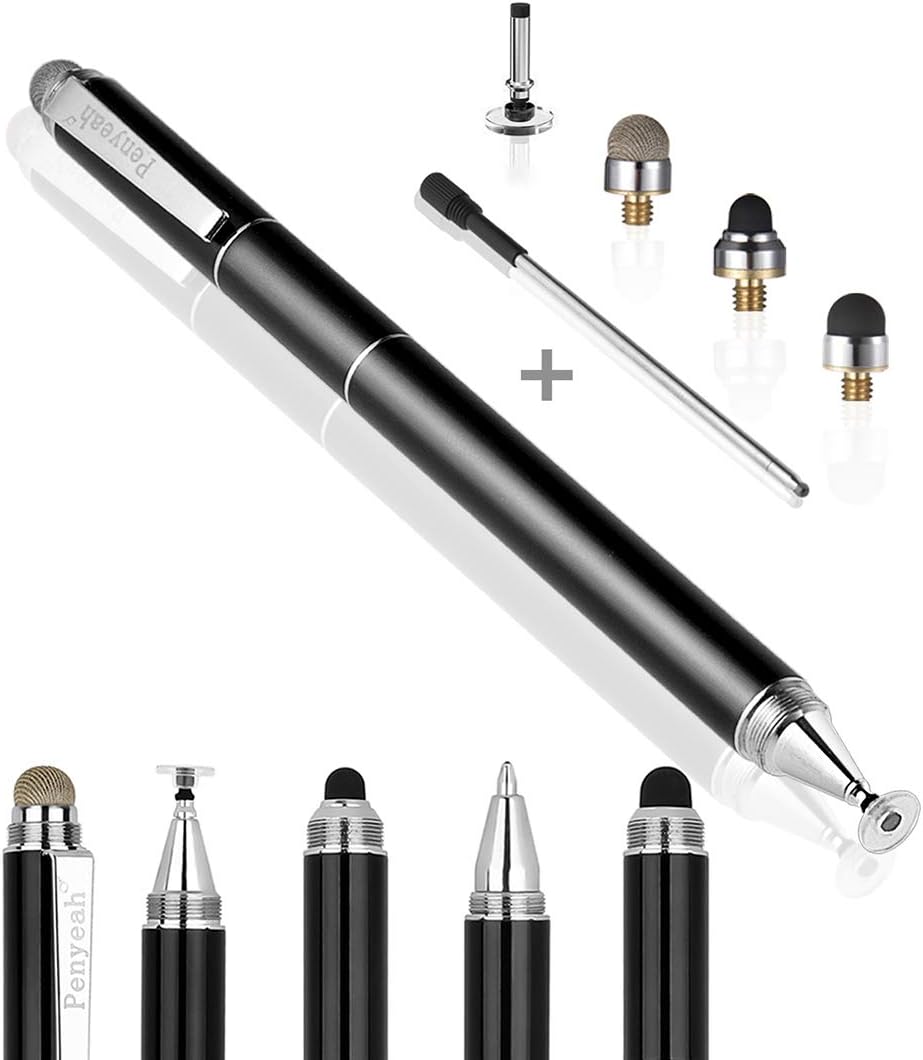
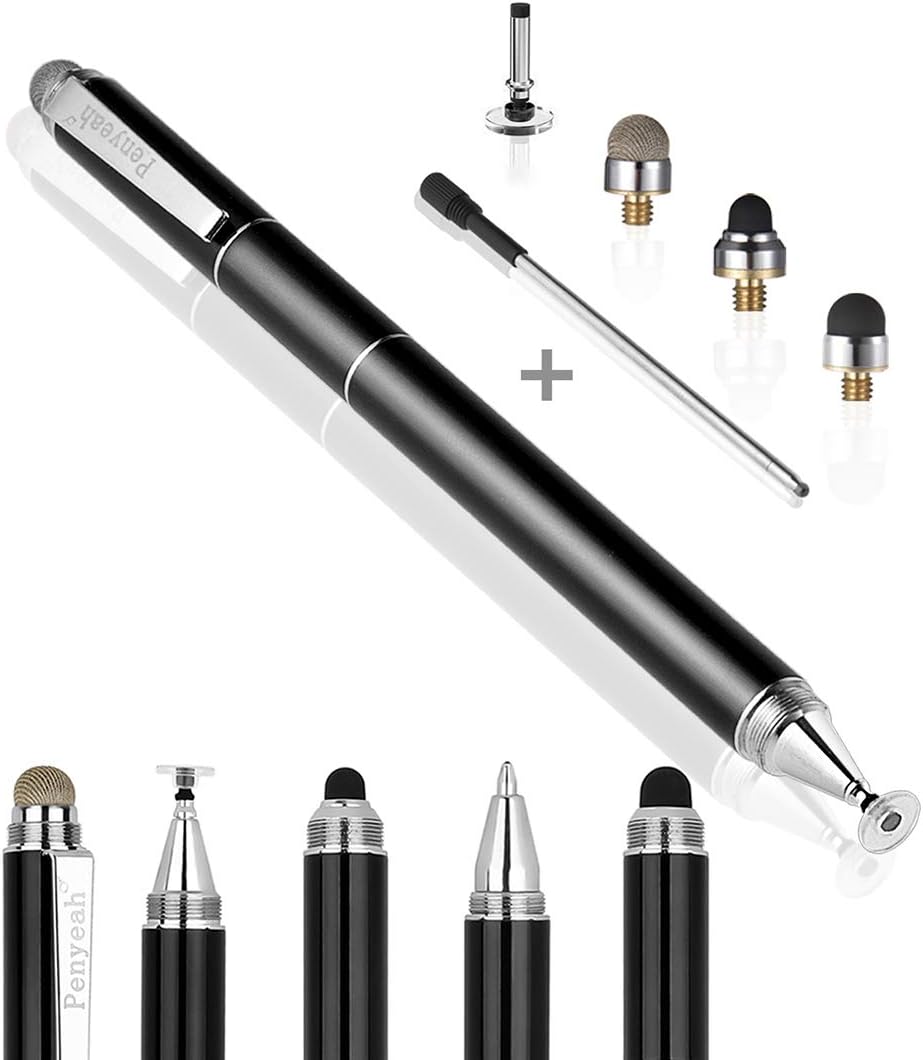
Penyeah's 4-in-1 model is built around interchangeable tips rather than a single fixed nib. It includes a clear disc, mesh fiber, 0.16-inch rubber point, and 0.2-inch rubber point, plus a conventional ballpoint for writing on paper. The result is the broadest task range in this roundup.
We may earn a commission when you buy through this link, at no additional cost to you.
The disc tip supports visible contact and fine placement, while the mesh tip is intended for smooth gliding. The two rubber tips provide distinct levels of control: the smaller 0.16-inch point favors detailed interaction, and the larger one handles broader navigation. A metal barrel, pocket clip, and standard D1 refill make it practical away from a screen too.
A significant limitation is the absence of palm rejection. The product information explicitly warns that resting a hand on the display can interfere with smooth operation. That makes it less suitable for artists who naturally brace their drawing hand, even though the fine nib is otherwise appealing.
This is a strong choice for someone who wants a digital and physical writing tool in one package. It is also useful for travelers because a clip keeps it accessible. Buyers who require palm rejection or pressure sensitivity should look toward a more specialized active stylus instead.
Changing between disc, mesh, and rubber tips changes both the feel and precision of the pen. That flexibility makes the model useful for notes, browsing, signing, drawing, and gaming.
The integrated D1 ballpoint turns the body into an ordinary writing pen, which is a meaningful advantage for travel, meetings, and paper note-taking.
We may earn a commission when you buy through this link, at no additional cost to you.
This compact active stylus weighs 13.3 grams and measures 146 millimeters, making it one of the lightest and shortest options reviewed. It holds a 4.2 rating and uses a 1.5mm tip for writing, drawing, journaling, and general tablet use.
We may earn a commission when you buy through this link, at no additional cost to you.
Its refined dimensions reduce hand strain and make it easy to carry. The stylus works with most capacitive touchscreens and does not need a Bluetooth connection, avoiding the compatibility complexity of paired accessories. A built-in battery provides a stated eight hours of active use after a 60-minute Micro USB charge, while an automatic 30-minute shutdown helps preserve power.
The product explicitly warns against using a fast charger because of its internal chip, so charging should follow the recommended method. A screen protector is said not to affect performance, which is useful for owners who already use one. As with many simple active pens, real pressure-sensitive line variation is not a stated feature.
This is a good option for writers, students, journalists, and teachers who want a light, pen-like tool across several devices. It is less ideal for people who expect pressure sensitivity, modern USB-C convenience, or completely passive operation. Its compact profile and precise tip make it especially pleasant for extended note-taking.
At 13.3 grams, the stylus is designed to feel unobtrusive during extended writing. The short barrel also provides a compact grip for travel or use at a crowded desk.
The active design delivers a stated eight hours of use and shuts down automatically after inactivity. No Bluetooth connection is required, which broadens the range of compatible devices.
We may earn a commission when you buy through this link, at no additional cost to you.
This six-pack is built for people who want a dedicated stylus at home, work, school, or in a travel bag. Its 4.6 rating is among the best in the group, and the fine responsive rubber tip supports detailed writing, drawing, icon selection, and general navigation.
We may earn a commission when you buy through this link, at no additional cost to you.
The set stands out for convenience rather than technical complexity. Every pen works passively, so there is no charging, pairing, software installation, or Bluetooth configuration. The built-in clips make it easy to attach each stylus to a pocket, notebook, or bag, while the mixed colors help distinguish ownership in a shared environment.
Its limitations are straightforward: it does not provide pressure sensitivity, palm rejection, or a visible-contact disc tip. Because each pen has a fixed rubber point, users who want to vary the writing feel must move to another model. It is also not intended for low-latency pressure-based illustration.
Buy this set when availability around the house matters as much as precision. Families, teachers, offices, and small teams can keep several pens on hand without coordinating a single shared accessory. For individual note-taking, one of the multi-tip models may be more versatile, but this bundle is particularly organized and user-friendly.
Six pens can be distributed across an office, classroom, home, and travel bag. The color assortment makes assignment straightforward without requiring labels.
Because the styluses are passive capacitive models, they work by touching capacitive screens without power or software. The rubber point is described as smooth, durable, and suitable for detailed work.
We may earn a commission when you buy through this link, at no additional cost to you.
This MEKO set combines four two-ended styluses with twelve replacement tips. Its 4.5 rating reflects a favorable balance of writing comfort, versatility, and household value, while the aluminum barrels give it a more refined feel than many basic plastic stylus packs.
We may earn a commission when you buy through this link, at no additional cost to you.
Each pen places a transparent disc tip on one end and a soft rubber tip on the other. The 0.24-inch disc is designed to flex against the display and maintain connected lines, while the rubber end is intended for smooth writing, drawing, and navigation. Replacement tips can be installed without tools, allowing worn nibs to be changed quickly.
The set does not include advanced features such as pressure sensitivity, palm rejection, charging, or Bluetooth. Those omissions are reasonable for a passive stylus pack, but they make it less appropriate for professional digital painting or a workflow that relies on palm rejection. The aluminum bodies also add a little weight compared with lightweight plastic models.
This is a good pick for families, classrooms, shared workspaces, or anyone who wants several spare pens and abundant replacement tips. It offers more tip flexibility than the six-pack rubber model while retaining the convenience of a passive design. Choose it when durability, comfort, and maintenance access are priorities.
The dual-ended design allows quick movement between visible-contact disc writing and soft rubber navigation. It reduces the need to carry separate pens for different tasks.
The aluminum barrels provide a steady grip, while twelve replacement tips help extend the set's useful life. Tool-free installation keeps nib changes simple.
We may earn a commission when you buy through this link, at no additional cost to you.
The DAXINGXING 10-piece set has a 4.7 rating, the highest customer rating among the products in this guide. Each stylus has a fine 0.21-inch rubber tip on one end and a wider 0.27-inch tip on the other, giving every pen a useful range of interaction styles.
We may earn a commission when you buy through this link, at no additional cost to you.
The fine end supports handwriting, detailed sketching, and accurate selection of small interface elements. The wider end is better suited to scrolling, color filling, and routine navigation. Soft rubber material is described as providing moderate resistance and a natural writing feel while avoiding direct screen contact and the associated fingerprints.
The set is passive, so there is no pressure sensitivity, palm rejection, charging, or Bluetooth. That keeps operation straightforward but places it below specialized active styluses for professional illustration. Users who want to see the contact point may prefer a transparent disc design instead of the enclosed rubber nibs.
This bulk configuration is ideal for a classroom, office, family, or event where many people need a stylus. Ten differently colored alloy bodies, each 5.31 inches long, are easy to distribute, and twenty replacement nibs provide a substantial maintenance supply. It is also a strong high-volume option for anyone who prefers a fine point on every device.
Every stylus includes a 0.21-inch precision end, so a large group does not need to settle for one less precise point. The opposite 0.27-inch tip provides a practical alternative for broader gestures.
Ten colorful alloy bodies and twenty matching replacement nibs make the set ready for shared use. The five-and-a-half-inch length balances portability with a comfortable writing position.
We may earn a commission when you buy through this link, at no additional cost to you.
This ten-pack provides a sleek aluminum stylus for each person in a household, classroom, or office. It carries a 4.6 rating and offers two replaceable silicone tip sizes: 7 millimeters for broader work and 5 millimeters for finer interaction.
We may earn a commission when you buy through this link, at no additional cost to you.
The small tip is intended for writing, drawing, and selecting compact icons, while the larger end supports browsing, gaming, and general navigation. The soft silicone surface is described as reducing scratches and fingerprints compared with using a finger directly. Passive operation means every pen is ready as soon as it is removed from the package.
This is not a pressure-sensitive stylus, and there is no disc tip, palm rejection, or integrated physical pen. Those features may limit its appeal for professional illustrators, although its narrow rubber point still offers useful control for everyday handwriting. The number of included bodies also makes it less economical for a single user who needs only one pen.
Choose this set when distributing styluses among many people is the main requirement. The understated black-and-white appearance suits shared professional or educational environments, while the tool-free replaceable tips make ongoing maintenance straightforward. For one user, a model with more varied nib styles may be a better fit.
The five-millimeter tip gives users a finer option for writing and small targets, while the seven-millimeter tip handles general navigation with a broader contact area.
The listed compatibility includes iPad, iPhone, Nintendo Switch, Android, Samsung Galaxy, tablets, Chromebooks, and Microsoft Surface. No charging, Bluetooth, or driver installation is needed.
We may earn a commission when you buy through this link, at no additional cost to you.
The most useful fine point stylus depends on the device, the type of work, and how much setup you want to avoid. Consider tip design, power requirements, precision, comfort, and compatibility before choosing.
In short, select a disc for visible precision, a small rubber tip for detailed writing, or a mesh tip for smooth everyday interaction.
Choose passive for reliability and simplicity, or active for extra features when you are comfortable handling charging and setup.
Check the exact device model and the feature you care about before buying, especially for magnetic storage, Bluetooth, charging, or pressure behavior.
For tiny icons, use a narrow nib or visible-contact disc; for prolonged general navigation, a slightly broader rubber tip may be more comfortable.
If varying line weight or resting your palm on the display is essential, look for explicit support rather than assuming it from the stylus category.
Prioritize a comfortable weight, a grip that suits your hand, and a clip if you want the stylus to stay accessible during travel.
Favor models with straightforward, inexpensive replacement tips if the stylus will be used frequently or passed among several people.
Count the actual users before choosing a multipack, then compare tip variety and spare accessories rather than relying on pack size alone.
Begin by confirming that the stylus and tip are firmly attached, then open the target note-taking or drawing app and make a few light marks. Passive capacitive models can be used immediately on a compatible screen. Active models should be charged using the specified method, powered on, and paired only if the manufacturer's instructions require it. Use a light grip rather than pressing hard, especially with fine rubber tips.
Match the tip to the task. A narrow rubber point works well for small interface items and handwriting, a visible disc helps with placement, and a mesh tip suits smoother navigation. Replace a tip when it feels rough, drags, or loses responsiveness. Follow the stated tool-free or screw-in replacement process, and avoid pulling on the nib while it is attached to the barrel.
Store the stylus in a dry place with the tip protected, preferably in its cap, sleeve, pocket, or case. Do not leave a disc or rubber tip resting against a dusty screen. Clean compatible screens according to the device manufacturer's guidance, and avoid using solvents on the stylus barrel or nib. Active models should be stored away from extreme heat and kept within their recommended charging conditions.
A passive stylus uses a conductive tip to interact with a capacitive screen and needs no power, charging, pairing, or software. An active stylus contains electronics and typically offers a more deliberate writing response, although it may require charging and setup. Passive models are generally simpler, while active models can add features such as magnetic attachment, buttons, or Bluetooth behavior.
A small rubber nib or a transparent disc generally offers better placement control than a broad fingertip. The narrowest rubber tips in this roundup are 0.16 and 0.18 inches, while the visible-contact disc shows the precise point of contact. The best choice depends on whether you prioritize a familiar rubber feel, a small tip diameter, or visible alignment.
None of the listed specifications confirms true pressure-sensitive line variation. One active model explicitly states that all lines have the same thickness, and the passive models generally provide a uniform digital touch. If pressure response is essential, verify the product and drawing application separately rather than assuming that an active stylus includes it.
Most passive capacitive styluses work through compatible screen protectors because the protector remains capacitive. The Active Stylus Ultra Fine Tip also specifically states that a screen protector will not affect performance. Thickness and material can still influence sensitivity, so test the combination and recalibrate or adjust app settings if strokes feel inconsistent.
The models in this roundup do not advertise palm rejection, so simply resting your palm on the display may create unwanted marks. Lift your hand when possible, write closer to the edge of the screen, or use a stylus that explicitly supports palm rejection. Short videos or keyboard accessories can also help when your drawing app offers those controls.
A multi-pack is better when several people need a pen, when you want one at multiple locations, or when spare nibs and backup pens are valuable. For a single user, a multi-tip model may offer more versatility than a pack of identical pens. Compare the number of users, available tip styles, included replacements, and storage needs before deciding.
First, confirm that the device is capacitive and that the stylus is compatible with it. Check that the tip is securely attached, clean, and not visibly damaged, then try a fresh note-taking app to rule out an app-specific issue. For active Bluetooth models, follow the listed pairing and forgetting steps, and ensure the pen is charged and powered on.
Replacement timing depends on use, tip material, storage, and screen cleanliness. Replace a tip when it feels rough, drags unevenly, loses sensitivity, or develops a visibly worn contact area. Keeping the tip covered when unused and avoiding contact with dusty surfaces can reduce premature wear, particularly for soft rubber nibs and transparent discs.
The 3-in-1 High Precision Stylus is the most versatile standalone choice because it combines two rubber sizes with a visible-contact disc and tool-free replacement. The MEKO 3-in-1 Universal Stylus stands out for its strong rating and generous spare-tip package, while the Fine Point Stylus 6 Pack is the most convenient option for placing multiple pens around the home or workplace.
Prioritize the features that affect your actual work. Choose a transparent disc when alignment and visible contact matter, a small rubber tip for handwriting and detailed selection, or a passive design when you want no charging and no setup. For drawing, confirm pressure sensitivity and palm rejection explicitly rather than assuming either feature is present, and verify compatibility for any magnetic or Bluetooth functions.
Ratings can change and product listings, bundles, accessories, and current prices may vary over time. Before purchasing, confirm the latest specifications, included items, and compatibility on the product page. That final check ensures the stylus you choose still matches your device and intended tasks.