
ZP450 Zebra Direct Thermal Label Barcode Printer
4.7Editor score
203 dpi direct thermal output
Five-inch-per-second print speed
USB serial parallel connectivity
FedEx and UPS label support
Our Fedex label printer guide compares 10 thermal models for speed, connectivity, compatibility, print quality, and small business use.
A reliable FedEx label printer helps small businesses, online sellers, and fulfillment teams turn shipping details into clear, scannable labels without complicated setup. The best models balance fast output, dependable print quality, convenient connectivity, and compatibility with the shipping platforms and devices you already use.
We compared the ten featured printers using their stated specifications and supplied product information, focusing on print resolution, speed, media handling, connection options, operating-system support, and integration with FedEx and other major shipping services. The guide covers wireless models, USB-only printers, compact units, and higher-end options for more demanding workflows.
Each review reveals what makes a printer most useful for a particular type of shipper, while also noting limitations that could affect your setup. Ratings reflect the supplied marketplace feedback, and product availability, features, and prices can change, so shoppers should confirm current details before purchasing.
4.7Editor score
4.6Editor score

4.6Editor score
The comparison below highlights the main differences in connectivity, label capacity, print speed, and platform support, making it easier to identify the printer that fits your shipping workflow.








The NULLTONEX Thermal Shipping Label Printer is a versatile 4×6 thermal printer rated 4.4 out of 5. It stands out for offering both Bluetooth and USB connectivity, a 203 dpi print head, and a stated speed of up to 150 mm/s, or roughly 72 labels per minute. That combination makes it appealing to small businesses that alternate between a phone, a computer, and a shared packing station.
We may earn a commission when you buy through this link, at no additional cost to you.
Its compatibility extends across Amazon, Shopify, Etsy, USPS, UPS, FedEx, and DHL. The supplied FlashLabel Pro app includes more than 1,800 templates, over 300 fonts, and multiple editing tools, while offline template storage helps avoid delays caused by waiting for cloud downloads. Labels can range from 1.57 inches to 4.3 inches wide, which allows the same machine to handle shipping, barcode, product, and general organization labels.
The printer is not designed for color output, as the supplied information specifies black-and-white printing only. Its physical setup is also modest rather than expansive, which is appropriate for a desk but may not suit a high-volume fulfillment operation that needs a large internal label roll. USB remains a useful fallback when wireless pairing becomes inconvenient or interference affects a connection.
This is a strong choice for an owner who wants one compact printer for both carrier labels and everyday business labeling. It is particularly useful when wireless freedom is important but you still want the stability of a wired connection for larger batches. Confirm that your workflow can use the app and monochrome output before making it your primary shipping printer.
FlashLabel Pro provides a substantial template library and editing options without tying every design task to a cloud connection. That makes the printer useful for quickly adapting address labels, barcodes, and product markings while working in an intermittently connected environment.
A maximum speed of 150 mm/s supports productive desktop shipping, while the 1.57-to-4.3-inch media range gives the printer more utility than a single-size label device. The included label stock and both cables help simplify initial setup.
We may earn a commission when you buy through this link, at no additional cost to you.
The D450BT Bluetooth Shipping Label Printer has a 4.2 rating and focuses on efficient label handling in a compact footprint. Its most distinctive feature is the built-in compartment, which can hold an internal roll of up to 250 4×6 labels or rear-loaded folded paper. At 7.2 by 6.3 by 5.3 inches, it is designed to preserve desk space without forcing frequent manual label changes.
We may earn a commission when you buy through this link, at no additional cost to you.
Wireless and wired options provide flexibility. Bluetooth supports Android, iOS, Windows, macOS, Linux, and ChromeOS, while USB adds a more stable route for an office computer. The 203 dpi Japanese thermal print head produces labels at a stated rate of 72 per minute, and automatic alignment is intended to reduce waste caused by improperly positioned labels.
FedEx is among the supported platforms, alongside USPS, UPS, Amazon, Shopify, Etsy, eBay, DHL, PayPal, and Poshmark. Media widths run from 1 to 4.6 inches, so it can manage standard shipping labels as well as narrower barcode, pricing, and product labels. However, its 4.2 rating is the lowest among the ten featured products, making it wise to review current customer feedback before committing.
The built-in bin and automatic alignment make this printer compelling for operators who print steadily and want fewer interruptions. It is less compelling if you require the most extensive app customization or anticipate unusually high daily volumes beyond its stated desktop focus. For many small fulfillment desks, though, its storage design solves a common and annoying problem.
The internal roll compartment can hold as many as 250 4×6 labels, while the rear path accepts folded media. This dual-loading approach gives the printer unusual flexibility for a compact desktop model and keeps consumables close at hand.
Auto-alignment helps the printer position labels consistently before printing. In a busy packing area, fewer misfeeds and partial label failures can translate into less material waste and a smoother routine.
We may earn a commission when you buy through this link, at no additional cost to you.
The Westinghouse Thermal Shipping Label Printer delivers a 4.4 rating and emphasizes speed, flexible media handling, and commercial-style construction. It prints at up to six inches per second with a 203 dpi head, giving it one of the strongest speed specifications in this group. Direct thermal technology removes the need for ink, ribbons, and toner.
We may earn a commission when you buy through this link, at no additional cost to you.
This model supports Windows, macOS, and Linux, with ZPL software compatibility and Ethernet capability. It accepts fanfold labels or rolls, supports media from 0.78 to 4.6 inches wide, and can print up to 4.25 inches across. The listed thickness range is 0.06 to 0.25 millimeters, while the supported roll uses a 1-inch to 3-inch core range.
Bluetooth is not included, so a computer-based workflow is necessary. The manual advises proper driver installation, and a print test is recommended during setup. Ethernet can be beneficial for a permanently installed packing station, while USB offers flexibility for a shared computer. The package includes a printer, starter labels, holder, flash drive, cable, cord, and power adapter.
This printer is best suited to a business that prioritizes throughput and dependable wired connections over wireless convenience. It can support shipping, personal, small-business, and ecommerce uses while providing a professional media-handling setup. If your facility needs a fixed workstation or expects sustained daily output, its specifications make it a strong contender.
The stated six-inch-per-second speed is the key advantage for fulfillment environments. Fast output can keep pace with repeated batches, particularly when labels are prepared in advance and printed back-to-back.
Roll and fanfold support accommodates different label supply arrangements, while Ethernet and USB provide practical wired choices. Its broad width range also makes it suitable for inventory, product, and shipping labels.
We may earn a commission when you buy through this link, at no additional cost to you.
The JADENS Bluetooth Thermal Shipping Label Printer combines a 4.4 rating with broad marketplace and fulfillment compatibility. It uses a Japanese thermal print head at 203 dpi and works without ink or toner, making it suitable for shipping, warehouse, market, and general product labels. Both fanfold and roll media are supported.
We may earn a commission when you buy through this link, at no additional cost to you.
The printer can connect by USB to Windows 7 or newer and macOS 10.9 or newer, while Bluetooth is available for Windows 8 and later and Mac. For Android and iOS, users must download the Jadens printer app instead of relying on a direct mobile Bluetooth connection. Label widths range from 1.57 to 4.1 inches, covering common 4×6 shipping formats and smaller stock.
Its major strength is compatibility with services such as Endicia, Dazzle, ShipStation, ShippingEasy, Shippo, ShipWorks, Ordoro, eBay, Amazon, and Shopify. Setup information, drivers, and troubleshooting videos are supplied on a USB flash drive. The product also lists a one-year warranty and access to email, phone, and remote technical support.
A limitation worth noting is the need to long-press the feed button and recalibrate the label size whenever the media changes. That extra step may interrupt fast-paced batch changes, but it helps keep the detected dimensions accurate. JADENS is a solid fit for sellers who rely on a varied collection of shipping platforms and want both wired and wireless access.
The extensive list of supported shipping services is especially useful for operators who move between marketplaces or use several fulfillment systems. That flexibility can reduce the need for separate print workflows across different parts of a business.
Bluetooth support covers desktop Windows and Mac systems, while mobile users work through the vendor app. USB provides a straightforward alternative on supported computers, giving the printer more than one viable connection path.
We may earn a commission when you buy through this link, at no additional cost to you.
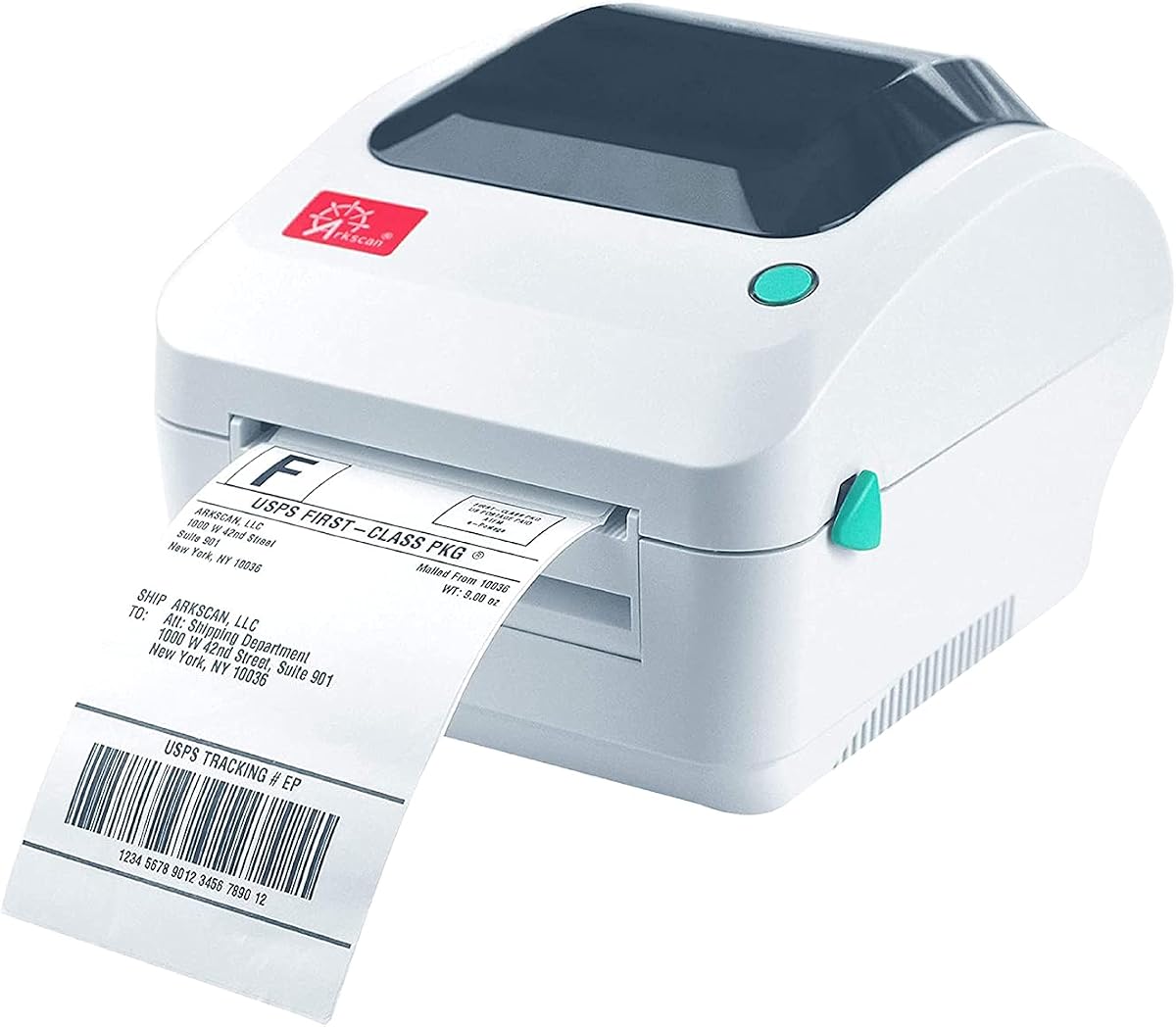
The Arkscan 2054A is rated 4.6 out of 5 and offers one of the broadest shipping-platform lists in this comparison. It supports FedEx Ship Manager, the FedEx website, UPS, USPS, Amazon fulfillment services, eBay, Etsy, PayPal, Poshmark, Shopify, ShipStation, Shippo, ShipWorks, and many additional services, making it a convincing choice for multi-channel sellers.
We may earn a commission when you buy through this link, at no additional cost to you.
It prints at five inches per second with direct thermal technology and supports labels from 0.75 to 4.25 inches wide and 0.4 to 90 inches long. Both rolls loaded inside the printer and fanfold media fed from the rear are supported. Common 4×6, 4×8.25, and 4×6.75-inch labels are among the listed formats, alongside Arkscan, Zebra-compatible, and Arkscan-compatible media.
The supplied BarTender UltraLite Label Design Software is intended for Windows and supports text, graphics, barcodes, and serialization features. Arkscan also lists U.S.-based support by phone, live chat, and remote access, which may be useful when integrating a printer with several shipping applications. Bluetooth is not mentioned; operation is through USB with Windows, Mac, Chromebook, or Android.
Its major advantage is ecosystem breadth rather than wireless convenience. A seller who depends on the FedEx website, ShipStation, and marketplace-native fulfillment can benefit from a single supported device. The included design software is also useful for product and warehouse labels. This is our editor's choice for users who prioritize broad shipping integration and dependable technical assistance.
The unusually long compatibility list covers carrier portals, marketplaces, and third-party fulfillment systems. That breadth makes the Arkscan especially attractive to small businesses that do not want to maintain separate printing procedures for every sales channel.
BarTender UltraLite adds common design and serialization functions for product, warehouse, and shipping labels. Internal roll loading and rear fanfold support provide flexibility in how media is supplied and stored.
We may earn a commission when you buy through this link, at no additional cost to you.
The KNAON Bluetooth Thermal Shipping Label Printer is a compact option rated 4.4 out of 5. It measures 7.17 by 3.9 by 3.43 inches, making it smaller than many desktop thermal units, and it prints at up to 180 mm/s. The supplied information lists 203 dpi output and support for paper widths from 1.5 to 4.2 inches.
We may earn a commission when you buy through this link, at no additional cost to you.
Mobile users can print through the FlashLabel Pro app from the App Store or Google Play. Windows and macOS systems can also use the app, while Windows 7 or later can connect through Bluetooth after installing the latest driver. USB offers another route for macOS, Windows, ChromeOS, and Linux. A built-in USB drive includes drivers and tutorial videos to simplify initial configuration.
The app contains more than 3,000 templates, over 5,000 icons, and more than 100 fonts. This makes the printer useful well beyond carrier labels, including thank-you labels, name tags, price tags, barcodes, and mailing labels. It supports Amazon, eBay, Shopify, USPS, UPS, Etsy, PayPal, Poshmark, DHL, and other major services, including FedEx.
There is an important workflow note: all devices cannot connect directly by Bluetooth, and wireless printing is completed through the app. For carrier documents, the user saves a logistics label as a PDF and imports it into FlashLabel Pro. Buyers comfortable with that process will appreciate the portability, while those wanting direct computer printing may prefer a simpler wired model.
The shallow, compact body can fit on a crowded packing counter or travel between work areas. Wireless printing also reduces dependence on a fixed cable when a phone or tablet is the primary device.
Thousands of templates, icons, and fonts give this printer substantial value for packaging inserts, product identification, and organization. It is therefore more versatile than a dedicated carrier-label-only device.
We may earn a commission when you buy through this link, at no additional cost to you.
The Rollo USB Shipping Label Printer combines a 4.6 rating with a straightforward desktop design. It prints at 150 mm/s, described as one 4×6 label per second, and uses a 203 dpi print head for clear text and barcodes. Direct thermal operation eliminates ink and toner, keeping the everyday consumable to compatible labels.
We may earn a commission when you buy through this link, at no additional cost to you.
USB connectivity supports Windows XP and newer as well as Mac 10.9 and newer. Drivers and the included Rollo Ship application help connect the printer with an ecommerce platform and create labels. Compatibility includes FedEx, UPS, USPS, ShipStation, ShippingEasy, Shippo, ShipWorks, Amazon, Shopify, Etsy, eBay, and other major services.
The printer is not limited to 4×6 shipping labels. Its label maker supports widths from 1.57 to 4.1 inches, and the app can create barcodes, product labels, thank-you stickers, QR codes, business stickers, and name labels. That makes it useful for both shipping operations and small-business packaging workflows.
The main compromise is the absence of Bluetooth. This model is best for users who print from a laptop or desktop and value straightforward setup, quick output, and a broad software ecosystem. It may not suit a mobile-first packing process, but for a permanent shipping station it remains a balanced and economical choice.
A rate of one 4×6 label per second provides a useful balance between speed and manageable desktop equipment size. It is well suited to regular daily shipping without moving into printer-class specifications.
Beyond carrier labels, the app supports stickers, QR codes, barcodes, and product identification. This allows a business to consolidate shipping and presentation-label tasks on one device.
We may earn a commission when you buy through this link, at no additional cost to you.
The Nelko Bluetooth Thermal Shipping Label Printer is rated 4.3 out of 5 and provides a straightforward combination of wireless printing, solid resolution, and compact dimensions. Its 203 dpi head produces output at 150 mm/s, up to 72 4×6 labels per minute. Both fanfold and roll labels are accepted, with media widths from 1.54 to 4.1 inches.
We may earn a commission when you buy through this link, at no additional cost to you.
Android and iOS users print through the NELKO app, while Windows 7 and later systems can use Bluetooth. Mac systems with M1 or M2 processors can also install the app for Bluetooth use, although the supplied information specifically states that Mac OS cannot print via Bluetooth and must use USB. USB connections are available for Windows, Mac OS, and Chrome OS.
The printer works with Amazon, eBay, Shopify, USPS, UPS, Etsy, PayPal, Poshmark, and other platforms. For logistics labels, the process is to save the carrier document as a PDF and upload it into the NELKO editor app. A USB drive includes the printer driver and instructional and troubleshooting videos, helping users move through setup without relying entirely on internet downloads.
Its compact body suits a small packing table, and its label range covers shipping, mailing, pricing, barcode, and name-tag applications. The 4.3 rating is solid but not among the highest here, so checking recent customer feedback is advisable. This model is a good fit for a small seller who wants wireless flexibility and broad platform support without a large desktop footprint.
Bluetooth support through the NELKO app makes it easier to print from phones and compatible computers. This reduces cable management and allows a compact printer to fit naturally into a mobile packing setup.
The printer is described as smaller than traditional label devices, which helps preserve counter space. Its 72-label-per-minute rate still provides enough throughput for routine small-business shipping.
We may earn a commission when you buy through this link, at no additional cost to you.
The Zebra ZP450 carries the highest rating in this comparison at 4.7 out of 5. Built specifically for label printing, it combines a 203 dpi print head with a maximum speed of five inches per second. Direct thermal output removes the need for toner and ribbons, while the fixed media-width design focuses the unit on consistent shipping and identification labels.
We may earn a commission when you buy through this link, at no additional cost to you.
Connectivity includes parallel, USB, and serial options, making it a strong candidate for offices, receiving areas, retail environments, and older or specialized systems that still rely on legacy ports. That flexibility distinguishes it from newer models centered mainly around Bluetooth and USB connections.
The double-walled construction is intended to withstand demanding work environments, and the compact desktop form factor is appropriate for a permanent station. The printer supports UPS and FedEx labels among other label types, covering the essential needs of small fulfillment operations and shipping rooms.
Wireless connectivity is absent, so the ZP450 requires a wired workstation. Its fixed media-width configuration may also be less accommodating if you routinely alternate among unusually varied label sizes. Even so, its strong rating, rapid output, robust design, and multiple connection options make it our premium recommendation for a dependable, permanently installed shipping printer.
USB, serial, and parallel connections give administrators several ways to integrate the printer with existing systems. The durable double-walled shell is a sensible match for daily shipping, receiving, and retail use.
The 4.7 rating and five-inch-per-second speed make this one of the strongest all-around performers. It suits businesses that value dependable output and broad connection choices over wireless mobility.
We may earn a commission when you buy through this link, at no additional cost to you.
The Westinghouse USB Shipping Label Printer offers a 4.6 rating and a high stated throughput of six inches per second, equivalent to about 60 4×6 labels per minute. Its 203 dpi head is designed for sharp text, graphics, barcodes, and QR codes, making it suitable for personal, commercial, and ecommerce label printing.
We may earn a commission when you buy through this link, at no additional cost to you.
This model supports media widths from 1.57 to 4.25 inches, paper thickness from 0.06 to 0.25 millimeters, and print lengths as long as 70 inches. That range covers shipping labels, product IDs, warehouse organization, and QR code applications. Direct thermal technology applies heat to the label material, so ink ribbons and toner are unnecessary.
The printer is designed for Mac and Windows through USB and does not include Bluetooth. The package includes sample labels, a label tray, USB cable, AC adapter, and user guide. A print test during setup is recommended to confirm visibility, which is a sensible step because thermal results can vary with label material and settings.
This printer is appealing for a new operation that wants fast output, clear 203 dpi printing, and long-label capability without a wireless setup. Its wired design keeps the workflow straightforward, while the included accessories help new owners begin quickly. Confirm that your labels and software environment match the stated specifications before deploying it for continuous fulfillment.
A stated output of 60 four-by-six labels per minute gives the printer ample capacity for regular order processing. It can be especially effective when labels are generated before the packing step.
A maximum print length of 70 inches extends beyond ordinary shipping labels for larger formats. The printer also supports product, warehouse, barcode, and QR code applications.
We may earn a commission when you buy through this link, at no additional cost to you.
The right FedEx label printer depends on shipping volume, device compatibility, connection style, label formats, and the software environment used to create labels. Use the following factors to narrow the field before making a final selection.
Start by identifying how you create FedEx labels. Some printers work directly with the FedEx website or FedEx Ship Manager, while others are most useful when a carrier label is downloaded as a PDF and opened in a compatible phone, desktop, or design app. The Arkscan has the broadest explicitly listed carrier and marketplace coverage, but the right match also depends on your current software and operating system.
Check the printer's supported platforms, operating systems, and label import process before buying. Compatibility with a major platform does not guarantee that every label type, file format, or system will behave identically.
USB is usually the most direct and stable option for a fixed packing station. Bluetooth is more convenient for mobile workflows, a shared counter, or a printer positioned away from the computer. However, several wireless products require a vendor app, and the supplied details for Nelko specifically note that Mac OS must use USB rather than Bluetooth.
Look at every device you need to connect. A printer may support Windows by USB, require an app for phone use, and offer different Bluetooth behavior on desktop systems. Also consider whether Ethernet is useful for a permanently installed network, as offered by the higher-specification Westinghouse model.
Print speed is one of the clearest indicators of how well a printer will fit a busy fulfillment process. The Westinghouse models are rated at six inches per second, while the Zebra ZP450 and Arkscan reach five inches per second. Several smaller models produce up to 72 labels per minute, and the KNAON lists a maximum of 180 mm/s.
For occasional home shipping, speed may matter less than simplicity and compact size. For daily order processing, a faster unit can reduce waiting at the packing bench. Consider both the stated maximum and the number of labels you realistically expect to print during peak periods.
All ten featured printers use direct thermal technology and list 203 dpi resolution. That resolution is a useful standard for shipping text, addresses, barcodes, and QR codes. Clear output depends not only on the printer but also on the thermal label material, darkness settings, media sensitivity, and whether the print test is completed correctly.
Run a test label during setup and check small text, barcodes, and QR codes under the lighting conditions used in your workspace. If labels are used for inventory or warehouse systems rather than only parcel shipping, scan accuracy deserves at least as much attention as visual appearance.
Most small businesses begin with 4×6-inch shipping labels, but media width determines whether a printer can handle other stock. The Westinghouse commercial model accepts widths from 0.78 to 4.6 inches, while most of the compact Bluetooth units support narrower ranges. The Arkscan also supports unusually long labels, whereas the ZP450 uses a fixed media-width design.
Inventory the labels you currently use and any formats you expect to add. Check roll versus fanfold loading, roll diameter, core diameter, thickness, and maximum print width. The D450BT stands out with a built-in compartment for up to 250 4×6 labels, which can be valuable when frequent changes are inconvenient.
A thermal printer may rely on a carrier website, a fulfillment platform, a desktop driver, or a dedicated mobile editor. The Arkscan includes BarTender UltraLite for Windows, while several Bluetooth models provide an app with templates, fonts, and graphics. The Rollo and JADENS units likewise emphasize custom label creation as well as carrier printing.
If your operation needs basic barcodes, product labels, QR codes, or packaging inserts, template support can add substantial value. If labels come directly from established shipping software, prioritize driver stability and supported operating systems instead of assuming a large design library is necessary.
A printer's enclosure, media path, and storage arrangement affect day-to-day usability. The Zebra ZP450 uses double-walled construction for busy environments, while the D450BT integrates label storage to reduce counter clutter. Compact models such as the KNAON are useful where space is limited, although their smaller bodies may offer less media capacity than larger desktop units.
Think about where the printer will live, how often labels will be changed, and whether multiple people share the station. A durable, serviceable unit with a convenient loading path may be more valuable over time than the smallest possible enclosure.
Printing problems can involve drivers, media calibration, operating-system permissions, and carrier software rather than a physical printer fault. The Arkscan offers phone, live chat, and remote-access support, while the JADENS includes driver files and troubleshooting videos on a USB drive. KNAON and Nelko also provide instructional resources, and JADENS lists a one-year warranty.
Consider how your business prefers to receive help and whether setup documentation is accessible without an internet connection. Clear instructions and responsive support are especially valuable for a new operation with no dedicated technical staff.
Begin by unboxing the printer, identifying its power and data cables, and installing the correct thermal labels. Read the included guide before powering it on, then install the supplied driver or app on the computer or mobile device you intend to use. Match the printer's media settings to the label width and type, and use the feed or calibration control when the manufacturer recommends it.
Connect the printer through USB or establish a Bluetooth connection using the vendor's prescribed method. Open your FedEx account or shipping platform, select the service and package details, and generate the label. Before producing a full batch, save or download the label as a PDF, open it in the required app or editor, and confirm that the address, barcode, and QR code align correctly on the physical label.
For maintenance, keep the print area free of adhesive residue and dust, use labels within the specified width and thickness ranges, and avoid forcing folded media into a path that is intended for rolls. Store unused labels in a clean, dry area away from heat and direct sunlight. Periodically print a test label, inspect barcode readability, and recalibrate the media size whenever you change label stock.
Yes, these printers can print FedEx shipping labels when the label is generated through a compatible FedEx workflow or imported into supported software. The exact process may involve FedEx Ship Manager, the FedEx website, a marketplace or fulfillment platform, or a PDF saved for printing in the printer's app. Check the printer's platform list and your own shipping setup before purchasing.
No. USB is usually the most stable choice for a permanent computer-based packing station, and many of the featured printers support both options. Bluetooth is more useful when you print from a phone, move the printer around, or want fewer cables at a shared counter. Some Bluetooth models require a vendor app, and specific computer limitations apply.
A 4×6-inch thermal label is the most common format for standard parcel shipping, and all ten featured printers support labels in that general range. The exact usable width depends on the model, so check its media specifications before purchasing. Also verify roll or fanfold format, label thickness, and roll-core dimensions if you buy your own supplies.
No. Every featured model uses direct thermal printing, which creates images by heating specially treated label material. You do not need ink cartridges, toner, or conventional ribbons. The printer still requires compatible thermal labels, and print contrast can vary with label quality, settings, and environmental conditions.
Yes, most models can print both shipping labels and smaller barcodes, QR codes, price tags, name tags, product IDs, and organization labels. Models with extensive template or design software libraries provide more control over layout and graphics. Check the supported media widths and design software before choosing a format for specialized labels.
Label calibration tells the printer the size and position of the loaded media so it can print on the correct area. Some models require a feed or calibration action whenever you change labels. This step is especially important after switching between different widths, rolls, and fanfold formats because it can prevent blank output or misalignment.
USB is generally the most predictable choice for a fixed station because it provides a direct connection and avoids wireless pairing or interference. Bluetooth may be preferable for shared or mobile workflows. Ethernet can also be useful in a permanently installed operation, so compare the available ports with the computer and network environment you already use.
Start with compatible label stock, load it in the correct direction, and complete the recommended calibration or test print. Check that the printer's darkness and speed settings are appropriate, and keep barcodes free of scratches, folds, and adhesive residue. Test scanning under the lighting conditions used during actual shipping before printing a large batch.
The Zebra ZP450 is the premium pick for a permanent, wired shipping station because it combines a 4.7 rating, fast 203 dpi output, durable construction, and USB, serial, and parallel connections. The Arkscan 2054A stands out for its exceptional shipping-platform coverage and included design software, while the Rollo USB printer offers an efficient 4.6-rated solution for everyday small-business shipping.
Prioritize the connection method and software workflow you will actually use. Compact Bluetooth models suit mobile and shared counters, but app requirements can add steps. USB or Ethernet devices are often easier to manage at a fixed workstation, and high-speed models make the most sense when daily volume justifies faster output and a larger setup.
Before buying, confirm FedEx workflow support, operating-system compatibility, label dimensions, and whether the printer needs an application or driver installation. Prices and product details can change, so review the current listing and recent customer feedback at the time of purchase to ensure the selected model still meets your shipping needs.
