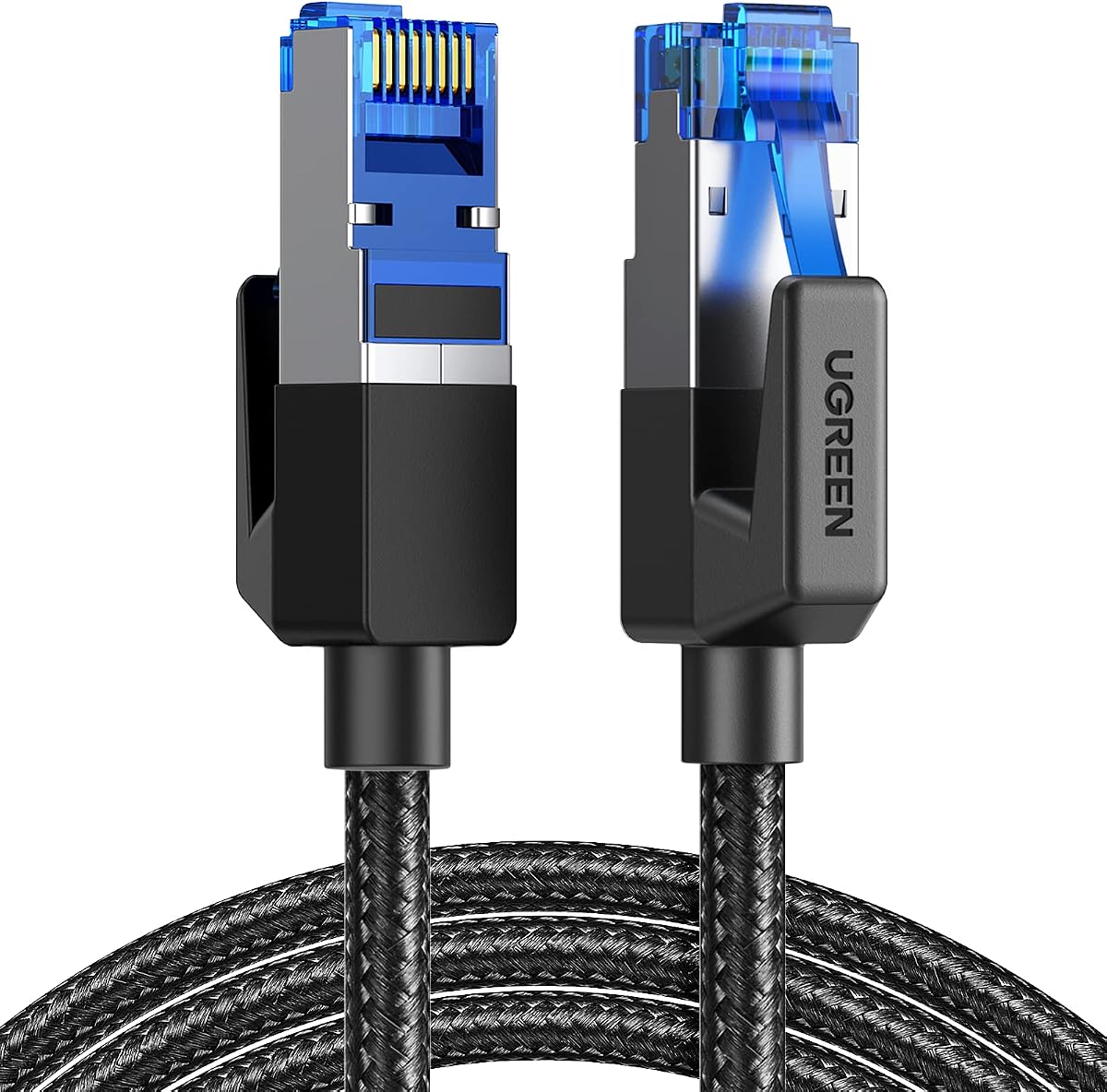
UGREEN Cat 8 Ethernet Cable 6FT
4.7Editor score
40Gbps stated bandwidth capacity
Shielded foiled twisted pairs
Braided jacket resists bending
Supports PoE except 65ft
This guide compares the best Ethernet cable for PC to router options, covering speed, shielding, length, durability, compatibility, and routing needs.
Connecting a desktop PC to a router is one of the simplest ways to create a fast, dependable home network, but cable construction and length can materially affect usability. The best Ethernet cable for PC to router setups should match your equipment, fit the available route, and provide stable signal transmission without unnecessary installation complications.
We compared ten RJ45 Ethernet cables based on their stated category, supported bandwidth, shielding, conductor design, jacket construction, length, connector compatibility, and intended indoor or outdoor use. The list includes braided, flat, shielded, and weather-resistant options ranging from short desktop leads to longer runs designed to reach across rooms.
Each review explains where a cable is strongest, what trade-offs buyers should consider, and which kind of setup it best serves. Ratings reflect the supplied product information, while real network performance also depends on the router, PC, ports, installation, and internet connection. Prices and promotions can change over time.
4.7Editor score

4.7Editor score

4.7Editor score
The table below compares all ten cables by length, advertised network category, shielding style, and practical routing features, making it easier to identify the best fit for a desktop, gaming room, office, or outdoor installation.


The UGREEN Cat 8 Ethernet Cable 6FT is a strong general-purpose choice for connecting a desktop PC to a nearby router. It carries a 4.7 rating and advertises support for up to 40Gbps data transfer and 2000MHz bandwidth. Those headline capabilities make it well suited to modern high-speed networks, gaming PCs, and home offices, although the actual link speed remains limited by the connected router and PC.
We may earn a commission when you buy through this link, at no additional cost to you.
Its four shielded foiled twisted pairs, pure copper core, and gold-plated RJ45 connectors are designed to reduce interference, noise, and crosstalk. The braided cotton exterior adds strength and is stated to withstand at least 10,000 bends, which is useful for a permanent or frequently handled desktop connection. It also supports PoE in its listed lengths other than 65 feet, adding flexibility when the cable may serve compatible powered network equipment.
The main limitation is routing. A round six-foot cable is easy to manage around a desk but less discreet than a flat model, and the length may be insufficient if the PC and router sit in separate rooms or on opposite sides of a large desk. Its Cat 8 rating also does not guarantee that a consumer router will negotiate a 40Gbps connection; most PCs and routers use faster but more widely adopted Ethernet standards.
This is a compelling choice for a nearby gaming desktop, office workstation, or media PC where dependable wired connectivity and robust shielding matter. It balances advanced specifications, broad compatibility, and a practical length without relying on specialist installation equipment. For those who want a short, tidy run under a desk, the three-foot flat UGREEN option may be more suitable.
The F/FTP shielding and pure copper core are designed to limit interference from adjacent cables and nearby electronics. That makes the cable a sensible choice for a busy desk or entertainment setup with multiple connected devices.
The flexible braided jacket is stated to survive at least 10,000 bends, helping protect the connection from the flexing associated with routine use. It also adds a more premium appearance than a basic exposed-plastic patch cable.
We may earn a commission when you buy through this link, at no additional cost to you.
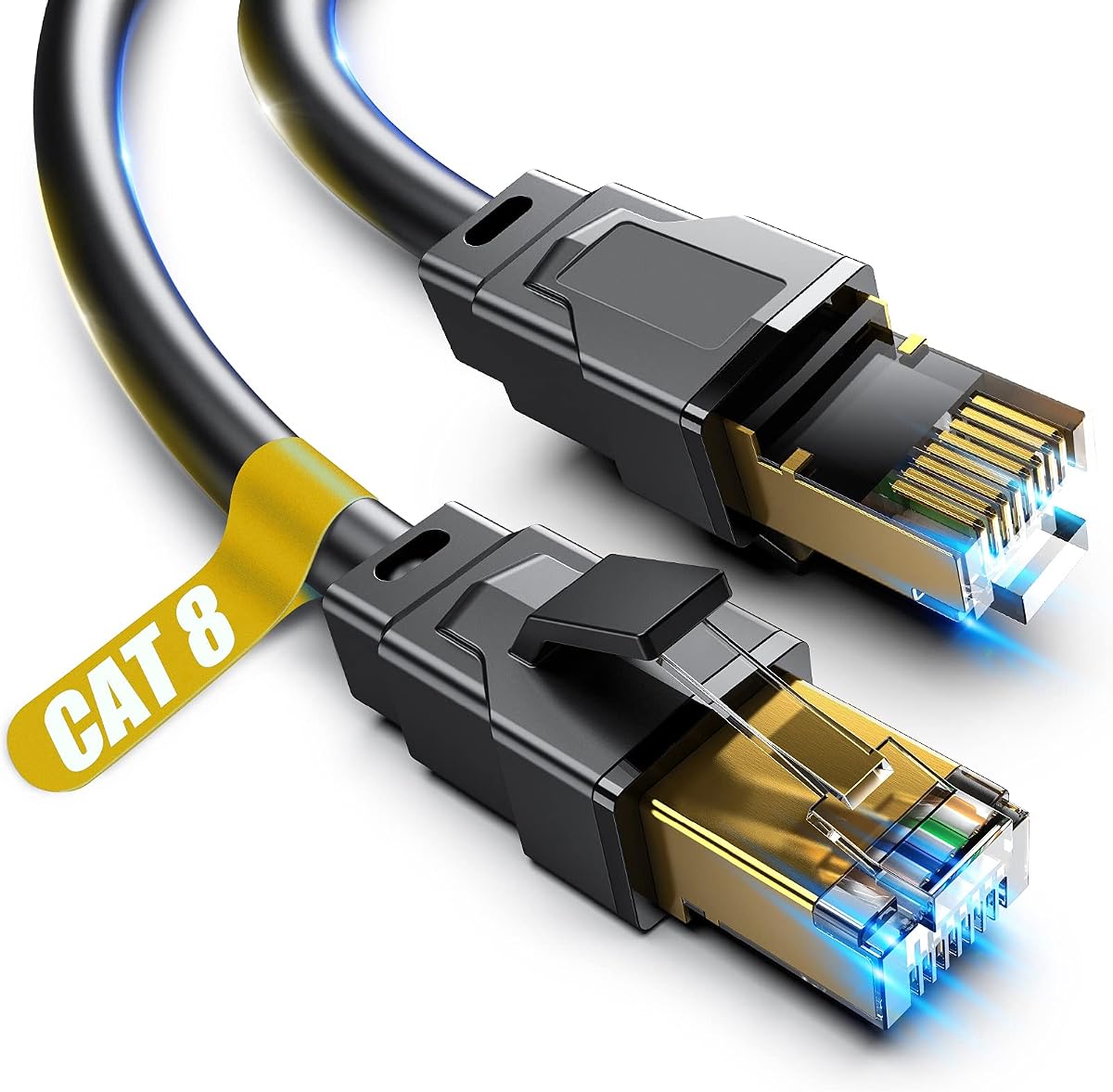
The DbillionDa Cat 8 Ethernet Cable 6FT stands out as a durable option for installations that extend beyond a protected indoor space. It has a 4.7 rating and advertises 40Gbps transfer capacity with 2000MHz bandwidth. The cable combines four shielded foiled twisted pairs, 26AWG oxygen-free copper conductors, and shielded RJ45 connectors for stable, interference-resistant transmission.
We may earn a commission when you buy through this link, at no additional cost to you.
Its most distinctive feature is the outdoor-rated, waterproof PVC jacket. The stated construction is suitable for direct burial and can withstand sunlight, cold, humidity, and hot weather, making it useful for linking a PC or network device to a router located in a garage, workshop, patio, or another area where an ordinary indoor patch cable may be unsuitable.
For a straightforward connection between a desktop and a router a few feet away, that environmental protection is more than most buyers need. The six-foot length remains compact, and the included 18-month support provides some added reassurance. Nevertheless, the cable's specialized construction is most valuable when the route crosses a vulnerable indoor or outdoor environment.
Choose this cable when durability, weather resistance, and direct-burial capability are priorities. It is a particularly compelling choice for a home lab, outdoor access point, smart-home controller, or workshop network where long-term cable protection matters. For a clean office lead with no difficult route, one of the flat indoor cables will usually be easier to manage.
The waterproof, anti-corrosion, and UV-resistant jacket allows installation in locations where moisture, sunlight, and temperature changes could shorten the life of a standard cable. Direct-burial suitability also makes it useful for longer permanent routes through a yard.
The 26AWG oxygen-free copper conductors are thicker than the 32AWG construction used in some basic patch cables. The stated benefit is more stable transmission for high-load home networks, gaming setups, and data-intensive devices.
We may earn a commission when you buy through this link, at no additional cost to you.
The Vabogu Cat 8 Ethernet Cable 6FT is a flexible choice for a PC-to-router connection that may need more environmental protection than a conventional indoor lead. It has a 4.7 rating and advertises transfer speeds of up to 40Gbps and bandwidth of up to 2000MHz. The listed construction uses 26AWG copper conductors and multiple layers of shielding.
We may earn a commission when you buy through this link, at no additional cost to you.
Shielded RJ45 connectors allow use with a wide range of equipment, including routers, modems, switches, gaming PCs, consoles, NAS devices, smart TVs, printers, patch panels, and network adapters. Backward compatibility is stated with Cat5, Cat5e, Cat6, Cat6a, and Cat7 equipment, making it a practical cable for a mixed home or office network.
The UV-resistant PVC jacket is designed for indoor and outdoor use, including direct burial, and is stated to resist sunlight, extreme cold, humidity, and heat. The product also supports shielded in-wall routing. These features add versatility, although buyers should follow all local wiring rules and should not assume that every wall installation is suitable without appropriate inspection.
This six-foot version is a good general pick for a nearby desktop, gaming setup, or small business workstation. It may be less convenient than flat alternatives under a desk, and the long list of advertised compatibility may look more impressive than the actual benefit a particular setup receives. Still, its indoor-outdoor versatility gives it broader utility than a standard patch cable.
RJ45 connectors and stated backward compatibility make the cable suitable for modern and older network devices. That is useful in homes where routers, consoles, printers, and storage equipment may use different Ethernet generations.
Aluminum foil, woven mesh shielding, and a UV-resistant PVC jacket create a more protective construction. These features are useful for routed cables that pass near power lines, outdoor equipment, or demanding network environments.
We may earn a commission when you buy through this link, at no additional cost to you.
The Smolink Cat 8 Ethernet Cable 50FT is intended for connections where a short desktop lead would not reach. Its 4.7 rating is paired with advertised support for 40Gbps and 2000MHz bandwidth. At 50 feet, it can link a router to a PC in another room, a gaming console to a distant television, or a printer to a network switch without requiring an intermediate coupler.
We may earn a commission when you buy through this link, at no additional cost to you.
Each of the four twisted pairs is individually wrapped in aluminum foil, providing U/FTP shielding intended to reduce crosstalk, noise, and interference. The nylon braided jacket adds flexibility and abrasion resistance, while reinforced construction is designed to tolerate repeated bending, pulling, and plugging. Standard RJ45 connectors support routers, modems, switches, gaming PCs, consoles, smart TVs, laptops, and printers.
The main concern is cable management. Fifty feet can be excessive for a PC directly beside a router, and the extra slack should be coiled or secured rather than left in a trip hazard. It is also not described as a direct-burial cable, so it should be protected when routed outdoors.
This is a strong option for buyers who prioritize reach and flexibility over a minimal cable profile. It is especially useful for home offices, split-level homes, and entertainment setups where the router is not beside the connected computer. A 50-foot cable can simplify networking substantially, provided the route is planned and secured.
Fifty feet provides enough reach to move a networked PC, console, or television away from the router. That can improve desk layout and make wall-edge routing much easier in many homes.
The nylon braid is intended to withstand everyday flexing while remaining flexible around corners. It also gives the cable a cleaner appearance than a loose coil of unprotected standard Ethernet.
We may earn a commission when you buy through this link, at no additional cost to you.
The Jadaol Cat6/Cat6A Ethernet Cable 50FT is a practical alternative for buyers who value neat routing over a headline Cat 8 specification. It carries a 4.7 rating and supports 10GBASE-T at up to 10Gbps and 250MHz. The 30AWG bare copper UTP construction uses gold-plated RJ45 connectors for standard network equipment.
We may earn a commission when you buy through this link, at no additional cost to you.
Its defining advantage is the flat profile. The cable can run along a wall, follow an edge, negotiate a corner, or slide beneath carpet with less visual bulk than a round patch cable. Included clips help keep the run in position, and the white finish is particularly suitable for light-colored rooms, office walls, and modern desks.
Because it is unshielded, it may be less resilient to interference than the F/FTP, S/FTP, and U/FTP alternatives in this guide. It also cannot provide the theoretical 40Gbps capacity associated with Cat 8. Nevertheless, many routers and PCs negotiate 1Gbps, 2.5Gbps, or 10Gbps, making this cable more than capable for common home and small-office networks.
This cable is best for a PC and router separated by a moderate distance where the route should blend into the room. It also suits users who need 10GBASE-T compatibility without specialized outdoor protection. For especially noisy installations or future high-bandwidth equipment, a shielded Cat 8 option offers additional headroom.
The low-profile shape is particularly helpful beneath desks, behind entertainment units, and along baseboards. It reduces visual clutter and avoids the bulk of a conventional round Ethernet cable.
Stated support for 10BASE-T, 100BASE-TX, 1000BASE-T, and 10GBASE-T gives the cable broad usefulness. It can serve modern high-speed networks while remaining compatible with conventional Ethernet devices.
We may earn a commission when you buy through this link, at no additional cost to you.
The UGREEN Cat 8 Ethernet Cable 3FT is an excellent fit for a PC positioned directly beside a router or gaming console on the same desk. It has a 4.7 rating and advertises up to 40Gbps transfer speed with 2000MHz bandwidth. The combination of a short length, flat shape, and shielded construction makes it especially convenient for a tidy workstation.
We may earn a commission when you buy through this link, at no additional cost to you.
Its unique flat and thin design can be routed under a door, along a wall, or hidden beneath carpet, as the description states. Inside, four U/FTP shielded pairs use 26AWG pure copper conductors to reduce interference and crosstalk. Gold-plated connectors reinforce the connection, while the braided cotton jacket is stated to withstand at least 10,000 bends.
The three-foot length is the central trade-off. It works well for adjacent equipment but may not reach from a wall-mounted router to a desk positioned farther away. Also, most current home networks operate below the cable's advertised ceiling, so buyers should focus on a clean installation and useful shielding rather than expecting a faster internet plan from this cable alone.
For a clean gaming-room or office setup, this is an easy recommendation. It combines broad compatibility, advanced shielding, and a low-profile form without demanding complex cable management. It is also a good match for PS5, Xbox, Switch, modem, router, laptop, and desktop connections using standard RJ45 ports.
The thin profile is much easier to conceal along a baseboard or beneath a desk than a round cable. It is a particularly useful choice for setups where appearance matters as much as network performance.
Individual pair shielding helps reduce interference from nearby power cables and electronic equipment. The 26AWG copper core also provides a more substantial conductor construction than lightweight basic patch cables.
We may earn a commission when you buy through this link, at no additional cost to you.
The Ercielook CAT8 Ethernet Cable 30 ft is a versatile mid-length option for linking a PC to a router located several desk widths away. It carries a 4.7 rating and advertises 40Gbps transfer with 2000MHz bandwidth. Its flat PVC jacket is designed to remain flexible and occupy little space when routed along walls or under carpet.
We may earn a commission when you buy through this link, at no additional cost to you.
The cable uses 100% bare copper wire, HDPE insulation, and a shielded construction intended to reduce signal loss. It is compatible with Cat5, Cat5e, Cat6, and Cat7 networks, as well as switches, routers, adapters, modems, and patch panels. The included clips are a notable convenience for keeping a 30-foot run aligned against a wall.
The construction is described as offering UV resistance, waterproofing, and anti-aging properties, but the title identifies it as an indoor LAN cable. It should therefore be treated as a protected indoor lead unless the manufacturer's current instructions explicitly permit external exposure. The length also requires care around doorways and walking paths.
This is a good fit for a home office, entertainment center, or study where a PC and router are not directly adjacent but the cable should remain visually unobtrusive. It offers more reach than a short desktop cable, while the flat profile and clips make longer runs manageable. It is less suitable than the DbillionDa model for direct burial or unprotected outdoor routing.
Cable clips keep the run close to a baseboard and reduce the chance of snagging. They are a small feature, but one that makes a 30-foot cable more practical in a finished room.
The ultra-thin profile can pass under carpet, align neatly against walls, and bend around furniture without creating the bulk of a round cable. It also helps reduce tangling during storage.
We may earn a commission when you buy through this link, at no additional cost to you.
The Jadaol Cat8 Ethernet Cable 25ft combines useful reach with a low-profile design, making it well suited to a PC-to-router connection across a room. It has a 4.7 rating and supports an advertised 40Gbps transfer speed and 2000MHz bandwidth. The white flat jacket is designed to blend into light walls, desks, and entertainment furniture.
We may earn a commission when you buy through this link, at no additional cost to you.
S/FTP shielding is intended to reduce electromagnetic interference and support stable performance, while gold-plated RJ45 connectors provide a robust interface for routers, switches, modems, computers, laptops, printers, NAS devices, and smart TVs. Compatibility with Cat5, Cat5e, Cat6, Cat6a, and Cat8 networks allows it to be used in a mixed equipment environment.
Its flat shape makes it easy to run through narrow spaces, around corners, and along furniture edges without the visual bulk of a round lead. The principal limitation is environmental: no outdoor or direct-burial capability is stated, so it should remain in a protected installation. Twenty-five feet may also fall short for larger homes or unusually distant router placement.
This is a strong middle ground for a home office, gaming room, or living-room media setup. It offers more freedom to position equipment than a three-foot desktop cable while remaining less cumbersome than a 50-foot lead. Buyers who want a polished installation and broad device support will find its combination of flat routing and shielding especially appealing.
The white jacket and thin shape are intended for neat installations along light-colored walls and furniture. The result is less visual disruption in a living area or office than a thick black cable.
Shielded twisted pairs help reduce interference and crosstalk in busy environments. This is useful where the cable must pass near computers, gaming equipment, power adapters, or other electronics.
We may earn a commission when you buy through this link, at no additional cost to you.
The Ltemziiy Cat 8 Ethernet Cable 8ft is a durable, round cable option for a PC-to-router connection that needs a little more reach than a three-foot lead. It has a 4.7 rating and advertises 40Gbps data transfer with 2000MHz bandwidth. The supplied description also notes that real speed depends on the connected router and devices.
We may earn a commission when you buy through this link, at no additional cost to you.
A 48-strand cotton yarn braid surrounds the cable, improving strength and resistance to tangling. Internally, four shielded twisted pairs use solid copper conductors, and the RJ45 connectors feature 50-micron gold-plated contact pins. Together, these details support reliable signal transmission and a connection designed to withstand regular handling.
It is described as suitable for indoor and outdoor uses and as capable of performing in cold, wet, and hot environments, but buyers should still protect the cable from prolonged exposure where possible. Its round shape is not as discreet as a flat cable when routed along a wall, and eight feet may still be insufficient for separate-room connections.
This cable works well for a desktop setup, media center, or gaming area where durability and simple handling are priorities. It is a good option for buyers who prefer a traditional round patch cable with premium shielding and braid. For exceptionally tidy routing, choose a flat model instead; for permanent outdoor installation, verify the current installation guidance first.
The multi-strand outer braid is intended to strengthen the cable and reduce tangling during storage. It is well suited to setups where the lead may be moved, bundled, or plugged in regularly.
Solid copper conductors are designed to deliver strong conductivity with low signal attenuation. The shielded pair structure further helps maintain a stable connection between compatible network devices.
We may earn a commission when you buy through this link, at no additional cost to you.
The Snowkids Cat 8 Ethernet Cable 15 FT is designed for gaming PCs, routers, consoles, and nearby network equipment. It has a 4.7 rating and states support for 40Gbps and 2000MHz bandwidth. The manufacturer also explicitly notes that real speed varies with the router and connected devices, which is an important qualification when evaluating the headline specification.
We may earn a commission when you buy through this link, at no additional cost to you.
Its S/FTP shielded twisted pairs and gold-plated RJ45 connectors are intended to reduce interference from power cords and nearby electronics. A double-layer braided jacket adds strength, and molded strain relief protects the connector area during plugging and removal. The cable is stated to have undergone more than 15,000 bending tests.
The flat profile is the standout practical feature. It is designed to stay flat around door frames, corners, baseboards, and under carpets, while reducing the tendency to kink or knot. This makes it visually tidy and convenient for a temporary gaming setup or a semi-permanent installation. The 15-foot length gives enough reach for many furniture arrangements but cannot cover every room layout.
Choose this cable for a gaming room where the PC or console is a moderate distance from the router and a discreet route is important. It is also appropriate for other high-speed wired devices using RJ45 ports. As with every Cat 8 product in this list, its practical value comes from stable connectivity and flexible installation rather than forcing unsupported speeds on older equipment.
The low-profile double braid is designed to remain flat and avoid the tight kinks that can form in a round Ethernet cable. It is particularly useful around door frames, under rugs, and along tight baseboard routes.
S/FTP shielding helps maintain a cleaner signal around nearby electronics and power cords. Stable wired connectivity can also reduce reliance on Wi-Fi in areas where wireless interference is common.
We may earn a commission when you buy through this link, at no additional cost to you.
The right cable depends on more than its advertised category. Length, shielding, connector quality, jacket design, and the capabilities of your PC and router should all influence the decision.
Begin with the Ethernet standards supported by both the PC and router. A Cat 8 cable can advertise 40Gbps and 2000MHz, but the fastest working connection is limited by the slower of the two devices, their individual ports, and the network equipment between them. A Cat6 or Cat6A cable may therefore provide all the bandwidth a typical gigabit or 10-gigabit setup can use. Cat 8 makes the most sense when both endpoints are modern, high-speed devices and future headroom matters.
Measure from the router port to the PC port while following the actual cable path, not just the straight-line distance. Include the depth of furniture, turns around doorframes, room changes, and the amount of slack needed for maintenance. A three-foot cable is ideal for adjacent desktop equipment, while 15, 25, 30, and 50-foot options serve progressively larger gaps. Longer cables should be secured along walls or baseboards to avoid creating a trip hazard.
Shielded Ethernet cables use foil, braid, or combinations of both to reduce electromagnetic interference and crosstalk. F/FTP shields pairs individually, S/FTP adds an overall braid, and U/FTP uses foil around each pair. These designs are useful near power adapters, gaming equipment, industrial devices, and other sources of interference. Unshielded twisted pair can work well in ordinary homes and offers a simpler construction, but it has less environmental protection.
Round braided cables are durable, flexible, and easy to coil for storage. Flat cables occupy less visual and physical space, making them useful beneath desks, under carpets, and along walls. Flat models are especially popular for a clean gaming-room or office appearance. If appearance is secondary and the cable will be moved frequently, a braid may withstand repeated handling particularly well.
Conductor gauge affects how substantial the cable feels and how it is typically used for higher-bandwidth or longer installations. The products in this guide use 26AWG or 30AWG conductors, with the UGREEN 3-foot and 6-foot models using 26AWG and the Jadaol Cat6 model using 30AWG. Pure copper or bare copper constructions are generally preferred over unspecified alternatives, while shielding and conductor quality both contribute to signal stability.
Indoor desktop leads should be protected from foot traffic, sharp edges, and moisture. Cables described as weather-resistant, waterproof, or suitable for direct burial are more appropriate for outdoor runs, garages, workshops, and buried routes. Even then, connectors and installation methods should be kept compatible with the product instructions. Local electrical and building rules may apply to in-wall cabling, so check requirements before routing permanent cable through walls.
A standard RJ45 connector is required for most routers, desktop PCs, modems, switches, gaming consoles, and smart TVs. Gold-plated contacts may improve durability and signal consistency, but the connector still needs to fit the equipment correctly and support the intended network category. Check that the cable is not unusually thick for a recessed port and that its strain relief can pass through a narrow opening.
A better cable is one that links reliably, routes cleanly, and suits the devices involved. Cable category, shielding, and stated transfer capacity matter, but stable latency, correct installation, and a compatible router can have a greater effect on day-to-day experience. Consider where the cable will be handled, whether it will be visible, whether outdoor protection is required, and how frequently it will be disconnected before choosing.
Plan the route before plugging in the cable. Measure the distance, identify the router and PC ports, and check whether the connection will pass under a desk, through a doorway, or along a wall. Keep the cable away from power cords where possible, avoid creating tight bends, and use clips or conduit for a longer run. For an outdoor or buried route, confirm that the selected cable is explicitly approved for that environment.
Connect one RJ45 plug firmly to the router's LAN port and the other to the PC's Ethernet port. Listen for the connector latch clicking into place and check that the cable is not loose. Power on the equipment or open the PC's network settings to confirm that an active wired connection is detected. If the network does not appear, reseat both ends, try a different LAN port, and verify that the PC's Ethernet adapter is enabled.
For routine care, unplug the cable by gripping the connector rather than pulling the cable itself. Coil long cables loosely without sharply folding them, and keep connectors free of dust and moisture. Inspect the jacket for cracks or damage after moving furniture, and replace the cable if connectors become loose, discoloration appears, or performance becomes unstable. Avoid sharp bends near the plug because strain on the termination can cause problems even when the inner cable remains intact.
Cat 8 provides the highest stated performance category among the cables reviewed here, but it does not automatically make an internet connection faster. Your actual speed is limited by the PC, router, ports, switch, and internet service. A Cat 8 cable is most useful when both devices support high-speed Ethernet and you want additional headroom.
A higher category only helps when every part of the connection can use the additional bandwidth. If a router port supports 1Gbps and the internet plan delivers 500Mbps, a Cat 8 cable will not create extra speed. A properly rated lower-category cable can deliver the same result in such a setup.
Choose a length that follows the actual route with a small amount of service slack. A three-foot cable suits adjacent desk equipment, while 15 to 30 feet can cover larger rooms or furniture arrangements. A 50-foot cable provides greater reach but should be secured to prevent tangling or becoming a trip hazard.
A flat cable is usually easier to conceal beneath desks, under carpets, and along walls. A round braided cable can be equally capable technically and may be easier to coil without taking on a sharp crease. The better choice depends mainly on the route, handling habits, and appearance preferences.
Shielding is useful when the cable runs near power adapters, gaming equipment, industrial machinery, or other potential interference sources. In a simple home office, an unshielded cable may work perfectly well. Shielded construction adds protection, but proper routing and solid connections remain important.
Yes, the RJ45 cables in this guide are stated to work with a range of older categories, including Cat5, Cat5e, Cat6, Cat6a, and Cat7 equipment. The link will negotiate at the highest speed supported by the router, PC, and cable rather than forcing 40Gbps operation.
Only use a cable specifically rated for outdoor exposure or direct burial. The DbillionDa and Vabogu options describe weather-resistant or outdoor-rated features, while the DbillionDa model expressly supports direct burial. Protect indoor-rated connectors and follow the manufacturer's installation instructions.
Check that the cable is fully seated, confirm the PC network adapter is enabled, and try another router LAN port or cable if available. Network settings should also show an active wired connection. If the link is established but internet access fails, the issue may involve router configuration rather than the cable.
The UGREEN Cat 8 Ethernet Cable 6FT is the strongest balanced choice for a nearby desktop, combining shielded construction, a durable braid, broad device support, and useful PoE capability. For a very clean workstation, the three-foot flat UGREEN cable provides the same high stated bandwidth in a more compact form, while the DbillionDa cable is the premium option for demanding outdoor or direct-burial routes.
Prioritize compatibility, the actual cable route, and reliable construction before focusing on a headline transfer number. A flat 25- or 30-foot cable may be more useful than a round three-foot lead when the router is across a room, and a Cat6 option can satisfy many ordinary networks. Shielding, conductor thickness, and environmental protection should match the demands of the installation.
Before buying, verify the current product details, supported device categories, and installation instructions. Prices, promotions, and seller availability can change, so compare the current listing with the length and construction needs identified in this guide rather than selecting solely by category or rating.