
Hollyland VenusLiv Air Bundle
Direct RTMP streaming
Advanced chroma key tools
Complete creator accessory bundle
A camera for green screen streaming must deliver clean edges, accurate color, dependable exposure, and enough control to separate a presenter from a physical backdrop. The strongest options combine capable sensors with software-based chroma keying, while simpler webcams can still work well when paired with a stable lighting setup and an efficient streaming application.
We compared the ten cameras in this guide by examining their stated resolution, sensors, autofocus systems, audio features, connectivity, physical controls, and built-in green screen tools. The list includes all-in-one streaming cameras, conventional webcams, AI-tracking models, dual-camera designs, and a creator bundle, giving both new streamers and established creators several paths.
Each pick reveals what it contributes to a green screen workflow, from dedicated keying software and direct streaming to flexible framing and practical privacy controls. Product ratings and features reflect the supplied information, while availability, software behavior, and prices can change, so readers should verify current details before making a final purchase.

4.2Editor score
4.5Editor score
As an Amazon Associate we earn from qualifying purchases.
This side-by-side comparison highlights the most important differences in image quality, green screen support, streaming flexibility, audio, and framing across all ten cameras.



The Hollyland VenusLiv Air is a dedicated live streaming camera built around a 1/1.3-inch CMOS sensor, an F1.05 custom lens, and a 4.2 rating. Its standout feature is self-developed green screen keying designed to produce clean separation around hair and intricate edges. That processing, combined with a 4K30 UVC feed, makes it the most purpose-built option in this guide for creators who want more control than a conventional webcam provides.
We may earn a commission when you buy through this link, at no additional cost to you.
Its imaging specifications are unusually strong for a compact streaming camera. The large sensor and wide aperture support cleaner visuals in dim rooms, while a 50-megapixel sensor is used for enhanced image quality. Self-developed auto exposure and auto white balance algorithms tune the picture in real time, and as many as 20 custom scene presets can be saved for instant switching. This makes the camera useful for presenters who move between lighting conditions or need repeatable looks.
Connectivity is equally important for virtual production. USB 3.0 provides a UVC connection without requiring a separate capture card, while HDMI supports switchers, monitoring, and multi-camera workflows. HollyStudio provides green screen, image overlays, skin beauty, color correction, recording, and detailed camera controls. The trade-off is that this is still a camera rather than an all-in-one broadcasting appliance: the supplied information does not list native RTMP streaming, so direct platform streaming may require a computer and compatible broadcasting software.
This is the strongest recommendation for a streamer who wants dedicated background removal, dependable image tuning, and a camera designed for long sessions. Its active cooling system is particularly valuable for extended broadcasts. Buyers who require a simple webcam, built-in ring light, or direct computer-free streaming may prefer another option, but creators prioritizing green screen quality and professional controls will find this camera especially compelling.
The camera's one-tap green screen function is its defining advantage. Hollyland's keying is designed to retain fine hair and detailed edges, reducing the need for aggressive masking that can leave halos or cutouts.
HollyStudio combines background removal with overlays, skin enhancement, color correction, focus and zoom control, recording, and exposure locking. Twenty saved presets also help creators move quickly between scenes without rebuilding the image each time.
We may earn a commission when you buy through this link, at no additional cost to you.
The EMEET S600 is a conventional 4K streaming webcam with a Sony 1/2.55-inch sensor, a 4.4 rating, and a useful mix of image and audio automation. It does not advertise dedicated background removal in the supplied information, so green screen work would normally be handled by streaming or editing software. Its appeal lies in producing a clean source image for that software through phase detection autofocus and automatic light balancing.
We may earn a commission when you buy through this link, at no additional cost to you.
The camera can record 4K at 30 frames per second or 1080p at 60 frames per second, depending on the application and built-in camera software. Its PDAF autofocus is designed to be faster and more stable than common webcam autofocus, while automatic light adjustment balances shadows and highlights. At 1080p, the field of view can be adjusted from 40 to 73 degrees, giving green screen creators a useful way to alter framing without moving the camera.
Audio is handled by premium microphones using a proprietary filtering algorithm, with noise cancellation enabled by default and adjustable through EMEETLINK. The privacy cover, flexible rotation, and tilting body make it practical for a dedicated streaming position. The limitations are important, though: video output depends on the software, 4K uses a fixed 73-degree field, and the product information does not identify a native green screen feature. It is therefore a strong source camera rather than a complete virtual-production system.
Choose the S600 when you already use a capable streaming platform for chroma keying and want sharp 4K imagery, responsive autofocus, and adjustable framing in a webcam format. It is a sensible middle ground between basic webcams and dedicated studio cameras, although streamers seeking one-click background removal should prioritize the Hollyland models with built-in keying.
PDAF helps the camera lock onto a presenter more quickly and consistently than basic contrast-based webcam focusing. That stability is valuable when a streamer leans forward, gestures, or shifts position against a green backdrop.
The adjustable 40-to-73-degree field of view allows creators to tighten the composition at 1080p. That helps keep the presenter larger in frame while preserving enough visible green screen around the subject for effective keying.
We may earn a commission when you buy through this link, at no additional cost to you.
The Hollyland Lyra is an advanced webcam with a large 1/1.5-inch CMOS sensor, 50MP lens, true 4K30 recording, and a 4.3 rating. Its HollyStudio software includes advanced green screen technology intended to preserve small details such as hair and fur. This makes the Lyra one of the most compelling webcam choices for creators who want software-assisted virtual backgrounds without moving to a large studio camera.
We may earn a commission when you buy through this link, at no additional cost to you.
The camera's imaging system supports clean low-light output and a naturally softened background due to its sensor and f/1.8 aperture. PDAF autofocus, AI tracking, and auto-framing can keep one or multiple people centered as they move. Skin smoothing, color correction, AI tuning, overlays, and ten saved presets round out the creator-oriented software. The magnetic base supports both landscape and portrait arrangements, while a physical privacy shutter protects the lens when it is not in use.
Hollyland also supports direct pairing with the LARK A1 wireless microphone, providing up to 33 feet of movement without a separate receiver according to the supplied information. The important limitation is platform support: advanced features such as green screen, overlays, skin beauty, and color correction are not available in the Mac version of HollyStudio, which supports only basic parameter adjustments. Buyers using macOS should therefore confirm the desired effects are available before purchase.
The Lyra is ideal for a creator who wants excellent webcam image quality, intelligent framing, and advanced green screen processing in a compact package. It is especially attractive for multi-camera or multi-speaker content. PC users with creative software requirements get the fullest feature set, while Mac users should consider platform limitations carefully.
Hollyland's cutout algorithm is designed for green, blue, or red backgrounds and focuses on retaining hair, fur, and fine edges. In practice, that emphasis makes it more useful for presenters than a generic background blur effect.
AI tracking and auto-framing can follow an active presenter and adjust when another speaker joins. This reduces the need for manual camera positioning during demonstrations, teaching sessions, and discussions.
We may earn a commission when you buy through this link, at no additional cost to you.
The EMEET C960 is a straightforward 4K PC webcam whose 4.5 rating is among the highest in this collection. Its genuine 4K CMOS sensor, PDAF autofocus, automatic light correction, dual omnidirectional microphones, and physical privacy cover cover the fundamentals needed for a stable streaming image. Background removal is not identified as a built-in function, so green screen creators will need suitable software.
We may earn a commission when you buy through this link, at no additional cost to you.
The webcam defaults to 1080p and can be changed to 4K through the built-in camera software or compatible applications such as OBS or PotPlayer. Automatic light correction helps in bright and dim rooms, while the fixed 73-degree field of view gives creators a broad view that can include the presenter and a practical amount of surrounding backdrop. That wider composition can be helpful when positioning a green screen behind the subject.
Installation is straightforward: USB-A plug-and-play operation avoids driver, Wi-Fi, Bluetooth, and cloud-storage requirements. EMEETLINK provides additional image and sound customization, and the mounting hardware supports screen placement or a tripod through its 1/4-inch thread. The horizontal axis adjusts through 360 degrees, with 15 degrees of vertical movement. Compatibility includes Windows, macOS, Android TV, and Linux.
The C960 is a good choice for streamers who want a high-rated, flexible webcam with dependable focus and straightforward setup. It is less specialized than the Hollyland cameras because it lacks documented built-in keying, but software-based chroma keying can still produce a professional result when lighting and camera placement are properly controlled.
Automatic light correction is valuable when a creator moves between daylight and artificial illumination. Consistent exposure reduces distracting brightness changes that can undermine an otherwise clean keyed image.
USB-A plug-and-play connectivity and broad operating system support make the C960 straightforward to deploy. Optional EMEETLINK customization provides extra control without making the basic installation process complex.
We may earn a commission when you buy through this link, at no additional cost to you.
The EMEET C60E takes a different approach from conventional webcams by combining a wide-angle camera and a telephoto camera in one dual-camera body. It carries a 4.5 rating, supports 4K capture, and uses PDAF autofocus to maintain clarity while switching between broad scenes and close views. For green screen creators, that flexibility can help frame both the presenter and detailed subjects without moving the webcam.
We may earn a commission when you buy through this link, at no additional cost to you.
The gray wide camera emphasizes people and surrounding scenery, while the blue telephoto camera is optimized for detailed close-ups at a recommended distance of 13.8 inches. A hybrid zoom range reaches 11X, although zoom is not supported in 4K, 60 frames per second, or YUY2 modes. The remote and EMEET STUDIO allow adjustments to zoom, color, brightness, focus, and RGB lighting, including while a presentation is underway.
RGB lighting gives the dual-eye design a distinctive appearance and provides visible status illumination, while two omnidirectional microphones cover voices within a stated 9.8-foot radius. The camera connects through USB 2.0 Type-A, supports OBS and major streaming platforms, and includes a 1/4-inch tripod mount. No built-in green screen function is identified, so virtual-background work relies on the host software.
Choose the C60E if your content alternates between full-scene presentations and detailed demonstrations. It is less straightforward for dedicated chroma keying than the Hollyland models, but its dual viewpoints and remote adjustments make it a flexible webcam for streamers, teachers, and product creators.
The wide and telephoto cameras let a creator move from a scene-oriented composition to a tighter product or face view. That versatility can reduce the number of separate cameras required for a multi-format presentation.
A physical remote and EMEET STUDIO make it possible to refine framing and image settings without reaching for the camera. This is useful when the webcam is positioned beyond comfortable reach.
We may earn a commission when you buy through this link, at no additional cost to you.
The EMEET PIXY is a dual-camera PTZ webcam designed for moving presenters and active production environments. Its 4.4 rating, 4K main imaging sensor, auxiliary AI camera, and three-chip tracking system distinguish it from fixed-position webcams. It does not advertise native green screen processing, but its consistent framing and exposure can provide a stable source for software-based keying.
We may earn a commission when you buy through this link, at no additional cost to you.
The auxiliary camera detects face position to help the main camera optimize autofocus and exposure. EMEET describes focusing as taking 0.2 seconds with PDAF and AI autofocus working together. Its PTZ mechanism provides 310 degrees of pan and 180 degrees of tilt, while an open-palm gesture held near the center for two seconds activates gesture control. These features are particularly useful for fitness, demonstrations, teaching, and live events.
EMEET STUDIO adds preset positions, whiteboard mode, privacy controls, field-of-view settings, and AI-generated shot lists and movements. The field of view is adjustable in 1080p and 2K at 30 frames per second but remains locked in 4K30 and 1080p60. A three-microphone array provides Live Mode, Noise Canceling Mode, and Original Sound, and the included adjustable tripod supports both portrait and landscape framing.
The PIXY is best for creators who need the camera to follow a subject rather than remain fixed. Green screen users should plan on keying in software and ensure enough backdrop remains inside the movable frame. The separate remote and restricted 4K field-of-view options are limitations, but the tracking and motorized framing compensate when movement is central to the presentation.
Motorized pan and tilt allow the camera to follow dancers, instructors, or demonstrators. The AI assistance can keep the subject centered and optimize exposure as position and lighting change.
Live Mode smooths steady background noise, Noise Canceling Mode addresses hum and sudden sounds, and Original Sound captures more ambient detail. These options give creators flexibility for speech, music, or mixed content.
We may earn a commission when you buy through this link, at no additional cost to you.
The Hollyland VenusLiv Air Bundle combines the all-in-one VenusLiv Air camera with cable ties, a cleaning kit, a 32GB SDHC UHS-1 memory card, an Ethernet cable, and an HDMI cable. It offers a 50MP 1/1.3-inch CMOS sensor, 4K30 video, AI image enhancement, and a compact form intended for creators who want a ready-made streaming station.
We may earn a commission when you buy through this link, at no additional cost to you.
Its major advantage over a standard webcam is direct streaming without a computer. RTMP, RTMPS, and SRT protocols support services such as YouTube, Facebook, and Twitch, while dual-platform streaming allows a creator to reach two destinations. Built-in cloud synchronization is also included. The camera provides chroma key technology, overlays, custom graphics, vertical and horizontal modes, color correction, and other creator controls.
The bundle simplifies gathering the accessories needed for a complete installation, although it does not include a green backdrop or the lighting required for clean separation. Users will still need a suitable green surface, even illumination, and software or camera settings that keep the backdrop free of shadows. The product does not have a listed customer rating, so its evaluation here relies on the supplied technical information rather than a numerical score.
This bundle is a strong option for creators who want direct streaming and dedicated creator tools without routing every signal through a computer. It also serves podcasters, educators, online sellers, and webinar hosts who need vertical video or custom graphics. Those who prefer the standard VenusLiv Air package or require a more conventional USB webcam workflow may choose another listing.
RTMP, RTMPS, and SRT support removes the need for a capture card and dedicated streaming computer. Dual-platform broadcasting is also useful for creators managing simultaneous channels or destinations.
Vertical and horizontal streaming modes support different platforms and presentation styles. Built-in overlays and custom graphics help the camera function as a compact production hub rather than a simple image source.
We may earn a commission when you buy through this link, at no additional cost to you.
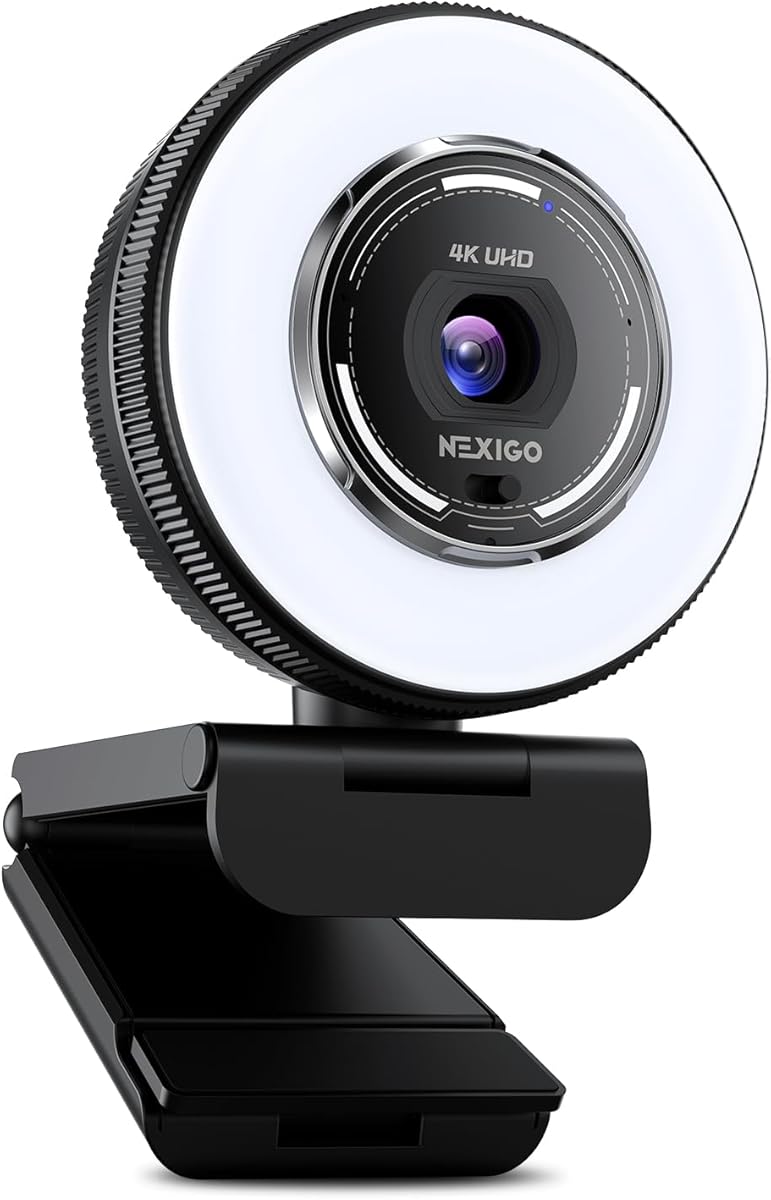
The NexiGo N680E Pro is a 4.5-rated webcam that adds an integrated ring light to a Sony 1/2.5-inch sensor, PDAF autofocus, and dual noise-reducing microphones. Its built-in illumination is particularly relevant to green screen work because even lighting helps the background maintain a consistent color, while good frontal illumination keeps the presenter's edges visually distinct.
We may earn a commission when you buy through this link, at no additional cost to you.
The camera supports 4K image quality and 1080p at 60 frames per second, with the actual output depending on the camera application. Its coated lens is intended to improve light transmission and reduce reflections. The ring light offers three color temperature modes and stepless brightness adjustment through its outer dial, giving creators more control over the appearance of both the presenter and the backdrop.
PDAF autofocus is designed for speed and stability, which reduces the chance of a soft image while the presenter moves. The 80-degree field of view provides a wide view of the recording space, though it can make a person appear smaller than with a tighter webcam. USB-A plug-and-play operation, a flexible clip, and a 1/4-inch tripod mount provide flexible placement options.
The N680E Pro is a practical webcam for creators who want better lighting without adding a separate lamp. Built-in green screen functionality is not stated, so software keying remains necessary. It is most attractive for streamers who need a self-contained desktop setup and value consistent illumination alongside 4K source quality.
Even lighting is fundamental to effective chroma keying. The integrated ring light can help maintain more consistent color across a green backdrop while providing soft frontal illumination for the presenter.
USB-A plug-and-play operation requires no drivers, apps, Wi-Fi, or Bluetooth. A flexible clip and standard tripod thread make it simple to move between a monitor, shelf, or stand.
We may earn a commission when you buy through this link, at no additional cost to you.
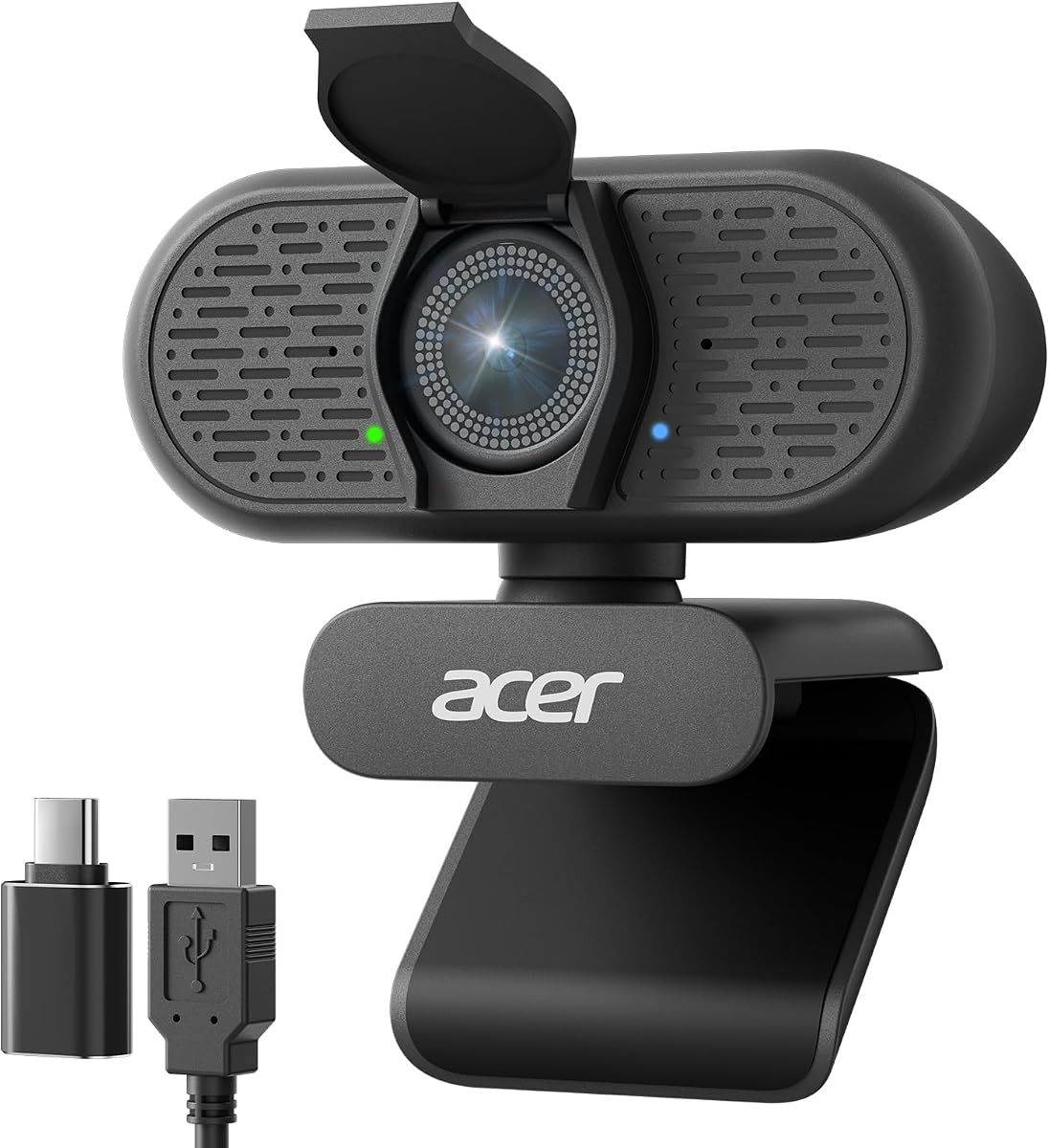
The Acer A640 is a value-focused 4K webcam with a 4.5 rating, a Sony 1/2.8-inch sensor, and phase detection autofocus. It can capture 4K at 30 frames per second or 2K and 1080p at 60 frames per second. While the supplied information does not identify native green screen support, its sharp image, stable focus, and low-light correction provide a good foundation for chroma keying in streaming software.
We may earn a commission when you buy through this link, at no additional cost to you.
Phase detection autofocus is intended to lock onto a subject without the focus hunting associated with many standard webcams. Automatic low-light correction adjusts exposure in dim rooms, and the sensor is stated to provide strong clarity and color accuracy. AI noise cancellation filters distracting background sound, while the camera works without additional drivers and includes a USB-A to USB-C adapter for connection flexibility.
Physical controls are kept simple with a sliding privacy shutter. Compatibility includes mainstream platforms such as Microsoft Teams, Zoom, and Twitch, as well as the Switch 2 according to the supplied information. The camera has no built-in speakers, so it captures sound but does not replace an audio output device. Green screen removal also requires software, and the absence of a ring light means exterior illumination may be necessary.
The A640 is a sensible starting point for a streamer who needs sharp 4K source imagery and dependable autofocus without moving to a dedicated studio camera. Its lack of integrated keying makes it less convenient than the Hollyland VenusLiv Air or Lyra, but it offers a capable, approachable foundation for creators who already understand chroma-key workflows.
The Sony sensor and automatic exposure correction help the camera maintain a clear image in dim conditions. This is important because underexposed clothing and hair can become difficult for software to separate from a background.
The webcam operates without extra drivers, while its included adapter broadens connection options. Once recognized, it can serve as the video source in a streaming application that provides chroma key controls.
We may earn a commission when you buy through this link, at no additional cost to you.
The OBSBOT Meet 2 is a compact USB-C webcam with a 1/2-inch CMOS sensor, true 4K resolution, AI framing, and autofocus. It weighs only 40.5 grams and is small enough to suit mobile work, although its primary appeal for green screen creators is the combination of automatic composition and a capable image sensor.
We may earn a commission when you buy through this link, at no additional cost to you.
The larger sensor expands light sensitivity compared with many smaller webcam sensors, supporting clearer and brighter images. AI framing dynamically adjusts composition and focus whether one person or a group is present. Gesture control adds another layer of operation: an open-hand gesture can toggle AI framing, while an upward-pointing gesture controls zoom. This lets creators reframe without continually touching the webcam.
The camera connects through a single USB-C cable and works immediately. OBSBOT Center provides deeper personalization when required. Two omnidirectional microphones use adjustable noise reduction to reduce wind, keyboard typing, and other ambient sounds. The supplied information does not list native green screen processing, so keying would be performed in the host streaming application rather than within the webcam's dedicated tools.
The Meet 2 is a good fit for creators who value portability, AI-assisted framing, and a clean source image. It is less suited to someone searching for a webcam with built-in chroma keying or extensive production software. For a first green screen setup, its sharp output and convenient framing controls can still make the software workflow more approachable.
AI framing keeps people properly composed while gesture controls toggle framing and zoom. This is convenient for creators who want the camera to respond when their presentation changes.
At 40.5 grams with a compact USB-C design, the Meet 2 is easy to move between workspaces. Its 1/2-inch sensor supports clearer low-light output for a webcam of this size.
We may earn a commission when you buy through this link, at no additional cost to you.
The right camera depends on your software, studio size, movement, and need for direct broadcasting. Sensor quality, keying tools, framing, and reliable connectivity deserve the most attention.
A camera with integrated chroma keying can reduce setup complexity because the presenter does not need to rely entirely on a separate application's keying controls. The Hollyland VenusLiv Air, its bundle, and the Hollyland Lyra are the clearest choices in this guide with documented built-in green screen tools. Consider whether the software supports your operating system, saves keying settings, and can be activated quickly without closing a live broadcast.
A larger sensor generally gathers more light, which improves clarity, color, and detail in difficult lighting. The options here range from the 1/1.5-inch sensor in the Lyra and 1/1.3-inch sensor in the VenusLiv Air to smaller sensors in conventional webcams. Resolution matters too, although the actual output depends on the connected software. Green screen work benefits from a sharp source image with distinct edges and minimal compression artifacts.
A camera cannot fully compensate for uneven illumination. A green backdrop should be evenly lit, wrinkle-free, and free from shadows, while the presenter should be separated from the background by adequate light. The NexiGo N680E Pro includes an adjustable ring light for frontal illumination, but dedicated external lights and a suitable backdrop may still improve the result. Avoid placing the subject directly against the backdrop when possible, as this can create edge contamination.
A fixed webcam is sufficient for seated presenters, but active creators may benefit from AI tracking, auto-framing, dual cameras, or motorized PTZ. The Lyra tracks people, the EMEET PIXY provides 310-degree pan and 180-degree tilt, and the C60E offers wide and telephoto views. These features must still leave sufficient green background visible around the presenter; aggressive digital cropping can make keying difficult.
UVC and USB connections are convenient for computer-based streaming, while HDMI expands compatibility with switchers and multi-camera systems. The VenusLiv Air supports 4K30 UVC and HDMI, and its bundle adds direct RTMP, RTMPS, and SRT streaming without a computer. Consider your platform, capture card, switcher, and desired number of simultaneous destinations before choosing between a webcam and an all-in-one streaming camera.
Clean background removal cannot rescue a stream with distracting or unclear speech. The EMEET S600 includes noise-reducing microphones, the PIXY provides several microphone modes, and the Hollyland Lyra supports direct pairing with the LARK A1 wireless microphone. If presenting while moving, demonstrating products, or recording with a separate microphone, consider whether the camera's built-in audio is sufficient or merely a monitoring convenience.
Focus hunting can undermine a keyed presentation because the compositing edge changes along with the image. PDAF, as found in the S600, C960, C60E, PIXY, Lyra, and Acer A640, is designed for faster, more stable subject acquisition. Automatic exposure and white balance are also valuable when lighting changes, though manual controls can help lock a consistent look during a live production.
Every camera produces an image, but its supporting software determines how easily it can be configured. OBS Studio is widely used for keying and scene control, while some listed devices offer dedicated creator applications. The Lyra's advanced features are limited on macOS, and several webcams depend on their companion software for finer adjustment. Verify drivers, operating-system requirements, and advanced feature access before purchase.
Begin by placing a smooth green backdrop behind the presenter and lighting it evenly. Keep the fabric wrinkle-free, position the camera at eye level, and leave a narrow but visible margin of green around the subject's head and shoulders. Connect the camera, select its image source in the streaming software, and confirm the correct exposure and white balance before enabling chroma keying.
Enable the camera's green screen feature or the keying control in the streaming application, then refine the edge softness, spill suppression, and background transparency. Save the result as a preset after testing it with movement, hair, glasses, and loose clothing. Frame the presenter loosely enough to retain background around the silhouette, and avoid aggressive cropping before the key is finalized.
For ongoing care, clean the lens with a soft microfiber cloth, keep the camera away from excessive heat, and avoid leaving cables under tension. Update companion software when needed, but verify that an update has not changed keying behavior. Before a major broadcast, run a short rehearsal under the same lighting and connection conditions used for the event.
No, many conventional webcams produce good green screen results when the background is evenly lit and the software's keying controls are properly adjusted. A dedicated camera can add advantages such as larger sensors, integrated keying, better edge handling, direct streaming, and simplified production controls. The most important factors are a sharp source image, clean lighting, and stable framing.
The Hollyland VenusLiv Air, the VenusLiv Air bundle, and the Hollyland Lyra are the models with documented built-in green screen features. The VenusLiv Air uses one-tap keying designed to preserve detailed edges, while the Lyra offers advanced cutout processing in its HollyStudio software. Platform availability should be checked, especially for Lyra users on macOS.
4K is helpful when the presenter is shown at a large size or needs fine edge detail, but resolution alone does not guarantee a clean composite. Lighting, background color, compression, framing, and keying quality all influence the result. A well-lit 1080p source can look better than a poorly illuminated 4K source.
Give yourself some separation from the backdrop rather than standing directly against it. This reduces shadows and color spill while giving the keying system cleaner background pixels around your silhouette. Exact distance depends on the camera lens, field of view, screen size, and available studio space.
Yes, OBS Studio supports chroma keying and is widely used for virtual backgrounds. Most compatible webcams can serve as the camera source, while the VenusLiv Air can also provide its UVC feed or HDMI signal to a computer. Test the key before going live and save the scene as a reusable preset.
The VenusLiv Air bundle is the clearest choice in this group because direct streaming is supported through RTMP, RTMPS, and SRT protocols. It can also handle dual-platform streaming. Users should still configure platform credentials, network access, and any required cloud synchronization before the event.
A ring light is not mandatory, but even frontal lighting helps the presenter stand out from the background. The NexiGo N680E Pro includes an adjustable tri-tone ring light, while other cameras can be paired with separate lights. The green backdrop itself needs its own even illumination for consistent keying.
Run a full rehearsal with the same backdrop, lights, camera position, streaming application, and network connection. Check focus, exposure, keying edges, audio levels, privacy controls, recording destinations, and platform privacy settings. Confirm that the software supports the intended resolution and that no notifications or permission prompts will interrupt the broadcast.
The Hollyland VenusLiv Air stands out as the most complete dedicated choice because it combines a capable 1/1.3-inch sensor, one-tap green screen keying, UVC and HDMI output, extensive creator software, and active cooling. The Hollyland Lyra is a particularly strong webcam alternative for PC creators who value AI framing and detailed keying, while the Acer A640 provides a high-rated, straightforward 4K starting point for software-based workflows.
Prioritize the feature you cannot easily add later. Choose built-in keying if convenience matters, a large sensor if image quality and low-light performance lead the way, and AI tracking or PTZ if you move substantially during a broadcast. Ensure the camera supports your operating system and streaming platform, and plan the backdrop and lighting as carefully as the hardware itself.
Ratings, software features, platform compatibility, and prices can change over time. Before buying, confirm the current product listing and accessory contents, then review the camera and green screen workflow using a short rehearsal. That practical test is the most reliable way to determine whether a model fits your production style.