
MOSISO 23.8-Inch Blue Light Filter
4.4Editor score
45% blue light reduction
99% UV filtration
95% clear transparency
0.05-inch acrylic construction
A blue light filter for a computer screen can improve viewing comfort by reducing part of the blue light and ultraviolet radiation emitted by a display. The most useful model also fits properly, preserves color and brightness, and installs without creating bubbles or leaving adhesive residue.
We compared all ten products by examining monitor compatibility, filter dimensions, stated light-blocking performance, transparency, installation method, and added surface protection. The list covers desktop monitors, laptops, and several popular screen sizes, with special attention to products designed for color-critical work and everyday computing.
Each review explains the product's strongest benefits, practical limitations, and ideal buyer. Our first three picks represent a budget-friendly general option, an editor-selected all-around choice, and a premium multi-pack, while product prices and availability can change at any time.
4.4Editor score

4.4Editor score

4.4Editor score
As an Amazon Associate we earn from qualifying purchases.
The following comparison highlights each filter's target screen size, protection level, construction, and installation approach, making it easier to identify the right model before buying.


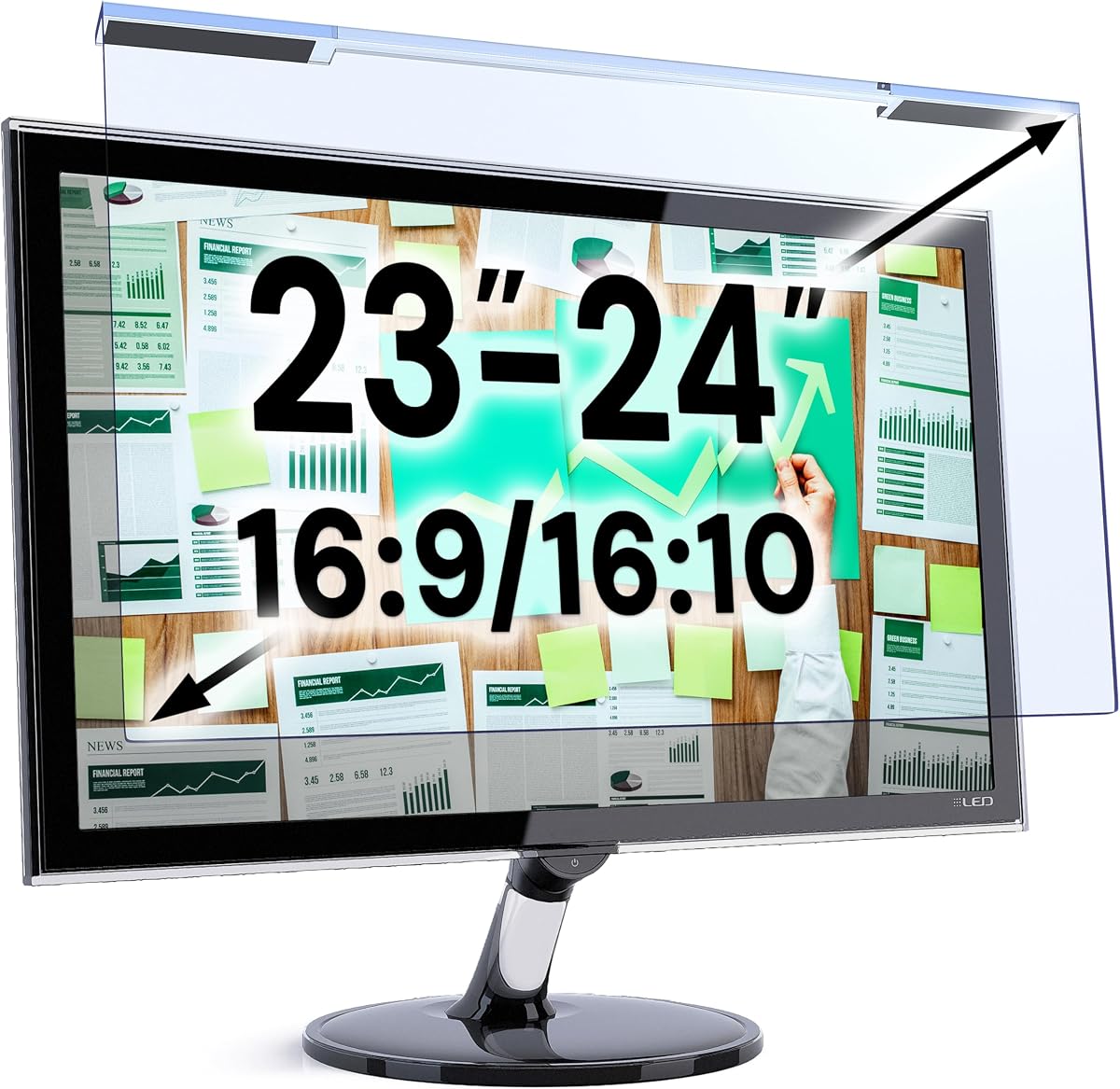

The MOSISO Computer Blue Light Blocking Screen Protector is a budget-minded choice for standard 23- and 24-inch widescreen displays. It carries a 4.4 rating and combines a stated 45% reduction in blue light between 420nm and 460nm with filtering of 99% of harmful UV. Its most appealing feature is the 0.05-inch acrylic construction, which adds a protective layer without the visual bulk of a conventional privacy filter.
We may earn a commission when you buy through this link, at no additional cost to you.
The manufacturer states that the panel provides 95% transparency and does not darken the display, making it a sensible option for office work, online learning, programming, and general home use. It also helps resist fingerprints, scratches, and dust, so it offers practical screen-surface protection in addition to optical filtering. Installation simply involves removing the protective films and hanging the panel over the monitor.
The main limitation is that the stated blue-light reduction is lower than the figures advertised by several higher-ranked alternatives. It is not marketed as an anti-glare or privacy screen, and its 21.26-by-13.39-inch dimensions mean it will not suit a 27-inch or 15.6-inch display. Buyers must also check the active screen area rather than measuring the entire panel and bezel.
This is a strong selection for someone who wants inexpensive, uncomplicated protection for a compatible 23.8-inch monitor. It preserves brightness well, is easy to mount, and addresses both optical comfort and surface protection. Among straightforward hanging-style filters, it offers a particularly convincing balance of utility and value.
The high stated transparency should appeal to users who dislike the yellow or dim appearance associated with some aggressive filters. Its modest thickness also keeps the panel visually unobtrusive while working or studying.
Beyond blue-light filtration, the acrylic panel is described as helping guard against dust, fingerprints, and scratches. That makes it more useful than a purely optical accessory for an exposed desktop display.
We may earn a commission when you buy through this link, at no additional cost to you.
The VizoBlueX 23–24-inch Anti-Blue Light Filter stands out as the most balanced choice in this guide. It has a 4.4 rating and uses a multi-layer design intended to eliminate hazardous UV spectrum while blocking harmful high-energy visible light. Unlike a privacy filter, it does not use a structured lattice that would deliberately darken or distort the image.
We may earn a commission when you buy through this link, at no additional cost to you.
The panel measures 21.5 by 13 inches and is intended for displays with a 23- to 24-inch diagonal. Its compatibility list includes Apple iMac 24 Retina, iMac all-in-one models, and 16:9 monitors from Samsung, LG, Dell, HP, Lenovo, Asus, Acer, BenQ, ViewSonic, Philips, and NEC. The product is also described as suitable for curved monitors, which broadens its usefulness in modern multi-monitor setups.
Color visibility is a key strength because the product is designed to maintain the full visible colors of an LCD or LED monitor. Installation requires removing protective films from both sides and hanging the filter in place, avoiding complicated adhesive mounting. The trade-offs are its specific size range and the absence of an anti-glare claim, so buyers should not select it purely to control reflections.
Overall, this filter is well suited to long workdays, office employees, students, programmers, and home users seeking a straightforward way to reduce screen-emitted light. It offers broad device compatibility, clear presentation, and a simple setup. For a compatible 23- or 24-inch monitor, it is the most versatile recommendation in the roundup.
Because it avoids the deliberately restrictive construction of a privacy filter, the VizoBlueX can remain appropriate for general productivity, media viewing, and visual work where accurate color perception is important.
The unusually broad brand compatibility is valuable in offices with mixed hardware. A 16:9 display from a major manufacturer may therefore be easier to support than the detailed compatibility lists suggest.
We may earn a commission when you buy through this link, at no additional cost to you.
The ZYY 2 Pack 23–24 Inch Computer Screen Blue Light Blocker is the premium choice in this lineup, combining two filters with a substantial stated optical-protection specification. It has a 4.4 rating and uses Japanese Fujimori nano-optical stacking technology to block at least 90% of blue light, at least 98% of UV, and at least 99% of other identified harmful light.
We may earn a commission when you buy through this link, at no additional cost to you.
Construction includes five optical layers and 8H-reinforced acrylic. The product is described as supporting a high-resolution image, realistic colors, scratch resistance, anti-fingerprint performance, and a thin 2mm profile. The supplied panels measure 540 by 340 millimeters and are intended for 23-, 23.5-, 23.6-, 23.8-, and 24-inch screens, including the iMac 24-inch display and compatible curved monitors.
The trade-off is that a more aggressive filter may introduce a noticeable color shift, even though the listing describes the viewing experience as realistic. Its high percentage claims also differ from the more moderate 45% figure of the MOSISO model. A second filter is highly practical for a two-monitor desk, but it is unnecessary for a user with only one compatible screen.
This package is ideal for power users, dual-monitor professionals, students, and gamers who prioritize a high stated blocking level along with physical screen protection. It is also a practical choice for keeping a replacement panel nearby. For compatible 23- or 24-inch displays, it provides the roundup's most comprehensive premium configuration.
The stated 90% blue-light blocking level makes this option appealing to users who spend substantial time in office software, online education, creative work, or games and want more filtration than a basic acrylic panel.
The two-pack can cover two similarly sized displays or provide a spare. That flexibility is especially helpful in professional desks where matching filters create a more consistent viewing setup.
We may earn a commission when you buy through this link, at no additional cost to you.
The MOSISO 21.5-inch version is a practical choice for smaller widescreen monitors. It shares the 4.4 rating and optical approach of the larger MOSISO model, including a stated 45% reduction in blue light from 420nm to 460nm and 99% filtering of harmful UV. Its 95% transparency and 0.05-inch acrylic profile are designed to maintain the original appearance of the display.
We may earn a commission when you buy through this link, at no additional cost to you.
The 19.29-by-12.48-inch panel is listed for diagonal screen sizes from 20 through 22 inches. Named compatible hardware includes the iMac 21.5-inch, HP all-in-one systems, Inspiron 3275, Dell P Series 21.5-inch, Acer SB220Q, Sceptre E205W-1600, and ViewSonic VA2246MH-LED, along with other 16:9 widescreen LED monitors.
Its limitations are straightforward. The filter does not claim to reduce glare, and its blue-light reduction is lower than that advertised by the ZYY models. The hanging design may also sit slightly proud of the display rather than creating a completely flush surface. Correct measurement of the active screen remains essential.
This is a sensible selection for owners of a 21.5-inch desktop who want a thin, clear filter that combines optical protection with resistance to dust, fingerprints, and scratches. It should appeal particularly to office and home users who prioritize brightness and unobtrusive construction over more aggressive filtering.
The broad list of compatible models reduces uncertainty for buyers with common 21.5-inch equipment. The manufacturer also lists several additional 20- and 22-inch 16:9 displays.
At only 0.05 inch thick, the panel avoids a bulky appearance. The stated transparency rate supports users who want light filtering without intentionally dimming their monitor.
We may earn a commission when you buy through this link, at no additional cost to you.
The VizoBlueX 20–22-inch filter targets users with compact desktop monitors or smaller all-in-one computers. It carries a 4.4 rating and uses a multi-layer design intended to block hazardous UV and harmful high-energy visible light. Unlike privacy filters, it is expressly designed not to distort the image through a darkening lattice.
We may earn a commission when you buy through this link, at no additional cost to you.
Its panel measures 19.5 by 12.1 inches and accommodates diagonal screens from 20 to 22 inches. Compatibility includes the Apple iMac 21.5 and 16:9 monitors from Samsung, LG, Dell, HP, Lenovo, Asus, Acer, BenQ, ViewSonic, Philips, and NEC. The manufacturer emphasizes that the full visible colors of LCD and LED monitors are maintained.
There is no anti-glare feature, and the screen still must be measured without its frame. Some users may also see more pronounced warmth or color change than with lighter filters, depending on their display and viewing environment. Nevertheless, its optical structure is designed for clarity rather than privacy or intentional dimming.
This filter is well suited to home offices, dorm rooms, and professional desks built around a 21.5-inch monitor. It combines broad brand compatibility, straightforward mounting, and a focus on color clarity. Among filters for this smaller size range, it is a confident all-purpose recommendation.
Maintaining visible color is especially useful for browsing, document work, video calls, and general entertainment. The multi-layer design remains distinct from the dark appearance of a privacy panel.
Removing the films from both sides and positioning the panel takes little time. This simplicity is useful when moving between workstations or replacing a filter quickly.
We may earn a commission when you buy through this link, at no additional cost to you.
The VizoBlueX 27–28-inch filter is designed for large desktop monitors, including Apple's 27-inch all-in-one, Studio Display, and XDR 27. It has a 4.4 rating and combines a multi-layer construction with filtering for hazardous UV and high-energy visible light. The panel is intended to reduce exposure to screen-emitted light while preserving the display's visible colors.
We may earn a commission when you buy through this link, at no additional cost to you.
The filter measures 24.8 by 14.6 inches and supports 27- to 28-inch diagonal screens. It also lists compatibility with 16:9 monitors from Samsung, LG, Dell, HP, Lenovo, Asus, Acer, BenQ, ViewSonic, Philips, NEC, and others. The hanging format and removable films make setup uncomplicated.
Buyers should be aware that it is not a privacy filter and does not claim to address glare. Large displays may also have different bezel dimensions, so even a matching diagonal measurement does not guarantee an ideal fit. A user with a curved or ultrawide monitor should verify those specifications separately rather than assuming compatibility.
This model is a solid match for creative professionals, gamers, and office users with a large 16:9 display. It is especially relevant to owners of a 27-inch iMac who want optical filtering without deliberately sacrificing color visibility. For the right large-screen size, it offers a polished and straightforward solution.
Large monitors can deliver more detail, but they also place a broad luminous surface directly in the user's field of view. This filter adds optical protection without changing the display into a dark privacy panel.
The product is aimed at a large group of mainstream monitor brands. Users should still compare the actual filter dimensions with the usable area of their specific display before ordering.
We may earn a commission when you buy through this link, at no additional cost to you.
The IPROKKO 24-Inch Two-Pack is a distinctive option because it combines blue-light filtering with an anti-glare specification. It has a 4.0 rating and claims filtering of up to 98% of blue light and 99% of UV rays within the 380–460nm range. It also states that its optical material can reduce glare and reflected light by 95%.
We may earn a commission when you buy through this link, at no additional cost to you.
Each filter is sized for a 24-inch 16:9 display, with dimensions of approximately 20.9 by 11.8 inches. The product supports popular monitor brands including HP, Dell, Samsung, Lenovo, LG, Acer, Asus, and ViewSonic, and the listing also mentions curved-monitor support. Installation avoids plastic tabs and tape, with no air bubbles or staining residue claimed.
The package includes two filters, allowing a user to equip two displays or retain a spare. It is removable and washable, making routine cleaning straightforward. The principal trade-offs are the lower 4.0 rating, the fixed 24-inch size, and the possibility that adding glare control can slightly affect perceived brightness or color.
This filter is most attractive to users who work near windows or strong ambient light and want both blue-light and reflection control. It is also well suited to dual 24-inch monitor setups. For those priorities, the two-pack provides good practical coverage, though the lower rating calls for slightly more considered expectations.
The stated 95% glare reduction differentiates this product from filters focused only on emitted blue light. That can be valuable when sunlight or overhead lighting washes out a display.
The removable, washable design makes it practical to clean dust from the panel. A second filter also provides a ready replacement if one becomes scratched or heavily soiled.
We may earn a commission when you buy through this link, at no additional cost to you.
The VINTEZ 15.6-inch filter is tailored to a very common laptop format. It has a 4.3 rating and is stated to filter up to 61% of blue light and 99% of UV while targeting the 420–460nm range. Its 14.2-by-8.7-inch dimensions are intended to sit over the active area of a 15.6-inch screen.
We may earn a commission when you buy through this link, at no additional cost to you.
Compatibility is listed across HP, Samsung, Dell, Asus, LG, Huawei, MSI, and other laptop and monitor brands. The film also shields the display from scratches, dirt, and dust, giving it value beyond optical filtering. A lifetime replacement policy is offered for a damaged screen, with free replacement stated in the product information.
The filter does not have an anti-glare function, so it is not the right choice for someone whose main concern is controlling reflections. Its single-pack format also provides less value than a two-pack for a multi-device setup. Laptop users should confirm screen dimensions because visible bezels and panel proportions can differ among models.
This is a good selection for students, remote workers, and travelers using a 15.6-inch notebook. The hanging-style setup is simple, and the combination of optical filtration with physical protection makes it a sensible long-term accessory. It fills a specific laptop niche that most desktop filters do not address.
A portable computer can be used in offices, classrooms, cafés, and homes, all of which present different lighting conditions. The panel provides a consistent layer of filtering and scratch protection wherever the laptop travels.
The stated lifetime replacement policy adds reassurance for a surface accessory exposed to daily handling. It reduces the concern of having to buy another filter after accidental damage.
We may earn a commission when you buy through this link, at no additional cost to you.
The VINTEZ 23–24-inch filter provides a balanced option for users of common desktop monitors and larger laptops. It carries a 4.3 rating and filters up to 61% of blue light alongside 99% of UV. The panel targets the 420–460nm range while emphasizing image clarity and support for multiple screen standards.
We may earn a commission when you buy through this link, at no additional cost to you.
Its 21.2-by-13.4-inch dimensions cover 23-, 23.6-, 23.8-, and 24-inch displays. Compatibility is listed for HP, Samsung, Dell, Asus, LG, Huawei, MSI, and other brands. The filter also protects against scratches, dirt, and dust, and the manufacturer includes a lifetime replacement policy for a damaged screen.
Its notable limitation is the absence of anti-glare functionality. Users who need to reduce reflections from windows or bright lamps may prefer the IPROKKO model. This package also includes one filter, which makes it less convenient for dual-monitor setups than a two-pack. As always, checking the active display area is important.
This model suits office professionals, students, and programmers who want moderate blue-light reduction, strong UV filtering, and physical screen protection in one accessory. Installation requires removing the matte films from both sides and positioning the filter over the display, a process simple enough for most users.
The stated range includes several widespread diagonals, reducing the need for an exact-size purchase. This convenience is useful for buyers who know their screen category but not the precise model designation.
Shielding against scratches, dirt, and dust extends the product's usefulness. It can protect an exposed monitor surface while also providing the requested optical filtering.
We may earn a commission when you buy through this link, at no additional cost to you.
The ZYY 27-Inch Anti Blue Light Screen Protector is aimed at owners of large standalone computer monitors. It has a 4.4 rating and uses Japanese Fujimori nano-optical stacking technology to block at least 90% of blue light, at least 98% of UV, and at least 99% of other identified harmful light. It is explicitly not intended for iMac screens.
We may earn a commission when you buy through this link, at no additional cost to you.
The filter measures 24.125 by 14 inches and is designed for 27-inch diagonal displays. Its five-layer optical construction is paired with 8H-reinforced acrylic, a stated 2mm thickness, scratch resistance, and anti-fingerprint properties. It also supports curved monitors, expanding its use among modern desktop setups.
As with the two-pack ZYY, the strong filtering specification may produce a more noticeable warm or altered color appearance. The product is also a hanging type rather than a flush adhesive layer, which means the display will not feel completely unchanged at its edges. A 27-inch screen with a narrow or unusual bezel may require extra fit checking.
This is a compelling option for gamers, developers, designers, and office users with a compatible 27-inch monitor who want aggressive blue-light reduction and durable physical protection. It combines a high stated blocking level with a comparatively thin construction, making it a strong finishing choice in this roundup.
Five optical layers provide a more structured approach to filtering than a basic single-panel accessory. The stated percentages make this model appealing to users prioritizing a high level of screen-emitted light reduction.
The 8H acrylic construction, scratch resistance, and anti-fingerprint surface support routine use. It is a practical choice for a large monitor located in a frequently touched workspace.
We may earn a commission when you buy through this link, at no additional cost to you.
The right filter depends first on exact screen dimensions, followed by the type of protection and viewing experience you prefer. Consider light-blocking claims, transparency, installation, glare control, and device compatibility together.
Measure the diagonal of the visible display without including the outer frame, then compare that number with the size range listed by the manufacturer. A 23.8-inch monitor may be sold under a 24-inch category, while some iMac and all-in-one models have unique dimensions and bezels. Also compare the filter's listed width and height with the usable screen area, because diagonal measurements alone do not guarantee a complete fit.
The products in this guide advertise different levels, ranging from 45% blue-light reduction to at least 90% blocking. Higher figures may provide stronger filtration, but they can also introduce a warmer or more noticeable color shift. Consider whether you prioritize a subtle appearance for design work or more aggressive filtering for long computer sessions. Treat manufacturer percentages as product specifications rather than guarantees about medical outcomes.
A useful filter should reduce unwanted light without making the display unnecessarily dark. Look for statements about transparency, realistic colors, and full visible-color retention. Privacy screens are not interchangeable with blue-light filters because they intentionally darken the picture. If accurate color perception matters, review the available display-quality claims and consider a lower-aggression or higher-transparency model.
Blue-light filtering and glare reduction address different problems. A filter can reduce light emitted by the screen without reducing reflections from nearby windows, lamps, or bright walls. If glare is your main concern, choose a model that explicitly includes anti-glare treatment, such as the IPROKKO filter. If reflections are not an issue, a clearer non-anti-glare design may preserve the preferred appearance.
Most options use a hanging design: remove films from both sides and place the panel over the screen. This is quick and usually leaves no adhesive residue, although the filter may sit slightly above the display. Adhesive-style protectors can look more integrated but may be harder to remove. Clean both the filter and monitor with suitable materials before mounting, and follow the instructions carefully to avoid trapped particles.
Even a filter with the correct diagonal can fail to fit a monitor with an unusually narrow bezel, a curved surface, or a proprietary all-in-one design. Several products explicitly support curved monitors, while the ZYY 27-inch model is not for iMac screens. Check the model list, aspect ratio, dimensions, and bezel arrangement rather than relying on brand name or diagonal size alone.
Many blue-light filters also resist dust, fingerprints, and scratches. That added protection can be valuable on frequently touched laptop screens and exposed office monitors. Models with reinforced acrylic or multi-layer optical construction may also handle routine wear more effectively. Still, a filter should not be treated as a substitute for careful cleaning, and damaged panels should be replaced.
A two-pack can cover two compatible displays or provide a replacement. This is particularly useful for power users with dual 23-, 24-, or 27-inch monitors. Single-filter packages usually suit one-screen desks. If devices differ in size, verify that each can be covered by the same product before buying a multi-pack, since an extra panel is only useful when it matches another display.
Before installation, turn off and unplug the monitor, then clean the active display with a soft, lint-free cloth and a screen-safe cleaner. Remove dust and fingerprints before placing the filter because particles trapped underneath can cause visible spots. Handle the panel by its edges and avoid touching the optical surface.
For hanging filters, remove the protective film from both sides as directed. Align the upper edge with the visible display area, lower the panel carefully, and check that it sits evenly without touching the bezel. Follow the manufacturer's specific hanging method, since some designs use tabs, adhesive points, or a simple suspended edge. Do not press forcefully against the panel.
Clean the filter periodically with a soft microfiber cloth and a cleaner approved for the material. Avoid abrasive pads, ammonia-heavy household products, and spraying liquid directly onto the screen. Remove and rinse washable models only if the manufacturer explicitly permits it, then allow them to dry completely before reinstalling. Replace a filter that becomes deeply scratched, warped, or hazy.
Blue-light filters are physical panels made for specific screen dimensions, so they do not automatically fit every monitor. Check the diagonal size, width, height, aspect ratio, bezel clearance, and any model-specific restrictions before purchasing. A filter that covers the visible area but overlaps controls or vents may also create installation problems.
Some filters can create a slightly dimmer or warmer appearance, particularly those that block a high percentage of blue light or use privacy-style construction. Products in this guide emphasize transparency and color visibility, but individual displays and viewing environments respond differently. If accurate color is important, compare the stated transparency and choose a model that avoids deliberately darkening the image.
Yes, provided its dimensions match the visible area of the laptop display. The VINTEZ 15.6-inch model is specifically designed for a common notebook size, while some 23- and 24-inch options support compatible laptops. Measure the screen carefully because narrow bezels and unusual panel proportions can interfere with a hanging-style filter.
No. A blue-light filter is designed primarily to reduce particular wavelengths of light emitted by the display, whereas an anti-glare layer reduces reflected light from the environment. Some products combine both functions, but many in this roundup do not claim meaningful glare reduction. Choose an explicitly anti-glare model if window reflections are the main problem.
A filter may improve comfort for some users by reducing screen-emitted blue light and adding a controlled viewing layer, but it cannot address every cause of eye strain. Screen brightness, distance, posture, glare, dry air, and prolonged unbroken screen use also matter. It is not a medical treatment, and persistent discomfort should be discussed with a qualified eye-care professional.
Use a soft, lint-free microfiber cloth and a cleaner that is safe for the filter's materials. Do not spray liquid directly onto the panel, and avoid abrasive pads or harsh household cleaners. For models described as washable, follow the manufacturer's removal and drying instructions before reinstalling the filter.
A larger panel may physically cover a smaller screen, but that is not a sound fit if it blocks controls, extends beyond the display, or interferes with the bezel and stand. The better choice is a filter sized for the active area, even if the monitor belongs to a nearby size category. Always compare actual width and height as well as diagonal size.
Choose a one-pack for a single compatible display. A two-pack is more useful for a dual-monitor desk or for keeping a replacement available. It offers good value only if both screens are close enough in size and shape to use the same filter, so measure every display before choosing a multi-pack.
The MOSISO 23.8-inch filter is the best budget pick for a compatible standard monitor, while the VizoBlueX 23–24-inch model is the strongest overall option for broad device compatibility and clear, color-preserving viewing. The ZYY two-pack takes the premium position with its five-layer construction, high stated blocking levels, and coverage for two 23- or 24-inch screens.
The most important buying priority is fit. Measure the active diagonal, width, and height, and check whether the display is curved, an iMac, or another model with unique dimensions. After confirming size, choose according to your viewing priorities: aggressive filtering for stronger blue-light reduction, transparency for minimal image change, or a dedicated anti-glare feature for reflections.
Installation method, scratch protection, replacement policies, and the number of filters included can also influence the decision. Review the current product listing and latest customer feedback before purchasing because specifications, availability, and prices change. With the right dimensions and features in mind, a blue light filter can be a practical addition to a comfortable computer setup.