
ASUS TUF F16 RTX 4050
4.0Editor score
Intel Core 5 210H
NVIDIA RTX 4050 graphics
32GB DDR5 memory
1TB NVMe storage
Fusion 360 rewards laptops with capable processors, responsive graphics, enough memory, and displays that make complex assemblies easier to inspect. A compact screen helps at a desk, but processing power and cooling matter more when assemblies become demanding, while a good keyboard, screen, and port selection shape the daily CAD experience.
We compared the ten listed laptops by examining their documented processors, graphics, memory, storage, displays, operating systems, connectivity, portability, and stated use cases. The list covers budget Windows convertibles, Chromebooks, professional Windows systems, and higher-performance gaming laptops, with special attention to practical demands associated with Fusion 360.
Each review explains who the configuration may suit and where its limitations matter. Ratings, specifications, availability, and prices can change, so readers should confirm the current listing and software requirements before purchasing, especially when a specific model may run ChromeOS rather than a full Windows desktop application.
4.0Editor score

4.5Editor score
4.0Editor score
As an Amazon Associate we earn from qualifying purchases.
The table below compares all ten laptops by their most consequential Fusion 360-related attributes, including processor class, graphics, memory, storage, display, and operating environment.

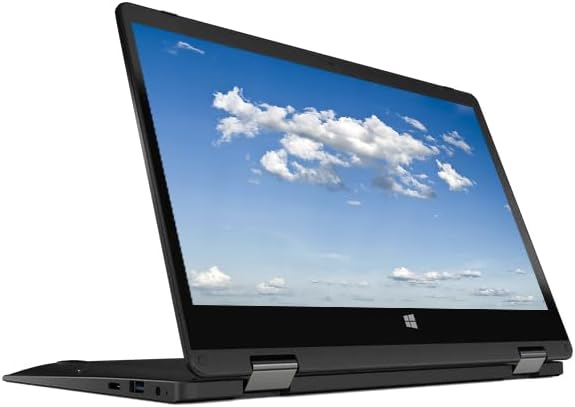



The HP 2026 X360 Convertible is a compact, touch-enabled Windows 11 laptop whose main appeal is flexibility rather than workstation-class performance. It carries a 3.6 rating and pairs an Intel 4-core processor capable of up to 3.29GHz with 8GB of memory, 128GB of storage, and integrated Intel graphics. For Fusion 360 learners working on relatively modest assemblies, those fundamentals can provide a workable starting point.
We may earn a commission when you buy through this link, at no additional cost to you.
Its 11.6-inch HD touchscreen is particularly relevant to a browser-based or touchscreen-friendly design workflow. The 360-degree convertible format also gives users several viewing arrangements, while two USB Type-A ports, one USB Type-C port, HDMI, RJ-45, and a combined audio jack provide a more practical connection set than many similarly compact alternatives. Windows 11, an integrated webcam, WiFi, Bluetooth, and an included AC charger round out a flexible everyday package.
The trade-offs are clear. Integrated graphics provides less headroom than the dedicated graphics options elsewhere in this list, and 8GB of memory can become restrictive when many browser tabs, reference files, and complex assemblies are open together. The 128GB drive also leaves limited room for local project files, downloaded assets, and archived revisions. Its 3.6 rating is also lower than most of the stronger configurations listed here.
This laptop makes the most sense for a student, educator, or occasional user who values a touch display, compact size, and conventional Windows software over maximum rendering power. It is less convincing as a long-term production workstation, but it can be a sensible entry point when assemblies are controlled and the user understands that future projects may require more memory and storage.
The 11.6-inch HD touchscreen provides a more direct way to rotate, pan, and inspect models. It is especially useful when a user wants to review a design away from a conventional desk, although the included processor and graphics remain the main limits for large assemblies.
USB-A, USB-C, HDMI, Ethernet, and an audio jack cover many common accessories. That variety is helpful for a student moving between classrooms, libraries, or shared workspaces where external displays, wired networking, and legacy peripherals may be encountered.
We may earn a commission when you buy through this link, at no additional cost to you.
The Acer Gateway Convertible is the most budget-oriented conventional Windows laptop in this roundup, carrying a 3.1 rating and a configuration built around an Intel processor, 4GB of DDR4 memory, 64GB of storage, and Intel UHD graphics. It can serve as a basic learning device for Fusion 360, but the limited memory and storage are significant constraints for serious design work.
We may earn a commission when you buy through this link, at no additional cost to you.
The 11.6-inch HD IPS touchscreen supports a 360-degree rotation, allowing laptop, tablet, tent, and similar configurations depending on the user's preferred working style. It also includes two USB Type-A ports, HDMI, a headphone and microphone jack, WiFi, Bluetooth, an HD webcam, and an AC charger. Those features make it convenient for travel, demonstrations, and basic coursework.
Fusion 360 is a demanding application for a system with only 4GB of RAM and 64GB of storage. Users may notice restrictions when handling intricate assemblies, keeping multiple browser tabs open, or saving substantial project libraries. The processor's listed maximum speed of 2.79GHz and integrated graphics further limit its suitability for rendering-heavy or graphics-intensive workflows.
The Acer is best viewed as a low-cost way to explore Fusion 360, especially for occasional learners who already use cloud-based storage and do not plan to maintain large local project collections. Buyers who need dependable multitasking should favor a configuration with at least 16GB of memory, more storage, and a more capable processor.
A convertible touchscreen can make short design reviews and learning sessions more interactive. Its small footprint and included charger are convenient for bringing the computer to a classroom, studio, or shared workspace.
The 4GB memory configuration leaves little room for demanding multitasking. Users should treat the model as a lightweight educational system and avoid storing numerous large assemblies, media files, and background applications on it.
We may earn a commission when you buy through this link, at no additional cost to you.
The HP Victus FHD-Gaming-Laptop is the strongest all-around choice in this group for Fusion 360 users who want more performance without moving to the top hardware tier. It has a 4.5 rating and combines an 8-core Intel Core i5-13420H processor, which can boost to 4.6GHz, with an NVIDIA GeForce RTX 3050, 32GB of DDR4 memory, and a 1TB SSD.
We may earn a commission when you buy through this link, at no additional cost to you.
This combination addresses the major practical bottlenecks in a CAD workflow. The processor offers useful multicore capability, the RTX 3050 provides dedicated graphics resources, and 32GB of RAM allows users to keep Fusion 360, reference material, browser tabs, and communication applications open with more confidence. The 1TB SSD provides ample room for local projects, downloaded assets, exports, and archived versions.
Its 15.6-inch 144Hz display is large enough to inspect assemblies and offers a smooth 144Hz refresh rate, although Fusion 360 itself is not a fast-action game and will not benefit from the refresh rate to the same degree. The numeric keypad, backlit keyboard, Windows 11 Pro, and WiFi 6 make this a practical working computer, while the gaming-laptop design inevitably brings a larger chassis and more visual bulk than a compact business notebook.
This configuration is recommended for students, independent designers, and professionals who want a capable one-machine solution for both CAD and general productivity. It may be more than a beginner needs, but the combination of memory, storage, processor capability, and dedicated graphics offers the most convincing balance in this particular list.
The 32GB RAM allocation is the standout practical feature. It provides room for larger assemblies and multiple open applications without making the system's capacity the immediate bottleneck.
The NVIDIA RTX 3050 is more appropriate for demanding Fusion 360 visualization than integrated graphics. While Fusion 360 is not GPU-intensive for every task, dedicated hardware gives complex visual scenes and supported graphics workflows more breathing room.
We may earn a commission when you buy through this link, at no additional cost to you.
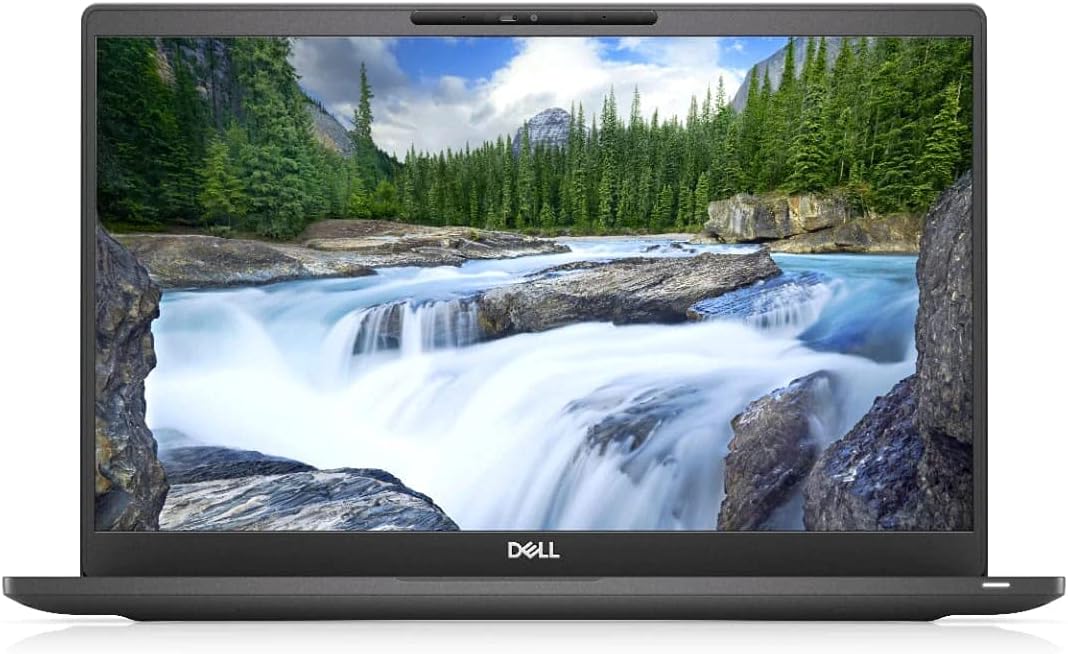
The renewed Dell Latitude 7400 combines a business-oriented 14-inch Full HD display with 32GB of RAM and a Core i7-8665U processor. Its 4.0 rating places it comfortably among the stronger-reviewed options here, and the substantial memory makes it surprisingly useful for Fusion 360 despite the age of its processor generation.
We may earn a commission when you buy through this link, at no additional cost to you.
The 1920×1080 resolution is a meaningful advantage for CAD work because it provides more usable desktop area than the HD resolutions offered by several small convertibles. The four-core Core i7 has a listed clock rate of 4.8GHz, while Windows 11 Pro supplies a full desktop environment. A 256GB SSD also gives Fusion 360 projects a faster and more convenient home than a comparable eMMC-equipped Chromebook.
The main limitation is that this is an older platform. Its integrated graphics may struggle more than newer systems with visually complex scenes, and 256GB of storage is modest for users who keep many revisions, high-resolution exports, and other large design assets. The renewed status can also mean less predictable cosmetic or battery condition than a new machine.
The Latitude is a good choice for a budget-conscious professional or student who values 32GB of memory, a sharp business display, and Windows Pro over gaming-oriented hardware. It is best suited to moderately complex assemblies and users who already maintain disciplined file storage. For heavier visual workloads, the HP Victus or ASUS TUF F16 offers a more modern processing and graphics platform.
The 1920×1080 panel offers more room for toolbars, model views, properties, and reference windows. That extra space can reduce the need to collapse panels while inspecting a design.
Windows 11 Pro and the Latitude name reflect a productivity-oriented configuration. It is a natural fit for users who want to combine Fusion 360 with standard office, communication, and organization software.
We may earn a commission when you buy through this link, at no additional cost to you.
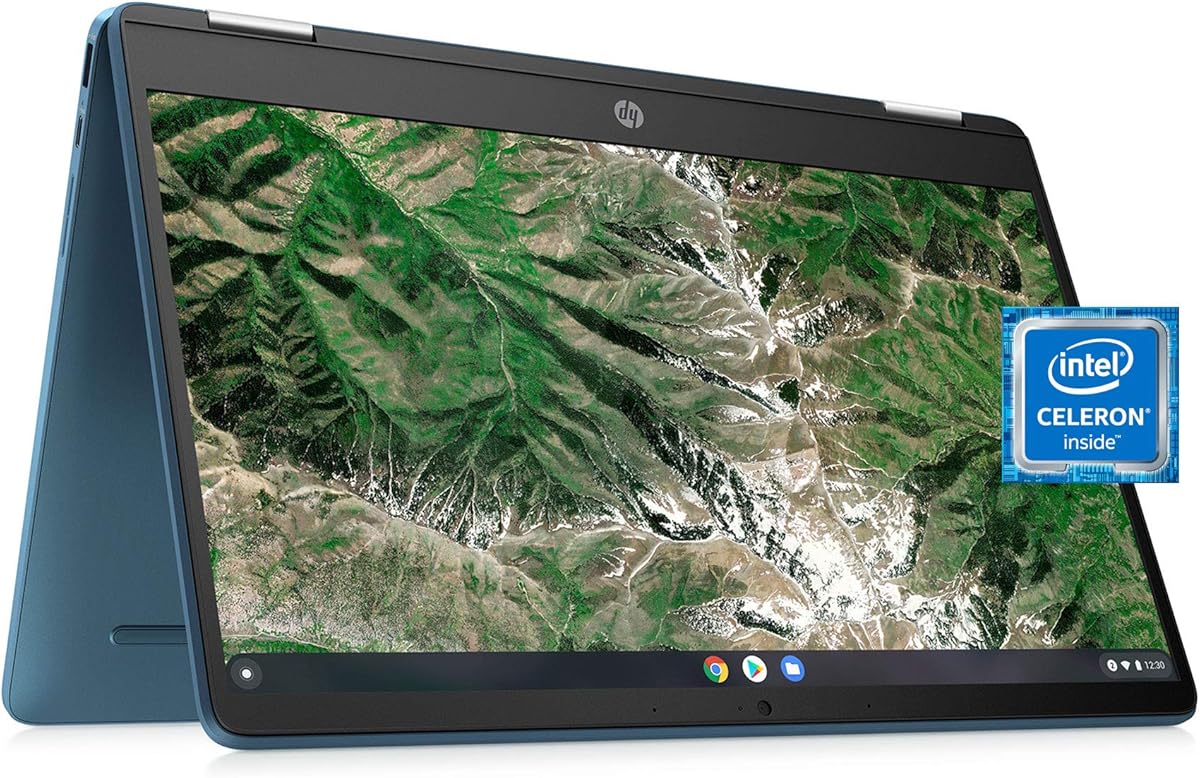
The HP X360 14a Chromebook is a 4.4-rated convertible built around an Intel Celeron N4020 processor, 4GB of LPDDR4 memory, and 64GB of eMMC storage. Its 14-inch HD touchscreen and rotating chassis make it appealing for browsing, media, and lightweight productivity, but ChromeOS and modest specifications limit its role for full desktop Fusion 360 workflows.
We may earn a commission when you buy through this link, at no additional cost to you.
The processor includes two cores with a listed burst frequency of up to 2.8GHz. That is suitable for online learning, document work, video viewing, and simple browser tasks. The touchscreen provides another way to interact with content, while the convertible design allows the screen to be repositioned for different tasks. WiFi, a webcam, stereo speakers, and Bluetooth 4.2 cover common student needs.
The key limitation is the operating environment. ChromeOS is designed around web applications and Google services, so users should confirm how their Fusion 360 workflow and licensing will operate before relying on this machine for design work. Its 4GB memory and 64GB storage also provide little local headroom, and the 1366×768 screen offers less desktop area than a Full HD model.
This Chromebook is best for a learner who primarily wants an inexpensive, flexible device for research, tutorials, and general study. It is not the most dependable choice for intensive local modeling, extensive file management, or a professional CAD workstation. A Windows system such as the Dell Latitude 7400 is the safer recommendation when a traditional Fusion 360 desktop setup is the priority.
The rotating display makes the system useful for note-taking, browsing, media, and group study. It adds physical flexibility that conventional budget laptops often cannot match.
The rating and convertible design make this an appealing general-purpose Chromebook. Its value for Fusion 360, however, depends heavily on whether the user's required workflow is supported within ChromeOS.
We may earn a commission when you buy through this link, at no additional cost to you.
The ASUS TUF F16 RTX 4050 is the premium selection in this guide, combining an Intel Core 5 210H processor, NVIDIA RTX 4050 graphics, 32GB of DDR5 memory, and a 1TB PCIe NVMe SSD. Its 4.0 rating is solid, and the specification package gives Fusion 360 users a generous amount of processing, memory, and graphics capability.
We may earn a commission when you buy through this link, at no additional cost to you.
The processor has eight cores, 12 threads, a 12MB L3 cache, a 1.6GHz base frequency, and a listed maximum turbo frequency of 4.8GHz. The RTX 4050 includes 6GB of GDDR6 video memory. For CAD, that combination offers better headroom for complicated models, responsive navigation, and visually intensive work than integrated graphics or older dedicated graphics solutions.
The 16-inch FHD+ IPS display has a 1920×1200 resolution, 144Hz refresh rate, and anti-glare treatment. Two USB-A ports, two USB-C ports, HDMI, Ethernet, and an audio combination jack provide flexible connectivity. An RGB backlit keyboard, numeric keypad, WiFi 6, Bluetooth, and Windows 11 Pro complete the workstation-style feature set. The bundle also includes a PCO folding radiator for added cooling support.
This is the most attractive option for a professional or advanced student who expects large assemblies, frequent rendering, and long productivity sessions. The trade-offs are size, weight, power draw, and the premium cost associated with gaming hardware. A larger display can also overwhelm a small workspace. Even so, the processor, graphics, memory, and storage combination provides the strongest foundation for intensive Fusion 360 use in this list.
Eight CPU cores, a substantial cache, 32GB of DDR5 memory, and dedicated RTX 4050 graphics create useful headroom. The configuration is well suited to users who move between Fusion 360, browser-based research, and other demanding applications.
The 16-inch FHD+ panel provides ample space for viewing models, while anti-glare helps control reflections in bright rooms. Its higher resolution also gives toolbars and side panels more usable room than a standard HD screen.
We may earn a commission when you buy through this link, at no additional cost to you.
The HP Chromebook x360 14b has the highest listed rating in the group at 4.9, and its hardware is well suited to everyday ChromeOS tasks. It features a 14-inch Full HD IPS touchscreen with 250 nits, an Intel Processor N200, 8GB of LPDDR5 memory, 128GB of UFS storage, and integrated Intel UHD graphics.
We may earn a commission when you buy through this link, at no additional cost to you.
The display is one of the system's main strengths. A 1920×1080 resolution creates a more useful desktop area than the HD panels on several competing Chromebooks, while wide viewing angles suit different work positions. The 360-degree hinge supports laptop, tablet, tent, and stand modes, and the backlit keyboard improves comfort in dim environments.
As a Fusion 360 candidate, the limitations are substantial. ChromeOS is not the same as a standard Windows CAD workstation, and the Intel N200 is intended for efficient everyday computing rather than intensive model processing. The 128GB storage also requires careful file management. While 8GB of LPDDR5 is better than many entry-level Chromebooks, it remains modest compared with the 32GB Windows laptops in this guide.
The Chromebook is well suited to browsing, document editing, media consumption, and web-based learning. A user interested primarily in watching Fusion 360 tutorials, researching techniques, and completing lightweight tasks may appreciate it. For sustained local modeling or a dependable professional desktop application, a Windows option should receive priority.
The Full HD IPS touchscreen gives the model a clearer and more spacious interface than many basic Chromebooks. Its convertible design adds value for media, presentations, and hands-on navigation.
The 4.9 rating is a strong sign of user satisfaction, but it should be interpreted in the context of the operating system and intended use. Strong Chromebook feedback does not guarantee suitability for heavy local CAD work.
We may earn a commission when you buy through this link, at no additional cost to you.
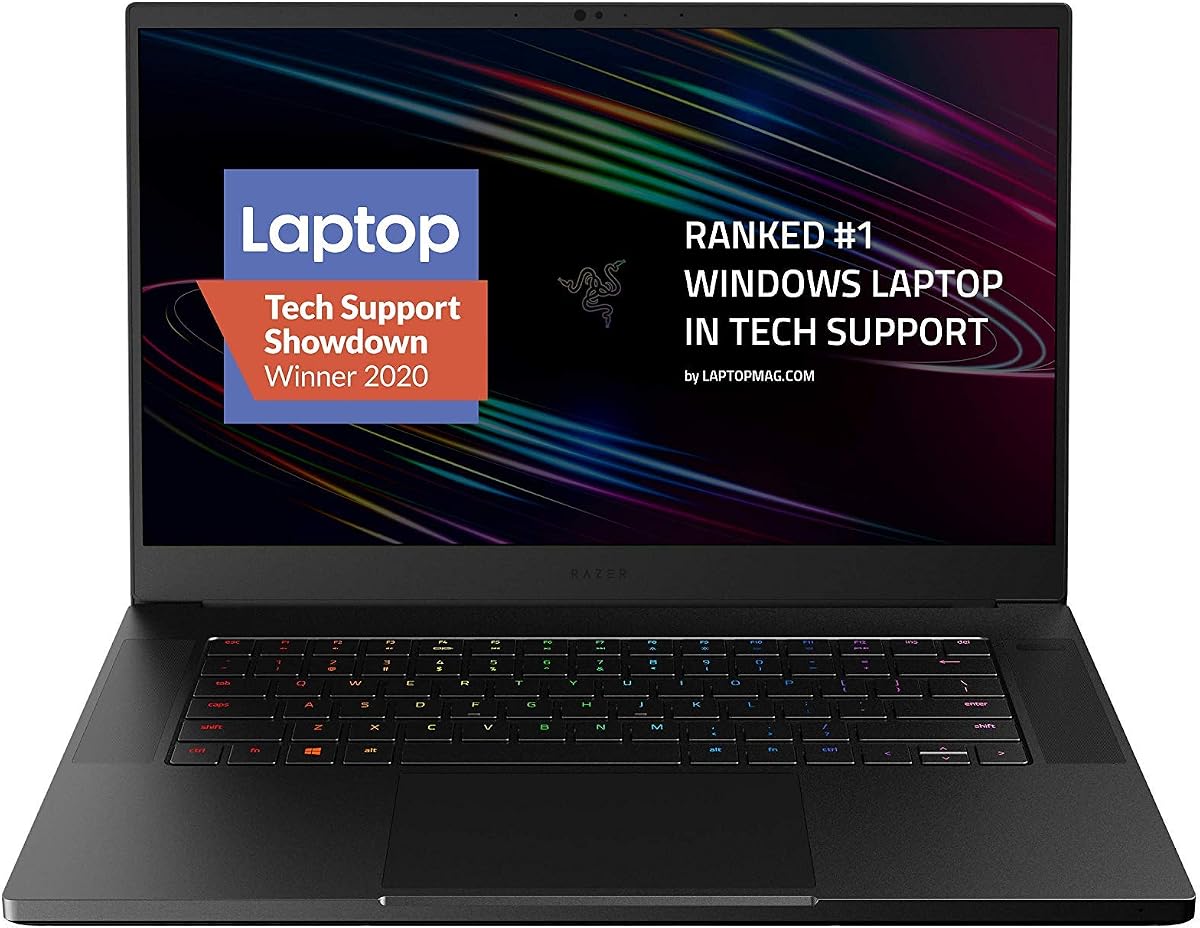
The Razer Blade 15 Advanced pairs an eight-core Intel Core i7-10875H with an NVIDIA GeForce RTX 2070 Super Max-Q, 16GB of memory, and a 512GB SSD. Its 4.3 rating and premium construction make it an interesting high-performance choice, particularly for users attracted to a thin, refined gaming-laptop design.
We may earn a commission when you buy through this link, at no additional cost to you.
The processor can reach a listed maximum turbo frequency of 5.1GHz, while the dedicated RTX graphics provide substantially more capability for visual workloads than integrated graphics. The 15.6-inch Full HD thin-bezel display has a 300Hz refresh rate. That specification is designed for gaming, but its high resolution also provides a clean canvas for assembly inspection and interface panels.
The CNC aluminum unibody is described as durable and only 0.7 inches thick, while a vacuum-sealed liquid-filled copper vapor chamber is used for cooling. Chroma RGB lighting, HDMI, and Thunderbolt 3 round out the premium positioning. The trade-off is that this is a 2020 platform, and 16GB of memory is modest compared with the 32GB configurations offered by the HP Victus and ASUS TUF F16.
This laptop makes sense for a buyer who values premium construction, thin chassis design, and dedicated graphics more than the newest internals. It can support Fusion 360, but buyers should compare its specifications and current condition against newer 32GB systems. It is best recommended as a style-conscious high-performance option rather than the automatic choice for every CAD buyer.
The CNC aluminum body and vapor-chamber cooling reinforce the laptop's premium intent. These design elements are especially attractive to users who want strong performance without the visual bulk of a conventional gaming machine.
The 300Hz rate is primarily a gaming feature, but the Full HD resolution remains useful for CAD. Users should prioritize processor and memory performance rather than paying for refresh-rate headroom they are unlikely to need in Fusion 360.
We may earn a commission when you buy through this link, at no additional cost to you.
The ASUS TUF Gaming Laptop FX505GT-AB73 combines an Intel Core i7-9750H with an NVIDIA GeForce GTX 1650, 8GB of DDR4 memory, and a 512GB PCIe NVMe SSD. Its 4.5 rating makes it one of the better-reviewed products here, and the combination of eight CPU cores, dedicated graphics, and a fast drive is relevant for Fusion 360.
We may earn a commission when you buy through this link, at no additional cost to you.
The Core i7-9750H has eight cores, an 8MB cache, and a listed maximum turbo frequency of 4.5GHz. The GTX 1650 includes 4GB of GDDR5 memory and supports a 50W workload. For many Fusion 360 workflows, these specifications provide sufficient performance, particularly when compared with systems using older or lower-powered integrated graphics.
The 15.6-inch Full HD IPS-type display has a 144Hz refresh rate, while the 512GB NVMe drive provides a useful amount of fast local storage. WiFi 5, Windows 10 Home, and a durable MIL-STD-810G construction round out the specification. The main weakness is the 8GB memory configuration, which is too little for an ideal modern CAD system unless it can be expanded.
This TUF is a good fit for a user who already understands the age of the platform and can confirm memory upgrade options before purchase. Its CPU and storage should handle regular Fusion 360 work, while the dedicated GTX 1650 is more appropriate than integrated graphics. For a new purchase with no interest in tinkering, the newer 32GB HP Victus is the more straightforward choice.
The stated MIL-STD-810G military-standard construction is a meaningful advantage for a portable computer used in studios, classrooms, or other frequently traveled environments.
Eight gigabytes of memory is the main weakness of an otherwise capable configuration. A supported memory upgrade would make the laptop more comfortable for larger assemblies and heavier multitasking.
We may earn a commission when you buy through this link, at no additional cost to you.
The Acer Chromebook Spin 513 is a lightweight convertible built around the Qualcomm Snapdragon 7c compute platform, 4GB of LPDDR4X memory, and 64GB of eMMC storage. With a 4.1 rating, it offers a pleasant mix of portability, touch support, and flexible positioning, but it is not a conventional Windows workstation for Fusion 360.
We may earn a commission when you buy through this link, at no additional cost to you.
The Snapdragon 7c includes a Qualcomm Kryo 468 octa-core CPU rated up to 2.4GHz and an Adreno 618 GPU. Its 13.3-inch Full HD IPS multitouch display uses Corning Gorilla Glass and supports a 360-degree convertible design. A backlit keyboard, WiFi 5, Bluetooth 5.0, two USB-C ports, and one USB-A port create a practical mobile accessory set.
ChromeOS provides automatic updates, built-in Google applications, Google Play access, and a Titan C2 security chip. The listed features make the laptop appealing for browsing, writing, communication, streaming, and collaboration. Nevertheless, 4GB of memory, 64GB of storage, and an integrated mobile-oriented chipset leave little headroom for intensive local CAD work.
The Spin 513 is best recommended as a secondary portable device for learning, research, presentations, and design reviews. Someone whose Fusion 360 work happens mainly in a supported web environment might use it, but a Windows laptop with more memory, storage, and conventional desktop application support is a safer primary choice.
The convertible chassis, Full HD touch display, and Gorilla Glass cover make the system easy to carry between work locations. Multiple viewing modes are useful when space is limited or when presenting information to other people.
Automatic updates, Google applications, and built-in security reduce everyday maintenance. Buyers should nevertheless confirm that the intended Fusion 360 workflow is fully supported before treating the device as a design machine.
We may earn a commission when you buy through this link, at no additional cost to you.
A useful Fusion 360 laptop balances software compatibility, processor capability, graphics performance, memory, storage, display quality, and practical portability. The right balance depends on whether the computer is mainly for learning, coursework, professional modeling, or occasional travel.
Start by confirming the operating system required for your exact Fusion 360 workflow. Several attractive listings in this guide run ChromeOS, which is optimized for web applications and Google services but does not provide the same conventional Windows desktop environment. A Windows 11 or Windows 10 configuration is generally the more direct starting point when the computer will host the full desktop application, local project files, plug-ins, and professional desktop tools.
Choose the operating system before optimizing the rest of the specification. A faster processor cannot compensate for software that is unavailable or awkward to run.
Fusion 360 is a demanding application, and processor performance affects model opening, calculations, navigation, and overall responsiveness. Modern Core i5, Core i7, and Core 5 configurations with multiple cores provide a sensible foundation, while older Core i7 or Celeron systems require more restraint in assembly complexity and workload. Look beyond headline speed because core count, cache, thermal behavior, and memory support influence sustained performance.
For regular modeling, favor a current multi-core processor over an entry-level mobile chip. Reserve lower-powered systems for tutorials and small projects.
Dedicated graphics such as the RTX 3050, RTX 4050, GTX 1650, or RTX 2070 Super provide more headroom for visual scenes than integrated Intel or Qualcomm graphics. Fusion 360 does not make every workflow GPU-intensive, but complex assemblies, rendering, and detailed visual navigation can benefit from a capable graphics adapter. The size of the graphics memory is also relevant when comparing the listed configurations.
Integrated graphics can be sufficient for a learner with small assemblies, but dedicated graphics is the safer choice for advanced modeling and rendering.
Memory determines how comfortably Fusion 360 can coexist with browser tabs, screenshots, communication tools, reference documents, and file utilities. The 32GB configurations in the HP Victus, ASUS TUF F16, and Dell Latitude 7400 are the strongest in this list. Models with only 4GB or 8GB are more appropriate for light use unless the buyer can upgrade the memory or maintain a tightly controlled workflow.
Prioritize 16GB or more for regular professional modeling and 32GB for heavy multitasking. Very low-memory systems are best limited to education and occasional use.
Fusion 360 projects can grow through exports, revisions, textures, simulations, and supporting files. A 1TB drive provides the most comfortable local workspace in this group, while 256GB or 512GB requires regular housekeeping. SSD and NVMe storage also improves system responsiveness, but capacity should not be overlooked merely because the drive is fast. Chromebooks with 64GB or 128GB are best paired with deliberate cloud-storage management.
Choose at least 512GB for a busy design workstation when possible. Keep additional project versions and large exports backed up outside the laptop.
A larger screen gives model views, toolbars, browser references, and property panels more room to coexist. Full HD is preferable to a 1366×768 panel for sustained CAD use because users can see more of the interface without immediately collapsing tools. Touchscreens and convertible hinges can support direct manipulation and flexible presentation positions, although they do not increase processing power.
A 14-inch Full HD display is a practical middle ground, while 15.6-inch and 16-inch panels favor detailed work. Choose the size that fits your desk and travel routine.
Sustained Fusion 360 sessions place sustained demands on the processor and graphics. Gaming laptops often include cooling features designed for extended workloads, and the ASUS TUF F16 bundle includes a folding radiator. Cooling capacity matters because compact systems can slow down when internal temperatures rise. Consider the chassis, ventilation, and any manufacturer guidance rather than relying on processor specifications alone.
For long modeling sessions, use a system designed for sustained performance and maintain unobstructed airflow. Cooling accessories can help but should not replace sensible thermal management.
Portability is valuable when design work happens across classrooms, studios, client sites, or home offices. Small 11.6-inch convertibles are easier to carry than 15.6-inch and 16-inch gaming laptops, although the latter provide larger displays and stronger performance components. A full-size keyboard, backlighting, useful port selection, and an included charger can influence day-to-day convenience more than a small difference in thickness.
Balance processing power with the size and weight you can genuinely carry. A computer that stays at the desk may still deserve a high-performance configuration, while frequent travelers may prioritize endurance and flexibility.
Begin by updating the operating system, graphics driver, web browser, and Fusion 360 client, then sign in and confirm that your account can access the features and project storage you need. Open a representative assembly and test navigation, editing, saving, and exporting before relying on the laptop for important deadlines. For ChromeOS options, verify the required application and file workflow first rather than assuming desktop compatibility.
Organize projects into clearly named folders and keep exports, references, and revision archives from consuming the main drive. Save work regularly, use versions when available, and maintain a separate backup of critical files. Avoid storing every experiment on the internal drive, particularly on models with 64GB or 128GB of storage. Close unnecessary browser tabs and applications to preserve memory and processing headroom.
To care for the system, keep vents clear, use a stable surface, and avoid placing fabric or other materials over intake openings. Clean the screen with a soft microfiber cloth and avoid aggressive liquids. For a gaming-class laptop, permit airflow during long sessions and use the included cooler where appropriate. Periodically review storage, update software, and verify that backups remain accessible.
Regular Fusion 360 use is most comfortable with at least 16GB of memory, while 32GB is preferable for complex assemblies, large browser reference collections, and simultaneous design, communication, and productivity applications. The 4GB and 8GB systems in this guide can be used for learning or lighter workloads, but they have less room for multitasking. A system with upgrade support may be worth considering when a capable processor and graphics configuration is available.
Dedicated graphics provides more headroom for complex visual scenes, rendering, and demanding projects. Integrated graphics can handle many basic learning tasks, especially with small assemblies, but the RTX 3050, RTX 4050, GTX 1650, and RTX 2070 Super options are better aligned with sustained advanced use. The CPU and memory configuration still matter, so dedicated graphics should complement rather than replace a balanced system.
A Chromebook may be useful for browsing Fusion 360 information, watching tutorials, and using supported web-based workflows. However, ChromeOS is not a conventional Windows environment, and compatibility depends on the user's specific licensing, files, plug-ins, and application requirements. Users intending to perform sustained local modeling should verify those needs or choose a Windows laptop instead.
It can be enough for a student or moderate user who keeps active projects on the drive and archives larger material elsewhere. Professional workflows can generate many exports, revisions, screenshots, assemblies, and supporting files, so 512GB may require regular cleanup. The 1TB options provide more comfortable room, while 64GB and 128GB systems are best suited to light use with careful file management.
Full HD or higher is generally more useful than a 1366×768 display because it provides additional room for model views, toolbars, and property panels. A 14-inch Full HD laptop is a practical balance between workspace and portability, while 15.6-inch and 16-inch screens are better for detailed inspection. Touch support may improve navigation, but display resolution and size remain the more important CAD considerations.
A renewed laptop can be suitable when its processor, memory, storage, display, and operating system meet the user's needs. The condition and remaining battery life may vary, so buyers should review the listing, warranty, and available return terms carefully. Higher-memory renewed business systems such as the Dell Latitude 7400 may offer good value, while dedicated graphics and newer components are preferable for heavy workloads.
No, high refresh rates primarily benefit games and fast-moving visual content. Fusion 360 users should prioritize resolution, panel size, color clarity, viewing angles, and overall workspace instead. A high-refresh display can still be pleasant to use, but it should not be the main reason to choose a laptop for engineering design.
A gaming laptop can be a strong CAD choice because many models combine powerful processors, dedicated graphics, large memory, fast storage, and cooling designed for sustained work. The disadvantages are usually greater size, weight, power consumption, and cost. Choose such a system when performance and graphics headroom matter more than maximum portability, and prioritize CPU, GPU, RAM, and screen quality over decorative gaming features.
The HP Victus stands out as the most balanced recommendation, combining a modern Core i5 processor, RTX 3050 graphics, 32GB of memory, a 1TB SSD, and a spacious 144Hz display. The ASUS TUF F16 is the premium option for users who want newer processing hardware, RTX 4050 graphics, DDR5 memory, a large FHD+ display, and bundled cooling support. The Dell Latitude 7400 offers the strongest budget-focused path through 32GB of memory and a Full HD business display.
When comparing alternatives, prioritize Windows compatibility for conventional Fusion 360 use, then focus on processor capability, memory, graphics, and storage. The smaller convertibles and Chromebooks can be valuable for learning, research, and portable demonstrations, but their operating systems, memory, or processors make them less convincing for sustained professional modeling. A 14-inch Full HD display is a practical middle ground between workspace and portability.
Specifications and prices can change, so check the current Amazon listing, exact model, storage configuration, upgrade options, and operating system before buying. Also confirm your Fusion 360 account, required plugins, and file workflow. These checks help ensure that the selected configuration remains suitable for the projects and working conditions you actually expect to use.