
Mamol 24 Inch Privacy Screen Filter
4.2Editor score
Filters 99.9% UV rays
Suppresses 98% blue light
Two installation options
An eye friendly monitor protector can make extended computer use more comfortable by filtering blue light and ultraviolet radiation while reducing glare, reflections, dust, and scratches. The best option depends on monitor size, aspect ratio, sensitivity to brightness, need for privacy, and whether you prefer a hanging filter, adhesive mount, or removable frame.
This guide compares ten monitor protectors using the supplied specifications, compatibility details, installation methods, light-filtering claims, and customer ratings. The list covers basic blue light filters, anti-glare panels, and privacy screens for monitors ranging from 21 inches to 27 inches, with an emphasis on practical fit and everyday usability.
Each review explains the strongest benefits, limitations, ideal user, and most suitable setup. The top three selections stand out for their combination of optical features, installation convenience, and overall value. Product specifications and availability can change, so readers should verify current dimensions, fit, and prices before purchasing.
4.2Editor score

4.4Editor score

4.4Editor score
As an Amazon Associate we earn from qualifying purchases.
The comparison below evaluates every protector by monitor fit, blue light and UV filtration, glare control, installation method, and added functions such as privacy or scratch resistance.



The MOSISO Computer Blue Light Blocking Screen Protector is a lightweight acrylic film intended for 23.8- and 24-inch widescreen desktop monitors. It carries a 4.4 customer rating and combines UV filtering, partial blue light reduction, scratch protection, and high transparency in a straightforward hanging design. Its listed dimensions are 21.26 by 13.39 inches, giving buyers a clear target when checking a 16:9 screen.
We may earn a commission when you buy through this link, at no additional cost to you.
The most appealing feature is its balanced approach to eye comfort. According to the supplied specifications, the filter curbs 99% of harmful UV and can reduce anti-blue light between 420 and 460 nanometers by 45%. The 0.05-inch acrylic panel is also described as 95% transparent, which should help maintain the original appearance of the monitor rather than creating an obvious dark overlay.
There are important trade-offs. This is not described as an anti-glare or privacy filter, so buyers exposed to strong reflections or needing screen confidentiality should look elsewhere. Compatibility also depends on the exact screen dimensions and 16:9 layout; the list of compatible computer brands and models is extensive, but measuring the displayable area before ordering remains essential.
This MOSISO film is a strong recommendation for office workers, programmers, students, and gamers who want a basic blue light and UV filter for a 24-inch monitor without adding mounting tabs or adhesive. It is especially attractive for people who want a removable hanging panel and value transparency, dust resistance, and scratch protection in one uncomplicated accessory.
The 45% reduction in the specified 420-460 nanometer blue light range provides meaningful filtering while the stated 95% transparency focuses on retaining brightness and color. This balance makes the panel suitable for long work sessions in which a noticeably dark filter would be inconvenient.
Beyond optical filtering, the acrylic construction is intended to resist dust, fingerprints, and scratches. That everyday protection can be useful in shared workspaces, home offices, and areas where the monitor is handled frequently.
We may earn a commission when you buy through this link, at no additional cost to you.
The Mamol 24 Inch Privacy Screen Filter combines eye-comfort filtering with confidentiality protection, making it one of the most versatile options in this guide. It has a 4.2 rating and is supplied as a two-pack. The 16:9 panel measures 20.94 by 11.81 inches, and the package supports both adhesive and slide-tab installation for different monitor bezel styles.
We may earn a commission when you buy through this link, at no additional cost to you.
Its optical claims are especially useful for office users. The supplied information states that the filter blocks 99.9% of UV rays and suppresses 98% of blue light. A reversible design lets users choose the glossy side for stronger clarity and privacy or the matte side for reduced glare and reflections, allowing the same panel to adapt to different environments and lighting conditions.
The privacy system uses microlouver technology, with visibility blocked around 30 degrees and the screen blacking out completely near 60 degrees. This is meaningful protection in a busy office, shared home, airport, or other high-traffic location, although front-on visibility remains its primary strength and side viewers may still see a darkened image rather than a completely invisible screen.
The Mamol filter is ideal for people who need both eye protection and confidential screen viewing. It is less suitable for a simple media display where privacy is irrelevant, but for professional workspaces the two-pack, washable construction, scratch-resistant surface, and two installation methods make it particularly adaptable.
The reversible design is one of the product's most useful distinctions. Users can favor the glossy face for sharper output and stronger confidentiality, or turn the matte face outward when reflections and ambient glare are the primary concern.
Adhesive strips provide a more permanent position, while slide mount tabs allow the filter to move when needed. The tab method requires a raised bezel, so buyers with frameless displays should check their monitor design before choosing that installation route.
We may earn a commission when you buy through this link, at no additional cost to you.
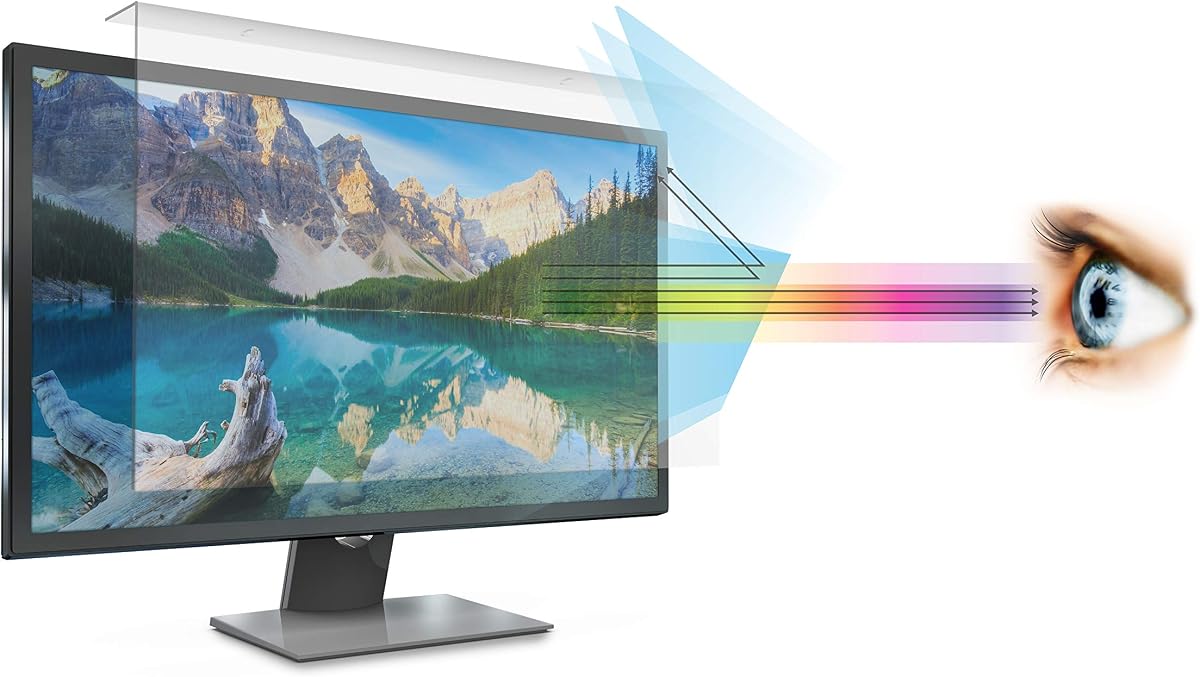
The VizoBlueX 23-24 inch Anti-Blue Light Filter is a simple hanging panel for desktop monitors and compatible 24-inch iMac models. Its 4.4 rating places it among the strongest customer-rated options here. Unlike privacy filters, the product is specifically designed to retain the visible picture while using multilayer optical construction to eliminate hazardous UV and block harmful high-energy visible light.
We may earn a commission when you buy through this link, at no additional cost to you.
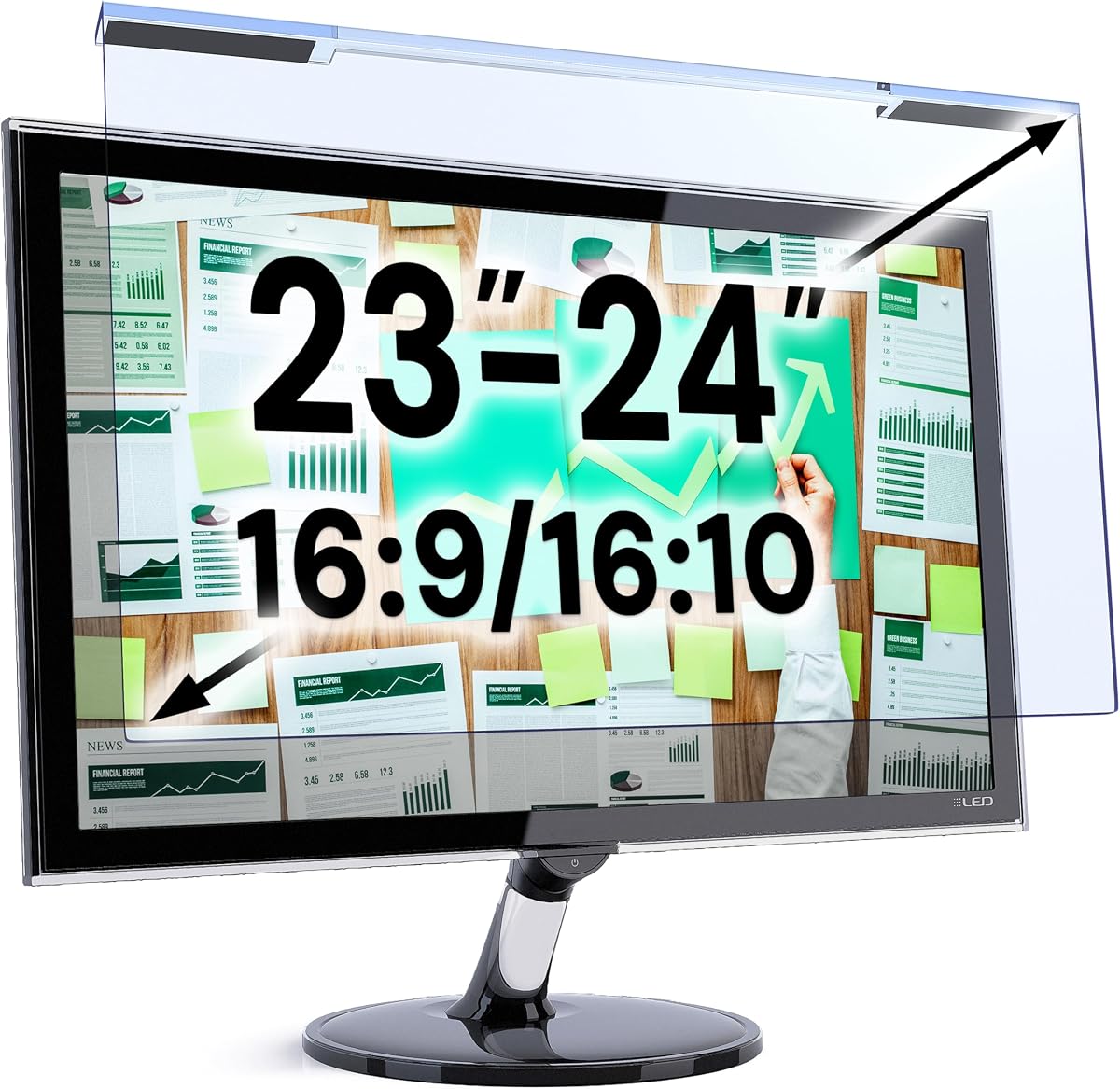
The filter measures 21.5 by 13 inches and is intended for displays with a diagonal from 23 to 24 inches. Its listed compatibility includes Samsung, LG, Dell, HP, Lenovo, Asus, Acer, BenQ, ViewSonic, Philips, and NEC monitors, as well as 16:9 displays and specified 24-inch iMac models. This broad range is useful for buyers who want one type of eye-care filter across several computers.
The main limitation is that it does not claim to be a privacy screen or anti-glare panel. It is therefore most appropriate when the priority is blue light filtration, UV reduction, and maintaining the monitor's color rather than preventing side-angle viewing or reflections. A measurement error could also leave part of the display uncovered, so comparing the panel dimensions with the active screen area is essential.
For students, office professionals, and general users seeking a straightforward blue light filter, the VizoBlueX panel is a practical recommendation. Its easy hanging installation and stated ability to maintain full visible colors make it convenient for anyone who wants protection without a complicated mounting system.
Because the product is not a privacy or anti-glare design, its optical purpose remains focused on reducing high-energy visible light and ultraviolet exposure. The supplied description emphasizes preservation of visible colors, which is valuable for work involving documents, design, photographs, or media.
Installation requires removing the protective films from both sides and hanging the panel over the monitor. This method avoids permanent adhesive and is convenient for users who may move between desks or want to remove the filter periodically.
We may earn a commission when you buy through this link, at no additional cost to you.
The VINTEZ Blue Light Screen Protector is a lightweight filter designed for 23-, 23.6-, 23.8-, and 24-inch monitors. It has a 4.3 rating and focuses on optical comfort rather than privacy or glare reduction. Its stated 21.2-by-13.4-inch size places it among the larger 24-inch options, making accurate diagonal and active-area measurements important.
We may earn a commission when you buy through this link, at no additional cost to you.
According to the supplied details, the filter reduces blue light by up to 61% and filters 99% of UV light. Its optical work is concentrated in the 420-460 nanometer range, while the product is explicitly not designed to provide an anti-glare function. That makes it a sensible choice for users who find their monitor comfortable in terms of reflections but want a dedicated blue light and UV layer.
The product also positions itself as a physical screen protector. Its construction is described as shielding against scratches, dirt, and dust, and the manufacturer offers a lifetime replacement policy for a damaged screen. Installation is straightforward: remove the matte protective film from both sides and position the filter over the monitor.
This VINTEZ model is recommended for desktop users and laptop owners with compatible displays who prioritize blue light and UV filtering without privacy hardware. It is less compelling for bright offices where glare is the main problem or for buyers wanting multiple removable panels, but its focused design, broad brand list, and stated replacement policy make it a solid everyday option.
The stated 61% reduction provides a higher filtering level than some of the basic hanging panels in this guide. Focusing on the 420-460 nanometer range allows the product to address the blue light associated with digital eye fatigue while leaving the overall design simpler than a privacy filter.
Dust, dirt, and scratch resistance add value for an accessory attached directly to a frequently used display. The stated lifetime replacement policy also provides more reassurance than a basic disposable film, although buyers should retain proof of purchase and follow the manufacturer’s policy terms.
We may earn a commission when you buy through this link, at no additional cost to you.
The Peslv Two-Pack Privacy Screen combines a 24-inch 16:9 privacy filter with blue light, UV, glare, and scratch protection. Its 4.2 rating reflects a generally practical feature set, while the two-pack allows one panel to remain installed while another is used on a second display. The stated active dimensions are 20.94 by 11.81 inches.
We may earn a commission when you buy through this link, at no additional cost to you.
A particularly notable feature is the exclusive double-sided design. The matte side provides anti-glare treatment and retains a privacy angle of approximately 30 degrees, while the glossy side offers stronger anti-peeping performance with a stated angle of 26 degrees. This allows users to choose the surface that best matches their location instead of accepting one permanent trade-off.
The optical material is reported to reduce blue light by 92% and UV light by 98%. Privacy protection uses a micro-blind optical design, and a reinforced transparent layer helps guard the display from scratches. The package contains two filters, adhesive strips, slide mount tabs, cleaning kits, and a microfiber cloth, making it comparatively complete for multi-monitor setups.
Peslv is best suited to professionals, students, healthcare workers, lawyers, and bank employees who regularly handle sensitive information. It is less necessary for entertainment-only screens, but the two mounting systems, double-sided construction, and generous accessory package make it a versatile choice for users who need both privacy and eye protection.
Using the matte face outdoors or under strong overhead lighting reduces reflections and softens harsh light. The glossy face is better for highly confidential work where a narrower acceptable viewing angle is worthwhile, making the reversible design a meaningful choice rather than a cosmetic feature.
Two included filters can support a dual-monitor arrangement, provide a spare for careful maintenance, or allow one panel to be used on a travel display. The included adhesive strips and slide tabs also give users options for permanent placement and more frequent removal.
We may earn a commission when you buy through this link, at no additional cost to you.
The Protescreen 27 Inch Privacy Screen Filter is intended for 27-inch 16:9 monitors and offers a broader physical size than the 24-inch options in this guide. It has a 4.1 rating and combines confidential viewing with substantial blue light, UV, and reflected-light filtering. The panel measures 23.56 by 13.25 inches, with a stated diagonal of 27 inches.
We may earn a commission when you buy through this link, at no additional cost to you.
Its micro-louver technology limits the viewing angle to approximately plus or minus 28 degrees. Directly in front, the screen remains clear, while users to either side see a darker image as the angle increases. The optical material is stated to reduce 92% of blue light and 98% of UV light, while the matte surface can block 95% of reflected light.
The main compromise is that privacy is strongest only when the viewer faces the monitor directly. Shared workspaces with people walking behind or beside the user may still see some screen content. The package includes one filter, two adhesive strips, two slide tabs, two alcohol packets, and two cleaning cloths, so buyers needing multiple displays must purchase another unit.
This Protescreen model is a solid option for 27-inch users in open offices, cafés, airports, and trains who need both a larger privacy panel and meaningful eye-care filtering. It suits users who appreciate removable installation, while those wanting a more confidential image from oblique angles should prioritize a narrower stated privacy range.
A 28-degree viewing range is narrower than a standard open display but not as restrictive as some privacy products. Combined with the stated ability to block 95% of reflected light, it works well in offices where both screen visibility and room lighting need control.
Double-sided adhesive supports a fixed installation, while slide tabs allow the panel to move on monitors with raised frames. This flexibility is useful for shared computers, presentation setups, and screens that need to remain visible without a permanent filter.
We may earn a commission when you buy through this link, at no additional cost to you.
The ZYY 27 Inch Anti Blue Light Screen Protector is a layered acrylic panel with a 4.4 rating. It is built for 27-inch desktop monitors, including curved models, and uses a hanging-style installation. Its listed width and height are 24.125 by 14 inches, so the active screen area should be compared with those dimensions before purchase.
We may earn a commission when you buy through this link, at no additional cost to you.
The manufacturer states that Japanese Fujimori nano-optical stacking technology blocks at least 90% of blue light, 98% of UV, and 99% of other harmful light. Five layers of optical engineering are designed to retain high resolution and realistic color while adding scratch resistance, anti-fingerprint performance, and an ultra-thin 2-millimeter profile.
This product does not offer privacy filtering, and the supplied information explicitly notes that it is not for iMac screens. It is also not explicitly marketed as an anti-glare filter, meaning users whose main concern is reflected overhead light may need a different option. Its strengths are optical filtering, layered construction, and support for curved displays.
ZYY is recommended for gamers, learners, and professionals using compatible 27-inch monitors who want a thin, removable panel with substantial blue light and UV protection. The installation is especially convenient because it requires removing the films from both sides and hanging the protector over the display.
The multi-layer design is intended to combine blue light and UV filtering with clear color reproduction and physical protection. That combination makes the filter more useful for extended productivity use than a basic dust cover.
The product is explicitly described as compatible with curved monitors, expanding its relevance for 27-inch gaming and productivity displays. Buyers should still check panel dimensions because curved models can vary in active area and edge alignment.
We may earn a commission when you buy through this link, at no additional cost to you.
The 24 Inch Anti Blue Light Anti Glare Screen Protector is a more specialized alternative for users who need glare control and touchscreen support. It has a 3.6 rating, the lowest in this comparison, but its eight-layer construction and oleophobic coating address several practical issues that basic blue light films do not.
We may earn a commission when you buy through this link, at no additional cost to you.
The supplied information states that the filter blocks hazardous UV light and filters harmful 380-495 nanometer high-energy visible blue light. Its matte anti-glare coating is intended to reduce visual interference from strong reflections, while the oil-repellent surface treatment helps resist sweat and water and can be wiped clean.
Its 20.94-by-11.77-inch size targets 24-inch 16:9 displays from a wide collection of brands, including Dell, HP, Acer, ViewSonic, Asus, AOC, Samsung, Sceptre, LG, Philips, and Amazon. It is also described as compatible with standard, curved, touchscreen, and non-touchscreen monitors, with no stated input lag.
The main reason to hesitate is its lower customer rating relative to the rest of the list. Some users may also find a matte treatment less vibrant than a clearer film. Nevertheless, this protector is a compelling match for interactive displays, bright offices, and users who prioritize reduced reflections over maximum color brightness.
The anti-glare coating is the defining feature here, targeting reflected light under bright conditions. It can make a monitor easier to use near windows or under strong office lighting where a conventional clear filter may remain distracting.
Touchscreen compatibility makes this option more relevant than many privacy or blue light panels for interactive kiosks, drafting displays, and modern all-in-one computers. The stated preservation of screen responsiveness supports practical everyday interaction.
We may earn a commission when you buy through this link, at no additional cost to you.
The EZ-Pro Anti Blue Light Screen Filter is aimed at 21- and 22-inch widescreen desktop monitors. It has a 4.4 rating and uses a 19.3-by-12.5-inch acrylic panel. The product focuses on blue light reduction, scratch resistance, and uncomplicated attachment, making it a useful option for smaller office displays that are otherwise underrepresented in this category.
We may earn a commission when you buy through this link, at no additional cost to you.
The supplied description states that the filter blocks up to 80% of harmful blue light and radiation. Although it is not marketed as a privacy screen or anti-glare panel, its acrylic construction is intended to protect the display from dust and scratches. The visual emphasis is on reducing digital eye fatigue during prolonged use.
Installation is one of its most attractive features. The panel attaches to the monitor bezel without adhesive and can be removed or repositioned as needed. The package includes a blue light testing kit, installation guide, and cleaning cloth, giving buyers tools to evaluate installation and maintain the panel.
This filter is recommended for 21- and 22-inch desktop users who want simple eye-care protection without permanent mounting. It is not the right choice for a 24- or 27-inch display, and buyers who need strong glare reduction or confidentiality should choose a more specialized product. Within its smaller-screen niche, it offers an attractive rating and straightforward setup.
Many monitor accessories focus on popular 24- and 27-inch sizes. This panel provides a dedicated option for 21- and 22-inch widescreen displays, including older or more compact office setups that may not support larger accessories.
Attaching the filter directly to the bezel removes the need for permanent adhesive and allows the panel to be moved between compatible monitors. The included testing kit can also help users confirm the blue light effect in their own viewing environment.
We may earn a commission when you buy through this link, at no additional cost to you.
The IPROKKO Two-Pack 27 Inch Blue Light Screen Protector combines a two-panel configuration with strong stated blue light and UV filtration. It has a 4.0 rating and targets 16:9 monitors measuring 23.54 by 13.25 inches. Compatibility includes HP, Dell, Samsung, Lenovo, LG, Acer, Asus, and ViewSonic displays, with support also stated for curved monitors.
We may earn a commission when you buy through this link, at no additional cost to you.
The optical claims are among the higher in the guide: up to 98% blue light filtering and 99% UV removal across the 380-460 nanometer range. The panel also reports 95% reduction in glare and reflected light. A stated 90% light transmission rate is intended to preserve a clear high-definition picture without heavy dimming.
The package is appealing for dual-monitor users because it includes two removable and washable filters. Installation is described as simple and residue-free, without the tabs or tape used by many competitors. The protective layer is also intended to resist scratches, sharp objects, and dust while keeping the display clear.
IPROKKO is a strong recommendation for 27-inch users who want two panels, broad compatibility, and a combination of blue light, UV, glare, and scratch protection. It is less appropriate for confidential work because it does not provide privacy filtering, and buyers should still verify their active screen dimensions before ordering.
The two-pack can cover dual 27-inch monitors, serve a display and a laptop, or provide a spare for cleaning and storage. That flexibility creates more value than a single-panel filter for multi-screen users.
A stated 90% transmission rate and 95% glare reduction suggest a balance between light filtering and visible clarity. The removable, washable construction also makes it practical to maintain in dusty or high-use environments.
We may earn a commission when you buy through this link, at no additional cost to you.
The right monitor protector depends on accurate size measurement, the type of light that causes discomfort, and the additional features you need from a screen accessory.
Monitor labels usually describe diagonal size rather than the exact dimensions of the visible display. Measure the width and height of the active area without including the bezel, then compare those measurements with the protector’s listed panel size. This matters for 24-inch models because several products in this guide use dimensions close enough that a few centimeters of difference can affect coverage.
Most desktop filters in this guide are made for 16:9 widescreen displays. A monitor with a 16:10 ratio, ultrawide format, square design, or unusual resolution may require a different panel even if its diagonal measurement appears identical. The aspect ratio and dimensions together determine whether a hanging filter can cover the screen without leaving exposed borders or extending beyond the display.
Blue light filters are intended to reduce a specified portion of high-energy visible light while preserving color and brightness. The products here use different claims, ranging from 45% to 98% blue light reduction. A higher stated percentage is not automatically more comfortable for every user, because some people prefer a subtler effect and dislike a noticeably warm or dim appearance.
UV filtration is common across these products, with many panels claiming 98% or 99% filtration. Glare control is separate: only some models include a dedicated matte anti-glare function. If reflections from windows, overhead lights, or adjacent screens cause more discomfort than blue light, choose a protector explicitly designed for glare reduction rather than assuming every blue light filter handles it.
A privacy filter uses directional optical technology to darken the image when viewed from the side. It is valuable in open offices and high-traffic areas, but it can limit peripheral visibility and may not eliminate every glimpse. The listed privacy angles range from approximately 26 to 30 degrees, so compare those figures with the angles at which coworkers or passersby usually view your display.
Hanging filters are simple and leave no adhesive behind, while slide tabs allow removal but generally need a raised bezel. Adhesive strips can provide a more permanent, gap-free position and are often necessary for frameless displays. Before choosing, consider how often you will move the monitor, whether the bezel can accommodate tabs, and whether a fixed attachment might interfere with cleaning or screen rotation.
Filters can affect brightness, contrast, color, and sharpness even when their main purpose is eye protection. Basic panels often emphasize high transparency, while matte privacy designs trade some vibrancy for reduced reflection. Look for a stated light transmission rate, high-definition optical construction, and a surface orientation that suits the display rather than judging solely by the blue light percentage.
Scratch resistance, dust protection, washable materials, cleaning cloths, and multiple mounting tabs can influence long-term usefulness. A two-pack is especially helpful for dual-monitor users, while a single panel with a reversible surface may be more adaptable across changing environments. Include accessories only when they support the way you will actually use the display.
Before installation, turn off and unplug the monitor, clean the display with a suitable screen-cleaning method, and let the surface dry completely. Measure the active area if you have not already done so. Compare the protector’s width and height with the screen rather than relying on the monitor’s advertised diagonal, and identify whether your display has a raised bezel before choosing tabs or adhesive.
For a hanging panel, remove the protective film from both sides as directed and align the filter over the active display. Start at an upper corner and work gradually so dust is not trapped beneath the material. Adhesive or tab-mounted filters should be positioned carefully because removing them too quickly may create bubbles, residue, or damage to the optical layer.
Clean the protector with the supplied cloth or another soft, lint-free microfiber cloth. Avoid abrasive pads, harsh solvents, and excessive pressure, particularly on matte or oleophobic surfaces. Remove and wash reusable privacy filters according to the product instructions, let them dry fully before reinstalling, and replace a panel that becomes permanently cloudy, scratched, or difficult to mount.
They can reduce exposure to particular wavelengths of high-energy visible light and may make some users feel more comfortable during long screen sessions. They do not prevent every form of digital eye strain, which can also involve dryness, reduced blinking, glare, poor viewing distance, and prolonged close focus. A well-fitted filter combined with regular breaks, suitable ambient lighting, and a comfortable screen position remains the most practical approach.
Many privacy filters include blue light and UV filtration in addition to directional privacy. However, the extra optical structure can affect brightness, contrast, and color, so a privacy filter may not be as comfortable as a dedicated clear blue light panel. Choose based on whether confidentiality is a genuine requirement rather than assuming the two product types provide identical experiences.
Measure the visible width and height of the screen without the bezel, then compare both numbers with the panel dimensions in the product listing. Also check the aspect ratio, because two monitors with the same diagonal can have different active areas. If the protector is intended to hang over a display, its overall dimensions should slightly exceed the active screen without being so large that it interferes with the frame.
Some products explicitly support curved displays, including the ZYY, IPROKKO, and the listed 24-inch anti-glare model. Others may fit based on active dimensions but are not formally described as curved-compatible. Flat hanging films can bridge the edges of a curved screen, and rigid adhesive filters may sit differently, so checking the manufacturer’s compatibility statement is important.
Only if the product includes a dedicated anti-glare or matte function. A clear blue light filter may filter light emitted by the screen without preventing reflections from windows, walls, or overhead lighting. The 24-inch anti-glare protector, the reversible privacy filters, and the IPROKKO panel explicitly address glare or reflected light, making them better choices for bright workspaces.
Hanging filters generally require less preparation because they are suspended over the display and can be removed without leaving adhesive. Adhesive strips create a closer, more stable mount but require careful alignment and may be harder to reposition. Slide tabs offer another removable method, although they normally need a raised bezel to hold the filter securely.
Some change in brightness, warmth, contrast, or color is common, especially with matte privacy filters. Clear blue light panels with high stated transmission can minimize that effect. Users who are highly sensitive to color may prefer a model emphasizing transparency and image clarity over a stronger privacy or anti-glare treatment.
Use a soft, lint-free microfiber cloth and a cleaner approved for the monitor surface. Avoid abrasive materials, paper towels, and harsh chemical cleaners that can damage coatings. For washable privacy filters, follow the included instructions, allow the panel to dry completely before reinstalling, and replace it if repeated cleaning leaves residue or persistent cloudiness.
The MOSISO Blue Light Blocker is the most balanced overall choice for many 23.8- and 24-inch users because it combines stated UV and blue light filtration with high transparency and a simple hanging design. The Mamol filter stands out when confidentiality matters, while the VizoBlueX panel provides focused light filtering and color preservation at a budget-friendly level.
Prioritize accurate dimensions, aspect ratio, and your main source of discomfort. Choose a clear blue light filter for routine eye-comfort goals, a matte anti-glare design for bright rooms, or a privacy filter for sensitive work. Also consider installation permanence, panel count, curved-screen support, and whether a reversible surface will provide useful flexibility.
Specifications, ratings, and prices can change over time, so review the current listing and seller information before buying. Measure the monitor, confirm the installation requirements, and compare the latest customer feedback. Those final checks can prevent a size mistake and help ensure the protector remains comfortable and practical in daily use.
