
Adjustable Chair Arm Rest Platform
4.3Editor score
Anti-fall mouse baffle
Tool-free two-size straps
Sturdy ABS construction
Contoured memory foam cushion
An armrest mouse pad places a mouse surface at the height of a chair arm, creating a more level working position than a traditional desktop pad. The best options combine a stable tracking area, forearm support, secure chair attachment, and enough clearance for the mouse to move without interfering with the user’s posture.
The products in this guide fall into two practical groups: platforms that attach to chair armrests and desktop pads with raised wrist supports. We compared their construction, dimensions, attachment methods, cushioning, surface design, mouse compatibility, stability, and suitability for left- or right-handed users to clarify the differences.
Each review highlights the feature that matters most for that particular design, along with practical limitations. The three leading picks represent different priorities, while the remaining nine options show how a traditional ergonomic pad can differ from a chair-mounted platform. Product availability and pricing can change, so check the current listing before buying.
4.3Editor score
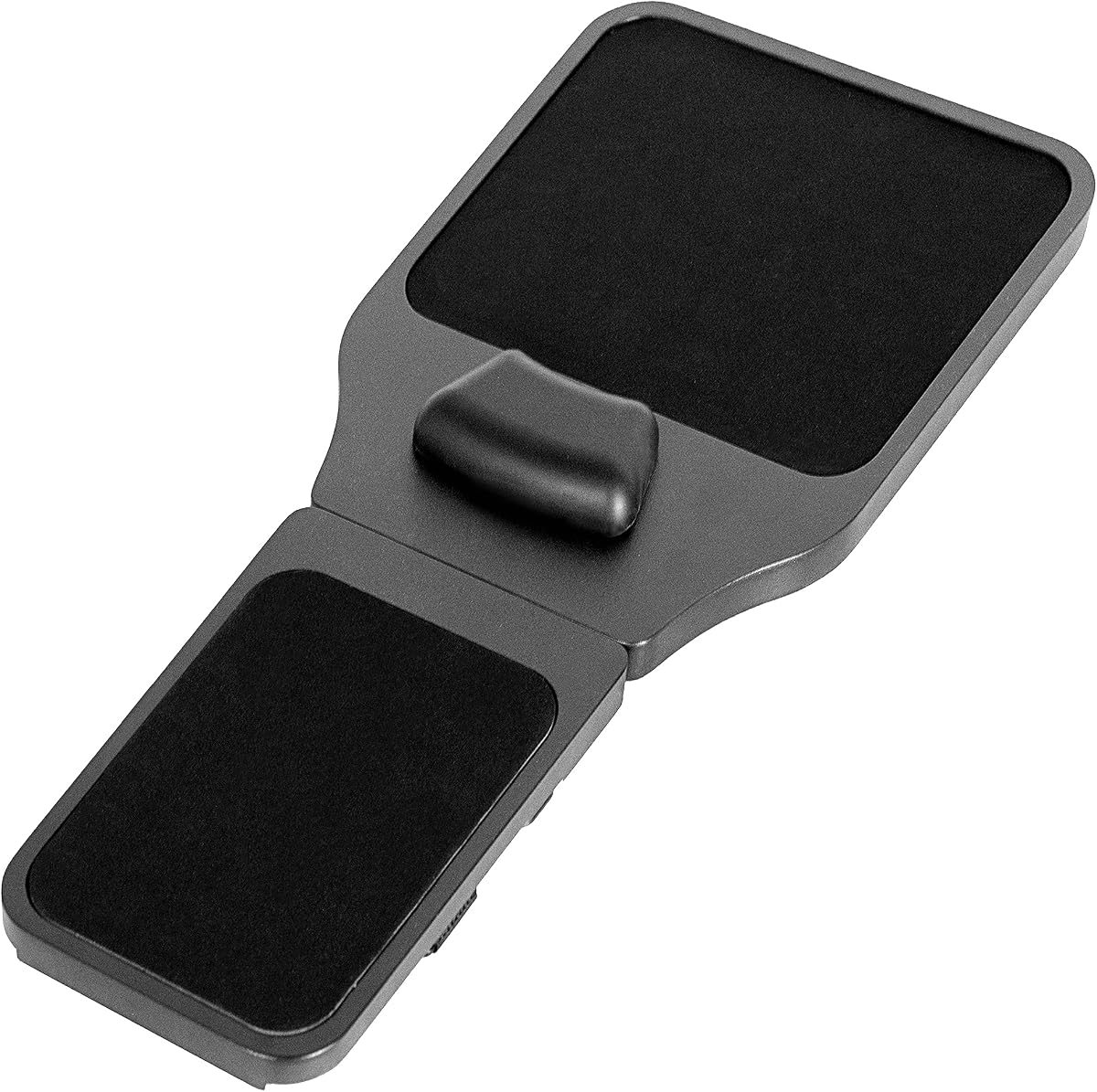
4.1Editor score
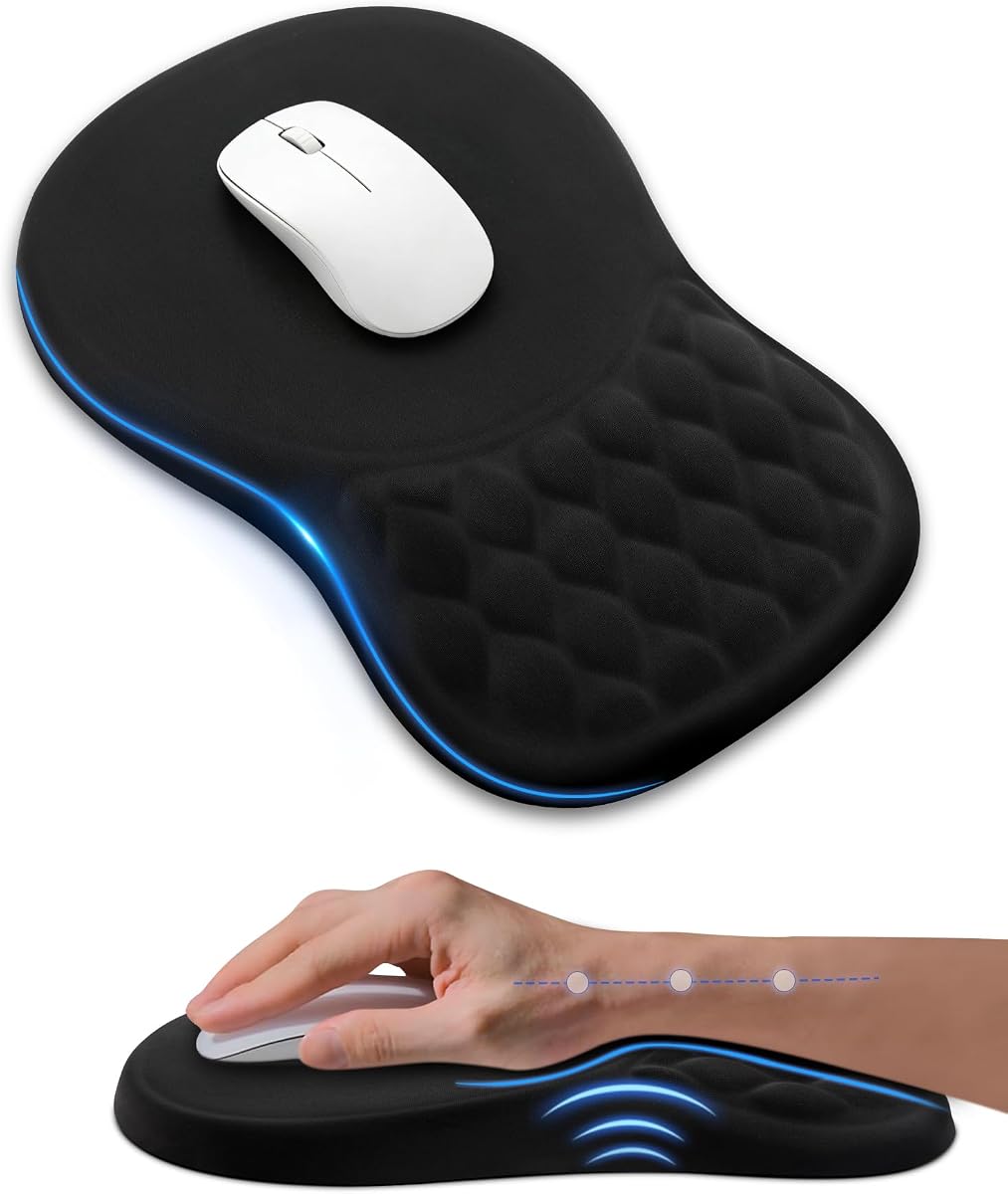
4.5Editor score
As an Amazon Associate we earn from qualifying purchases.
The comparison below distinguishes chair-mounted platforms from desktop wrist-rest pads, with the most important differences involving installation, height, support, tracking area, and intended workspace.
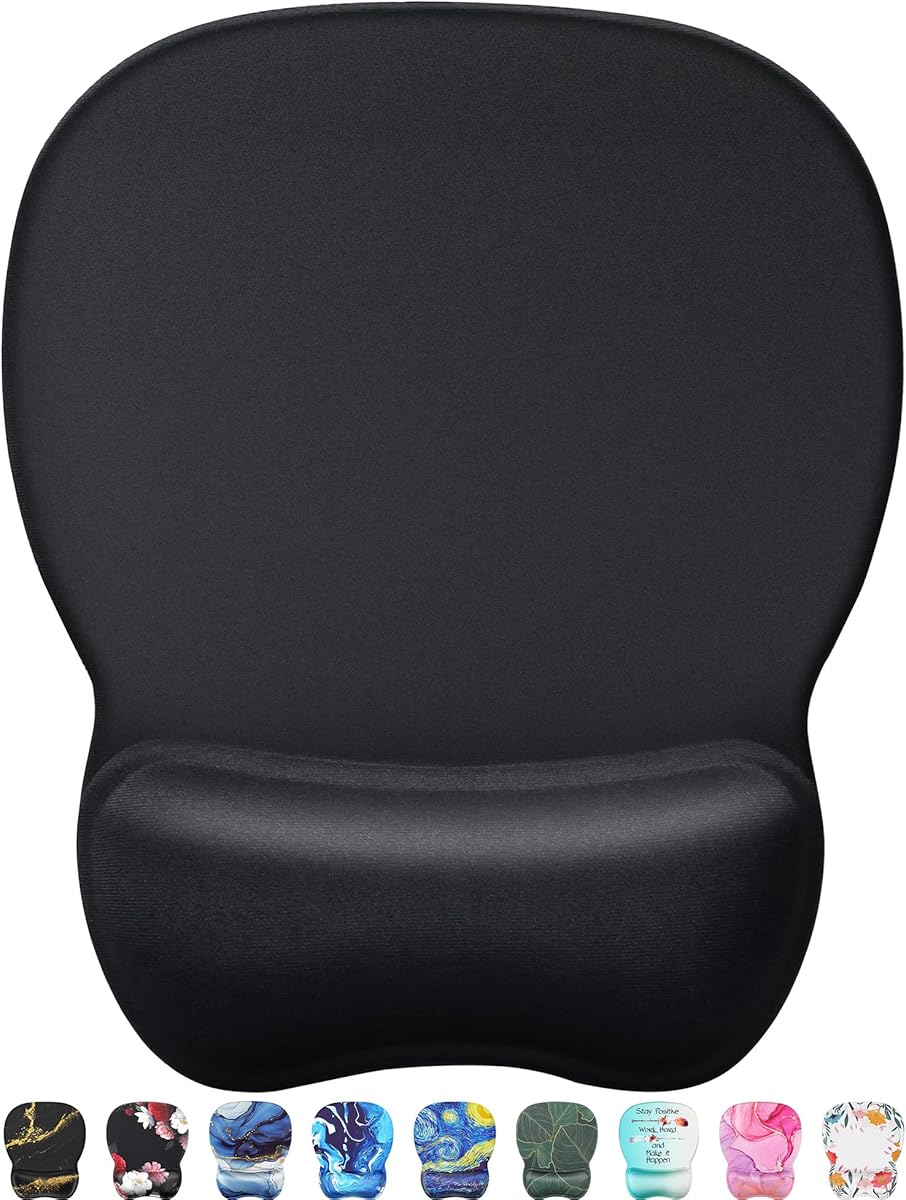
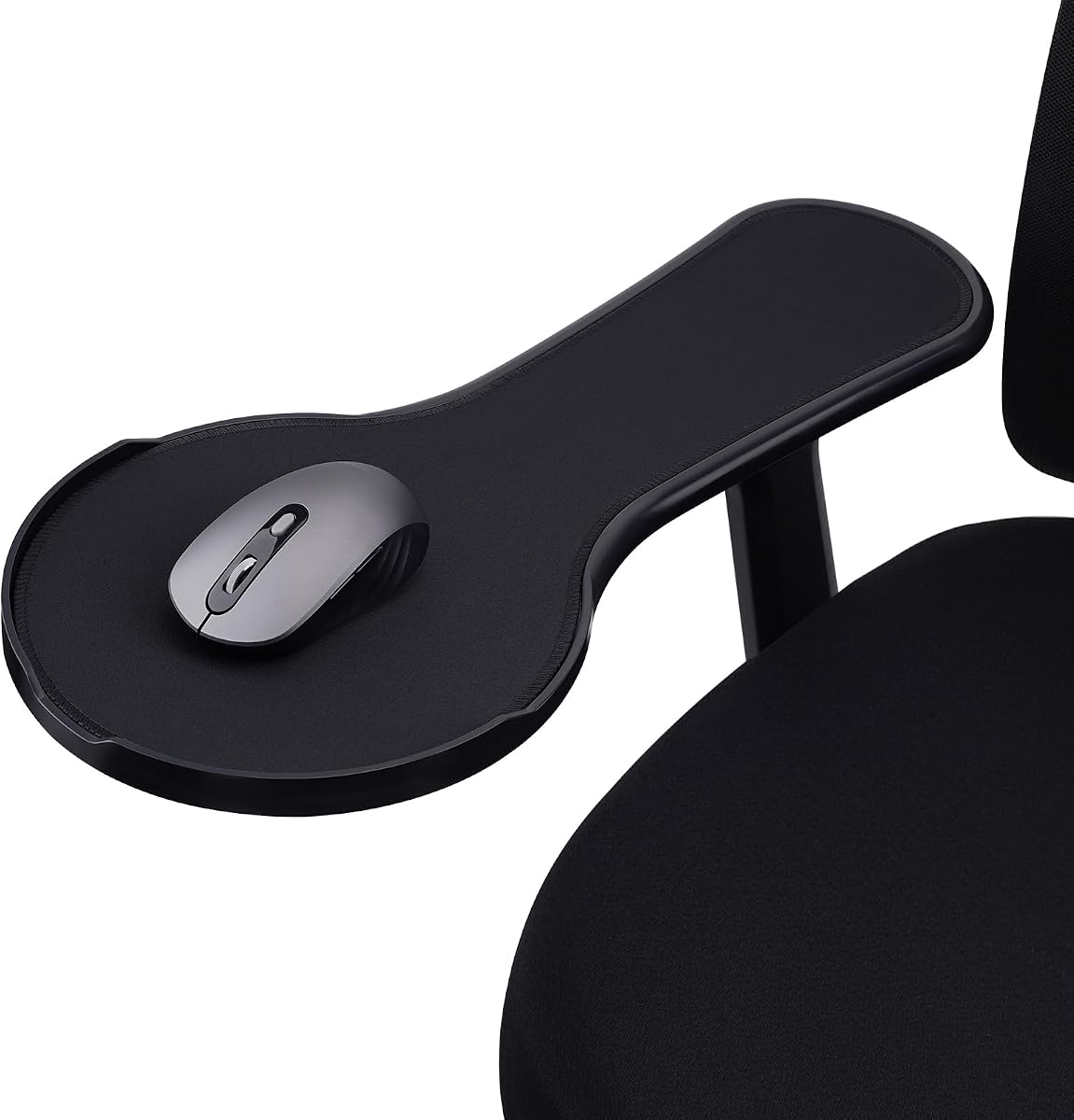


The VIVO Black Wooden Arm Rest Mouse Pad with Wrist Cushion, MOUNT-MS02D, is a purpose-built chair-arm platform for users who want their mouse positioned closer to the natural height of their forearm. It carries a 4.1 rating and stands out for its solid wooden construction, adjustable length, and unusually flexible left- or right-handed placement.
We may earn a commission when you buy through this link, at no additional cost to you.
Its platform adjusts from 19 to 21.8 inches, allowing the mouse area to align with different armrest lengths. Three Velcro straps secure it to chair arms with circumference up to 11.8 inches. The extension can also serve as a small organizer for pens, keys, a phone, and other everyday items, giving the broad surface a role beyond mouse control.
A memory foam wrist section adds support at the front of the wooden platform. This is especially relevant for users whose desktop mouse pad sits noticeably below their forearm. The trade-off is that the product is chair-specific and considerably more substantial than a conventional desk pad, so buyers should check their armrest shape, dimensions, and available clearance before ordering.
This is a strong choice for someone working primarily from an office chair and wanting a mouse surface at arm level. It offers the most complete chair-mounted feature set in the guide, including adjustable sizing, reversible placement, strap attachment, cushioning, and added storage. Those who need a lightweight, portable desktop pad should instead examine the conventional ergonomic options.
The central advantage is elevation. Placing the mouse on a platform secured to the chair arm can reduce the need to reach downward toward a desk, while the long platform supports the forearm during precise movement.
Three straps, two included strap sizes on some competing designs, and reversible positioning help accommodate different chair shapes and dominant hands. Buyers should still confirm that their armrest can support the platform without interfering with adjustment levers.
We may earn a commission when you buy through this link, at no additional cost to you.
The MROCO Ergonomic Mouse Pad with Gel Wrist Rest is a well-rounded desktop option with a 4.6 rating. Rather than mounting to a chair, it provides a raised gel section and a low-friction Lycra surface intended to support the wrist while the mouse moves across the pad.
We may earn a commission when you buy through this link, at no additional cost to you.
Its 9.4-by-8.1-inch footprint gives a standard-size mouse room for controlled movement while remaining manageable on a crowded desk. The smooth, finely textured cloth is described as compatible with wired, wireless, optical, and mechanical mice. A soft PU base helps prevent slipping, and reinforced edges are intended to resist fraying during regular use.
The most obvious limitation is that this is not an armrest-mounted platform. It can reduce strain associated with reaching and wrist placement when used on a desk, but it cannot raise the mouse to chair-arm height. Its appeal instead lies in a familiar desktop format, broad device compatibility, and a 18-month after-sales service.
Choose the MROCO pad for users who spend time at a conventional desk and want a balanced combination of cushioning, tracking, and grip. It is also a useful alternative for anyone who cannot install a platform on a chair. Those whose main goal is a mouse surface directly over the armrest should focus on the chair-mounted models higher in the guide.
The Lycra-covered tracking area is designed for consistent movement with a wide selection of everyday and gaming mice. Its texture aims to balance smooth gliding with accurate cursor placement rather than creating an overly soft or drag-heavy surface.
The gel cushion fills the gap between the desk and the user’s hand. While it cannot match the height of a chair-mounted tray, it can create a more comfortable resting angle during standard desk work.
We may earn a commission when you buy through this link, at no additional cost to you.
The Ergonomic Mouse Pad with Sloped Memory Foam Wrist Rest has a 4.5 rating and a 4.5-star ergonomic design that suits users who want a raised wrist support without installing hardware on a chair. Its sloped memory foam is intended to keep the hand at a natural angle during office work, study, or gaming.
We may earn a commission when you buy through this link, at no additional cost to you.
The pad measures 11.14 by 7.6 inches, offering enough room for regular mouse movement while fitting into many home and professional desks. A smooth Lycra top is described as providing low-friction tracking for common mouse types. Underneath, a PU base is designed to remain stable on glossy and wooden surfaces.
Users who strongly prefer a flat surface may find the raised wrist section less familiar, and comfort will still depend on hand size, desk height, and posture. Like the MROCO model, it does not solve the height difference associated with working on a low desk from a high chair. Its value is instead in responsive cushioning and stable everyday tracking.
This is a practical recommendation for buyers who want an ergonomic desktop upgrade at a modest cost. It offers a larger surface than several compact alternatives, a supportive slope, and a grippy base. It is best paired with a mouse that fits comfortably within the available tracking area and used with the forearm supported rather than allowing the wrist to bend sharply.
Memory foam is designed to take the shape of the wrist and recover after use. That combination can make the support feel more tailored than a fixed gel ridge while preserving a stable surface for mouse movement.
The Lycra top and non-slip PU base work together to limit unwanted movement. A stable pad helps maintain consistent cursor placement during scrolling, clicking, browsing, creative work, and light gaming.
We may earn a commission when you buy through this link, at no additional cost to you.
The Ergonomic Adjustable Chair Arm Rest Mouse Pad with Wrist Cushion is the most feature-focused chair-mounted option in this guide. It earns a 4.3 rating and combines an adjustable ABS tray, forearm support, memory foam wrist padding, and a circular anti-fall baffle intended to keep the mouse from leaving the platform.
We may earn a commission when you buy through this link, at no additional cost to you.
The tray is 18.9 inches long and adjusts from 5.4 to 8.7 inches wide, giving it useful room for standard and gaming mice. Installation uses two sizes of Velcro plus zip ties, allowing the user to secure the platform to most chair armrests without complex tools. The setup is explicitly intended for chairs rather than a desktop.
The adjustable width is a meaningful advantage over fixed trays, particularly for users with different armrest shapes. The trade-off is that the platform is specialized and less portable than a conventional pad. It also depends on the armrest remaining stable after the attachment straps are tightened, and it may be less suitable for chairs with unusual or narrow arms.
This platform is well suited to users who regularly work or play from a chair and value mouse retention. The anti-fall baffle gives it a practical distinction from simpler open platforms, while the wider configuration accommodates larger mice. It is a premium feature-driven choice for a compatible office or gaming chair rather than a general-purpose portable pad.
The raised circular baffle provides a physical boundary around part of the mouse area. Combined with the broad ABS tray, it can make the chair arm feel more like a dedicated workstation than a simple surface.
Two strap sizes and included zip ties provide several ways to secure the platform. Users should install it on a chair with a broad, firm armrest and check the clearance around chair controls.
We may earn a commission when you buy through this link, at no additional cost to you.
The Ergonomic armrest Mouse pad for Chair, Chair arm Mouse Tray, offers a straightforward way to raise the mouse and support the arms. It has a 4.4 rating and focuses on the essentials: an ABS platform, an adjustable mouse tray, two sizes of strap fasteners, and included zip ties.
We may earn a commission when you buy through this link, at no additional cost to you.
Installation involves feeding the straps through the base of the platform and fastening them to the chair armrest. Instructions are included, and the different strap sizes make it easier to accommodate a range of chair shapes. The adjustable tray is intended to position the mouse within comfortable reach while allowing the upper limbs to relax.
This design lacks some of the more specialized features found elsewhere, such as the VIVO platform’s memory foam padding or the circular anti-fall baffle of the feature-rich chair tray. Its advantage is a simpler, potentially more versatile installation approach. Because it is explicitly chair-only, it should not be considered as a substitute for a conventional desktop mouse pad.
This is a good option for a user who values uncomplicated installation and arm-level mouse positioning. It may be especially attractive for office workers who already use a chair with a suitable armrest but find the desktop too low. Confirm the armrest dimensions, ensure the platform does not interfere with adjustment controls, and tighten the straps evenly before use.
The included straps and zip ties offer a tool-free route to mounting the platform. A straightforward setup can be useful for users who do not want to alter the chair or permanently modify the armrest.
The adjustable tray positions the mouse on the chair arm rather than the desk. This reduces the downward reach associated with a low work surface and provides a place for the forearm to remain supported.
We may earn a commission when you buy through this link, at no additional cost to you.
The Ergonomic Mouse Pad with Wrist Rest, Gel Wrist Support, Black, has the highest listed rating in the guide at 4.7. It is a desktop pad rather than an armrest platform, but its contoured gel cushion, fine fabric surface, and rubber base make it an appealing choice for smaller workspaces.
We may earn a commission when you buy through this link, at no additional cost to you.
At 10.2 by 7.6 inches, the pad is large enough for everyday mouse movement without occupying an excessive portion of the desk. The cushion follows the natural curve of the wrist and returns to its original shape after use. A non-slip rubber base is designed to limit shifting during quick movements and repeated clicking.
Compared with larger ergonomic mats, the compact dimensions may restrict rapid movement for users who use a large gaming mouse or favor wide arcs. The raised cushion can also feel different from a flat surface during the first few sessions. The product’s main distinction is straightforward wrist support in a familiar, space-conscious format.
This pad makes sense for students, home-office users, and anyone working at a compact desk. It combines a well-liked rating with a clean, uncomplicated design and artistic pattern options. Users seeking true armrest-height mouse positioning should choose a chair-mounted model, while those satisfied with desktop placement can appreciate its compact support.
The dimensions provide a practical balance between usable movement area and limited desk space. It is particularly appropriate for study tables, small home workstations, and desks with limited open area.
The gel section is shaped to support the wrist’s natural curve and recover after use. That support can make a standard desktop mouse position feel more comfortable during extended clicking and scrolling.
We may earn a commission when you buy through this link, at no additional cost to you.
The EooCoo Ergonomic Mouse Pad with Wrist Rest, Memory Foam Support Mousepad, is a 4.6-rated desktop option focused on cushioning, tracking, and basic durability. It combines a memory foam wrist rest with a denser surface texture and a PU base designed to remain stable during work or gaming.
We may earn a commission when you buy through this link, at no additional cost to you.
Its double-layer construction is intended to improve wear resistance, while the dense texture is described as supporting accurate tracking with wired, wireless, optical, and mechanical mice. The memory foam is designed to relieve pressure and fatigue around the wrist. Materials are also described as non-toxic, without a chemical odor, and supported by a ROHS certificate.
The product information does not provide exact measurements, so buyers who have a very small or unusually crowded desk should verify the dimensions on the listing. It also does not raise the mouse to chair-arm height, so its ergonomic benefit comes from wrist support rather than a change in the overall arm-to-mouse relationship.
This mouse pad is a sensible option for users who want a familiar wrist-rest design with strong compatibility and a high customer rating. It suits office work, gaming, and general computer use where a stable surface and resilient construction matter. It is less compelling for someone whose main priority is chair-mounted mouse placement.
The surface is designed to offer accurate tracking without relying on a very loose weave. Its compatibility with several common mouse types makes it a versatile option for mixed work and gaming setups.
A double-layer design is intended to withstand regular use while the PU base helps prevent the pad from moving. These construction details make it practical for frequent daily operation.
We may earn a commission when you buy through this link, at no additional cost to you.
The TECKNET Ergonomic Mouse Pad with Wrist Rest, Soft Comfortable Massage Design, differentiates itself with an eight-degree tilt and built-in massage beads. It carries a 4.5 rating and combines the angled support with memory foam, a PU base, and a relatively generous 12-by-8-inch surface.
We may earn a commission when you buy through this link, at no additional cost to you.
The tilt is designed to support the palm and wrist in a more natural position. Massage beads under the cushion are intended to reduce fatigue and improve air circulation, while memory foam provides the underlying support. The broad surface accommodates different mouse styles, including wireless, vertical, and gaming models.
The raised, textured cushion is not likely to feel identical to a flat mat. Some users may appreciate the massage effect, while others may prefer smooth gel or a low-profile foam edge. TECKNET also notes that individual comfort can vary according to hand shape, habits, and desk height, which is an important qualification for any ergonomic accessory.
This pad is best for users who want a pronounced ergonomic angle and a larger desktop tracking area. It can suit both left- and right-handed users, and its distinctive support features give it a clear identity. It does not mount to a chair arm, so buyers seeking true armrest use should select one of the platform designs instead.
The eight-degree slope lifts the rear of the pad and changes the angle of the hand. Users accustomed to a flat surface may need a short adjustment period, but the design targets a more supportive wrist position.
The 12-by-8-inch area provides useful movement space for large gaming mice and vertical models. A stable PU base helps keep that wider surface in place during quick directional changes.
We may earn a commission when you buy through this link, at no additional cost to you.
The TECKNET Ergonomic Mouse Pad with Wrist Support Black combines a memory foam wrist rest with a portable 9.44-by-8.46-inch footprint. Its 4.6 rating makes it one of the stronger-rated desktop pads in the comparison, and the waterproof surface offers a practical advantage in busy workspaces.
We may earn a commission when you buy through this link, at no additional cost to you.
The silk-processed top is designed for accurate tracking and easy cursor control. Beneath it, a wave-pattern rubber base is described as increasing friction compared with a standard mouse pad, helping the pad remain stable. Reinforced edges are intended to prevent deformation and extend useful life.
Unlike chair-mounted platforms, this product does not change the height of the mouse relative to the user’s forearm. Its support comes from the raised wrist section, so the desk and chair should still be arranged to avoid unnecessary reaching. It is also a fixed shape, meaning it will not adapt to a different armrest or change height.
This TECKNET model is a good travel-friendly choice because it is smaller and lighter than a chair platform while retaining a supportive cushion. It works well for office, study, and gaming users who want an easy-to-clean surface. Buyers should also note the stated 36-month warranty applies to registered products.
The coated surface is intended to resist accidental spills and remain easy to clean. That makes the pad practical for shared offices, study desks, and locations where drinks or other liquids may be present.
Its compact dimensions make it easier to move between desks or take on trips. The memory foam retains the familiar benefit of raised wrist support without requiring a chair attachment or dedicated workstation platform.
We may earn a commission when you buy through this link, at no additional cost to you.
The Kensington Duo Gel Mouse Pad with Wrist Rest, model K62401AM, offers a distinctive gel-and-ventilation design with a 4.5 rating. Its raised pillow is shaped to follow the natural curve of the wrist and hand, creating a support surface for scrolling and clicking on a desk.
We may earn a commission when you buy through this link, at no additional cost to you.
A ventilation channel is included to help keep the hand cool and dry, an advantage over pads that use a completely solid cushion. The soft finish is easy to wipe clean, and the Duo-tone color combination gives it a recognizable appearance. The product is listed for computer, laptop, office, and home environments.
With dimensions of 7.625 inches wide, 9.625 inches long, and one inch tall, the pad is relatively tall and more focused on wrist support than a flat tracking mat. It does not mount to a chair arm and therefore cannot raise the mouse to arm level. The fixed shape may also be less attractive to users who prefer low-profile surfaces.
This Kensington pad is a worthwhile choice for users who appreciate a pronounced gel pillow and want airflow around the wrist. It is especially relevant in warm environments or during long sessions where heat and moisture can become uncomfortable. It rounds out the guide as a polished desktop alternative, but it should not be mistaken for a true chair-mounted armrest platform.
The ventilation channel distinguishes this model from solid gel and foam designs. It is intended to reduce heat buildup around the hand while preserving the raised support provided by the gel pillow.
The soft surface is described as easy to wipe clean, which simplifies routine care. Its fixed dimensions and defined shape also make it straightforward to place in a laptop bag or on a smaller work area.
We may earn a commission when you buy through this link, at no additional cost to you.
The most important decision is whether you need a mouse platform attached to a chair arm or a raised-support pad placed on a desktop. After making that distinction, consider fit, cushioning, tracking, stability, and the way your current chair and desk work together.
A chair-mounted armrest mouse pad raises the mouse closer to forearm height and can reduce the need to reach downward toward a lower desk. It is most useful for users whose chair armrests already sit near the height of their desk or keyboard. Desktop pads offer a simpler, more portable alternative, but they only add wrist support and cannot change the height relationship between the chair and desk.
In short, choose a chair platform for true arm-level mouse placement, or choose a desktop pad for a compact, familiar, and portable ergonomic surface.
Chair-mounted products need a firm armrest with enough width and length for the platform. Check the armrest circumference, top width, length, and distance from the chair controls. Some products fit armrests up to a stated circumference, while others include multiple strap sizes and zip ties for additional stability. Measure before purchasing because a platform that is too wide can interfere with adjustment buttons or make the chair feel uneven.
In short, a careful measurement is the best protection against poor attachment, limited mouse room, and interference with the chair’s moving parts.
Look for a surface that is smooth enough for controlled movement but textured enough to support accurate tracking. The guide includes Lycra, silk-processed, and finely textured fabric options, all of which are described as suitable for common mouse types. Large gaming mice need more room than compact models, while vertical mice may benefit from a broader area because their movement pattern differs from a standard mouse.
In short, match the pad area to your mouse size and movement style, and prioritize a low-friction surface that remains stable during rapid directional changes.
Memory foam is designed to conform to the wrist and rebound after use, often producing a softer, more tailored feel. Gel supports the wrist in a defined curve and can feel firmer or more structured. Raised gel pillows, sloped foam, massage beads, and ventilation channels each create a different profile, so the best cushion depends on hand shape and personal preference. A cushion should support the hand without forcing it into an unnatural position.
In short, memory foam favors adaptive comfort, while gel favors a defined shape; choose whichever support angle feels natural and be prepared to adjust your chair and desk height.
A non-slip base keeps the surface from shifting while the mouse moves. Desktop options use PU or rubber bases, while chair platforms rely on straps, hooks-and-loop fasteners, and sometimes zip ties. Stability matters on both types of desk because sliding creates inconsistent tracking and can encourage users to compensate with excess force. A chair-mounted design should be tightened evenly and checked after the user settles into a normal sitting position.
In short, look for a grippy base on desktop pads and secure, multiple-point attachment on chair platforms, then confirm that neither shifts during normal mouse movement.
Desktop pad dimensions range from compact areas around 7.625 by 9.625 inches to broader 12-by-8-inch surfaces. The chair platforms are generally longer and may offer adjustable width. Consider the available desk area, chair clearance, mouse footprint, and the need to use a keyboard at the same time. A larger surface is not automatically more comfortable if it pushes the mouse too far away or forces the user to reach around other desk items.
In short, choose enough room for your mouse movement without creating a new reach problem, and check the full desktop or armrest setup before finalizing the dimensions.
Most desktop pads work for either hand, although the raised section determines which side receives the support. Chair platforms vary more: the VIVO platform can be placed on the left or right, while other designs may have a more specific orientation. Regardless of the product, the mouse should remain close to the body, the elbow should stay relaxed, and the wrist should not bend sharply upward or sideways.
In short, align the supported side with your dominant hand, keep the device close, and adjust the entire chair-and-desk setup because no accessory can compensate for poor overall posture.
Reinforced edges, double-layer construction, and coated surfaces can affect long-term wear. Gel and memory foam may also develop a more personalized shape over time. Desktop pads are generally easier to maintain: a wipeable surface can be cleaned quickly, while chair platforms require occasional checking of straps and the condition of the attachment points. Follow the manufacturer’s care instructions and avoid exposing cushioning or adhesive materials to excessive heat or moisture.
In short, favor reinforced edges, a surface suited to your cleaning routine, and hardware that can be checked and retightened without damaging the chair.
Before using a chair-mounted platform, measure the armrest and inspect the chair for adjustment levers, hinges, or controls that could interfere. Place the platform on the side used by your dominant hand, align it with the chair’s line of movement, and fasten the straps gradually. A chair platform should sit firmly without compressing the armrest padding excessively or preventing the armrest from raising and lowering.
For a desktop pad, center the raised cushion beneath the area where your wrist naturally rests and position the mouse over the smooth tracking section. Set the chair and desk height so that the forearm is supported and the wrist remains neutral. Begin with moderate mouse movements, then adjust the pad’s orientation or location if the mouse feels too close, too far away, or awkward to reach.
Clean desktop surfaces according to the product instructions, using a soft damp cloth for fabric or gel areas without saturating the cushion. For chair platforms, periodically check the straps, zip ties, and cushion for loosening or wear. Remove the mouse and accessories before repositioning the platform, and replace damaged fasteners rather than relying on a weakened attachment.
No. An armrest mouse pad is typically a platform attached to a chair arm, so the mouse sits near forearm height. An ergonomic desktop mouse pad stays on the desk and generally provides a raised wrist cushion and tracking surface. The chair-mounted style addresses mouse height, while the desktop style primarily addresses wrist support and surface comfort.
That depends on the model. The VIVO platform can be placed on either chair arm, while several desktop pads have raised sections that can suit either hand. Some chair trays have a fixed orientation or less flexible support placement. Check the product description and pictured layout before buying, especially if the device will be shared.
It will fit only if the armrest has a suitable width, length, and circumference. Measure the armrest away from its hinge and compare those dimensions with the manufacturer’s stated limits. Also check for buttons, levers, and gaps that could prevent the platform from sitting flat or moving with the armrest.
They can be better when the desktop is substantially lower than the user’s forearms, because a chair-mounted platform reduces downward reaching. If the desk and chair already form a comfortable arrangement, a standard ergonomic pad may be lighter, more portable, and easier to position. The better choice depends on the user’s actual desk-to-chair relationship.
Not necessarily. The larger chair-mounted trays in this guide are described as suitable for standard and gaming mice. What matters more is the available area, surface texture, stability, and whether the mouse can be moved without approaching the platform’s edges. Users with very large mice should confirm the platform’s width before ordering.
Use every included fastening method where appropriate, tighten the straps evenly, and inspect the platform after leaning on it or adjusting the chair. The extra zip ties supplied with certain models can improve security. Avoid tightening so aggressively that the armrest padding is compressed or the chair’s adjustment mechanism is obstructed.
A conventional desktop pad lacks the straps, structural support, and attachment geometry needed for safe chair-arm use. It may slide, bend, or fall if placed on an armrest. Use a product specifically designed and rated for chair mounting, and verify that the platform is firmly secured before working.
Follow the manufacturer’s care instructions and avoid saturating the cushion. A soft, slightly damp cloth is usually appropriate for wipeable outer fabric, but cleaning solutions should not be applied unless the manufacturer approves them. Remove the mouse first, avoid harsh chemicals, and let the surface dry fully before use.
The VIVO MOUNT-MS02D is the strongest all-around chair-mounted choice because it combines an adjustable wooden platform, memory foam padding, three straps, and reversible placement. The feature-rich adjustable chair platform is ideal when mouse retention and a wider tray matter, while the sloped memory foam desktop pad provides a cost-effective ergonomic upgrade for conventional desks.
Prioritize the relationship between your chair and desk before choosing the material or cushion. Users who reach downward for a low mouse should focus on a compatible chair platform, while users with a comfortable desk height may benefit more from a portable gel or memory foam pad. Mouse size, dominant hand, desk space, and attachment clearance should all influence the decision.
Ratings, product availability, and pricing can change over time, so verify the current listing and specifications before purchasing. Confirm the chair dimensions for any mounted model, check the pad’s footprint on the desktop, and review the included attachment parts. With those checks completed, the right armrest mouse pad can support a more comfortable and organized computer setup.