
Elgato 4K X Capture Card
4.5Editor score
4K144 capture capability
HDMI 2.1 input
240fps 1080p passthrough
VRR passthrough support
External HDMI video capture cards compared for resolution, latency, compatibility, audio, design, and features for streaming and recording.
External HDMI video capture cards turn game consoles, cameras, laptops, and other HDMI sources into streaming or recording devices. A worthwhile model should balance dependable capture quality, responsive performance, useful connections, and straightforward software compatibility without asking users to manage complicated setup routines.
The products in this guide were compared using their stated input and output resolutions, frame rates, USB interfaces, latency features, audio support, operating-system compatibility, and intended applications. The list covers compact budget options, aluminum-bodied USB 3.0 models, a camera-focused capture solution, and specialized hardware for demanding gaming workflows.
Each review explains where a capture card stands out, where its specifications impose limits, and which creator it suits best. Ratings and product details reflect the supplied listings, while availability, software updates, and prices can change. Always verify the current specifications and compatibility requirements before purchasing.
4.5Editor score

4.7Editor score

4.4Editor score
The table below compares the ten recommended capture cards by their core resolution targets, interface standards, passthrough features, and practical roles. It is designed to make the differences between budget USB 2.0 devices, USB 3.0 models, and specialized high-frame-rate hardware easy to identify.



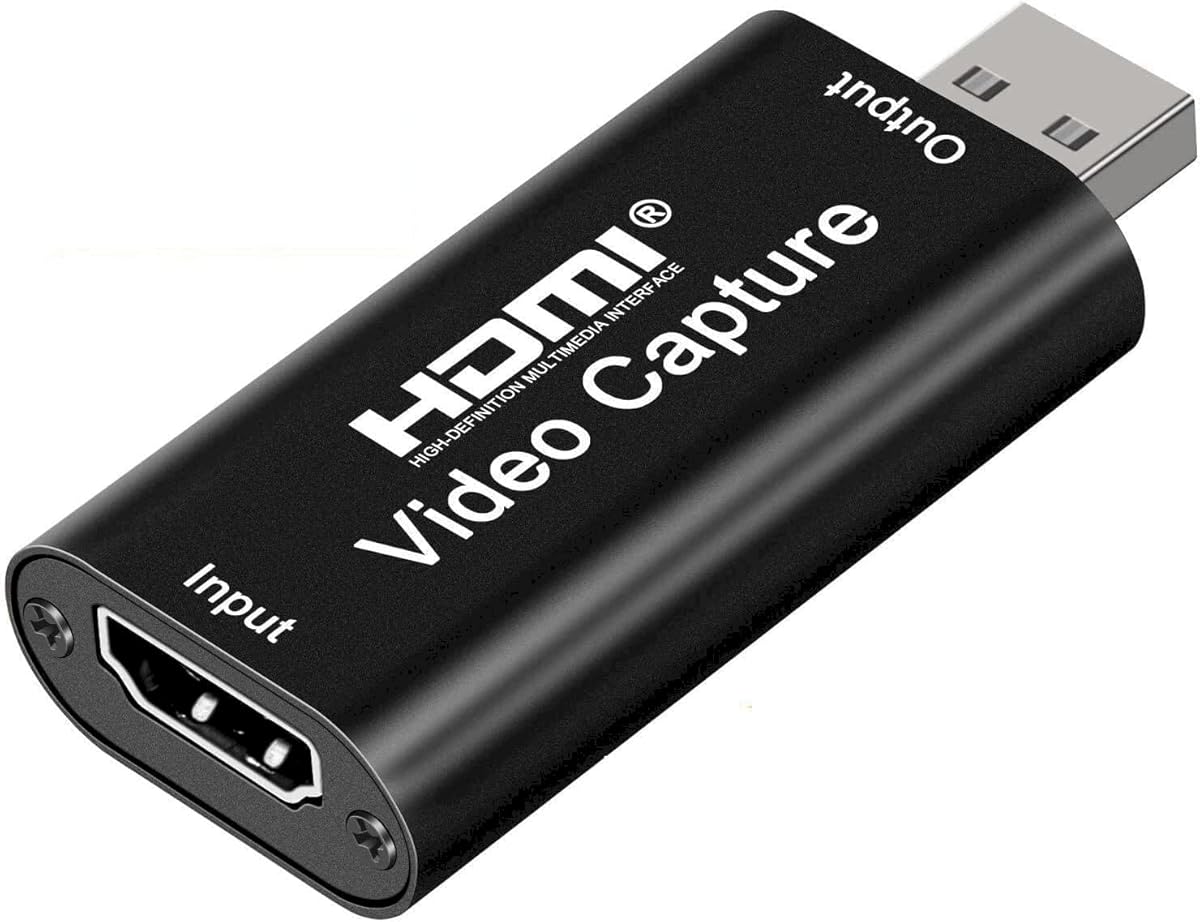


The Capture Card 4K HDMI is a general-purpose USB 3.0 capture device for streamers, teachers, and casual content creators. Its 4.3 rating reflects a solid balance of useful features, including an HDMI loop-out and dedicated 3.5mm microphone input. The card can capture up to 1080p and accepts HDMI sources operating at 4K30/60Hz, 1080p120/144Hz, and other compatible modes.
We may earn a commission when you buy through this link, at no additional cost to you.
Its plug-and-play approach is one of the most important strengths. The supplied information says no driver or external power supply is required, and the device is recognized as a webcam after connection. That makes setup approachable for users who do not want to troubleshoot software or power requirements. HDMI loop-out allows a console or camera to remain connected to a local display while the computer receives the capture signal.
The microphone input also separates this model from simpler cards that can capture only source audio. It accepts a standard 3.5mm TRS headset, allowing a creator to add live commentary without routing a second audio device through the computer. The principal limitations are output-oriented: capture tops out at 1080p, USB output reaches 2K30, and very high refresh rates such as 4K120 or 4K144 are not supported.
This is a good choice for console streaming, classroom demonstrations, and live commentary where a loop-out and simple setup matter more than high-end 4K capture. It is less suitable for creators who need 4K recording, 120fps workflows, or advanced format controls. For ordinary 1080p streaming, it offers a useful and understandable feature set.
The HDMI loop-out lets a console remain visible on another display while the computer receives the capture feed. This is useful during gameplay, presentations, and demonstrations where local monitoring remains important.
The built-in 3.5mm microphone connection gives creators a quick way to add narration. It is particularly helpful for game streamers who want commentary without additional software-based audio routing.
We may earn a commission when you buy through this link, at no additional cost to you.
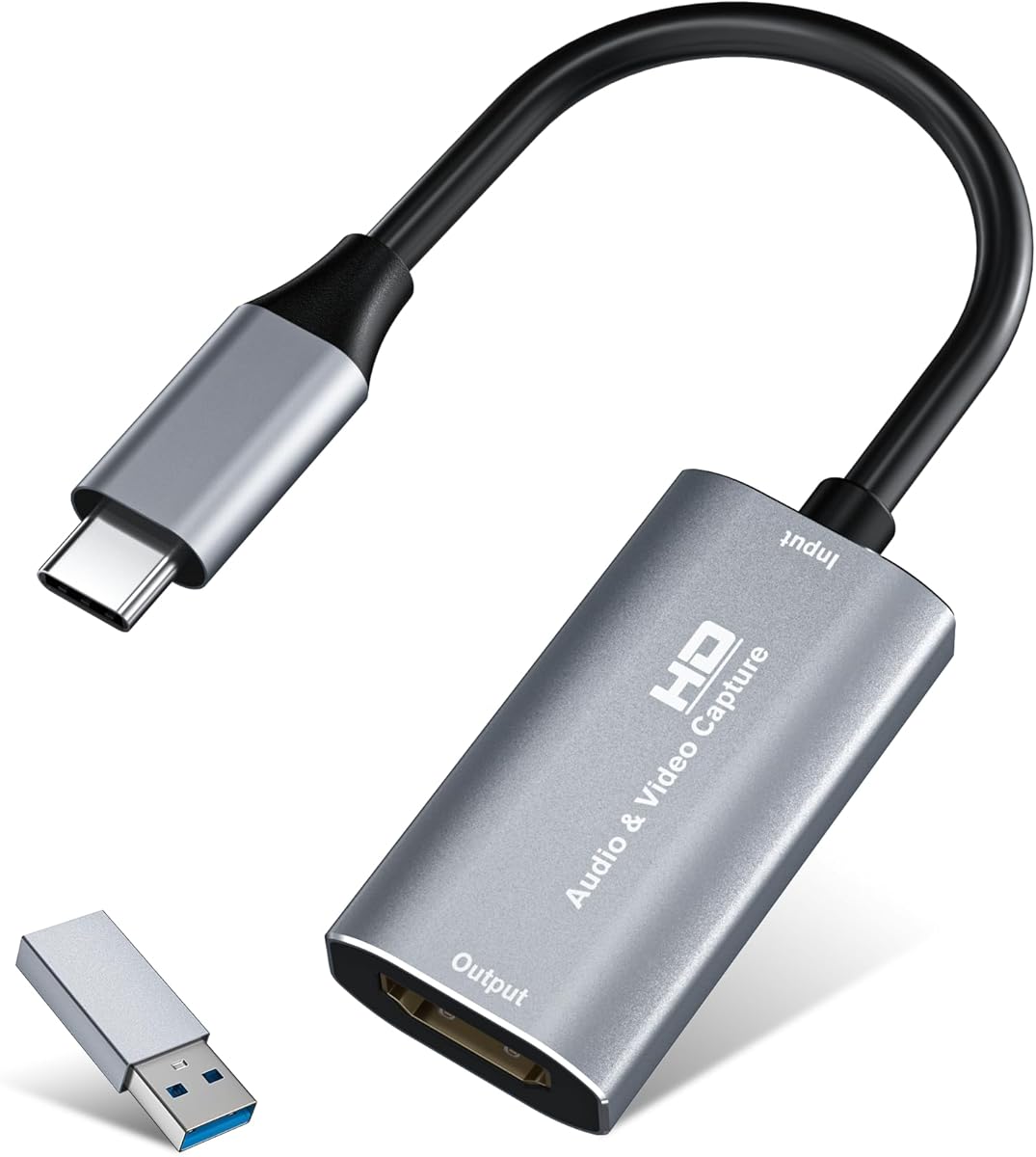
The Guermok Video Capture Card is a small USB 3.0 capture solution aimed at mobile creators, educators, and streamers. It carries a 4.4 rating and supports HDMI input up to 4K30, with output at 2K30 or 1080p60. Unlike many compact alternatives, the package includes a USB 3.0-to-USB-C adapter, making it convenient for computers with limited USB-A access.
We may earn a commission when you buy through this link, at no additional cost to you.
The aluminum alloy shell helps dissipate heat while the device remains light enough for an outdoor streaming kit. It requires no separate driver or power supply, so the connection process is relatively simple. Compatible software includes OBS Studio, VLC, and PotPlayer, while the listing also identifies major operating systems and popular game consoles.
There are important technical cautions. This is a capture device rather than a direct display adapter, and its one-way HDMI-to-USB-C architecture should not be confused with HDMI output for a computer. Video decoding introduces millisecond-level latency, and different formats such as MJPEG and YUY2 support different resolutions. Users should connect through USB 3.0 whenever possible and reconnect the card if the computer identifies it as USB 2.0.
The Guermok is most appropriate for portable 1080p recording, online teaching, meetings, and straightforward console capture. Users who need a local display loop or exceptionally low delay may prefer a different model. Within its portable category, however, the included adapter, broad software support, and compact construction make it a strong option.
Its small housing and included USB-C adapter reduce the need to carry a full-size adapter kit. Creators can move the device between a home computer, laptop, or tablet-based capture setup more easily.
The card can reach its stated performance through USB 3.0. If a computer reports USB 2.0, reconnecting through the correct port or adapter side can restore the intended bandwidth.
We may earn a commission when you buy through this link, at no additional cost to you.
The acer USB 3.0 HDMI Capture Card is a well-rounded option for 1080p streamers and creators who want a local monitor connection. Its 4.4 rating accompanies a practical combination of 4K30 input, 1080p60 output, HDMI loop-out, and a microphone input. The device is positioned as a no-driver, no-external-power solution for Windows, macOS, Android, and common capture applications.
We may earn a commission when you buy through this link, at no additional cost to you.
Its use of YUY2 is notable because the listing emphasizes richer color than MJPEG. YUY2 can also place a greater load on USB bandwidth and processing, so the source and software settings should be configured consistently. The HDMI loop-out gives users a way to play locally while sending the same source to a computer for recording or broadcasting.
The microphone socket is another useful feature for real-time commentary, online classes, and vlogging. Users can connect a headset or microphone directly instead of adding another adapter. The tradeoff is that this card focuses on 1080p60 performance rather than 4K capture, and its specification does not include advanced gaming passthrough features such as VRR.
This model is a sensible recommendation for console players, teachers, and everyday streamers who value stable 1080p capture, loop-out monitoring, and integrated voice input. It may not satisfy a creator shopping primarily for 4K recording or high-refresh passthrough, but its general-purpose feature set is coherent and accessible.
YUY2 encoding is highlighted for its stronger color presentation. It is a sensible format to test when image quality matters and the connected computer and capture application can sustain the required data rate.
Loop-out supports local viewing while capture feeds a computer. The microphone input then adds commentary, giving streamers a compact single-device workflow.
We may earn a commission when you buy through this link, at no additional cost to you.
The silver Video Capture Card is a broadly compatible USB 3.0 model for live events, gaming, teaching, and portable recording. Its 4.4 rating reflects a capable 1080p60 target, 4K30 HDMI input, and support for widely used software such as OBS, Zoom, VLC, and Twitch Studio. The included USB 3.0-to-USB-C adapter broadens its usefulness with modern computers.
We may earn a commission when you buy through this link, at no additional cost to you.
The listing emphasizes dual-channel audio and an aluminum alloy shell for heat dissipation. No drivers or external power are required, and the card supports Windows, macOS, Linux, and Android devices with the appropriate connections. Console and camera support extends the range of potential sources, including PlayStation, Xbox, Switch, and DSLR equipment.
The principal caveat is that this capture-focused card does not list an HDMI loop-out. Users who need to continue viewing the source on a separate display should account for that limitation. Tablet use also depends on OTG support, and the supplied guidance recommends testing the source with a monitor before connecting it to the capture card. That sequence can reveal missing audio or output problems before recording begins.
This is a strong choice for mobile streamers and educators who need many platform and device options. It also suits anyone prioritizing 1080p60 over 4K recording. The absence of a stated loop-out is acceptable when the software preview serves as the only monitoring method.
Support for Windows, macOS, Linux, and Android makes the card adaptable to mixed production environments. OBS, Zoom, VLC, and Twitch Studio coverage also suits both recording and live communication.
Checking HDMI video and audio with a monitor first can isolate source problems from capture problems. It is a simple precaution that reduces troubleshooting time in OBS or Zoom.
We may earn a commission when you buy through this link, at no additional cost to you.
The Audio Express AXHDCAP is the most budget-oriented recommendation in this guide, with a 4.4 rating despite being one of the simplest devices. It accepts HDMI input up to 4K30, but its USB output is limited to 1920×1080 at 30Hz. The device also captures rich stereo sound and works with Windows, macOS, and Linux through popular software such as OBS, Zoom, VLC, and PotPlayer.
We may earn a commission when you buy through this link, at no additional cost to you.
Its plug-and-play design requires neither a separate driver nor an external power supply. That simplicity makes it useful for classroom capture, online meetings, live broadcasting, and introductory game recording. The product listing mentions practical applications including medical imaging, broadcasting, and teaching, although the hardware still requires appropriate source equipment and capture software.
The USB 2.0 limitation is the decisive trade-off. It cannot deliver USB 3.0 recording speeds or formats above 1080p30, so a creator prioritizing 1080p60 or larger resolutions should look elsewhere. The listing also clearly warns that it does not add HDMI output to a computer. Its purpose is one-way acquisition from an HDMI source to a USB-connected computer.
For viewers, speakers, teachers, and new streamers who need a dependable basic capture path, the AXHDCAP is a practical choice. It is less appropriate for high-frame-rate gameplay or professional camera pipelines. Within a tight budget, its 4K input, stereo audio, and driver-free setup still provide a useful feature set.
Connecting a laptop, camera, or presentation source requires no driver installation. OBS or a similar program can then handle recording, making the card approachable for instructors and occasional presenters.
The 1080p30 ceiling is tied to the older USB 2.0 interface. It remains adequate for meetings and standard recording, but it cannot match the throughput of USB 3.0 alternatives.
We may earn a commission when you buy through this link, at no additional cost to you.
The Elgato 4K X is the specialized premium choice for gamers and creators who care about high-frame-rate capture. Its 4.5 rating accompanies support for 4K144 capture, HDMI 2.1 input and output, and 240fps 1080p passthrough. These specifications separate it clearly from the more conventional 1080p-oriented cards in this roundup.
We may earn a commission when you buy through this link, at no additional cost to you.
Variable Refresh Rate passthrough allows compatible gaming systems and displays to retain smoother variable-refresh behavior while the gameplay feed is captured. The USB 3.2 Gen 2 connection provides the bandwidth needed for demanding formats, while the stated ultra-low-latency architecture helps synchronize the broadcast and local play experience. Compatibility includes OBS, Streamlabs, Twitch Studio, Restream, Zoom, and Teams.
These capabilities also bring stricter ecosystem requirements. A source, computer, display, and software workflow must all support the desired resolution and refresh rate. Users should distinguish between 4K capture capability and the separate 240fps 1080p passthrough figure rather than assuming every output mode supports every frame rate. The HDMI 2.1 pipeline is the central strength, but it must be used deliberately.
The Elgato 4K X is best for competitive gaming, high-refresh consoles, and creators who want headroom beyond standard 1080p60 capture. It is unnecessary for basic webcams, classroom use, or infrequent recording. For users who genuinely need 4K144, VRR, and low-latency passthrough, however, it offers the most specialized feature set among the ten recommendations.
HDMI 2.1 and USB 3.2 Gen 2 provide the bandwidth foundation for high-resolution, high-frame-rate workflows. The result is most relevant when every part of the production chain can support the selected format.
VRR passthrough is valuable on compatible displays because it allows variable refresh behavior to continue during capture. This helps maintain the smoothness of the local game image while streaming.
We may earn a commission when you buy through this link, at no additional cost to you.
The UGREEN 2K Capture Card is a well-rounded USB 3.0 option with a 4.5 rating. It accepts 4K30 HDMI input and provides either 2K30 or 1080p60 output. Rather than requiring a separate adapter, its housing includes both USB-A and USB-C interfaces, making it a natural fit for computers, tablets, and phones that use different connector types.
We may earn a commission when you buy through this link, at no additional cost to you.
The listing highlights a 5Gbps data transfer rate, low latency, and broad compatibility with Windows, macOS, Linux, and phones or tablets. Sources include the Switch, Switch 2, PS4, PS5, Xbox Series X, and Meta Quest 3 or 2. OBS Studio, XSplit, PotPlayer, and QuickTime Player are among the named recording and streaming applications.
Several limitations deserve attention. The card performs one-way HDMI-to-USB acquisition, so it does not act as a general-purpose display adapter. It does not include an HDMI loop-out, and iPad users need iPadOS 17 or later. Console HDCP must be disabled for protected content, while modern iPads and Quest devices depend on appropriate software and host support.
The UGREEN model is a strong recommendation for users who want a connector-flexible, driver-free capture device at 1080p60. It is particularly convenient for mixed-device studios where USB-A and USB-C computers may alternate. Creators needing local passthrough should select the UGREEN 4K Loop Out model instead.
Having both interfaces built in reduces adapter clutter. It is especially convenient for mobile rigs that alternate between a desktop, laptop, tablet, or phone.
The card can deliver 2K30 or 1080p60, depending on the source and workflow. Users should select the mode that matches their software settings and computer bandwidth rather than assuming both can operate simultaneously.
We may earn a commission when you buy through this link, at no additional cost to you.
The UGREEN 4K Loop Out combines 4K30 local monitoring with 2K30 or 1080p60 capture. Its 4.4 rating makes it a particularly useful option for console players who want to watch gameplay on a local display while recording it. The loop-out and capture paths operate at different resolution targets, so the product should be understood as a hybrid workflow device rather than a 4K recorder.
We may earn a commission when you buy through this link, at no additional cost to you.
Its USB-A and USB-C ports provide flexible host connectivity, while MJPEG and YUY2 give users a choice between efficient compression and stronger uncompressed clarity. The aluminum casing supports heat dissipation and durability. Setup remains driver-free on modern systems, with external power not required, and the card works with Windows, macOS, Linux, and Android.
The specification notes that 4K capture is not supported even though the HDMI input and loop-out can handle 4K30. PS4 and PS5 sources work when HDCP is disabled, and iPhones are excluded because they do not support the UVC acquisition protocol. The card also cannot be used with Fire TV Stick. These limits make source selection and platform verification especially important.
This UGREEN is best for console streamers who prioritize simultaneous local viewing and 1080p recording. It also suits editors who want to choose their preferred capture format. It is less appropriate for 4K recording, protected-content capture, or iPhone acquisition. With loop-out as its defining benefit, it delivers a clear reason to choose it over a similar card without passthrough.
The HDMI loop-out can display 4K30 from a compatible source while the computer receives a separate capture feed. This makes the card attractive for gameplay on a high-resolution television.
MJPEG and YUY2 support gives users control over compression and image quality. The best choice depends on available bandwidth, storage demands, and the capabilities of the capture application.
We may earn a commission when you buy through this link, at no additional cost to you.
The Magewell USB Capture HDMI Gen 2 is the strongest all-around choice in this roundup, holding the highest listed rating at 4.7. It is a single-channel HDMI-to-USB capture device built for smooth 1080p60 recording, with support for input resolution up to 2048×1080 at 60fps in 4:4:4. Its professional orientation is evident in the hardware processing and control utility.
We may earn a commission when you buy through this link, at no additional cost to you.
FPGA-based video processing handles cropping, scaling, de-interlacing, color conversion, and image flipping on the device. Moving these operations away from the CPU can reduce processing pressure and improve consistency in a production environment. The USB 3.1 Gen 1 interface works immediately on Windows, macOS, Linux, and Chrome OS while remaining backward-compatible with USB 2.0.
Durability is another defining strength. The listing describes a compact, thermally protected design intended for 24/7 operation, along with status LEDs and a three-year limited warranty. The USB Capture Utility provides EDID, resolution, frame-rate, firmware, log, and diagnostic management. These operational controls matter more to a studio than a simple specification sheet alone.
The Magewell is the best fit for broadcast, institutional, event, or production users who need dependable 1080p60 capture and system-level controls. It lacks the 4K144 capabilities of the Elgato and costs more than entry-level cards. For a professional workflow that values stability, diagnostics, and on-device processing, however, it offers the strongest balance in this collection.
FPGA-based scaling, de-interlacing, color conversion, and image adjustments can reduce the load placed on the host computer. That makes the card suitable for simultaneous capture and other production tasks.
EDID controls, firmware management, diagnostic logs, status lights, and a three-year warranty provide the sort of support often needed in a permanent installation. The device is designed for continuous operation rather than occasional use alone.
We may earn a commission when you buy through this link, at no additional cost to you.
The VIXLW Cam Link 4K is designed to turn an HDMI-equipped DSLR, camcorder, action camera, microscope, or other source into a computer webcam. Its 4.2 rating is the lowest in the roundup, but the specifications serve a specific need: MJPEG capture at 3840×2160 and 60fps, 1080p120 streaming, and support for 4K30 through NV12, YUY2, and other listed formats.
We may earn a commission when you buy through this link, at no additional cost to you.
The card connects through USB 3.0 and works with Windows and macOS without drivers or an external power supply. Its applications include OBS, Zoom, YouTube, Twitch, Facebook, electronics repair, and microscope observation. For professionals who need a magnified or highly controlled image, the precise output options can be more valuable than a general-purpose gaming feature set.
The format differences are important. MJPEG reaches 4K60, while NV12 and YUY2 are listed at 4K30, and XRGB reaches 1440p30. A computer, application, and storage setup must support the selected format at its target frame rate. The device's operating-system list is also narrower than the UGREEN and Magewell options, which cover Linux, Chrome OS, or Android.
The VIXLW is best for camera users, online teachers, remote presenters, and precision-work creators who value high-resolution webcam conversion. It is less attractive as a console-first card with passthrough or broad mobile compatibility. Used with a suitable source and the correct format, it provides a capable bridge between professional camera output and computer-based capture.
DSLRs, camcorders, action cameras, and microscopes can all provide a much clearer image than a typical built-in webcam. The card makes those sources practical for meetings, classes, and live production.
MJPEG supports the card's headline 4K60 mode, while other formats have different ceilings. Matching the format to the application and computer prevents unnecessary quality or frame-rate compromises.
We may earn a commission when you buy through this link, at no additional cost to you.
The right external HDMI video capture card depends less on headline resolution than on the complete signal path. Source capabilities, output format, USB bandwidth, passthrough, audio, operating systems, and intended recording software all influence whether a card will work smoothly in practice.
A capture card may accept a high-resolution HDMI source while recording at a lower output resolution. For example, several options accept 4K30 HDMI but capture at 2K30 or 1080p60, and the Audio Express AXHDCAP captures at a maximum of 1080p30. Read both figures carefully because input capability describes what the source can send, not necessarily what the computer will receive. The Elgato 4K X is the exception among these choices, with stated 4K144 capture capability for systems and software capable of supporting it.
1080p60 is sufficient for many livestreams, meetings, and standard gameplay recordings, while 4K144 or 1080p120 serves creators who need smoother motion and more demanding post-production options. Frame rate is not just a resolution upgrade: storage, USB bandwidth, encoding, and the source all participate in the chain. A console displaying at 120Hz does not guarantee that every capture mode can record 120fps, so review the supported formats and source restrictions before choosing.
USB 3.0 and newer interfaces provide substantially more room for high-resolution video than USB 2.0. The Audio Express AXHDCAP makes the distinction explicit by limiting output to 1080p30. YUY2 generally favors quality and color fidelity but requires more bandwidth, whereas MJPEG applies compression and can ease transfer demands at the cost of file size and CPU work. Confirm that the host computer supports the selected format at the intended resolution and frame rate.
An HDMI loop-out sends the source back to a local display while the capture card sends a separate feed to a computer. This is valuable for console gaming, live demonstrations, and high-resolution monitoring. Cards with loop-out include the Capture Card 4K HDMI, acer USB 3.0 Capture Card, and UGREEN 4K Loop Out. The Elgato 4K X goes further with HDMI 2.1, 240fps 1080p passthrough, and VRR passthrough for compatible high-end gaming setups.
Capturing source audio is only half of the requirement. Some cards add a 3.5mm microphone input for commentary, while others capture stereo audio directly from the HDMI source. The Capture Card 4K HDMI and acer card offer dedicated microphone connections, whereas the Guermok, silver Video Capture Card, and Audio Express emphasize source or dual-channel audio. Consider where commentary originates, whether it is already mixed into the source, and whether the chosen application can control input levels and monitoring.
The advertised source list should be checked against protected content and device-specific restrictions. PlayStation, Xbox, and Switch systems may require HDCP to be disabled for capture. iPad compatibility can require iPadOS 17 or later, and some phones cannot serve as UVC acquisition hosts. The Audio Express is not an HDMI output adapter, and the VIXLW is limited to Windows and macOS. By contrast, Magewell and UGREEN support broader operating-system ranges, including Linux or Chrome OS depending on the model.
A capture card used at home can be chosen primarily for reliability, while mobile streamers benefit from a small aluminum body and easy cable management. Most of the modern USB 3.0 options use aluminum alloy for heat dissipation and resist signal interference. The Magewell stands apart with a thermal-protection design, status LEDs, and an explicit three-year warranty. Consider the size of the USB connectors, whether a USB-C adapter is included, and whether the card will travel with a camera or live-production kit.
A good capture card should be recognized as a standard video device and work with the software already used by the creator. OBS, Streamlabs, Twitch Studio, XSplit, VLC, PotPlayer, Zoom, QuickTime, and Teams appear across the supplied specifications, but behavior can vary with the chosen resolution and format. The Magewell adds EDID management, firmware controls, diagnostics, and exported logs, which can be valuable in a permanent studio where quick troubleshooting is less convenient.
Begin by confirming that the HDMI source, capture card, computer, and application are ready. Connect the source to the card with a suitable HDMI cable, then attach the card to the computer through the fastest available USB port. On USB-C systems, use the correct adapter side and ensure the computer recognizes USB 3.0 rather than falling back to USB 2.0. Install or update the chosen capture software, select the card as the video device, and verify the desired resolution and frame rate.
Test the source before beginning an important recording. If possible, display the source on a monitor to confirm that both video and audio are present, then open the capture application and check its preview. For protected console content, HDCP may need to be disabled. Select YUY2 for uncompressed quality when the full pipeline can handle its bandwidth, or choose MJPEG when compressed transfer is more practical. Match audio inputs in the software and test levels before adding commentary or other microphones.
Care for the device by keeping the aluminum housing unobstructed and using the supplied or properly rated cables. Avoid abrupt connector changes during recording, and do not hot-swap a source unless both the card and computer support that workflow. For long sessions, monitor temperatures, storage capacity, frame drops, and audio synchronization. When the card is not in use, disconnect it gently and store adapters with the unit. Updating software or firmware, when available, can improve recognition and compatibility over time.
Usually, no. Most capture cards move video in one direction, from an HDMI source to a USB-connected computer, where recording or streaming software can use it. They are not general-purpose adapters for adding an HDMI output to an older computer. The Audio Express AXHDCAP explicitly warns against using it for that purpose, and most other options in this guide behave the same way.
Capture depends on whether the source permits recording and whether HDCP is enabled. The UGREEN and compatible console models listed in this guide work with PlayStation and Xbox systems when HDCP is turned off. Some titles or services may continue to block capture even when the console setting is changed, so users should respect access restrictions and platform policies.
A black screen can result from an unsupported source resolution, HDCP, a loose cable, an incorrect input selection, or a USB connection operating at reduced speed. First verify the source directly on a monitor, then confirm the capture application has selected the card and the correct format. For USB-C adapters, reconnecting through the opposite side may restore the required USB 3.0 bandwidth.
YUY2 is an uncompressed video format that generally preserves color and detail well but requires more USB bandwidth and processing. MJPEG compresses each frame as an image, which can reduce transfer demands while increasing file size and CPU work. The better choice depends on the computer, capture software, storage, and desired image quality, and some frame rates are available in only one format.
Yes, if the camera or instrument can provide a compatible HDMI output and a clean video signal. The VIXLW Cam Link 4K is specifically positioned for DSLRs, camcorders, action cameras, and microscopes. The UGREEN and Guermok cards also list camera support. Check the source output format, clean HDMI menu settings, and any restriction against displaying copyrighted content.
A loop-out allows a local display to show the HDMI source while the computer receives the capture feed, but it does not guarantee that every part of the capture workflow is delay-free. The processing path to the computer may introduce latency. Models designed for gaming highlight low-latency behavior, but users should compare the complete source-to-preview chain rather than relying on loop-out alone.
It depends on the ports and operating systems available on both machines. USB-A-and-USB-C models such as the UGREEN cards offer greater connector flexibility, while cards requiring an adapter remain portable. A source and capture application must also be available on the second computer. Compatibility does not guarantee identical settings, so the resolution, format, and audio configuration may need to be selected again.
No. A 4K input rating means the card can accept a 4K HDMI signal, but the USB output and recording format may operate at a lower resolution. Several cards accept 4K30 while capturing at 2K30 or 1080p60. The Elgato 4K X has a stated 4K144 capture capability, making it the clear choice here when genuine high-frame-rate 4K acquisition is required.
The Magewell USB Capture HDMI Gen 2 is the strongest overall recommendation because it combines 1080p60 capture, FPGA-based processing, broad platform support, diagnostics, and a design intended for continuous operation. The Elgato 4K X is the premium gaming choice, with 4K144 capture, HDMI 2.1, 240fps 1080p passthrough, VRR, and USB 3.2 Gen 2. For straightforward acquisition on a tighter budget, the Audio Express AXHDCAP provides 4K30 input, 1080p30 output, stereo audio, and driver-free setup.
Prioritize the entire workflow rather than the largest number in the specification list. Confirm input and output resolution, frame rate, USB generation, video format, audio needs, protected-content behavior, and operating-system support. Console players should also decide whether local loop-out, high-refresh passthrough, or VRR is necessary, while camera users should select the format that meets their resolution and frame-rate requirements.
Finally, review the current product listing before ordering. Hardware revisions, included accessories, software requirements, and prices can change, and detailed descriptions may place different limits on 4K input, 1080p output, and passthrough. Choosing the card that matches the actual source, computer, application, and recording resolution will provide the most dependable result.