
Teeran 2 in 1 Wireless CarPlay and Android Auto Adapter
4.1Editor score
CarPlay and Android Auto
Broad vehicle compatibility
USB-A and USB-C included
Automatic reconnection
Our Hulu Carplay Adapters guide compares wireless adapters, streaming boxes, compatibility, setup, features, and limitations to help you choose confidently.
Hulu Carplay adapters can transform a compatible vehicle into a more convenient wireless and entertainment-focused cockpit, but the right model depends heavily on your existing car technology and phone. Some products simply convert wired CarPlay to wireless, while others include Android Auto, AirPlay, screen mirroring, HDMI input, or preinstalled streaming applications.
The products in this guide were compared using their stated compatibility, supported functions, connection methods, setup process, control retention, streaming capabilities, and documented limitations. We also separated core wireless-CarPlay performance from optional entertainment features because a strong adapter does not necessarily provide reliable access to Hulu, Netflix, or other protected video services.
Each review explains who the product suits best, which benefits stand out, and where important trade-offs remain. Features such as HDMI streaming, app mirroring, touchscreen support, and Bluetooth reconnection can differ sharply between models, so checking your vehicle and phone before ordering is essential. Product value and availability may also change over time.
4.1Editor score

4.4Editor score

2.9Editor score
The comparison below highlights the most important differences among these adapters, including their core projection functions, entertainment options, compatibility requirements, and control features. Entries offering Hulu support do so through different methods, so the best option depends on whether your priority is wireless convenience, direct streaming, mirroring, or broad phone compatibility.
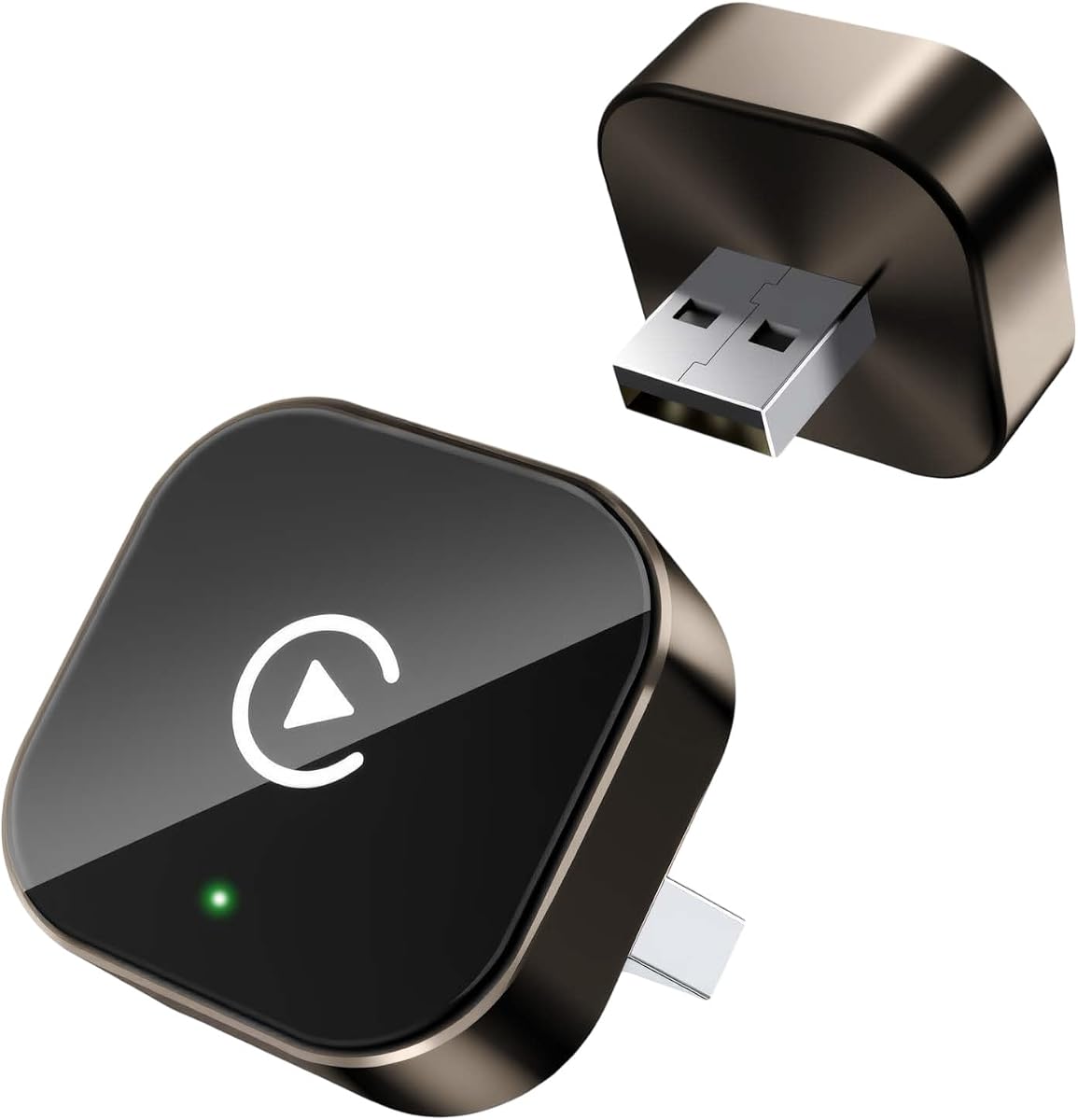


This tiny receiver is a strong all-around choice for drivers who want to remove the cable from a factory-wired CarPlay-equipped vehicle. Its 4.4 rating is the highest in this group, and the supplied details emphasize dual-band Wi-Fi, Bluetooth 5.4, an upgraded chipset, and a multi-core processor. The main job is converting wired CarPlay to wireless rather than supplying a separate video platform, making it most appropriate for navigation, calls, messaging, music, and voice assistance.
We may earn a commission when you buy through this link, at no additional cost to you.
Its strongest feature is the combination of performance-focused wireless specifications and a simple connection routine. After the initial plug, pair, and play process, the adapter is designed to reconnect automatically within seconds, reducing the daily friction of retrieving and connecting a phone. It also preserves steering-wheel controls, knobs, the touchscreen, and the original sound experience, allowing the vehicle's existing interface to remain central rather than replacing it with a separate menu.
The main limitation is that this is not a dedicated Hulu adapter. Although it can provide a wireless CarPlay experience and support compatible CarPlay applications, the supplied information does not claim that it can bypass or mirror DRM-protected services. It also requires a vehicle with factory CarPlay and a compatible iPhone, meaning it offers little value to an Android-only owner or someone whose car already supports native wireless CarPlay.
This is the strongest recommendation for a shopper who prioritizes stable wireless conversion, quick reconnection, and preservation of factory controls. Buyers focused specifically on watching Hulu in the car should choose a product with an explicitly documented streaming route instead. For everyone else in the target compatibility group, it combines thoughtful hardware specifications with a streamlined setup.
Automatic reconnection removes the need to repeat Bluetooth pairing on every trip. Once the initial setup is complete, the adapter is designed to link with the phone as the driver enters the vehicle, helping the dashboard feel familiar and functional without a dangling cable.
Preserving the original touchscreen, steering-wheel controls, knobs, and sound system is one of the product's clearest advantages. The adapter is intended to add wireless convenience without replacing the interface or controls the vehicle was designed around.
We may earn a commission when you buy through this link, at no additional cost to you.
The AUTOSKY AI Box Lite Flex is the clearest choice in this guide for a buyer who wants Hulu and other streaming applications in a wired CarPlay or Android Auto vehicle. Its 2.9 rating is the lowest among the listed products, but the category itself is highly specialized. Unlike basic dongles, this model offers a list of 13 supported platforms from which the user can select two and change that selection later.
We may earn a commission when you buy through this link, at no additional cost to you.
It handles two broad roles. First, it converts a factory-wired CarPlay or Android Auto connection into a wireless phone-projection experience. Second, it can project streaming applications to the vehicle display using Wi-Fi or a phone hotspot. Original touchscreen, steering-wheel buttons, knobs, and voice commands remain usable, while compatible iPhones and Android phones are supported. Hulu appears directly in the documented application list, making this more closely aligned with the keyword than most wireless-only adapters.
The trade-offs are meaningful. A touchscreen is mandatory for the entertainment features, streaming requires an internet connection and the user's own subscription, and the single Wi-Fi module must reconnect when moving between wireless projection and streaming. That final limitation can interrupt the otherwise convenient experience. The lower rating also suggests that shoppers should evaluate the product carefully and confirm that their desired app-selection workflow suits them.
Choose this model when direct, selectable in-car app access matters more than flawless switching between projection and video. It is a better match than a conventional CarPlay dongle for Hulu-focused use, but less suitable for drivers who want a minimalist wireless adapter with no additional app layer.
The supported-platform approach gives users a more direct path to Hulu than generic screen mirroring. Since users can select two apps from a documented list of 13, the box can be tailored to different entertainment priorities without relying on an unspecified external streaming stick.
The adapter combines wireless CarPlay or Android Auto with streaming-app projection. Its value comes from handling both tasks in the same installed unit, although the need to reconnect Wi-Fi when switching between them is the principal compromise.
We may earn a commission when you buy through this link, at no additional cost to you.
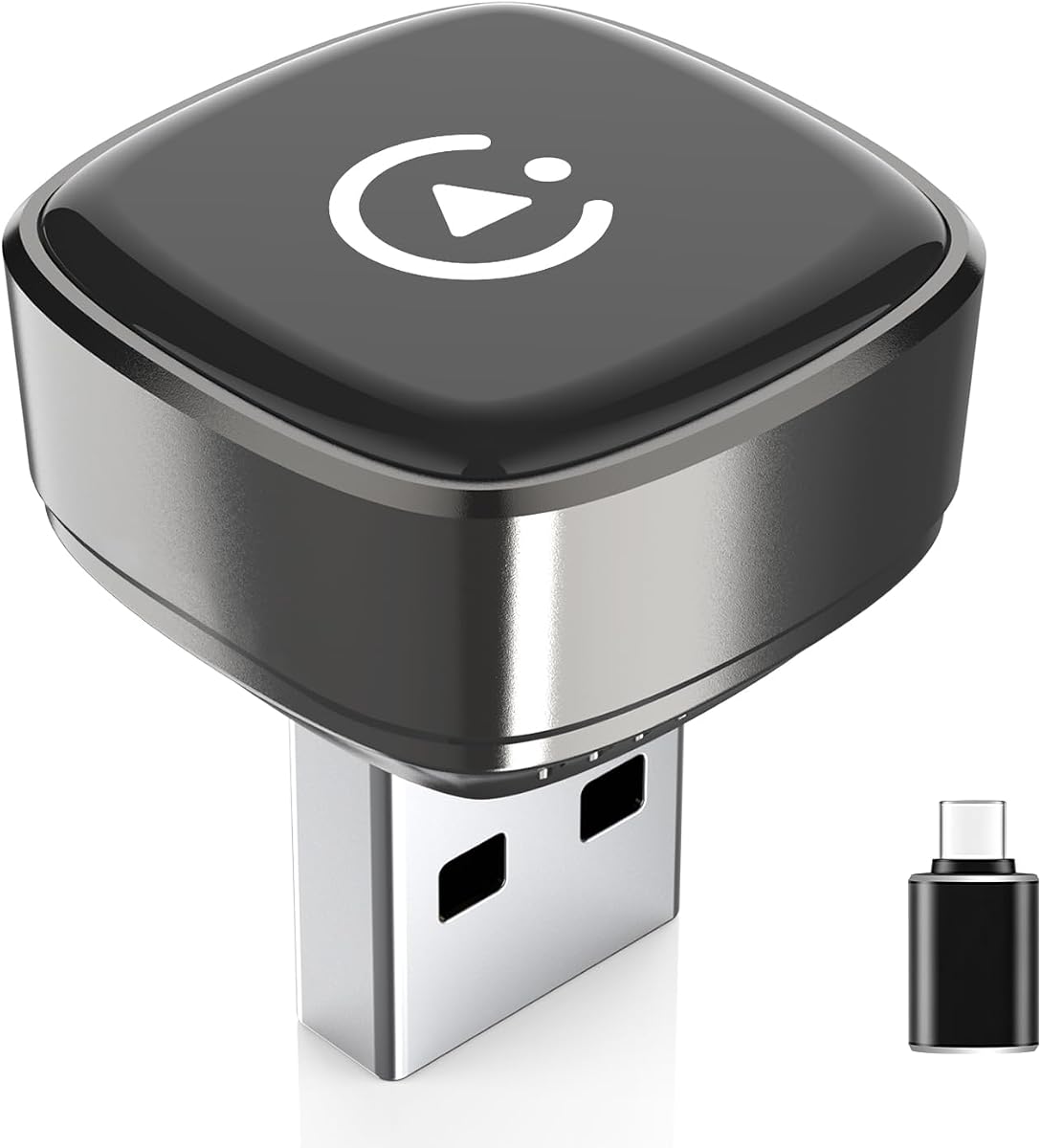
The Teeran 2 in 1 adapter is an appealing general-purpose choice for families or shared vehicles that alternate between iPhone and Android. Its 4.1 rating reflects a well-rounded product with a 4.1 rating and a broad stated compatibility range: more than 800 wired-CarPlay models and more than 500 wired-Android-Auto models, with overall support described as covering over 1,000 vehicles.
We may earn a commission when you buy through this link, at no additional cost to you.
The hardware uses 2.4GHz and 5GHz dual-band chips and promises automatic reconnection in under three seconds after one-time Bluetooth pairing. It supports iPhone 6 or later and Android 11 or later, while preserving factory touchscreen operation, steering-wheel buttons, rotary knobs, voice commands, Apple Maps, Google Maps, Spotify, Siri, and the Android voice assistant. The compact flush-fit design includes both USB-A and USB-C extension cables for awkward or hidden ports.
This product does not directly stream Hulu. It is designed to convert existing wired projection into a wireless experience, so accessing entertainment depends on the applications and services available through the original CarPlay or Android Auto system. It also cannot add either technology to a vehicle that lacks factory-wired support, which sharply limits its usefulness in older or aftermarket-only installations.
It is the best pick for a mixed-phone household seeking broad vehicle coverage and fast reconnection without paying for a specialized streaming box. For Hulu viewing, it remains relevant only if the driver's preferred video service is accessible through the vehicle's existing projection interface. Otherwise, its value is dependable wireless convenience across both major mobile platforms.
Supporting both CarPlay and Android Auto is the defining benefit for households that do not always use the same handset. The tapered design and included USB-A and USB-C extensions also make it easier to accommodate vehicles with different port layouts.
A claimed sub-three-second reconnection is particularly useful for short errands and frequent departures. One-time Bluetooth pairing removes the repeated manual process that would otherwise reduce the benefit of a wireless adapter.
We may earn a commission when you buy through this link, at no additional cost to you.
This 2026 Wireless CarPlay Adapter offers a simple, compact way to remove the cable from supported vehicles. It has a 3.9 rating and is specifically documented for factory-installed wired CarPlay systems, which it says cover 98% of the market. Although the product title mentions both iPhone and Android, the detailed compatibility information focuses on eligible iPhones running iOS 10 or later, so Android buyers should not assume support without confirmation.
We may earn a commission when you buy through this link, at no additional cost to you.
The adapter's three-step setup is straightforward: plug it into the vehicle's USB port, pair through Bluetooth, and begin using wireless CarPlay. Its auto-reconnect function is designed to restore the connection after the car starts. A metal casing and acrylic-glass surface give it a more refined appearance, while the tight-fitting structure is intended to maintain a stable signal and avoid visual clutter around the dashboard.
The product supports navigation, music, Siri, calls, and messages without interfering with the vehicle's original functions. FCC certification and free lifetime firmware updates add reassurance, although certification alone should not be mistaken for a guarantee that every head unit or phone pairing will behave identically. Most importantly for this guide, it does not claim direct Hulu streaming or DRM-protected app mirroring.
This model suits an iPhone owner seeking a discreet wireless conversion and uncomplicated installation. It is less suitable for households needing explicit Android Auto support, shared vehicles with multiple phone types, or drivers whose main goal is in-car Hulu viewing. Its value lies in reducing cable clutter while preserving familiar factory functions.
The compact metal-and-acrylic construction is designed to blend into the cabin and avoid obstructing the area around the USB port. That makes it more visually discreet than a larger AI box or an external streaming device.
Bluetooth pairing followed by automatic reconnection keeps the adapter approachable. The process is designed for drivers who want cable-free CarPlay without installing an app or navigating a complicated configuration menu.
We may earn a commission when you buy through this link, at no additional cost to you.
The 2026 Upgraded Wireless CarPlay Adapter is a practical middle ground for drivers who want a small wireless dongle and clear setup guidance. It carries a 4.2 rating and centers on converting a factory-installed wired CarPlay connection into wireless operation. Compatibility is explicitly limited to wired CarPlay vehicles, with stated support for iPhone 6 and iOS 10 or later.
We may earn a commission when you buy through this link, at no additional cost to you.
Installation takes three steps, and the adapter automatically reconnects after the initial setup. The product also gives useful troubleshooting guidance: Wi-Fi and Bluetooth should be enabled, and other paired devices may need to be disconnected for a stable session. Its metal casing and acrylic surface are intended to resist scratches while maintaining a clean, low-profile appearance around the vehicle's port.
As with many basic wireless dongles, direct Hulu playback is not part of the stated feature set. The adapter provides the standard CarPlay experience and does not interfere with original vehicle functions, but entertainment availability remains tied to the apps supported by the phone and the car's existing system. The title's mention of Android is also less clearly supported by the detailed compatibility notes than the iPhone requirements.
Choose it when you value a straightforward 4.2-rated adapter, automatic reconnection, and a compact design. It is a sensible option for a compatible iPhone and factory-wired vehicle, but buyers expecting broad dual-platform support or direct Hulu should examine the Teeran or AUTOSKY alternatives instead.
The manufacturer clearly states that the adapter requires factory-installed wired CarPlay and lists the phone requirements. This focus on exclusions is useful because many generic listings make broad compatibility claims without making the underlying system requirement equally visible.
The scratch-resistant housing and tight-fit form are intended to keep the installed adapter neat and stable. The result is a straightforward way to reduce cable clutter without adding a large entertainment box to the cabin.
We may earn a commission when you buy through this link, at no additional cost to you.
The Jemluse adapter is a wireless CarPlay conversion device with an emphasis on multi-user access and durable hardware. Its 4.3 rating is among the strongest in this list, while the supplied details highlight 5.8GHz Wi-Fi, Bluetooth 5.3, an eight-core processor, and a lightweight aluminum-alloy housing designed for heat dissipation and long-term use.
We may earn a commission when you buy through this link, at no additional cost to you.
For households that share a vehicle, the multi-user capability is especially relevant. The listing describes quick automatic connection and seamless operation across navigation, music, Siri, calls, and radio. Its compatibility focus is factory-wired Apple CarPlay systems, and it supports iOS 10 or later, making it a specialized alternative to adapters that explicitly cover both CarPlay and Android Auto.
The product does not claim direct Hulu streaming. It solves cable management and phone-projection convenience rather than adding a full entertainment platform. Claims about very low latency and faster transmission are manufacturer specifications, so the most important practical check remains the compatibility of the user's particular head unit, iPhone, and wired CarPlay installation. The absence of an explicit multi-platform feature is also a limitation in mixed-phone households.
This is a good fit for an iPhone-centric family with factory-wired CarPlay and a preference for a durable metal receiver. It may be especially useful where more than one driver wants a remembered wireless connection. For direct app-based Hulu access or Android Auto, consider the more specialized alternatives in this guide.
Multi-user connection support distinguishes the Jemluse from simpler single-phone dongles. That makes it more practical for families where the vehicle alternates between drivers, provided each user uses a compatible iPhone and the wired CarPlay system is factory-installed.
The aluminum-alloy housing is presented as a more durable alternative to plastic receivers, with additional attention given to heat dissipation. These physical qualities are relevant because a permanently installed adapter remains exposed to cabin temperature changes throughout the day.
We may earn a commission when you buy through this link, at no additional cost to you.
The AutoSky CarPlay TV Adapter takes a different approach to in-car Hulu. Rather than embedding a selectable app catalog, it provides an HDMI input that can accept a Fire Stick, Roku, or another compatible streaming device. It also converts wired Apple CarPlay to wireless operation. Its 3.4 rating reflects the limitations of a product that depends on separate hardware and existing vehicle compatibility.
We may earn a commission when you buy through this link, at no additional cost to you.
The main benefit is flexibility. If a shopper already owns a streaming stick or another HDMI video source, the adapter can bring its content to a compatible in-car display while retaining wireless CarPlay functionality. It supports the kinds of services mentioned in the listing, including Hulu, through the connected device. The vehicle's touchscreen, where supported, remains the intended control interface, and setup is described as largely plug-and-play.
Important caveats prevent this from being a universal solution. The vehicle must already support wired CarPlay, the streaming stick is not included, and every service still requires its own subscription. USB-C mode is explicitly video-only and does not charge the phone. The box also does not provide direct or free access to applications, and users who want a self-contained unit may prefer a model with preinstalled or selectable apps.
Choose the AutoSky TV Adapter when you already own an HDMI streaming device or want the flexibility to bring different video sources into the car. It is less suitable for minimal installations, vehicles without wired CarPlay, and drivers who need phone charging over USB-C while using the adapter.
HDMI input makes the adapter independent of one fixed streaming ecosystem. A compatible Fire Stick, Roku, or other video device can provide the apps, while the AutoSky unit handles the connection to the car and adds wireless CarPlay conversion.
The HDMI-to-USB-C mode is intended for video and does not charge the connected phone. Drivers who regularly rely on that port for charging should plan to use an appropriate charging method alongside the video connection.
We may earn a commission when you buy through this link, at no additional cost to you.
The 2027 Upgraded 4-in-1 Dongle combines Wireless CarPlay, Android Auto, AirPlay, and screen mirroring in a compact aluminum-alloy housing. Its 3.9 rating reflects a versatile feature set with important compatibility boundaries. The product is designed for cars with factory-installed wired CarPlay, and Android Auto requires the vehicle to support wired Android Auto already.
We may earn a commission when you buy through this link, at no additional cost to you.
After an initial pairing of roughly 15 seconds, the adapter claims it can reconnect to the last-used iPhone within about five seconds. Multi-user memory is designed to support family use, while Bluetooth 5.3, dual-band Wi-Fi, and a dedicated dual-core processor underpin the different modes. Original steering-wheel controls, touchscreen functions, Siri, and audio quality are listed as preserved features.
Its entertainment functionality is less useful for Hulu than the model name might imply. AirPlay and screen mirroring can display selected phone content, but DRM-protected applications such as Hulu, Netflix, and Disney+ cannot be mirrored due to copyright restrictions. The listing also notes that extra features are non-core and may not work with every car or phone. Performance ultimately depends on the original head-unit hardware.
This adapter makes the most sense for a driver who wants flexible wireless projection, AirPlay, and general screen mirroring in one small device. It is a poor choice for someone whose main goal is guaranteed Hulu playback. Before buying, verify both the vehicle's wired system and the specific app-display method you hope to use.
Combining CarPlay, Android Auto, AirPlay, and mirroring is useful for owners who want one device to serve several projection needs. The aluminum housing and included USB-A and USB-C cables help it fit a variety of vehicle port configurations.
The inability to mirror protected applications is a copyright-based limitation, not simply a connection issue. A shopper expecting Hulu to appear through generic mirroring should instead look for explicit application support or an HDMI-based solution.
We may earn a commission when you buy through this link, at no additional cost to you.
The LAMTTO adapter is built for drivers who want more than wireless phone projection. It supports CarPlay, Android Auto, and preinstalled video applications including Netflix, YouTube, TikTok, Disney+, Prime Video, and Hulu. Its 3.4 rating is moderate, but the feature set distinguishes it from standard wireless receivers that offer no in-car video catalog.
We may earn a commission when you buy through this link, at no additional cost to you.
Dual Wi-Fi connectivity is central to the design. One connection can maintain wireless CarPlay or Android Auto, while the other can reach a phone hotspot or network for streaming. The box also supports USB drive playback for offline movies and music, plus a Mini HDMI output for compatible headrest monitors. A user's own subscriptions remain necessary for the preinstalled streaming services.
The requirements are specific. The car needs a factory touchscreen with wired CarPlay or Android Auto, and BMW and Tesla vehicles are explicitly excluded. The phone must run iOS 10 or newer or Android 13 or newer, while power must come from a 5V vehicle USB port rather than a fast charger. Additional app downloads are not supported, so the value of the entertainment catalog depends on the included choices.
This is a good option for long trips, families, and drivers who want direct preinstalled app access plus offline media. It is less suitable for owners of unsupported vehicle brands, people who want to install additional applications, or shoppers seeking a universally simple wireless adapter. Verify the factory-screen and power requirements before installation.
Preinstalled video applications provide a more direct route to Hulu than generic mirroring, while USB-drive support is useful where internet access is unreliable. The combination gives passengers more options for both connected and offline entertainment.
Using separate 2.4GHz and 5GHz connections for projection and streaming helps maintain the two functions more effectively. The design still requires an internet source for streaming applications, such as a phone hotspot or compatible network.
We may earn a commission when you buy through this link, at no additional cost to you.
This compact Wireless CarPlay Adapter is a straightforward option for converting a factory-wired system into a cable-free experience. Its 4.2 rating is among the better results in the group, and the listing emphasizes compatibility with more than 800 vehicle models while also stating that 98% of original factory CarPlay vehicles are covered.
We may earn a commission when you buy through this link, at no additional cost to you.
The adapter supports navigation, music, Siri, calls, and text messaging while keeping the original vehicle controls in use. Setup involves inserting the dongle, turning on Bluetooth, selecting its Bluetooth name, and waiting for CarPlay to appear. After the first successful connection, the phone is intended to reconnect automatically each time the driver enters the vehicle.
Its limitations are clear. It connects to one phone at a time, does not support BMW or modified cars, and has no direct Hulu or other streaming-app function. The stated iOS 10 requirement also makes it iPhone-specific. The compact form can be hidden or mounted out of sight, which helps reduce cabin clutter, but it offers fewer functions than the AI boxes and HDMI-equipped options.
Choose this adapter for an iPhone owner with a compatible factory-wired vehicle who primarily wants navigation, communication, music, and voice assistance without a cable. It is less suitable for shared vehicles requiring simultaneous phone support or for anyone whose priority is watching Hulu directly through the unit.
The small form factor can be hidden or positioned out of the way, keeping the dashboard and center console cleaner. It is a practical choice for drivers who prefer a minimal dongle over a larger entertainment box.
The three-step initial process removes most of the complexity associated with wireless adapters. Once paired, the automatic reconnection feature reduces the need to repeat setup on each journey.
We may earn a commission when you buy through this link, at no additional cost to you.
Choosing among Hulu Carplay adapters requires separating the core wireless-conversion function from the entertainment method. Vehicle wiring, phone platform, supported applications, app restrictions, and connection switching should be evaluated before considering optional features or overall value.
Most products in this guide do not create CarPlay or Android Auto from nothing. They convert an existing factory-wired connection into a wireless one, which means the original infotainment system must already support the relevant platform. Some manufacturers claim compatibility with 98% of factory systems, while others list more than 800 wired-CarPlay models and more than 500 wired-Android-Auto models. These figures are useful screening guides, but the exact make, model, year, head unit, USB-port layout, and region can still determine whether installation works.
Check the vehicle before ordering, especially if it is already capable of wireless CarPlay, uses an aftermarket head unit, or has a newly installed wired interface. Some products also exclude particular brands, with BMW and Tesla called out explicitly in one listing. Do not interpret a universal-sounding title as proof of universal support.
Hulu support works through several different mechanisms, and they are not interchangeable. The AUTOSKY AI Box Lite Flex includes Hulu within a selectable catalog of 13 supported platforms. The LAMTTO unit includes Hulu among its preinstalled applications. The AutoSky TV Adapter provides HDMI input, allowing a separately purchased Fire Stick, Roku, or another compatible device to run the service. By contrast, a standard CarPlay dongle usually does not provide direct access to protected streaming applications.
Choose based on the level of control and convenience you want. A dedicated app-based box is more self-contained, while HDMI gives broader hardware flexibility. Screen mirroring is another option for ordinary content, but DRM restrictions can prevent Hulu and other protected apps from appearing.
Wireless CarPlay and Android Auto are different ecosystems, even when an adapter supports both. The most broadly useful choice for a shared household supports iPhone 6 or later and a current Android handset, lets users switch between phones, and retains familiar navigation and voice-assistance functions. Models focused exclusively on Apple may provide a more focused CarPlay experience but exclude Android owners outright.
Pay attention to the stated operating-system floor as well as the platform name. Requirements range across iOS 10, iOS 10 for iPhone 6, and Android 11 or Android 13. A recent phone may still fall outside a less current Android requirement, particularly if the unit demands Android 13 or newer.
Performance claims are most useful when they identify the underlying technologies. Dual-band 2.4GHz and 5GHz Wi-Fi, Bluetooth 5.3 or 5.4, multi-core processors, and dedicated chipsets appear in several leading specifications. Reconnection time is another useful indicator: some products claim links within three or five seconds, while others emphasize that the first pairing may take longer.
Real results also depend on the original head unit, phone, Bluetooth interference, Wi-Fi network, and road conditions. A high processor count or low-latency label does not override incompatible hardware. Use these specifications to compare products, but confirm that the adapter retains steering-wheel controls, touchscreen behavior, sound quality, and voice commands after installation.
Streaming and wireless phone projection often use different network pathways. A dedicated streaming box may support two simultaneous wireless connections so CarPlay or Android Auto can remain available while video runs. A single-module product may require the shopper to reconnect Wi-Fi whenever switching modes, which is an important inconvenience for frequent users.
Also consider whether the adapter can hold several paired phones or only one active connection. Multi-user memory is useful for families, while a one-phone limit may frustrate drivers who regularly share the vehicle. Determine how often you will switch between apps, platforms, and users before choosing the simplest possible model.
Streaming functionality frequently depends on extra hardware. The AutoSky TV Adapter requires an external Fire Stick, Roku, or other HDMI video source. The LAMTTO unit requires a 5V vehicle USB port and supports USB-drive playback plus Mini HDMI output to a compatible headrest monitor. The 4-in-1 dongle uses AirPlay and mirroring, but explicitly cannot mirror DRM-protected apps such as Hulu, Netflix, and Disney+.
Confirm whether the unit includes a television stick, HDMI cable, USB drive, or rear-screen cable. Most streaming services also require the user's own subscription and an internet connection through Wi-Fi or a phone hotspot. Advertised video support should therefore be evaluated as a complete system rather than a free feature.
A wireless adapter needs both a compatible USB connection and a secure fit. Some products include USB-A and USB-C extension cables, while others are designed around one connector type. Extensions are particularly helpful when the vehicle's port is recessed, angled, or located near the center console. A flush-fitting body also reduces visual clutter and makes accidental knocks less likely.
Compare the promised setup sequence. Most basic receivers require plugging in the adapter, enabling Bluetooth and Wi-Fi, pairing once, and waiting for the CarPlay interface. Streaming boxes may additionally require a network connection, an application login, or a switch to a specific operating mode. Simplicity should be measured against the features you genuinely intend to use.
Long-term support can be as important as the initial connection. Several products include lifetime technical support and free firmware updates, while one listing describes 365-day problem resolution and another highlights 18 months of product protection. These terms vary and should be read as stated rather than assumed to be interchangeable.
Firmware updates can improve compatibility, connection behavior, and bug fixes over time, particularly as phones and vehicle systems change. Consider the availability of updates, the stated service period, and whether the manufacturer provides model-specific installation guidance before making your final selection.
Begin with a compatibility check. Confirm that your vehicle has factory-wired CarPlay or factory-wired Android Auto, verify the required phone operating-system version, and identify whether your car uses USB-A or USB-C. For a streaming-focused model, also confirm the need for a touchscreen, suitable 5V power source, active subscription, and internet connection. Installing the adapter before checking these details can lead to a product that powers on but cannot deliver its advertised functions.
For the initial setup, unplug the phone's normal CarPlay cable if necessary, insert the adapter, and turn on Bluetooth and Wi-Fi on the phone. Select the adapter's Bluetooth name and allow the first CarPlay or Android Auto connection to complete. Streaming boxes may then require switching to the relevant app mode, joining Wi-Fi or a phone hotspot, and signing into your own accounts. If a connection is unstable, temporarily disconnect other paired devices and retry the pairing process as directed by the manufacturer.
For daily care, keep the adapter seated firmly in the vehicle port and avoid sharply bending included cables. Do not force a connector into a port that does not match its shape, and do not use a fast charger where the product specifically requires a standard 5V vehicle USB source. Clean the housing and screen with a soft, dry cloth, protect the vehicle's infotainment display from excessive heat, and review firmware-update notices so connection software remains current.
No. Most wireless dongles primarily convert factory-wired CarPlay to wireless and do not include direct streaming applications. Hulu support is more likely in models with a documented app catalog, preinstalled applications, or HDMI input for a separate streaming device. Screen mirroring can also fail for DRM-protected services, so verify the product's exact support before buying.
Generally, no. The products in this guide are designed to work with vehicles that already have factory-wired CarPlay or factory-wired Android Auto. They convert that existing system to wireless operation but do not provide the touchscreen hardware, vehicle wiring, or underlying infotainment integration needed to create the platform from scratch.
Screen mirroring reproduces a phone display on the car screen, while a streaming-app box runs supported applications through its own documented interface. Mirroring is convenient for ordinary content, but DRM rules can block services such as Hulu, Netflix, and Disney+. A streaming box may offer a more direct app experience but can require a subscription, internet connection, and mode switching.
Only with a model that explicitly supports Android Auto. Several products in this guide are limited to Apple CarPlay, while the Teeran and LAMTTO adapters and certain other multi-function models support both ecosystems. Confirm the adapter's stated platform requirements, especially the minimum Android version, before purchasing.
Some adapters use a single wireless module for both phone projection and streaming. When the task changes, that module must reconnect to the appropriate network, which can temporarily interrupt the active mode. Models with separate 2.4GHz and 5GHz connections are designed to reduce this inconvenience, though users should still follow the manufacturer's mode-switching instructions.
Yes. Products that launch Hulu or another streaming platform generally rely on the user's own account and subscription. The adapter provides the connection or application environment, but it does not replace the service itself. HDMI solutions similarly require a separate streaming device, app access, and the applicable subscription.
Most of the listed products are designed to retain factory steering-wheel buttons, knobs, voice commands, and touchscreen operation. Actual behavior can depend on the vehicle, head unit, phone, and installed system. If physical controls are essential, verify that compatibility is specifically mentioned and test the setup promptly after installation.
Confirm that the vehicle has the required factory-wired platform, enable both Bluetooth and Wi-Fi, and disconnect other devices that may be competing for a connection. Reseat the adapter, restart the phone, and repeat the initial pairing process. For streaming models, also check the selected mode, internet source, account status, and any requirement to reconnect the Wi-Fi module.
The three leading choices serve distinctly different needs. The Wireless Carplay Adapter for iPhone Latest Upgrade is the strongest general recommendation for stable wireless conversion, fast reconnection, and retained factory controls. The Teeran 2 in 1 adapter is ideal for mixed iPhone-and-Android households that want broad vehicle coverage, while the AUTOSKY AI Box Lite Flex is the most directly aligned with Hulu because it provides a selectable catalog of supported applications.
Prioritize compatibility before features. A direct streaming catalog is useful only if the vehicle has the required factory screen and wired platform, the phone meets the stated operating-system requirements, and the adapter can connect to the necessary network. For entertainment, compare app-based streaming, preinstalled applications, and HDMI input carefully because each offers a different level of convenience, content control, and DRM compatibility. A simple wireless receiver remains the best choice when navigation, calls, music, and voice assistance are the real priorities.
Finally, review the current listing, seller information, warranty, support terms, and availability before ordering, as all three can change over time. The supplied product details and ratings offer a useful starting point, but current compatibility documentation and recent customer feedback can provide additional context. Match the adapter to your car and phone before focusing on any extra entertainment feature.