
Anker 45W USB C Charger Block, 2-Pack
4.8Editor score
45W Super Fast Charging
Two chargers included
Two five-foot cables
MultiProtect safety system
Our Anker USB C Fast Charger guide compares ten leading chargers for power, portability, ports, safety, compatibility, and everyday use.
Anker USB C fast chargers combine compact GaN designs, high-power USB-C delivery, and multiple-port options for phones, tablets, laptops, and everyday accessories. The right model depends on whether your priority is laptop performance, travel portability, simultaneous charging, useful status displays, or a simpler multi-device setup.
This guide compares all ten chargers in the range, focusing on maximum output, port configuration, portability, included cables, safety features, device compatibility, and user-focused conveniences such as smart displays. It also distinguishes single-port designs from compact multi-port models and higher-output chargers intended for demanding USB-C notebooks.
Each review explains where a charger is strongest, identifies its practical trade-offs, and clarifies the devices it suits best. The three highlighted selections cover a useful budget-focused option, a well-rounded compact choice, and a premium power station. Availability, promotions, and prices can change, so verify the current listing and compatibility before ordering.
4.8Editor score

4.7Editor score

4.6Editor score
The comparison below makes the main differences easy to see, including total power, port count, portability, displays, cable inclusion, and the kinds of devices each charger is designed to support.




The Anker 45W USB C Charger Block 2-Pack is a straightforward, high-value option for anyone who wants dependable USB-C fast charging for several locations at once. Its 4.8 rating reflects a favorable balance of charging performance, useful accessories, and straightforward operation. Each charger has a 45W maximum output and is intended to cover the broad USB-C device market, including compatible Samsung phones, tablets, and other USB-C equipment.
We may earn a commission when you buy through this link, at no additional cost to you.
Its standout quality is the number of useful pieces included. Buyers receive two 45W chargers, two five-foot USB-C to USB-C cables, and two cable organizers. The cables are rated to handle up to 100W and feature bend resistance exceeding 10,000 bends, making them suitable for daily use and for carrying higher-power devices. MultiProtect adds high-voltage and short-circuit protection, while the stated 45W Super Fast Charging capability can bring a Samsung S24 Ultra to 50% in about 20 minutes under the listed conditions.
The trade-offs are straightforward. This is a 45W-focused bundle rather than a high-output laptop charger, and it lacks the status displays, app controls, and sophisticated power distribution found on the premium models. The two units are also relatively basic compared with Anker’s multi-port GaN designs. Those limitations matter most to buyers who routinely charge several demanding notebooks or want to monitor port allocation in real time.
This bundle is best for travelers, couples, families, or anyone who wants one charger at home and another in a work bag. It is also a strong choice for users whose main need is rapid phone charging and who value included cables over advanced telemetry. For those priorities, it delivers an unusually complete package without introducing unnecessary complexity.
The 45W output is particularly useful for compatible Samsung phones that support the listed fast-charging standard. The included USB-C cables give you a ready-to-use setup without adding another accessory purchase.
The two-pack format is more versatile than it first appears. Keep one unit beside a workstation and carry the other, while the organizers help prevent cable tangling in a bag or drawer.
We may earn a commission when you buy through this link, at no additional cost to you.
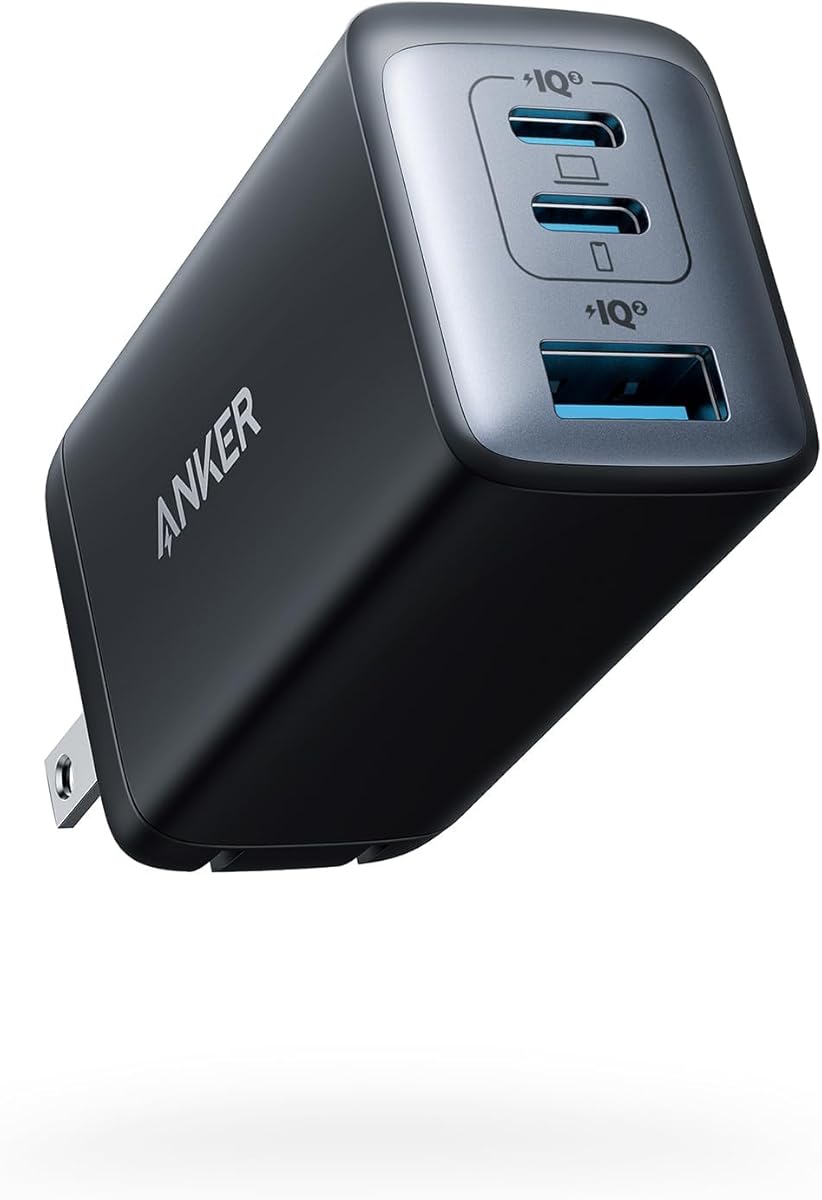
The Anker 65W Max 3-Port USB C Charger Block is one of the most balanced options in the guide because it combines meaningful laptop-capable output with a genuinely small footprint. Its 4.7 rating reflects a well-regarded charger that can serve phones, tablets, and USB-C notebooks. The roughly AirPods Pro case-sized design also makes it easier to carry than a conventional rectangular power brick.
We may earn a commission when you buy through this link, at no additional cost to you.
The charger can deliver up to 65W when a single device is connected, which the product information says is sufficient to charge a 2020 MacBook Pro 13-inch at full speed. When all three devices are connected, it distributes power efficiently between the ports. This makes the design useful for a traveler who needs to top up a phone while also handling a tablet and a smaller USB-C accessory without carrying three separate wall chargers.
GaN II technology supports the compact construction through a stacked design, upgraded circuit board, and increased operating frequency. Its foldable plug further improves packability. The main limitation is that shared output is always a consideration with a three-port charger, and a cable is not included. Buyers who already own a suitable USB-C to USB-C cable will avoid extra setup, while those starting from scratch should confirm that a suitable cable is available separately.
This is a strong all-purpose recommendation for people who regularly travel with a phone, tablet, and USB-C notebook but do not need the very high output of a premium workstation charger. It is also a sensible desk replacement for several small power adapters. Those wanting more than three ports, a status display, or a USB-A connection should look toward the Zolo or Prime models.
The three-port layout reduces the number of wall adapters required for a typical travel kit. Efficient distribution helps each connected device receive an appropriate share of the available power.
GaN II allows substantial power in a small housing, and the foldable plug protects the prongs during travel. The result is easier to fit into a pocket, camera pouch, or compact tech organizer.
We may earn a commission when you buy through this link, at no additional cost to you.
The Anker Nano II 65W is built for travelers who want laptop-capable charging without the bulk associated with many USB-C power adapters. Its 4.7 rating is supported by a feature set that includes up to 65W output, GaN II construction, and a foldable plug. At 58% smaller than an original 61W USB-C charger, it is especially appealing for people who carry their charging equipment every day.
We may earn a commission when you buy through this link, at no additional cost to you.
The product information cites strong charging results across several device categories. It can charge a 2020 MacBook Air in less than two hours, handle a 13-inch MacBook Pro at full speed, and charge an iPhone 13 up to three times faster than with an original 5W charger. Compatible recent Samsung phones can also receive their full Super Fast Charging capability. Those claims make the Nano II more than a simple compact phone charger.
The obvious limitation is that there is only one USB-C port. It cannot charge a phone and watch at the same time, and users who need to power multiple devices will need a different model. A cable is also not included. Furthermore, charging speed and accepted output depend on the connected device, its cable, and the charging protocol, so the headline wattage should be treated as a maximum rather than a guaranteed result for every product.
The Nano II is ideal for a minimalist mobile setup centered on one phone, tablet, or USB-C notebook. It is especially useful for commuters and frequent fliers who value every millimeter of bag space. For a desk where several devices need simultaneous power, the 65W three-port model is the more functional choice.
Programmable Power Supply support helps compatible devices request charging profiles suited to their hardware. This can produce notably faster results than a basic low-output wall adapter.
The 65W ceiling gives the Nano II more flexibility than a phone-first charger. Paired with a compatible USB-C notebook and suitable cable, it can function as a primary travel adapter.
We may earn a commission when you buy through this link, at no additional cost to you.
The Anker Nano 70W Max 3-Port stands out as the most convincing blend of compact size, useful capacity, and modern features. Its 4.7 rating reflects a charger that can deliver up to 70W from each USB-C port while remaining small enough for routine travel. Unlike a simple single-port adapter, it also gives users room to connect multiple lower-power devices when a notebook is not taking the full output.
We may earn a commission when you buy through this link, at no additional cost to you.
The stated performance targets a 14-inch MacBook Pro from 2024, charging it from 0 to 50% in approximately 35 minutes. The product information also positions the 70W output as better suited to recent M4 models than a standard 65W charger. A USB-C to USB-C cable is included, and the body measures 2.09 by 1.68 by 1.24 inches, making the charger 41% smaller than a standard 70W unit.
Thermal management is another key strength. ActiveShield 4.0 monitors charging temperatures, and the charger carries TÜV Rheinland certification. The listed temperature figures are up to 10 degrees Celsius lower than international safety benchmarks for charging devices. As with all multi-port chargers, the available output is shared or redistributed when several devices draw power, so the most important device should still receive priority if that is your intended setup.
This is the recommendation for a traveler or power user who wants more capability than the 65W three-port model without moving to a much larger premium charger. It works especially well for someone with a current USB-C notebook, a phone, and an accessory to recharge. Users whose workload is centered on very large notebooks or multiple high-wattage computers should consider the 140W or 160W alternatives.
The 70W maximum is intended to provide a useful margin over a 65W adapter, particularly for newer notebook generations. Actual performance still depends on the model, operating state, and charging protocol.
ActiveShield 4.0 adds continuous thermal monitoring to the GaN hardware. This focus on temperature control is especially valuable for compact chargers used during long sessions.
We may earn a commission when you buy through this link, at no additional cost to you.
The Anker 100W Max USB C Charger is a feature-rich option for people who want more than raw charging speed. Its 4.7 rating reflects a 100W charger with three ports, a high-definition smart display, and a foldable plug. It is designed to handle demanding USB-C notebooks while also giving phones, tablets, and smaller accessories a place to connect.
We may earn a commission when you buy through this link, at no additional cost to you.
Advanced GaN technology supports a steady 100W output on any USB-C port, and the product information says peak performance can be maintained for up to twice as long as it would with an average 100W charger. The smart display presents charging status, temperature, and port performance, allowing users to see how power is being allocated without interrupting their work or plugging in a separate meter.
One particularly thoughtful function is the automatic Low-Current Mode. When output remains at or below 5W for one minute, USB-C2 or USB-A can shift to 95W plus 5W allocation, allowing earbuds and other low-power devices to charge safely. This shows attention to mixed-device use. The trade-off is that the screen makes the charger larger and more complex than a basic block, and some users may not need real-time telemetry.
Choose this model if you work at a shared desk, regularly move between a laptop and several accessories, and appreciate seeing charging information at a glance. It is a strong fit for technical users and for anyone who wants a future-proof hub-style charger. Those seeking the highest laptop output should still look to the 140W and 160W models.
The display provides immediate feedback about status, temperature, and port behavior. This is useful for confirming whether a connected device is drawing the expected level of power.
Automatic Low-Current Mode is useful for earbuds and other accessories that do not need laptop-level power. The delayed switch helps avoid changing modes during brief, naturally low-demand charging periods.
We may earn a commission when you buy through this link, at no additional cost to you.
The Anker 45W Nano is a clean, pocket-oriented charger for people who mainly need fast charging for a phone or tablet. Its 4.7 rating reflects a favorable response to a design that combines 45W Super Fast Charging with GaN technology, ActiveShield safety, and an exceptionally light, foldable-plug form. It includes a six-foot USB-C to USB-C cable, making it ready to use immediately.
We may earn a commission when you buy through this link, at no additional cost to you.
Its 45W ceiling gives compatible Apple and Samsung devices access to faster charging than a basic 5W wall adapter. The compact form is especially valuable for commuters, travelers, and anyone who prefers carrying less bulk. ActiveShield is intended to help prevent overheating, while additional built-in safety measures are designed to reduce electrical risks during everyday charging.
The key limitation is its single-port layout. You cannot charge a phone and earbuds at the same time, and 45W is below the output required for the most demanding laptops. Although the charger may work with some USB-C notebooks that accept lower power, it should not be treated as a substitute for a properly rated notebook adapter. A multi-port model is the better choice for a mixed-device load.
This Nano is a strong recommendation for a phone-first user who values pocketability over maximum output. It also works well as a second charger in a travel bag, even if a larger charger serves as the main laptop adapter at home. Buyers who need USB-A, multiple connections, or a visible charging readout should consider a more advanced model.
The 45W output is well suited to compatible phones that support high-rate USB-C charging. GaN technology keeps the required circuitry compact without sacrificing the headline power level.
ActiveShield helps monitor heat while the lightweight housing and foldable prongs make the charger easy to pack. That combination suits carry-on travel, daily commuting, and emergency phone backups.
We may earn a commission when you buy through this link, at no additional cost to you.
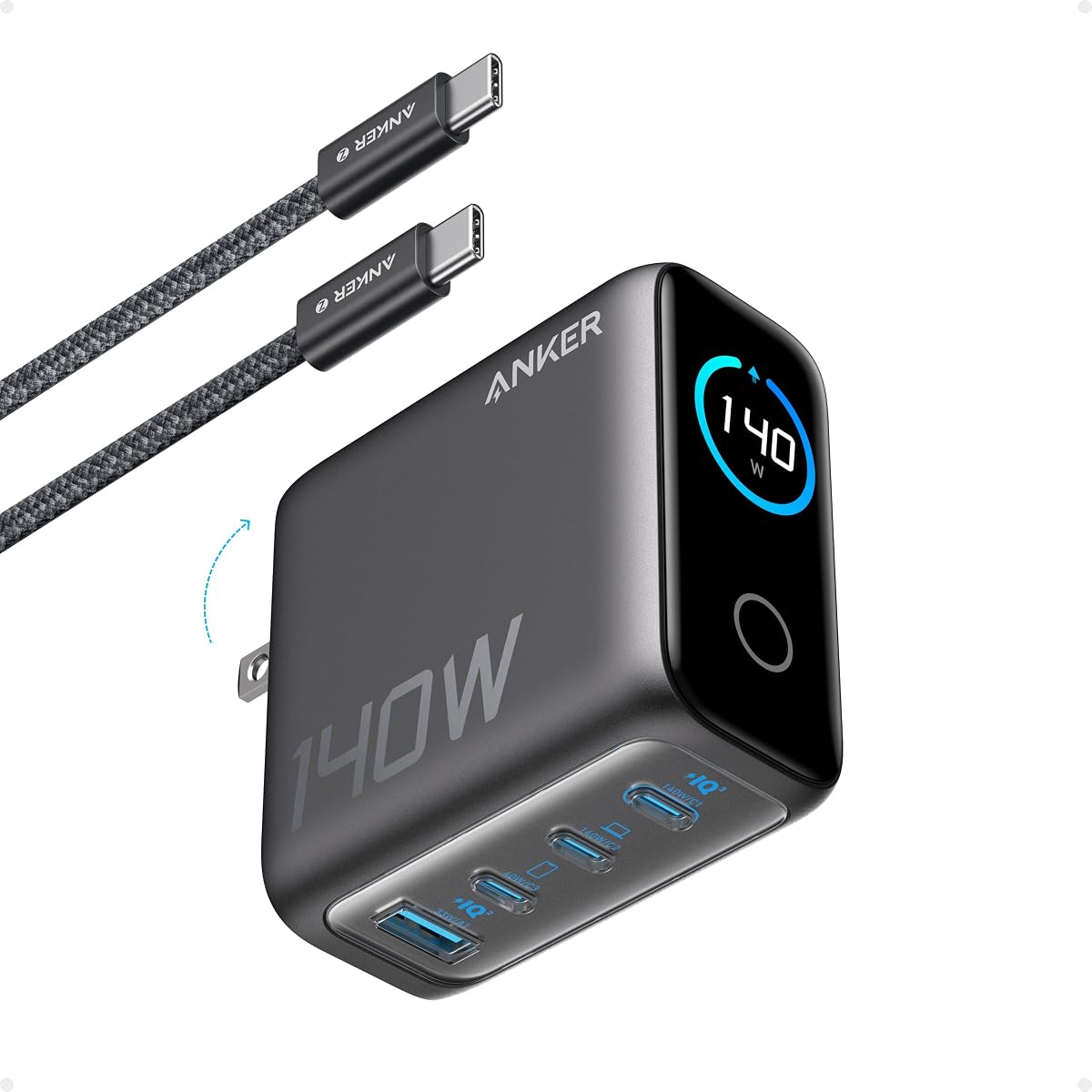
The Anker 140W Max 4-Port is built for demanding desktop setups where a laptop and several accessories need to charge at the same time. Its 4.4 rating is still solid, although it trails some of the more compact alternatives in the list. The charger’s defining strength is its combination of two high-speed USB-C ports, a four-device capacity, PD 3.1 support, and a detailed color display.
We may earn a commission when you buy through this link, at no additional cost to you.
Either USB-C port can provide up to 140W, and the product information says this is enough to charge a 15-inch MacBook Air to 50% in approximately 30 minutes. That level of output addresses larger notebooks and high-performance workflows better than conventional 65W or 70W adapters. A 240W USB-C to USB-C cable is included, which is important because a basic cable may not support the highest advertised output.
ActiveShield 4.0 is stated to monitor device temperatures more than 10 million times per day, adding a strong safety emphasis. The display shows charging status, temperature, and port details, while the four-port layout reduces the need for separate wall blocks. The trade-off is size: at 2.72 by 2.72 by 1.42 inches and 9.7 ounces, it is more substantial than travel-focused chargers and less convenient for a compact pouch.
This is an excellent desktop recommendation for a demanding USB-C laptop user who also owns several devices that need daily charging. It suits creative professionals, developers, and anyone wanting a permanent charging station with meaningful power headroom. Frequent travelers who need only one notebook and two accessories may find the 70W three-port model easier to live with.
PD 3.1 support and up to 140W per USB-C port provide the power headroom needed for larger notebooks. The included high-capacity cable helps users take advantage of the charger’s full potential.
Four charging positions make this a convenient central station for a laptop, phone, tablet, and accessory. The color display makes it easy to understand how each connected device is being served.
We may earn a commission when you buy through this link, at no additional cost to you.
The Anker Nano Smart Display Charger 45W is a specialized option for users with recent compatible Apple hardware. A numerical customer rating was not provided for this listing, so the available product information is a more important basis for evaluation. Its defining features are automatic iPhone recognition, adjustable 45W output, a Care Mode designed to lower charging temperature, and a pocket-sized housing with foldable prongs.
We may earn a commission when you buy through this link, at no additional cost to you.
The product information states that iPhone 17 Pro can charge from empty to 50% in approximately 20 minutes under internal lab conditions. It also identifies supported iPhone 17, 16, and 15 series models along with several iPad Pro configurations. This makes the charger attractive to owners who want device-aware charging rather than a generic 45W adapter, though compatibility should be confirmed for the exact model in hand.
The display supports tap, double-tap, and press controls, including viewing status, switching modes, and rotating the screen. It is not a touchscreen, and the product information clarifies that the display rotates 180 degrees rather than 90 degrees. Care Mode is TÜV certified and is stated to lower charging temperature by up to 9 degrees Fahrenheit compared with a standard 45W charger, making it appealing for overnight use.
This charger is best for an Apple-centered setup consisting of one supported recent iPhone or iPad and a preference for intelligent charging behavior. It is less suitable as a general multi-device adapter because it has one port, no included cable, and a narrower supported-device list. Buyers should check the current compatibility guidance and manual before purchasing.
Automatic recognition allows the charger to adjust its delivery for supported devices. This can make the 45W output more useful than a fixed-rate adapter while maintaining device-aware control.
The TÜV-certified Care Mode is designed to reduce charging temperature relative to a standard 45W charger. That feature is particularly relevant when a phone remains connected for extended periods.
We may earn a commission when you buy through this link, at no additional cost to you.
The Anker Zolo 50W is a four-port charger with a broader connection mix than most compact Anker alternatives. Its 4.8 rating is among the strongest in this guide, indicating broad satisfaction with a design that includes two USB-C ports and two USB-A ports. It is particularly useful for households or travel kits that still contain USB-A accessories, older cables, and devices that do not use USB-C.
We may earn a commission when you buy through this link, at no additional cost to you.
The listed maximum output is 50W. When both USB-C ports are in use, USB-C1 can maintain 30W while USB-C2 receives 20W, allowing two modern devices to charge at useful rates simultaneously. The remaining USB-A ports expand compatibility for accessories and older devices. A foldable-plug, AirPods-sized design makes the unit easy to carry despite its four-port capacity.
ActiveShield 4.0 provides around-the-clock monitoring, while upgraded GaN architecture supports the compact design. The product listing describes a 50W four-port two-pack, so buyers should verify the exact contents shown at the time of purchase. The principal limitation is that 50W total output is modest for a demanding notebook, and there is no display or app interface to show port allocation.
Choose the Zolo when USB-A compatibility matters as much as USB-C speed. It is a strong travel option for mixed-device families, a useful bedside charger, and a sensible alternative to carrying several basic blocks. For laptop-focused work, move up to the 70W, 100W, or higher-output models. The two-pack format is particularly convenient for dividing equipment between locations.
The four-port arrangement reduces adapter clutter by accepting both modern USB-C hardware and USB-A accessories. Two USB-C devices can charge concurrently with clearly divided output.
The compact body and foldable plug suit travel, while two-pack availability gives users a convenient way to place a charger in more than one location. Always confirm the bundle configuration on the listing.
We may earn a commission when you buy through this link, at no additional cost to you.
The Anker Prime 160W is the most ambitious charger in the guide, offering a total output of 160W across three ports in a compact enclosure. Its 4.6 rating reflects a powerful, feature-rich product aimed at users who regularly charge a demanding notebook and multiple other devices. Despite its capacity, the stated size is comparable to an AirPods Pro 3 case, preserving much of the portability associated with smaller GaN chargers.
We may earn a commission when you buy through this link, at no additional cost to you.
A major advantage is its 140W single-port output, which the product information says remains consistent without derating. It can charge a 16-inch MacBook Pro from 0 to 50% in approximately 25 minutes, and either occupied high-power USB-C port can provide that performance. PowerIQ 5.0 distributes capacity intelligently, allowing a 16-inch MacBook Pro, iPhone 16 Pro Max, and 11-inch iPad Pro to charge together with allocations of 140W, 35W, and 35W.
AnkerSense View adds a high-resolution display and Bluetooth app control for monitoring real-time power, switching modes, and creating custom modes. This level of visibility is useful for a desktop full of high-value devices. The trade-offs are the premium nature of the charger and the need to configure app features if you want more than the default display information. A cable is not included, and device performance remains subject to its own charging requirements.
This is the recommendation for a high-end mobile workstation or a desk where maximum charging speed and multi-device control justify added complexity. It can replace several separate laptop and phone adapters while keeping the footprint relatively small. Buyers with only a phone or a low-power tablet will gain little from its full capability and may find a 45W or 65W model more practical.
The 140W single-port result gives large notebooks more power than conventional travel adapters can provide. Sustained output is particularly valuable during extended work sessions or heavy workloads.
PowerIQ 5.0 can serve a notebook, phone, and tablet at the same time with clearly defined power allocations. AnkerSense View lets users monitor and adjust the arrangement when needed.
We may earn a commission when you buy through this link, at no additional cost to you.
The best Anker USB C fast charger depends on your device mix, required output, travel constraints, and appetite for displays or app-based controls. Use the following factors to narrow the range before comparing individual listings.
Choose enough headroom for your largest USB-C device, then match the charger to your secondary needs.
Count every device you expect to charge regularly, not merely the number you might occasionally connect.
Match connector types and charging protocols to the devices in your bag, not just to the charger headline.
For frequent travel, prioritize a small body, foldable prongs, and enough ports for the devices that must come along.
Choose a display for control and visibility; skip it when simplicity, size, and cost matter more.
Favor current safety protection and reputable certification, especially for overnight or high-power charging.
Confirm whether a suitable cable is included and whether it supports the power level you need.
Verify model-specific charging support and never assume every USB-C device accepts the adapter’s maximum output.
Begin by reading the included guide and checking your device’s charging requirements. Use a compatible USB-C to USB-C cable for the highest possible output, especially with laptops and other high-wattage equipment. Connect the charger to a dry, grounded wall outlet, then attach your device. Avoid extension cords unless the charger is specifically designed and rated for that arrangement.
When using a multi-port charger, connect the most power-hungry device first and allow the charger to negotiate the appropriate output. Do not interpret the headline wattage as the amount every port will provide at once. If a phone is charging unusually slowly, check the cable, connector, selected charging mode, and the port’s allocation. Unplugging and reconnecting the device can prompt fresh power negotiation.
For long-term care, keep the charger uncovered and away from direct heat, moisture, carpets, and bedding. Inspect cables for damaged insulation, bent connectors, discoloration, or unusual heat. Let the charger cool before moving it, and avoid using a charger with a cracked housing or compromised prongs. Clean the exterior with a dry or lightly damp cloth rather than liquid cleaners, and never immerse the unit.
The best option depends on the laptop and any other devices you plan to connect. The 65W and 70W models suit many compact USB-C notebooks, while the 140W and 160W chargers offer more headroom for larger systems. Check the computer manufacturer’s adapter requirements and verify that your cable supports the desired output. A charger with more ports may charge the laptop and accessories together, but power will be shared.
Yes, provided the charger has enough ports and the phones use compatible USB-C cables. The output each device receives depends on the charger’s power allocation and the charging protocols it supports. A multi-port model is more convenient than a single-port adapter for daily shared use. For the newest iPhones, check the Smart Display Nano’s explicit compatibility list if device recognition is important to you.
No. A higher maximum wattage only helps when the connected device and cable can accept that level of power. A 160W charger may be excessive for a phone that draws much less, while a 45W charger may be inadequate for a demanding notebook. The most efficient choice provides enough power for your largest device while offering the ports, controls, and portability you actually need.
Most modern phones, tablets, and notebooks that use these chargers require a USB-C to USB-C connection. Several products in the guide include a cable, but the Anker Nano II 65W and some other models do not. Higher-output laptop charging also needs a cable rated to carry the required current. Check both the connector type and cable rating before ordering.
A standard charger primarily provides power, while a smart-display model can show charging status, temperature, port performance, and selected modes. Some also offer app-based control. These features are useful for monitoring several connected devices, but they do not inherently make basic charging faster. Choose the extra intelligence when visibility or customization adds practical value to your setup.
Some USB-C notebooks can charge from 45W, but many require a higher rated adapter for full-speed operation or meaningful use while the battery is charging. A 65W or 70W charger is a safer minimum for many compact notebooks, while 100W to 160W models provide additional headroom. Always consult the notebook manufacturer’s power requirements and accept that charging will be slower with insufficient output.
GaN technology enables smaller, often more efficient power converters than older silicon-based designs, but safety depends on the entire charger rather than one component. The featured models add protection systems such as MultiProtect or ActiveShield, and some include TÜV certification. Look for current safety certifications, use undamaged cables, and follow normal electrical precautions.
Modern chargers include protection and thermal monitoring, but you should still follow the instructions for your specific charger and device. Use a certified outlet, keep the charger uncovered, and avoid placing it on soft fabric where heat can build up. If the charger or cable becomes unusually hot, smells strange, or shows visible damage, disconnect it and stop using it.
The Anker 45W 2-Pack is the strongest value-oriented choice because it combines two chargers, two long cables, strong phone fast charging, and MultiProtect protection. The Anker Nano 70W is the most versatile all-round option, delivering up to 70W per port in a remarkably compact body with three connections. For an advanced desktop setup, the Anker Prime 160W offers the highest total capacity, sustained 140W laptop output, intelligent distribution, and app-connected controls.
Prioritize the device that matters most first. Choose enough maximum output for that product, then decide whether portability, additional ports, USB-A support, a display, or specialist charging modes are worth the extra complexity. Compact users should focus on the 45W and 65W models, while notebook owners have more headroom with the 70W, 100W, 140W, and 160W options. Always check model-specific compatibility and cable requirements.
Ratings, product configurations, availability, promotions, and prices can change, so review the current Amazon listing before purchasing. In particular, confirm the number of chargers in a bundle, whether a cable is included, the supported device list, and the output available to each port when several devices are connected. Those details ensure that your final choice fits both your devices and your routine.