
Beelink MINI S13 16GB 500GB
4.3Editor score
Intel Twin Lake N150
Dual M.2 storage slots
Windows 11 Home
2.5GbE Ethernet
This N150 Mini PC guide compares ten compact computers for office work, home entertainment, networking, media playback, and everyday use.
N150 mini PCs combine an efficient Intel Twin Lake processor with a remarkably compact footprint, making them useful for offices, home theaters, digital signage, remote work, and lightweight network appliances. A good model should balance processor performance, memory, storage, display support, cooling, and practical connectivity rather than focusing on one specification.
This guide compares ten mini PCs on the factors that affect everyday usability, including core hardware, storage expansion, wired and wireless networking, monitor connections, physical design, operating-system details, and thermal management. The list includes conventional desktop models, dual-network appliances, a fanless system, and one AMD-powered alternative for buyers seeking more processing headroom.
Each review explains who benefits most from the particular configuration and where the alternatives may be stronger. The Beelink MINI S13 models dominate for their mix of connectivity and expansion, while ACEMAGIC, BMAX, MeLE, and the networking appliance target more specialized needs. Availability and prices change, so verify current listings before ordering.
Choosing an N150 mini PC is ultimately about matching the machine to the workload. The processor is well suited to browsing, office applications, media playback, video calls, kiosk-style use, and basic networking, while demanding creative work may require a more powerful alternative such as the Ryzen-based system included in the comparison.
4.3Editor score
4.4Editor score

4.7Editor score
The table below places the processor, memory, storage, display support, networking, and physical design of all ten systems side by side, revealing which options prioritize ordinary desktop use, multi-screen productivity, silent operation, or network-appliance functionality.


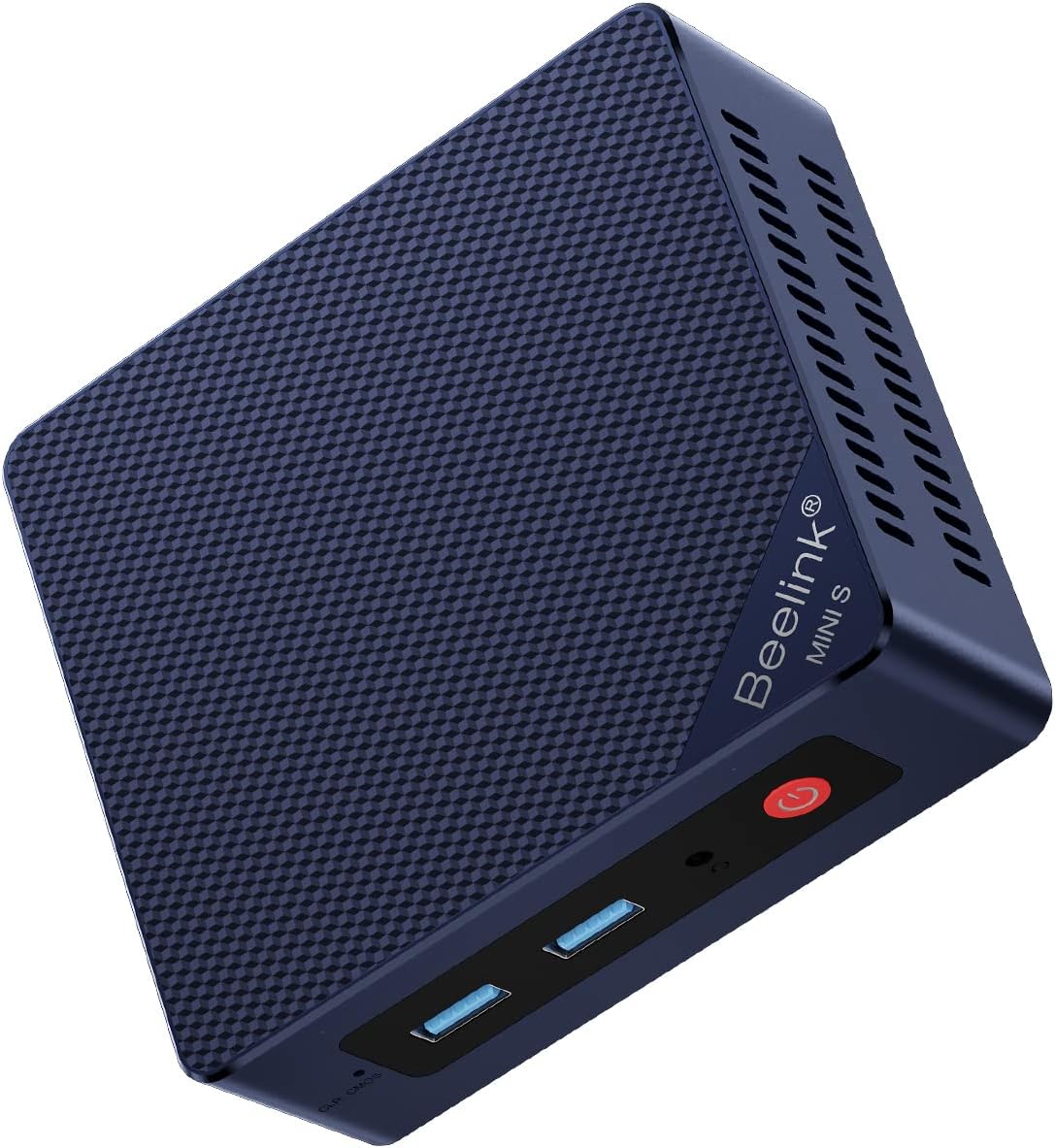
The Beelink MINI S13 ranks first because it combines a 4.4 rating with the most versatile interface selection in the main group. Its Intel Twin Lake N150 has four cores and four threads with a maximum clock of 3.4GHz, while 16GB of DDR4 memory and a 500GB drive provide a sensible foundation for browsing, office software, media playback, and remote meetings.
We may earn a commission when you buy through this link, at no additional cost to you.
Two 2.5GbE Ethernet ports are the standout feature. They make the system attractive for network experiments, dual-network arrangements, or simply as a dependable wired desktop. Connectivity also includes three 10Gbps USB 3.2 Gen 2 ports, one USB 2.0 port, HDMI 2.0 with 4K 60Hz output, an audio jack, WiFi 6, and Bluetooth 5.2. Wake on LAN, PXE boot, RTC wake, and auto power-on add further convenience for unattended use.
Its dimensions of 115 by 102 by 41mm make it easy to place beside a display or mount behind one using the included VESA bracket. The main compromise is that it lists only one HDMI output, so buyers wanting several monitors must plan additional display adapters or choose a multi-screen alternative. The included 500GB drive may also fill quickly if large media libraries are stored locally.
This is the strongest general-purpose choice in the roundup. It suits office users, students, home workers, and technically inclined buyers who value fast wired networking without giving up a small footprint. For those who need two physical screens, a larger storage allowance, or silent fanless operation, one of the more specialized models may be a better match.
The pair of 2.5GbE ports gives this model a distinct advantage over ordinary office mini PCs. They are especially valuable for users experimenting with firewalls, virtual gateways, network storage, or separating management and production traffic.
The included wall-mount hardware helps create a cleaner desk, while the low-power processor and integrated graphics suit always-available office, education, and media-center roles.
We may earn a commission when you buy through this link, at no additional cost to you.
This MINI S13 configuration earns the Best Budget position because it pairs a 4.3 rating with a balanced 16GB-and-500GB configuration. The Intel N150 reaches up to 3.6GHz, and the product information identifies it for home entertainment, streaming, web browsing, and work. Windows 11 Home is preinstalled, reducing the setup required for a conventional home or office computer.
We may earn a commission when you buy through this link, at no additional cost to you.
Storage flexibility is a major strength. It includes a 500GB M.2 SATA3 2280 solid-state drive and a second M.2 PCIe 3.0 x1 slot for an NVMe drive, giving users room to add capacity without replacing the enclosure. Intel Graphics with 24 execution units operating at 1000MHz supports 4K 60Hz playback, while WiFi 6, Bluetooth 5.2, and 2.5Gbps Ethernet cover both fixed and mobile connections.
The main ambiguity is display flexibility: the supplied information specifically confirms one HDMI output with maximum 4K 60Hz support, but does not clearly establish whether additional screen outputs are available on every configuration. Buyers who require two guaranteed physical displays should verify the exact chassis or choose the BMAX B4 Turbo, which explicitly supports triple 4K output. Other hardware variations may also change port arrangements.
For a buyer seeking a straightforward N150 desktop with generous memory, solid-state storage, and a second expansion slot, this model delivers a balanced package. It is particularly appropriate for a home office, study machine, media center, or reception computer where fast boot times and convenient expansion matter more than specialized networking.
The second M.2 slot is the feature that makes this configuration more adaptable than a sealed mini PC. Users can add an NVMe drive for additional files or create a separate storage area without changing the main system drive.
Preinstalled Windows 11 Home, 16GB of memory, and integrated 4K graphics cover the common needs of web research, office documents, communications, streaming, and shared household computing.
We may earn a commission when you buy through this link, at no additional cost to you.
This MINI S13 is built around two practical upgrades: a more flexible display arrangement and extensive storage expansion. Its Intel Twin Lake N150 has four cores, four threads, a 6MB L3 cache, and a maximum turbo frequency of 3.6GHz. The product information positions it for routine office tasks, home entertainment, and other everyday workloads rather than demanding workstation software.
We may earn a commission when you buy through this link, at no additional cost to you.
Dual 4K 60Hz output allows different tasks to appear on two screens at once, which is valuable for research, document comparison, monitoring dashboards, or supervising media playback. Storage can be expanded to 4TB using dual M.2 2280 NVMe or SATA3 drives. Four USB 3.2 Gen 2 ports, two HDMI connectors, WiFi 6, Bluetooth 5.2, and a 1Gb Ethernet port provide broad peripheral support.
Thermal design receives particular attention through a large silent fan, copper heat sink, and dedicated SSD cooling shield. The listed cooling improvement is 40%, and the enclosure measures 4.9 by 4.4 by 1.6 inches. A wall-mount bracket is included, while Wake on LAN, PXE boot, RTC wake, and auto power-on make remote and scheduled operation convenient.
This is a strong choice for productivity users who need two screens but do not need six network ports or a Ryzen processor. It also suits HTPC and office roles where compact storage expansion and remote management are priorities. Its missing published rating means buyers should examine current customer feedback and warranty terms carefully before deciding.
Native dual-display support removes much of the need for a separate dock. One screen can handle communication or reference material while another carries the main task, improving organization without occupying a full desktop tower.
Support for two M.2 drives and remote-start features makes the system more adaptable for stored media, scheduled operation, and lightly managed business deployments.
We may earn a commission when you buy through this link, at no additional cost to you.
The ACEMAGIC V1 is the compact design leader in this comparison, with a 4.4 rating and an enclosure measuring just 3.9 by 3.9 by 1.3 inches. Its Intel Twin Lake N150 uses four cores and four threads with a maximum clock of 3.6GHz. The listed design targets office work, video conferences, 4K editing, media use, and light gaming within a low 15W thermal envelope.
We may earn a commission when you buy through this link, at no additional cost to you.
Dual 4K 60Hz output through HDMI 2.0 and USB-C gives users a practical two-screen option. WiFi 6, Bluetooth 5.2, and Gigabit Ethernet provide modern wireless access alongside conventional wired connectivity. The product listing also describes a full aluminum CNC shell, an axial fan with stated noise below 22dB, and an included 75 by 75mm VESA mount for placement behind a display.
One detail deserves careful attention: the product title identifies 512GB of storage, while the feature text refers to 256GB and separately states support for expansion up to 2TB. Buyers should verify the exact capacity in the current listing. The system's physical size, dual-screen support, and quiet cooling nevertheless make it especially attractive where desk space is limited or the computer will sit near a television.
This model fits users who want a discreet office computer, compact media player, or travel-friendly system that can handle common productivity applications and video calls. It is less suited to buyers requiring multiple 2.5GbE interfaces, abundant internal expansion, or a high-performance processor for intensive editing.
At only 3.9 inches square, the V1 can disappear behind a monitor or occupy a small shelf. Its included mounting hardware adds flexibility without requiring a separate purchase.
The aluminum shell and small axial fan are intended to maintain low noise and stable performance during extended sessions, making the system suitable for meetings, media rooms, and shared offices.
We may earn a commission when you buy through this link, at no additional cost to you.
This MINI S13 listing carries a 4.5 rating, the strongest among the conventional N150 office and home systems in the roundup. It combines 16GB of DDR4 memory, a 500GB M.2 solid-state drive, and an Intel N150 rated up to 3.6GHz. Windows 11 Home is preinstalled, making it a straightforward choice for a new home office, classroom, or media computer.
We may earn a commission when you buy through this link, at no additional cost to you.
Its strongest feature is the pair of 2.5GbE Ethernet ports. Other connectivity includes three 10Gbps USB 3.2 Gen 2 ports, one USB 2.0 port, 3.5mm audio, and HDMI output at up to 4K 60Hz. Intel Graphics with 24 execution units at 1000MHz supports 4K video playback and browsing, while WiFi 6 and Bluetooth 5.2 provide convenient wireless peripheral support.
Storage can be expanded with a compatible M.2 SATA3 or PCIe 2280 solid-state drive up to 2TB, according to the supplied information. A quiet large fan and energy-saving design support sustained light work. The trade-offs are the single physical display connection and the relatively modest 500GB starting capacity, neither of which prevents it from serving as a strong general-purpose system.
For buyers who prioritize a high user rating and unusually broad I/O without moving to a specialty firewall appliance, this is an excellent fit. Its dual high-speed network interfaces also make it a practical platform for lightweight server, virtual-machine, or network-testing projects when the buyer is comfortable configuring the software.
Dual 2.5GbE connectivity is unusual in a compact office PC and offers room for advanced network arrangements, reliable high-speed transfers, and experimentation with virtual network appliances.
The N150, 16GB memory, and solid-state storage provide enough capability for browser-heavy office use, communications, streaming, document work, and a secondary role in a larger network.
We may earn a commission when you buy through this link, at no additional cost to you.
The BMAX B4 Turbo has a 4.4 rating and stands out for display flexibility. Its Intel Twin Lake N150 provides four cores, four threads, a 6MB cache, and a maximum turbo speed of 3.6GHz, while 16GB of 3200MHz DDR4 memory helps support browser tabs and office applications. The system can run Windows 11 Pro or Ubuntu according to the supplied information.
We may earn a commission when you buy through this link, at no additional cost to you.
Three 4K UHD outputs are supported through one USB-C connection and two HDMI ports. That makes it the most explicitly multi-screen option in the group and a natural fit for trading dashboards, media monitoring, editing timelines, or productivity desks. Additional ports include Gigabit Ethernet, a 3.5mm audio jack, two USB 3.0 ports, and two USB 2.0 ports.
Storage can be supplemented with a 2.5-inch SSD or hard drive through the expansion slot, although the drive is not included. The palm-sized enclosure measures 4.92 by 4.41 by 1.73 inches, and a VESA mount is included. Cooling is handled by a smart fan with dedicated attention to memory and SSD temperatures. A one-key smart recovery feature can restore the system after a crash.
Its clearest disadvantage is the older wireless specification. WiFi 5 and Bluetooth 5.0 remain perfectly usable, but they trail the WiFi 6 and Bluetooth 5.2 combinations offered by several Beelink models. This BMAX is nevertheless the best option here for a user who values three native screens and secondary drive expansion over the latest wireless standard.
The combination of two HDMI outputs and a display-capable USB-C port supports a genuinely three-monitor arrangement, useful for keeping reference data, communication, and active work visible simultaneously.
The one-key recovery function is useful for less technical users, while the 2.5-inch expansion bay offers an approachable way to add bulk storage for archives or media.
We may earn a commission when you buy through this link, at no additional cost to you.
The Glovary is not a conventional office mini PC; it is a purpose-built network appliance with a 4.3 rating. Its Intel Twin Lake N150 has four cores, four threads, a 6MB cache, a maximum clock of 3.6GHz, and a listed 6W TDP. The system supports OPNsense, Linux, OpenWrt, and other software suited to firewall, router, and virtualization tasks.
We may earn a commission when you buy through this link, at no additional cost to you.
Six 2.5GbE ports based on Intel i226-V controllers are the defining feature. That many independent network interfaces can support segmented networks, multiple routed zones, VPN endpoints, test environments, or a compact homelab. The enclosure uses an aluminum-alloy body and a fanless design, with an optional small fan cable and fan included in the package for users who want additional cooling.
Memory and storage are more constrained than on desktop-oriented models, with 8GB of DDR5 and a 128GB NVMe drive. There are two M.2 2280 NVMe slots, a SATA 3.0 connection for a 2.5-inch drive, a card slot, and a mixture of USB ports. Two HDMI outputs and one USB-C enable three 4K 60Hz displays, which is useful when monitoring multiple network dashboards.
This is the right choice for a technically experienced buyer who wants a quiet, flexible network node. It is not the first choice for a family seeking simple general-purpose computing, and the modest memory may limit heavier virtual-machine deployments. Its breadth of ports, however, is unmatched in this roundup.
Six 2.5GbE interfaces allow the appliance to act as a central routing or monitoring node without relying on several external adapters. This makes it especially interesting for advanced home labs.
The fanless aluminum design supports quiet placement near network equipment, while dual NVMe slots, SATA connectivity, and an optional fan provide room to adapt the installation later.
We may earn a commission when you buy through this link, at no additional cost to you.
Although the GMKtec G11 Plus appears in an N150 roundup as a performance alternative, it uses an AMD Ryzen 5 3500U rather than Intel's N150. The four-core, 64-bit processor operates at a 2.1GHz base frequency and boosts to 3.7GHz, while the supplied comparison notes substantially greater performance than N-series processors. It is better suited to buyers who find the N150 too limited.
We may earn a commission when you buy through this link, at no additional cost to you.
The Ryzen platform's Radeon Vega 8 graphics, running at up to 1.2GHz, offer stronger graphical capability than the N150's integrated graphics according to the product data. It supports triple independent 4K displays through two HDMI 2.0 ports and a USB-C connection with DisplayPort Alternate Mode. H.265 encoding, Vulkan, and DirectX 12 support make it more appropriate for multimedia and visualization tasks.
Its dual-channel 16GB memory arrangement is also important. The supplied data contrasts it with single-channel N150 systems and associates the wider memory pathway with smoother playback, better application response, and improved performance in graphics-intensive work. Dual 2.5GbE Ethernet, WiFi 6E, Bluetooth 5.2, and several USB 3.2 ports further broaden its appeal for networking and storage tasks.
This system is the most credible choice for CPU-heavy office work, light content creation, digital signage, and home-lab use. It is not a direct recommendation for someone specifically seeking the N150's efficiency or a fanless design. The lack of a published rating also means current customer feedback should be checked alongside the detailed specifications.
The Ryzen 5 3500U and dual-channel memory configuration offer a meaningful performance increase for CPU-intensive tasks, multitasking, visualization, and other work that exceeds ordinary N150 limits.
Triple 4K output, stronger integrated graphics, dual 2.5GbE ports, and WiFi 6E make the G11 Plus especially flexible for media-heavy desks and compact network roles.
We may earn a commission when you buy through this link, at no additional cost to you.
This MINI S13 listing provides a straightforward N150 configuration with a 4.2 rating. The Intel processor has four cores, four threads, and a maximum clock of 3.6GHz, while 16GB of DDR4 memory and a 500GB M.2 SATA3 2280 drive support ordinary office applications, browsing, streaming, and home entertainment. Windows 11 Home is preinstalled for straightforward setup.
We may earn a commission when you buy through this link, at no additional cost to you.
Its dual 2.5GbE Ethernet ports are more advanced than those found on many ordinary mini PCs. A secondary M.2 PCIe 3.0 x1 NVMe slot allows storage expansion, while WiFi 6 and Bluetooth 5.2 cover wireless connections. Intel UHD Graphics with 24 execution units at 1000MHz handle 4K video playback and web display tasks.
The system does not provide the same display flexibility as the dual- or triple-screen choices. It has one confirmed HDMI output, so users planning a large multi-monitor workspace should look elsewhere. The 4.2 rating is also lower than those of the better-rated MINI S13 listings, though ratings can vary between configurations and change over time.
The MINI S13 remains a practical recommendation for buyers who want familiar Beelink construction, dual fast network interfaces, and expandable storage in a compact package. It is well suited to a home office, school, reception area, or inexpensive secondary computer where reliable everyday functions matter more than advanced graphics or multiple screens.
With Windows 11 Home, 16GB of memory, and integrated 4K graphics, the system covers the core needs of a household or small-office computer without requiring a separate operating-system installation.
The two 2.5GbE ports and secondary NVMe slot add flexibility that is often missing from similarly compact desktop alternatives, supporting both network use and local storage growth.
We may earn a commission when you buy through this link, at no additional cost to you.
The MeLE Cyber X1 earns the Best Premium position with the highest published rating in the comparison at 4.7. Its Intel Twin Lake N150 has four cores, four threads, a 6MB L3 cache, an 8W TDP, and a maximum clock of 3.6GHz. The product information reports more than 35% higher performance than N5105 and N5095 processors and positions it for business, office, education, entertainment, and industrial operation.
We may earn a commission when you buy through this link, at no additional cost to you.
Its defining feature is a completely fanless design. A copper heat sink, thermally conductive plastic housing, and patterned exterior surface increase the available heat-dissipation area. With no active fan, the computer can remain completely silent, making it attractive for recording studios, libraries, bedrooms, home theaters, offices, and control rooms where fan noise would be distracting.
Three independent 4K displays are supported through two HDMI 2.0 ports and one USB-C connection. The standard configuration includes 16GB of upgradeable DDR4 memory and a 512GB NVMe drive, with an empty M.2 2280 NVMe slot and microSD card slot for expansion. Windows 11 Pro is included, and Linux compatibility is stated, which is useful for both professional and technical deployments.
Networking is the main compromise. The system provides Gigabit Ethernet, dual-band WiFi 5, and Bluetooth 5.1 rather than WiFi 6 or multiple 2.5GbE ports. Even so, it is the most compelling option for a buyer who prioritizes silence, triple-screen capability, Pro software, and a polished compact design over advanced networking.
Removing the fan eliminates the repetitive mechanical noise associated with many mini PCs. The passive thermal design is particularly valuable in quiet rooms, studios, and media installations where background noise affects the experience.
Windows 11 Pro, three 4K outputs, expandable NVMe storage, and Linux compatibility make the Cyber X1 a flexible foundation for professional dashboards, shared workstations, and compact control systems.
We may earn a commission when you buy through this link, at no additional cost to you.
The right N150 mini PC depends on the displays, network, storage, operating system, and environment in which it will operate. Comparing these requirements against the available ports and upgrade paths produces a more useful decision than focusing only on the processor name.
Thermal design remains important because a compact enclosure must move heat efficiently. Fan-based systems such as the Beelink and BMAX models include active cooling, while the MeLE Cyber X1 relies on a passive copper heat sink and the Glovary appliance uses an aluminum fanless enclosure. The right approach depends on noise tolerance and expected operating load.
Choose 16GB for a regular desktop and consider upgradeability when using the computer as a light server or development system. Check whether the memory is soldered or replaceable, and avoid assuming that every listing with the same model name has identical internals.
Prioritize models with multiple M.2 positions when future growth matters. The Beelink MINI S13 offerings include a second expansion slot, while the Glovary provides two NVMe slots and a SATA connection. The BMAX uses a more convenient 2.5-inch bay for a future drive. Confirm the supported interface, protocol, dimensions, and maximum capacity before purchasing an expansion drive.
Check the connector mix rather than relying on a general multi-display claim. USB-C monitor support depends on DisplayPort Alternate Mode, while HDMI version affects resolution and refresh combinations. The Glovary's display outputs are particularly relevant for network dashboards but are less central to ordinary home use.
WiFi 6 appears on most of the newer systems in the list, while the BMAX uses WiFi 5 and the MeLE Cyber X1 lists dual-band WiFi 5 with Bluetooth 5.1. Consider the available router, coverage, and need for Bluetooth version before deciding that older wireless hardware is acceptable.
Linux compatibility is especially relevant for the firewall appliance and other technically oriented users. If specialized operating-system support matters, review the manufacturer's documentation and current user experiences rather than assuming a standard Windows installation will meet the requirement.
Fanless models are best for silent environments, while active cooling may support more sustained workloads. The MeLE Cyber X1 is particularly appropriate for recording, libraries, bedrooms, and home theaters, whereas the Beelink and BMAX systems use fans for active thermal management. Consider both the physical footprint and acceptable noise level before choosing.
Begin by identifying the computer's intended role and attaching only the peripherals it will need. Place the enclosure on a stable, ventilated surface or use the supplied VESA hardware to mount it behind a display. Connect the power adapter, display, keyboard, mouse, and network cable, then power on the system and complete the Windows or Linux setup routine before installing optional applications.
For networking roles, configure each Ethernet interface separately and label the connections clearly. Users employing OPNsense, OpenWrt, Linux, or similar software should install the operating system and firewall image in the order required by that platform. The Glovary appliance includes SATA and optional fan cabling, so verify connector orientation before attaching storage or cooling accessories.
Keep the intake and exhaust areas clear, avoid placing the computer inside a closed cabinet without airflow, and use system updates to maintain driver and security compatibility. Monitor storage capacity and temperatures during sustained workloads, and back up important files rather than treating the compact solid-state drive as permanent media. For a fanless model, particularly the MeLE Cyber X1, follow the manufacturer's thermal guidance and leave adequate space around the chassis.
An N150 mini PC is well suited to office work, web browsing, video calls, streaming, 4K media playback, education, digital signage, and lightweight network services. Its four-core Intel processor is efficient and compact, but it is not intended to replace a powerful workstation for intensive editing, 3D rendering, or demanding software development. The most appropriate choice depends on memory, storage, and display requirements as much as the processor.
Yes, especially when paired with the 16GB memory configurations common in this roundup. It can comfortably support document editing, email, browser use, messaging, video meetings, and routine multimedia tasks. Users running many large applications simultaneously or expecting workstation-class responsiveness should consider the Ryzen-based GMKtec alternative.
For general office, study, browsing, and media use, 16GB is a more comfortable target than the 8GB included with the specialized firewall appliance. The lower capacity may still be sufficient for a focused network installation, but it offers less room for several active applications. A larger amount of memory cannot compensate for insufficient storage or a processor mismatch in intensive workloads.
The BMAX B4 Turbo, GMKtec G11 Plus, and MeLE Cyber X1 explicitly support triple 4K displays. The ACEMAGIC V1 and the dual-display MINI S13 configuration support two screens. Buyers should also verify the connector types and refresh-rate support, because a general multi-screen claim does not guarantee that every desired resolution and refresh combination will work.
The MeLE Cyber X1 and the fanless Glovary design do not use a continuously running cooling fan, so they avoid fan-generated noise. Other components can still create sounds during storage activity, but the systems are designed for quiet operation. Fan-based models may run more quietly during light tasks and provide more active cooling under heavier loads.
Yes, and the Glovary appliance is specifically designed for that role with six 2.5GbE Intel i226-V ports and support for OPNsense, Linux, and OpenWrt. Other models with dual 2.5GbE networking can also serve as lightweight routers or lab appliances, but require more manual configuration. Security, storage redundancy, recovery planning, and update procedures remain the user's responsibility.
The N150 is appropriate for efficient general-purpose computing, media, office work, and embedded or networking applications. The Ryzen 5 3500U option offers stronger CPU and graphics performance for more demanding multitasking, content creation, and visualization. Choose the N150 when efficiency, a specific N150 feature such as six network ports, or the latest platform is the priority; choose Ryzen when processing headroom matters more.
Most models provide at least one M.2 expansion option, while the Beelink MINI S13 and Glovary support multiple M.2 drives. The BMAX uses an expansion bay for a 2.5-inch drive, and the MeLE includes an empty M.2 2280 NVMe position plus a microSD slot. Check interface compatibility, physical dimensions, supported capacity, and operating-system installation requirements before buying an upgrade.
The Beelink MINI S13 stands out as the most versatile all-rounder, with fast dual networking, useful expansion, multiple USB ports, and a strong rating. The Best Budget configuration delivers the same broadly useful hardware idea for buyers who simply want 16GB of memory, 500GB of storage, and a second M.2 position. For a premium quiet system, the fanless MeLE Cyber X1 combines the highest published rating with triple 4K support and Windows 11 Pro.
Prioritize the features that directly affect your setup. Choose dual 2.5GbE networking for advanced network work, triple display support for a multi-screen desk, expandable M.2 storage for growing libraries, and a fanless enclosure for quiet rooms. If ordinary office performance is not enough, the GMKtec Ryzen model offers substantially more processing and graphics capability without changing the basic compact-desktop format.
Product availability, bundle contents, ratings, and prices can change, so review the current listing before purchasing. Confirm the storage capacity, display connectors, operating system, mounting hardware, and network configuration that apply to the exact variation. With those details checked, an N150 mini PC can provide an efficient, compact, and surprisingly versatile addition to an office, home, or specialist technical setup.