
Enbrighten Smart Dimmer Light Switch
4.6Editor score
Direct 2.4GHz Wi-Fi connection
Matter-certified smart-home control
Space-saving QuickFit yoke
This guide compares the best in wall smart dimmer switches for installation, smart-home compatibility, dimming control, and everyday convenience.
An in wall smart dimmer switch adds remote control, adjustable brightness, scheduling, and voice control to a room’s existing lighting. The best choice depends on wiring, smart-home ecosystem, dimming performance, and whether you need single-pole or 3-way control. A device that looks simple can still present installation or compatibility challenges.
This guide compares ten in wall smart dimmer switches from Leviton, Enbrighten, Kasa, Tapo, Feit Electric, and Lutron. The comparison covers control methods, Matter support, neutral-wire requirements, multi-location operation, dimming ranges, load limits, app guidance, and standout features. The picks are based entirely on the supplied product information and customer ratings.
Each review explains who the switch is best suited for, along with its strongest benefits and practical limitations. The top selections illustrate three distinct priorities: broad smart-home flexibility, a feature-rich premium option, and a budget-friendly way to add intelligent dimming. Product availability and prices can change, so confirm current listings and installation requirements before buying.
4.6Editor score

4.6Editor score

4.7Editor score
The table below compares the ten switches by smart-home standard, wiring needs, multi-location support, and dimming behavior. Use it to narrow the field before checking the detailed reviews and confirming that the chosen model fits your electrical box and lighting load.





The Leviton Decora Smart Dimmer Switch D36HD-1RW is a versatile in wall smart dimmer switch for households that want nuanced lighting control. Its customer rating is 4.4, and its most impressive qualities are customizable fade rates, preset dim levels, and settings that can be tailored for dimmable LED bulbs and fixtures.
We may earn a commission when you buy through this link, at no additional cost to you.
Remote control through a smartphone makes it possible to check whether lights remain on and adjust them from home, work, or while traveling. The automatic softer-lighting feature is especially useful in kitchens and bathrooms, where a sudden full-brightness fixture can be disruptive. Presets ensure that lights return to a preferred level rather than simply switching at maximum brightness.
The main drawback is that this first-generation D36HD model does not have the explicitly stated Matter support found in the newer D26HD-1RW. Buyers who want Apple Home, SmartThings, Sonos, and other Matter-oriented integration should favor the newer model. The older unit may still make sense for people already invested in the My Leviton ecosystem and satisfied with Wi-Fi-only control.
This is a strong all-around choice for users who value refined dimming behavior over universal smart-home standards. It suits a primary living room, bedroom, dining area, or kitchen where preset levels and gentle fade transitions materially improve daily use. For a new installation centered on the newest cross-platform standard, however, the second-generation Decora offers clearer long-term appeal.
The switch lets users adjust bulb type, minimum dim level, and maximum brightness. Those controls are especially valuable when a room mixes dimmable LED bulbs with different driver behavior, since they can help achieve steadier output and a more predictable low end.
Customizable fade rates and My Leviton Night Settings make the switch more useful than a basic on-and-off control. A gradual start or fade-out can support winding down, while automatic lower nighttime illumination reduces glare during late-night trips through the home.
We may earn a commission when you buy through this link, at no additional cost to you.
The Enbrighten Smart Dimmer Light Switch is a budget-conscious option with a 4.6 customer rating and an unusually attractive feature set. Its combination of Matter certification, direct 2.4GHz Wi-Fi, app control, and voice-assistant compatibility makes it a practical choice for modern smart homes.
We may earn a commission when you buy through this link, at no additional cost to you.
The QuickFit yoke is designed to reduce housing depth by 20% and eliminate heat tabs, which can make installation easier in crowded electrical boxes. Color-coded flying leads add another layer of setup convenience. Users can adjust brightness from the wall, a smartphone app, or supported voice assistants, and they can operate the dimmer remotely even without internet access.
The most important limitation is that it requires a 2.4GHz Wi-Fi network, so a router that only provides 5GHz or 6GHz will not work without adjustment. Matter support also depends on compatible controllers, apps, and the broader smart-home setup. Buyers should verify their existing network and platforms rather than assuming every Matter-compatible service offers identical control.
This switch is best for a straightforward room that needs app, voice, and wall control without a dedicated hub. It can serve as an affordable first smart dimmer, especially for someone already using Matter-compatible equipment. It is less suitable for a demanding multi-location circuit unless the wiring layout and included components fully support the intended setup.
The switch can connect directly to a 2.4GHz network and work with Matter-certified platforms for app-based control. That reduces dependence on a proprietary bridge, although users should still verify local device support because platform behavior and control features can differ.
The reduced-depth QuickFit yoke, removed heat tabs, and color-coded flying leads are practical details for a crowded electrical box. These features do not eliminate the need to follow local electrical codes, but they can make a careful installation more manageable.
We may earn a commission when you buy through this link, at no additional cost to you.
The Kasa Smart 3-Way Dimmer Switch Kit KS230 v2 is a strong choice for hallways, stairways, and large rooms with two switching locations. Its 4.4 rating reflects a capable package that combines 1%-100% dimming, app-based scheduling, voice control, and a two-location installation kit.
We may earn a commission when you buy through this link, at no additional cost to you.
The included kit is designed to replace traditional 3-way switches, and users can adjust brightness from the physical control or through the Kasa or Tapo app. Scheduling can restore a preferred level for nighttime navigation or a gentle morning wake-up. Voice control through Alexa and Google Assistant makes the lighting convenient when a room is dark or occupied.
A neutral wire is required, and the switch uses 2.4GHz Wi-Fi. These requirements rule out some older or unusual wiring arrangements, making it important to inspect the box before ordering. It supports incandescent bulbs up to 300W and dimmable LED bulbs up to 150W, but unusual loads should still be checked against the documentation.
This product is ideal for a house that already has modern wiring and wants coordinated smart dimming from two places. Its scheduled brightness levels give it an edge over basic on-and-off switches. It is less suitable for older properties without a neutral conductor, but the app-guided installation and included kit make the project more approachable when the wiring is suitable.
The 3-way kit addresses a common pain point: walking into a hallway or stairway from one entrance while wanting control from another. Both physical controls work with the same smart lighting functions, and the app provides a third management option.
Rather than merely scheduling on or off, Kasa lets users assign a desired brightness level to a routine. This can create a low pathway light at night or a softer starting level in the morning, making the schedule more useful than a basic timer.
We may earn a commission when you buy through this link, at no additional cost to you.
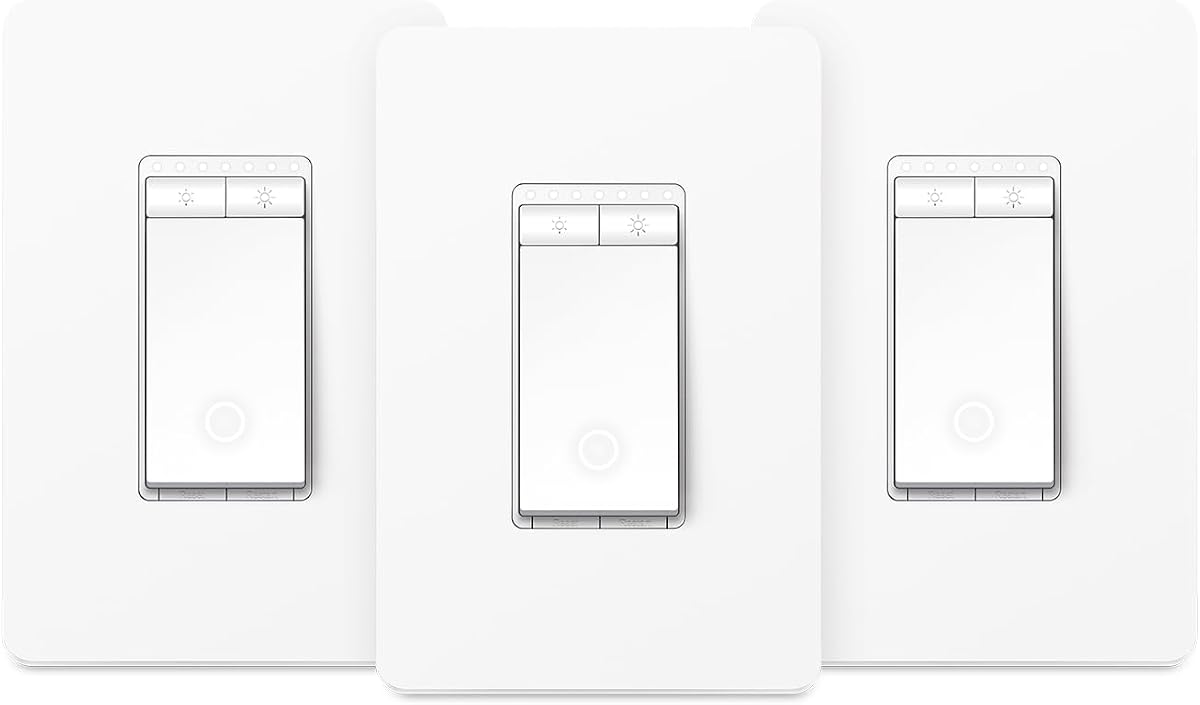
The Kasa Smart Dimmer Switch HS220P3 is a focused solution for a single-pole room where smartphone, voice, and wall control are all desired. It carries a 4.6 customer rating and offers 0%-100% dimming, scheduling, remote control, and compatibility with Alexa and Google Assistant.
We may earn a commission when you buy through this link, at no additional cost to you.
The physical controls are designed for intuitive operation. A single click turns on the light instantly, while a double click initiates a fade-off, which is useful at bedtime. Scheduled scenes can restore a soft morning glow, and the app allows the lighting status to be monitored from different locations.
Its single-pole format and neutral-wire requirement limit where it can be installed. A house with three-way switching will need the KS230 kit or another multi-location model. The device also relies on a secured 2.4GHz network, which may require router changes in newer homes configured mainly around newer Wi-Fi bands.
For a straightforward bedroom, office, or living room, the HS220P3 offers a balanced feature set and polished everyday operation. It is particularly attractive to users who do not want another hub and already use Kasa or Tapo. Confirm the neutral wire, supported load, and physical box dimensions before beginning the project.
Single-click activation and double-click fade-off make the physical switch useful even when nobody reaches for a phone. The fade behavior also complements scheduled and voice-controlled operation instead of being isolated from it.
The switch works directly with a secured 2.4GHz wireless network and does not require a separate hub. Its listed dimensions help with box planning, although installers should still compare the full assembly and wallplate clearance.
We may earn a commission when you buy through this link, at no additional cost to you.
The Leviton Decora Smart Dimmer Switch D26HD-1RW is a feature-rich second-generation option for modern connected homes. Its 4.6 customer rating reflects a device that combines refined lighting behavior with support for Alexa, Google Assistant, Apple Home and Siri, SmartThings, Sonos, Resideo, and Matter.
We may earn a commission when you buy through this link, at no additional cost to you.
Matter support can be enabled through a firmware update in the My Leviton app, giving the switch broader relevance in mixed smart-home setups. It supports wired or wireless 3-way configurations, which provides more installation flexibility than a basic single-pole model. Custom fade rates, preferred light levels, and automatic night settings improve the everyday experience.
The switch requires a neutral wire, and Matter compatibility is not necessarily active immediately after setup. Users should update the firmware before expecting access to the newest standard. Its deep smart-home integration also carries more setup complexity than a straightforward Wi-Fi-only device, particularly for a first-time smart-home installer.
This is a compelling choice for someone who wants a wall dimmer that can serve as a central part of a broad smart-home system. The combination of precise LED tuning, multiple control options, and Matter support makes it especially useful in a renovated home. It remains less suitable for older wiring that lacks a neutral conductor.
Support for Matter, Apple Home, Alexa, Google Assistant, SmartThings, Sonos, and Resideo provides flexibility as a household changes devices. It also makes the switch useful in a home where lighting should operate alongside shades, speakers, thermostats, and other connected equipment.
The ability to work in wired or wireless 3-way arrangements makes the model relevant to stairs, halls, and rooms with several entrances. Buyers should confirm the exact accessories and wiring plan associated with their selected configuration.
We may earn a commission when you buy through this link, at no additional cost to you.
The Tapo Matter Smart Dimmer Switch S505D two-pack is designed for homeowners who want to upgrade more than one room at once. Its 4.5 customer rating and two-switch configuration make it a convenient option for matching dimmers in separate single-pole locations.
We may earn a commission when you buy through this link, at no additional cost to you.
Both switches offer full 0%-100% dimming and Matter certification. The Tapo app supports remote control, scheduling, fade transitions, and away-mode behavior that randomly turns lights on and off to suggest occupancy. Voice operation through Alexa, Siri, Google Assistant, and Samsung Bixby adds another convenient layer.
Despite the two-pack format, this is a single-pole product rather than a two-location 3-way kit. Each installation requires a neutral wire, 2.4GHz Wi-Fi, and the Tapo app. The two units are best thought of as switches for different rooms, not paired controllers for one staircase or hallway.
This package works well for a coordinated floor plan where a living room, bedroom, and hallway each need a smart dimmer. It is also appealing for consumers who want to reduce the number of separate installations. People controlling one fixture from multiple locations should choose the Tapo S515D kit instead.
The two-pack provides matching hardware for separate single-pole circuits. That consistency can make a multi-room smart lighting project more visually cohesive while allowing each room to retain its own schedules and brightness preferences.
Scheduled dim levels support a gradual nighttime or morning routine, while fade transitions reduce abrupt brightness changes. The away mode adds randomized operation that can make a home appear occupied, though it should be used in accordance with personal security preferences.
We may earn a commission when you buy through this link, at no additional cost to you.
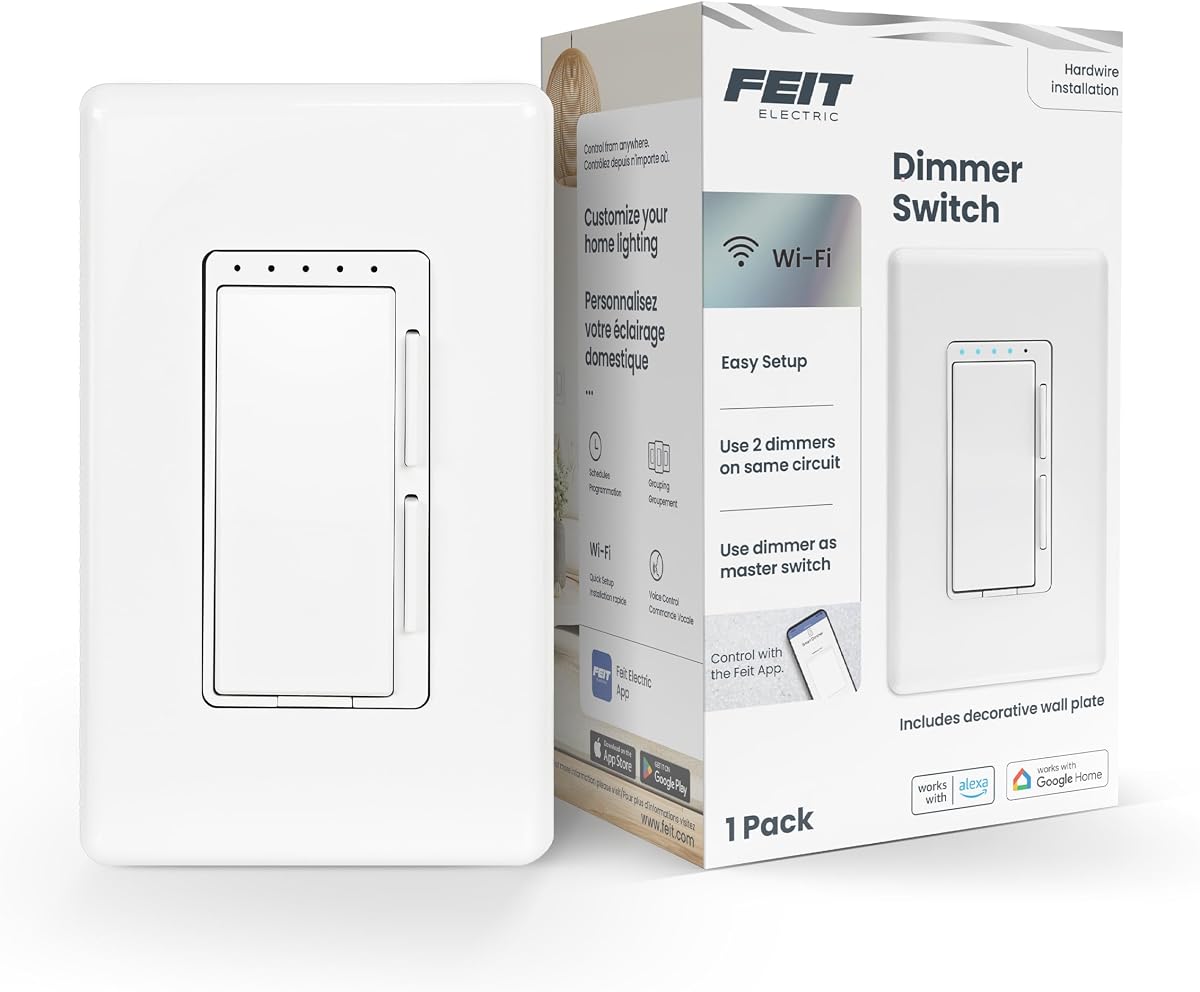
The Feit Electric Smart Dimmer Switch DIM/WiFi stands out for its unusually broad wiring compatibility. Its 4.2 customer rating is the lowest among the ten selections, but the switch supports single-pole, 3-way, and 4-way applications and can be used in one-gang through three-gang installations.
We may earn a commission when you buy through this link, at no additional cost to you.
A 2.4GHz Wi-Fi connection provides access through the Feit Electric app, where users can set schedules and timers, adjust dimming, and turn compatible incandescent or LED lighting on or off. Voice control through Alexa and Google Assistant is supported, adding useful hands-free operation for compatible routines.
A neutral wire is still required, and only one decorative wallplate is included even when the switch is installed in a multi-gang arrangement. Its supported load ceiling is broad, allowing up to 150W for dimmable LED or CFL loads and 450W for incandescent or halogen loads, but installers must still respect the stated 120-volt, 60-hertz, 15-amp maximum.
The Feit model is most appropriate for a homeowner whose circuit has less common switching requirements and who values compatibility over the highest customer rating. It is also useful for multi-gang boxes when a complete matching set of decorative plates is not required. Safe electrical work and correct load selection remain essential.
Compatibility with single-pole, 3-way, 4-way, and multi-gang arrangements gives the switch unusual installation flexibility. It can be especially attractive in homes with several existing control points that are otherwise difficult to modernize.
The product information identifies the supported LED, CFL, incandescent, and halogen ceilings along with the 2.4GHz network requirement. These limits are essential to check because a smart dimmer must match both the fixture load and the electrical configuration.
We may earn a commission when you buy through this link, at no additional cost to you.
The Lutron Caseta Diva Smart Dimmer Switch is the premium selection in this guide, combining a 4.7 customer rating with a polished physical control. It stands out for precise slider-based dimming, a preferred-level preset, no neutral-wire requirement, and a broad smart-home integration list.
We may earn a commission when you buy through this link, at no additional cost to you.
The switch works with Alexa, Apple Home, Google Assistant, Ring, Serena shades, and Sonos when paired with the required Lutron Smart Hub. Smart Away can randomly operate the lights to create the appearance of occupancy, while app scheduling and scene activation make the switch useful as part of a larger connected system.
Unlike many competing models, the Caseta Diva does not require a neutral wire, making it particularly appealing for older homes. However, the hub is required for the advertised smart functions and must be considered as part of the overall system. The device is also not rated for low-voltage track or landscape lighting, so it should not be generalized to every type of dimmable fixture.
This premium model is best for a homeowner who values intuitive wall control, broad integration, and flexible installation over a hub-free setup. It also supports a convenient wireless 3-way arrangement using a Pico remote and wall-mount bracket. The included coordinating Claro wallplate gives the installation a finished appearance that can justify choosing it in a prominent room.
A soft-glow light bar and slider provide direct, fine-grained control rather than relying solely on app menus or voice prompts. The preset restores a preferred brightness when the light is switched on, improving consistency across daily routines.
The absence of a neutral-wire requirement makes Caseta easier to introduce into many existing homes. The trade-off is the reliance on a Lutron Smart Hub, which should be included when comparing complete system requirements rather than focusing only on the wall switch.
We may earn a commission when you buy through this link, at no additional cost to you.
The Tapo Matter Smart 3-Way Dimmer Switch Kit S515D is a capable choice for hallways, stairways, and living rooms controlled from two locations. Its 4.3 rating reflects a useful combination of Matter certification, 0%-100% dimming, two-location control, energy monitoring, and flexible routines.
We may earn a commission when you buy through this link, at no additional cost to you.
Users can adjust brightness through the app or wall controls, manage lights remotely, and use voice commands through several major platforms. The energy-monitoring function adds a layer of visibility beyond ordinary dimming, helping users review connected-light consumption and make more informed adjustments.
The kit requires neutral wiring, a 2.4GHz Wi-Fi connection, and the Tapo app for setup. As with other 3-way systems, the wiring arrangement must be replicated correctly, and buyers should follow the app-guided process carefully. A qualified electrician is recommended for anyone unfamiliar with electrical wiring.
This is a strong match for a modern home that wants Matter-based interoperability and controls the same fixture from two locations. It is particularly useful where a hallway or staircase would benefit from both a wall dimmer and centralized app control. It is less suitable for older wiring without a neutral conductor or for households without a compatible 2.4GHz network.
The 3-way kit is designed for spaces where users regularly approach from different directions. Physical controls, app access, and voice commands all contribute to a more convenient lighting experience in active household paths.
Built-in energy monitoring can make dimmer usage more informative. Seeing how connected lights are being used may help identify opportunities to lower unnecessary consumption, though actual savings depend on bulb type, behavior, and electricity use.
We may earn a commission when you buy through this link, at no additional cost to you.
The Lutron Caseta Smart Dimmer Switch is the highest-rated product in this comparison, with a 4.8 customer rating. It provides scheduled dimming, remote and voice control, smart-away behavior, and broad compatibility with leading smart-home systems, all while working without a neutral wire.
We may earn a commission when you buy through this link, at no additional cost to you.
Control is available through the Lutron app, voice assistants, or the physical wall switch. Users can schedule lights to turn on, off, or dim at specific times, favorite lighting scenes, and connect the switch to a wireless Pico remote for convenient control from another part of a room.
The required Lutron Smart Hub is the central trade-off. A buyer evaluating only the switch may overlook that smart scenes, voice operation, app control, and hub-dependent features require the additional ecosystem component. The switch also supports up to 150W of dimmable LED or CFL bulbs and 600W of incandescent or halogen bulbs, but it is not rated for low-voltage applications.
This product is an excellent choice for an existing home without neutral wiring and for consumers who already prefer the Lutron platform. Its high rating, clean wall control, and flexible scheduling make it particularly attractive for bedrooms, living rooms, and other spaces where lighting routines are important. The system requirement should be considered before finalizing the purchase.
The app can create personalized schedules that turn lights on, off, or dim at selected times. This makes the switch useful for recurring morning, evening, and nighttime habits rather than being limited to occasional manual commands.
Working without a neutral wire gives Caseta an advantage in many older homes. A Pico remote can extend control without cutting another wall opening, offering a practical way to create multi-location control where pulling new wire would be difficult.
We may earn a commission when you buy through this link, at no additional cost to you.
Choosing a smart dimmer requires balancing electrical compatibility, wireless ecosystem, control method, and dimming performance. The following factors help narrow the options before installation begins.
Begin by identifying whether the electrical box contains a neutral wire. Kasa, Tapo, Feit Electric, and the newer Leviton D26HD-1RW require a neutral conductor, while both Lutron Caseta selections are described as working without one. Wiring conditions can vary between rooms in the same house, so inspect every planned location rather than assuming one model fits throughout. If you are unfamiliar with electrical wiring, consult a licensed electrician.
Choose a switch whose wiring requirement matches the existing box and the current circuit.
A standard single-pole switch controls one fixture from one location. A 3-way arrangement controls it from two locations, and the Tapo S515D and Kasa KS230 are specifically sold as kits for that purpose. The Lutron systems can create multi-location control with a Pico remote and compatible wall-mount accessory. A two-pack such as the Tapo S505D contains switches for separate rooms rather than two controllers for one fixture.
Count the existing switch locations before selecting a single-pole or 3-way model.
Matter certification can improve interoperability, but it does not guarantee that every app or voice assistant exposes identical features. Leviton’s D26HD supports Matter through a firmware update, Tapo and Enbrighten are described as Matter-certified, and Lutron depends on its own hub and supported platforms. Compare required controllers, voice ecosystems, app functions, and any proprietary hardware before deciding.
Prioritize a switch that works smoothly with the devices and services already in your home.
Some products operate directly over 2.4GHz Wi-Fi, including the Kasa, Tapo, Enbrighten, Feit, and listed Leviton models. The Lutron Caseta switches require the Lutron Smart Hub for their smart functionality. A hub-free switch can simplify initial setup and reduce the number of separate devices, while a hub-based system may offer a more cohesive set of scenes, remotes, and integrations.
Include the hub, app, and controller requirements in your comparison of total system value.
A dimmer must be rated for the connected load and bulb technology. Listed limits range from 150W for dimmable LEDs on several models to 450W or 600W for incandescent and halogen fixtures. Dimmable CFL or LED bulbs may also need a compatible dimming range. Do not assume a non-dimmable bulb will work, and follow the manufacturer’s load and bulb instructions.
Confirm wattage, bulb type, and fixture count before ordering the switch.
Wall control matters because the switch should remain useful when a phone is unavailable. Some models use taps, a fade-off gesture, or a sliding dimmer bar with a preferred-level preset. The Lutron Diva offers the most visibly distinctive physical interface, while Tapo and Kasa provide straightforward tap-based operation. Consider grip, accessibility, visibility in the dark, and whether family members will use the switch regularly.
Select a control style that feels intuitive to everyone expected to operate the lighting.
Remote control is only the beginning of a smart dimmer’s value. Consider schedules, preferred brightness levels, gradual fade transitions, automatic night lighting, occupancy simulation, and energy monitoring. Tapo’s away mode randomly changes light states, Leviton’s night settings lower illumination automatically, and the Tapo S515D adds energy tracking. Choose the features that match daily habits instead of paying for a large but unused menu.
Favor routines that solve a recurring lighting problem in your household.
Electrical box depth, yoke design, wire access, and wallplate dimensions can determine whether a switch fits cleanly. The Enbrighten QuickFit yoke reduces housing depth by 20%, and the Kasa HS220P3 includes exact dimensions for planning. Lutron’s package includes a coordinating wallplate, while the Feit listing includes only one decorative plate. Measure the box and inspect available depth before purchasing.
Plan the entire installation, including the box, wiring, and wallplate.
Before installation, turn off the circuit at the breaker and verify that power is disconnected. Follow the manufacturer’s wiring diagram and app guidance exactly, confirm that the neutral wire is present when required, and replace any incompatible non-dimmable bulbs. Electrical work should comply with local codes, and a licensed electrician is the appropriate choice when the wiring is unfamiliar or uncertain.
After restoring power, follow the app’s setup process to connect the switch to the intended 2.4GHz network, complete any firmware updates, and assign it to the correct room and platform. If Matter support is enabled by update, install the current firmware first. Test the wall control, app commands, voice assistant, schedules, and dimmer preset at several brightness levels before relying on an automation.
For care, clean the wallplate with a dry or lightly dampened soft cloth and avoid spraying liquid directly onto the switch. Periodically review schedules, remove orphaned routines, and check for firmware updates through the applicable app. If lights flicker, set a minimum level, or fail to reach a preset, confirm bulb compatibility, load limits, and the configuration before changing settings repeatedly.
Some require one, while others do not. The listed Kasa, Tapo, Feit Electric, and Leviton D26HD models require a neutral wire, whereas both Lutron Caseta selections are described as neutral-wire-free. Confirm the wiring at each location because the conditions may differ from room to room.
Yes, but the right configuration is essential. The Kasa KS230 and Tapo S515D are sold as 3-way kits, while Lutron can create multi-location control using a Pico remote and appropriate wall-mount accessory. A two-pack of single-pole switches, such as the Tapo S505D, generally serves two separate fixtures rather than one fixture from two locations.
Matter provides a common standard for communicating with compatible smart-home platforms and controllers. It can reduce dependence on a single manufacturer’s ecosystem, although actual features vary by platform. Confirm that the chosen controller, voice assistant, app, and other devices support the specific dimmer and its desired functions.
They work best with bulbs specifically labeled as dimmable and compatible with the switch. Some listed models can also support dimmable CFL, incandescent, or halogen loads within stated wattage limits. Non-dimmable bulbs may flicker, fail to turn off cleanly, or produce a narrow and inconsistent dimming range.
Do not assume a lighting dimmer is suitable for a fan motor. These products are designed primarily for compatible lighting fixtures and have stated load limitations. Check the manufacturer documentation for fan support, and use a dedicated smart fan control if the circuit includes a motor load.
Many smart switches use the 2.4GHz band because it offers broader indoor coverage and is widely supported by connected-home devices. If your router provides separate 2.4GHz and 5GHz networks, connect the switch to the 2.4GHz SSID before joining it to the relevant app or smart-home platform.
They are often better suited to older homes because the listed Caseta products do not require a neutral wire. Their main additional requirement is the Lutron Smart Hub for the stated smart functionality. Users should still confirm the wiring, box fit, bulb type, and load before installation.
Flickering can result from an incompatible bulb, a load outside the switch’s rating, or an unsuitable low dimming level. Models with adjustable minimum-dim, maximum-bright, and bulb-type settings can help fine-tune performance. Replacing the bulb with a compatible dimmable model and checking the load is the appropriate next step.
The Leviton D26HD-1RW is the strongest all-around recommendation for a modern connected home, offering Matter support, major-platform integration, precise LED tuning, and flexible 3-way choices. The Enbrighten is the most budget-friendly route to Matter-based smart dimming without a dedicated hub, while the Lutron Caseta Diva is the premium choice for refined wall control and broad integration.
The most important priorities are the existing wiring, required hub, network band, switching configuration, and bulb load. A Matter-certified model is valuable for future interoperability, but a device that works with your current controller and installation is more useful than one with a longer feature list. Single-pole homes, three-way circuits, and older properties each have different practical requirements.
Before ordering, confirm the model’s full installation guide, current firmware support, load limits, and necessary accessories. Product listings, promotions, and prices change over time, so review the current listing and seller information at the point of purchase. This guide is designed to narrow the field, while current manufacturer instructions remain the authority for safe installation and use.