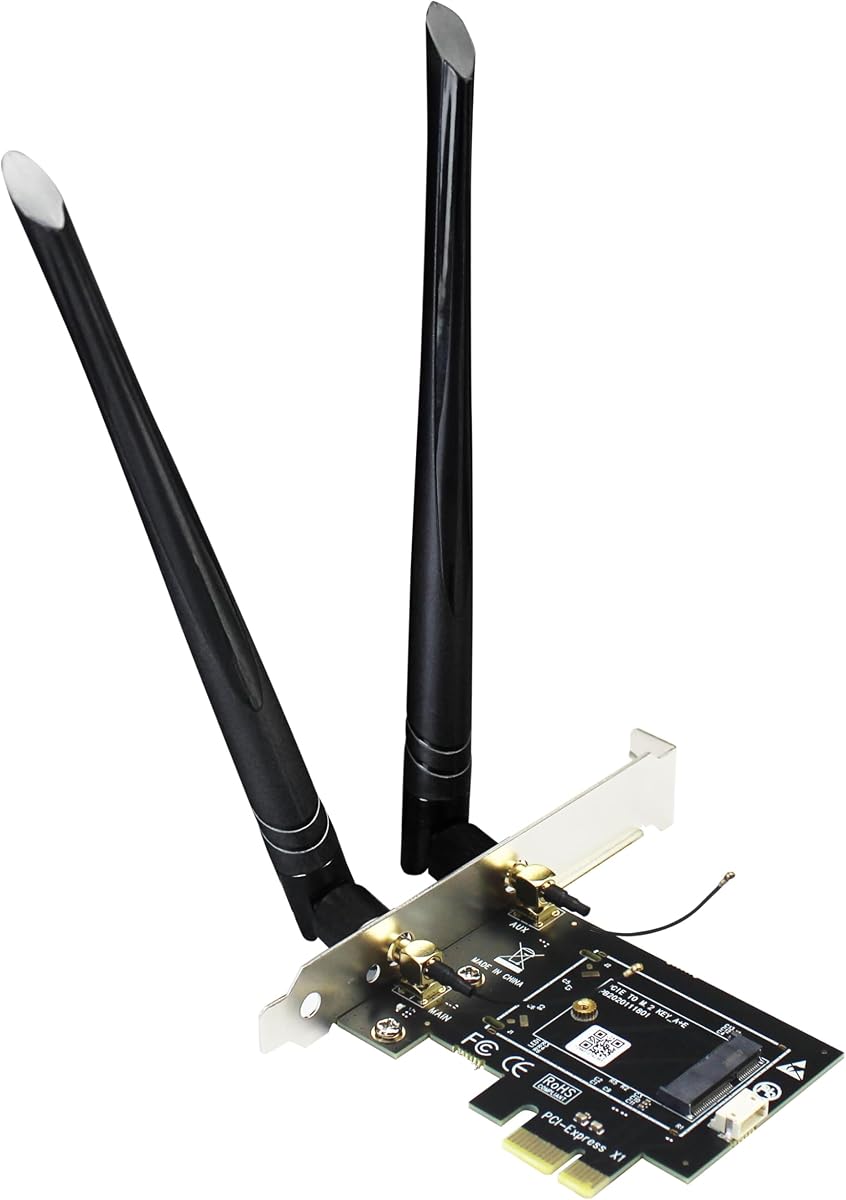
GLOTRENDS WA01 Adapter
4.1Editor score
Broad module compatibility
Dual 6 dBi antennas
PCIe and USB connectivity
Our M2 Key E WiFi Cards guide compares ten options for speed, bands, Bluetooth, antennas, platform support, installation, and value in 2026.
M2 Key E WiFi cards provide a flexible way to add modern wireless networking and Bluetooth to a compatible laptop or desktop. A strong choice should match the card slot, support the bands your router offers, include the necessary antennas, and provide drivers suited to your operating system and processor platform.
This guide compares ten M2 Key E cards and related wireless adapters across wireless generation, supported frequencies, theoretical maximum throughput, Bluetooth version, antenna accessories, operating-system requirements, and installation considerations. It covers bare modules, complete antenna kits, PCIe adapters, and tri-band Wi-Fi 7 options.
The recommendations show which cards are strongest overall, which offer the best balance of features and value, and which target Wi-Fi 7 systems. Ratings and specifications can change with driver updates and new hardware, while prices and availability fluctuate, so shoppers should confirm current details before ordering.
4.1Editor score

4.5Editor score

4.1Editor score
The comparison below highlights the most important differences among these ten products, including wireless standard, supported bands, Bluetooth capability, included hardware, and platform limitations.

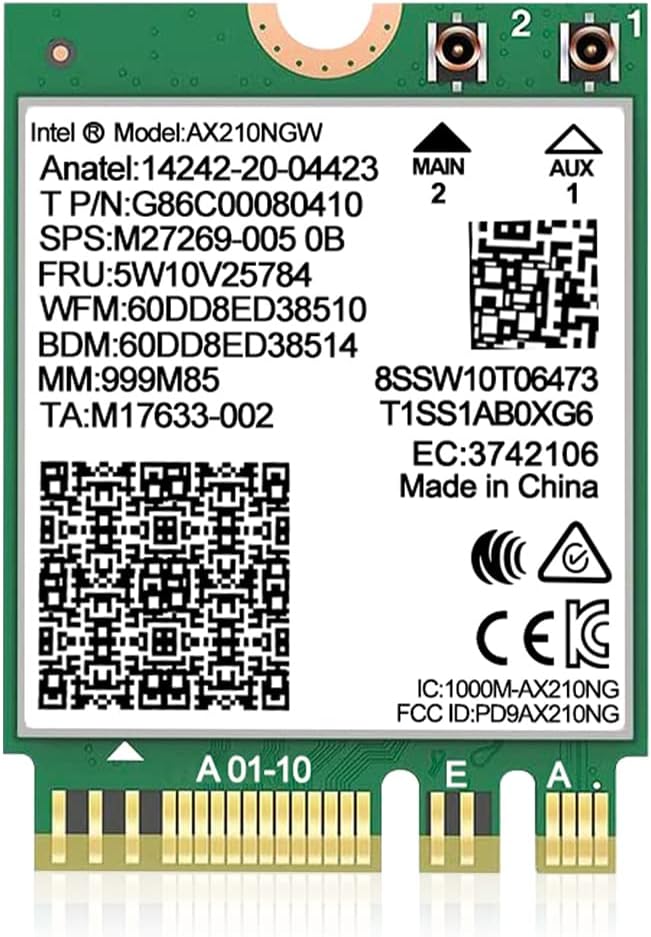



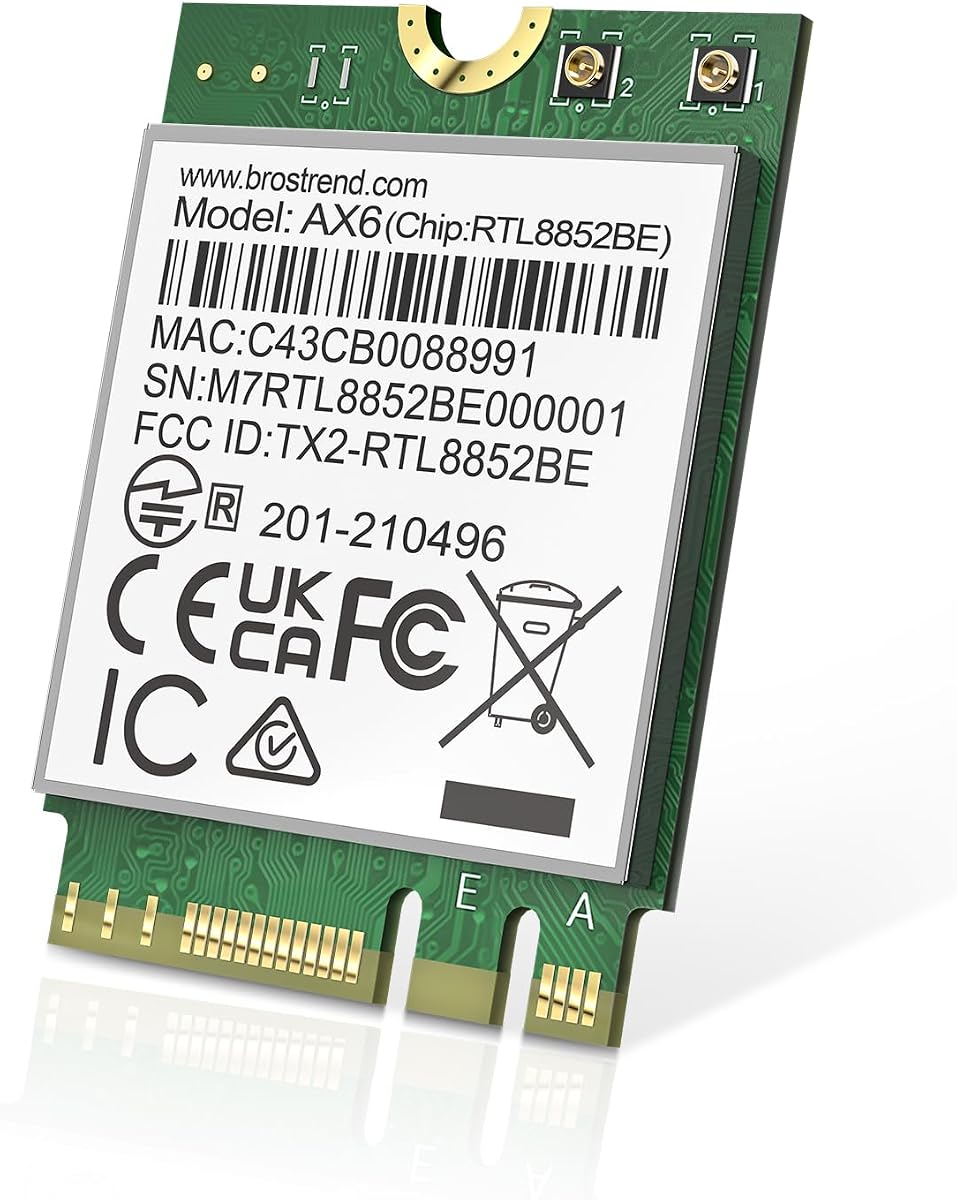

The AX210NGW DTK WiFi Card is the most complete option in this guide, combining an Intel AX210-based M.2 2230 Key E module with an 11-inch RF cable, two 5 dBi high-gain antennas, and low-profile mounting brackets. Its 4.5 rating reflects a well-rounded package for users who want a straightforward wireless and Bluetooth upgrade rather than a bare module requiring separate accessories.
We may earn a commission when you buy through this link, at no additional cost to you.
The card supports Wi-Fi 6E across 2.4, 5, and 6 GHz, with listed theoretical bandwidth of 574 Mbps on 2.4 GHz and 2400 Mbps on both higher bands. OFDMA, MU-MIMO, and Target Wake Time are valuable for busy networks, concurrent devices, and laptops that spend substantial time asleep. Bluetooth 5.3 also allows the card to serve wireless keyboards, mice, headphones, and other peripherals without requiring a separate internal Bluetooth adapter.
The included antennas and brackets make this package more convenient than buying only a module. Antenna placement still matters: attaching external antennas can improve usable signal in a desktop enclosure, but users must route the RF cable carefully and keep the antennas away from sources of interference. The module also depends on Intel AX210 drivers, and the 6 GHz band requires a compatible Wi-Fi 6E router and network configuration.
This is the recommendation for most shoppers because it balances a mature Wi-Fi 6E standard, tri-band operation, Bluetooth 5.3, and installation hardware in one package. Choose it when the computer has a genuine M.2 2230 A/E slot, Windows drivers are available for the system, and the router can take advantage of 6 GHz.
The bundled antenna cables, high-gain antennas, and low-profile brackets reduce the need to source separate parts. That convenience is especially valuable for a desktop built inside a metal case or positioned away from the router.
Support for 2.4, 5, and 6 GHz makes the AX210 adaptable to different environments. The two lower and higher bands each have distinct coverage and congestion advantages, while Bluetooth 5.3 broadens the card's value beyond internet connectivity.
We may earn a commission when you buy through this link, at no additional cost to you.
The GLOTRENDS WA01 is an adapter rather than a complete Wi-Fi card, allowing compatible M.2 E Key or A+E modules to operate in a desktop through a PCIe X1 interface. With a 4.1 rating, it stands out as an economical way to reuse a supported wireless module while gaining external 6 dBi antennas and a conventional desktop installation.
We may earn a commission when you buy through this link, at no additional cost to you.
Its compatibility list includes BE200NGW, AX210NGW, AX200NGW, 9260NGW, 8265NGW, 8260NGW, 7265NGW, and 7260NGW, as well as Broadcom, Realtek, and Atheros 2230 Key E or A+E modules. The listed radio generations extend from Wi-Fi 4 through Wi-Fi 7, and Bluetooth versions through 5.4 are described as supported when the chosen module provides them.
The main limitation is that no M.2 wireless module is implied by the adapter itself, so the total setup cost and features depend on the separately installed card. Wi-Fi traffic uses PCIe X1, while Bluetooth is routed through a USB connection to a motherboard header. It also cannot accommodate CNVio2 or CNVio modules such as AX211NGW, AX201NGW, AC 9560NGW, AC 9462NGW, and AC 9461NGW, nor does it support Mini PCIe modules.
This is a sensible budget choice for a desktop owner who already has a compatible module or wants flexibility to upgrade it later. Confirm the exact module interface and Bluetooth header arrangement before buying, and ensure the desktop has an available PCIe slot plus the required internal USB connection.
The adapter opens a PCIe path for many common 2230 wireless modules. It is particularly appealing when a system lacks a convenient motherboard M.2 E Key slot or when the user wants to reuse existing hardware.
Two 6 dBi RP-SMA antennas and matching pigtail cables make it easier to position radio equipment outside a chassis. Actual gain and real-world throughput still depend heavily on antenna placement, router quality, interference, and distance.
We may earn a commission when you buy through this link, at no additional cost to you.
The 10Gtek PCIe X1 adapter is designed for desktop builders who want to move a compatible M.2 wireless module into a conventional PCIe expansion slot. It has a 4.4 rating and supports numerous common modules, including 3160, 3165, 7260, 7265, 8260, 8265, 9260, AX200, and AX210, but the Wi-Fi and Bluetooth module must be purchased separately.
We may earn a commission when you buy through this link, at no additional cost to you.
Wi-Fi data travels through the PCIe X1 interface, while Bluetooth requires the included 30-centimeter USB 9-pin female-to-small-4-pin cable to reach a motherboard USB header. The full-height card works with Intel and AMD systems and can run supported operating systems, making it a more widely adaptable desktop solution than an adapter tied to a single chipset ecosystem.
Both included antennas are dual-band, covering 2.4 and 5 GHz. That is sufficient for many Wi-Fi 4, 5, and 6 modules, but it prevents the setup from using a 6 GHz antenna path even if an installed module supports Wi-Fi 6E or Wi-Fi 7. Hot swapping is also unsupported, so all connections should be made while the system is powered down.
The adapter makes the most sense for a desktop with limited M.2 wireless-slot access, an existing compatible module, or a preference for PCIe installation. Buyers who need tri-band operation should choose a card with matching 6 GHz antennas rather than assuming all M.2 capabilities will be available through this adapter.
The adapter extends M.2 module compatibility to systems built around conventional expansion slots. It is particularly useful when the motherboard lacks a visible wireless-card connector or the card needs to sit farther from noisy chassis components.
The included internal USB cable is essential for Bluetooth operation. A desktop case or motherboard without a usable USB 9-pin header may provide Wi-Fi through the adapter but leave its Bluetooth feature unavailable.
We may earn a commission when you buy through this link, at no additional cost to you.
The QCNCM865 is a Wi-Fi 7 M.2 2230 Key E card aimed at newer laptops and desktops that can exploit the latest wireless standard. It earns the premium recommendation with tri-band operation, 4K-QAM, 320 MHz channel support, Multi-Link Operation, and a listed theoretical maximum of 5.8 Gbps, plus Bluetooth 5.3.
We may earn a commission when you buy through this link, at no additional cost to you.
Multi-Link Operation allows a compatible router to use multiple bands and channels simultaneously, potentially improving responsiveness and reliability. The card can reach its full advertised performance with a Wi-Fi 7 router, while remaining backward compatible with Wi-Fi 6 and 6E routers at up to 2.4 Gbps. The listed platform coverage includes Intel Z890 and Z790 systems, AMD Ryzen 7000 and 9000 platforms, Threadripper systems, and compatible mini-PCs.
The product's stated requirements are more demanding than those of common AX210 cards. Windows 11 version 24H2 or newer is recommended, and Fenvi drivers are needed for activation. Multi-Link Operation also calls for a Wi-Fi 7 router with WPA3 support. A capable card cannot create those missing platform features, so buyers should verify the router, operating system, and M.2 slot before ordering.
This card is a strong choice for a new build centered on Wi-Fi 7. It is less compelling for an older Windows 10 computer or a user whose router only offers Wi-Fi 6, although backward compatibility still makes it a valid upgrade in some established systems.
Support for 320 MHz channels, 4K-QAM, and 5.8 Gbps peak throughput gives the QCNCM865 substantially more headroom than dual-band AX1800 cards. Real-world results will vary with the router, client distance, interference, and number of connected devices.
Multi-Link Operation can use several wireless links at once, which is designed to reduce latency and improve connection resilience. The feature depends on router support, WPA3, and an appropriate Windows 11 environment.
We may earn a commission when you buy through this link, at no additional cost to you.
The Intel AX210NGW card is a straightforward bare module for users who already have suitable antennas and a compatible installation. Its 4.6 rating is among the highest in the group, while the combination of Wi-Fi 6E tri-band operation, Bluetooth 5.3, and 5,374 Mbps listed maximum throughput makes it a well-established upgrade path for compatible laptops.
We may earn a commission when you buy through this link, at no additional cost to you.
The card supports 6, 5, and 2.4 GHz, with the supplied information identifying up to 2400 Mbps on each higher band and 574 Mbps on 2.4 GHz. It is suited to Windows 10 and Windows 11 64-bit systems, and drivers for both Wi-Fi and Bluetooth can be obtained from Intel by searching for AX210NGW.
Physical compatibility is the decisive factor. The module requires an M.2 2230 A/E key slot and is not supported by CNVio2 protocol slots or Mini PCIe slots. The listing also focuses on systems using Intel processors, so buyers should check their motherboard layout and the presence of antennas, antenna cables, and mounting hardware before purchasing.
This is a compelling option for a technician or experienced upgrader who values a well-known module and has installation hardware ready. For first-time builders, the AX210NGW DTK kit reviewed at number one is more convenient because its antennas and brackets are included.
The AX210 remains a practical choice for many systems because it combines broad driver familiarity with tri-band Wi-Fi and Bluetooth. It can connect to newer 6 GHz networks while retaining compatibility with existing Wi-Fi 6 routers.
The product is most attractive to experienced users who already own compatible antennas and brackets. Those shopping for a complete desktop kit should choose a listing that clearly includes the necessary radio accessories.
We may earn a commission when you buy through this link, at no additional cost to you.
The OKN AX210NGW card delivers a 4.6 rating and combines tri-band Wi-Fi 6E with Bluetooth 5.3 in the familiar M.2 2230 NGFF format. It is a good bare-module option for a compatible laptop or desktop that already has suitable antennas and whose owner wants modern wireless security and performance features.
We may earn a commission when you buy through this link, at no additional cost to you.
The card supports 2.4, 5, and 6 GHz, with listed maximum rates of 574, 2400, and 2400 Mbps respectively. MU-MIMO, OFDMA, 1024-QAM, and 160 MHz channel support are highlighted, while the product data also notes WPA, WPA2, and WPA3 network security. These capabilities suit modern crowded networks where efficient simultaneous communication matters.
As a module, it does not provide a complete antenna installation. Users should also verify that the system has a genuine M.2 A/E Key slot rather than a CNVio2 or Mini PCIe arrangement. The stated operating-system support covers 64-bit Windows 10 and Windows 11, and Intel AX210 drivers are required. Compatibility is also described for systems using Intel CPUs and newer AMD CPUs.
This card is a sensible choice when an existing system has a reliable AX210 installation and the buyer wants a straightforward replacement or upgrade. Its feature set is balanced, and the strong customer rating supports its place among the leading tri-band options, though a complete antenna kit would be easier for a first-time installer.
WPA3 support is important when connecting to compatible contemporary routers, while WPA and WPA2 compatibility allows the card to use older secured networks. Router security settings and operating-system support still need to be configured correctly.
OFDMA and MU-MIMO help a client share radio resources more efficiently when several devices are active. The practical benefit depends on the access point, network congestion, driver quality, and nearby interference.
We may earn a commission when you buy through this link, at no additional cost to you.
The AX210NGW Antenna Kit combines the familiar tri-band AX210 platform with two 8 dBi external antennas, an IPEX cable, and mounting brackets. Its 4.4 rating and included hardware make it particularly relevant to desktop users who want the radio module installed inside the case while keeping antennas outside for easier placement.
We may earn a commission when you buy through this link, at no additional cost to you.
Wi-Fi 6E operation covers 2.4, 5, and 6 GHz, and Bluetooth 5.3 is included for peripherals. WPA3 support is stated along with backward compatibility with WPA2. The package is aimed at motherboards with M.2 network slots and systems running 64-bit Windows 10 or Windows 11, with AX210 drivers obtained from Intel.
Antenna gain is not the same as guaranteed internet speed. In real installations, signal, interference, router transmission power, cable losses, and antenna orientation all influence results. A higher-gain antenna can be helpful outside a chassis or in a favorable position, but it may also receive more unwanted noise in a crowded environment. Users should experiment with placement rather than assuming the largest labeled gain always produces the best experience.
Choose this kit when an external antenna strategy is important and the computer has a compatible M.2 slot. It is a more self-contained option than a bare AX210 module, and the brackets and cable reduce assembly guesswork, although the seller does not provide the same detailed antenna kit as the first-ranked product.
External antennas make it easier to move the radio away from metal, cables, power supplies, and other interference sources. In a desktop, even a modest change in position can sometimes matter more than a large difference in the stated antenna gain.
The module, cable, antennas, and brackets cover the main physical components of an internal M.2 installation. Windows driver support and a compatible 6 GHz router remain essential for using every advertised band.
We may earn a commission when you buy through this link, at no additional cost to you.
This QCNCM865 listing is a Wi-Fi 7 alternative for Windows 11 systems that want tri-band wireless, Bluetooth 5.3, and Multi-Link Operation. Its 4.4 rating is strong for a newer platform, and the product data specifically calls out support for Intel and AMD motherboards.
We may earn a commission when you buy through this link, at no additional cost to you.
The card reaches a listed maximum rate of 5.8 Gbps through 4K-QAM and 320 MHz bandwidth. It supports simultaneous operation across 2.4 and 5 GHz or 2.4 and 6 GHz, while MLO allows a compatible router to use multiple bands and channels at once. These features are aimed at lower latency, higher reliability, gaming, and demanding transfers when the entire network supports them.
The operating-system constraint is strict: the listing states Windows 11 only. Drivers are downloaded from Fenvi by searching for QCNCM865, and the product guidance recommends disabling old Wi-Fi and Bluetooth drivers in Device Manager to prevent conflicts. Users without an active internet connection may need to prepare those drivers on another device before installation.
This card is a good match for a new Windows 11 desktop or a compatible laptop that is already equipped with a suitable router. It is less useful for Windows 10, and a Wi-Fi 6E system may obtain better value from the mature AX210 family unless it intends to upgrade its networking hardware later.
Windows 11 compatibility keeps the driver path focused, but it excludes otherwise capable Windows 10 machines. Confirm the system edition and prepare the necessary drivers before removing an existing wireless adapter.
The strongest benefits come when a Wi-Fi 7 router, suitable security settings, and the client system all align. With an older router, the card may work normally but will not unlock the maximum capabilities described in the listing.
We may earn a commission when you buy through this link, at no additional cost to you.
The BrosTrend AX1800 is a dual-band Wi-Fi 6 M.2 2230 card for users who do not need the 6 GHz band. It holds a 4.4 rating and combines up to 1800 Mbps listed throughput with Bluetooth 5.2, making it a useful option for ordinary home, office, and travel connectivity.
We may earn a commission when you buy through this link, at no additional cost to you.
Its maximum rates are 1201 Mbps on 5 GHz and 574 Mbps on 2.4 GHz. MU-MIMO, OFDMA, and 1024-QAM are included to improve efficiency in busy networks, while Bluetooth 5.2 is designed to deliver faster transmission and broader range than Bluetooth 4.2. The card works with standard Key A and Key E slots in a 22-by-30-millimeter M.2 format.
Windows 10 and Windows 11 are supported, and the listing also states compatibility with Linux systems using kernel 6.5 or later. Linux technical support is not offered, however, and the latest Wi-Fi driver should be downloaded from BrosTrend. The product is a card rather than a full installation kit, so suitable antennas and mounting hardware may need to be sourced separately.
This is a good fit for an older dual-band router, a travel-focused laptop, or a system that needs Bluetooth without a 6 GHz network. Buyers with a Wi-Fi 6E or Wi-Fi 7 router should consider a tri-band option if they want access to the router's newer spectrum.
The AX1800 module can allocate connections between 2.4 and 5 GHz according to coverage and congestion. It remains a sensible standard for networks that do not offer 6 GHz.
Support for current Windows releases and sufficiently recent Linux kernels expands the potential audience. Driver setup is simpler for users familiar with Windows and more involved for those installing the card in a Linux laptop.
We may earn a commission when you buy through this link, at no additional cost to you.
The Intel Killer BE200 is a tri-band Wi-Fi 7 M.2 PCIe Key E card for compatible Intel-based systems. Its 4.6 rating makes it one of the strongest-reviewed products here, while support for Bluetooth 5.4 and up to 5.8 Gbps of listed maximum throughput targets modern gaming and high-performance connected computers.
We may earn a commission when you buy through this link, at no additional cost to you.
The card operates across 2.4, 5, and 6 GHz and is designed for low-latency use with compatible Wi-Fi 7 routers. Actual performance is affected by distance, equipment, configuration, interference, and the access point. The product is presented as a single card, so an integrator should also confirm that antennas, antenna cables, and mounting hardware are available.
Compatibility is narrower than for general-purpose Wi-Fi 7 options. The product data requires Windows 11 64-bit, an available M.2 PCIe slot with Key E, and an Intel-based system; AMD-based systems are explicitly unsupported. Those restrictions make the BE200 less flexible for mixed-platform workshops, but potentially ideal for a focused Intel gaming build.
This card is a compelling recommendation for an owner building a high-end Intel system with Windows 11 and a Wi-Fi 7 router. It is a less practical recommendation for a laptop on Windows 10, an AMD desktop, or a home network limited to Wi-Fi 6.
The BE200's Wi-Fi 7 features are aimed at fast transfers and low-latency communication. Network latency still depends on the router, internet service, server distance, and competition for radio time.
Tight platform requirements can simplify setup for the intended audience. They also mean the card should not be purchased solely for its Wi-Fi 7 label without first confirming processor, operating-system, and slot compatibility.
We may earn a commission when you buy through this link, at no additional cost to you.
The right M.2 Key E WiFi card depends on slot protocol, wireless generation, router capability, antennas, Bluetooth needs, and operating-system support. Use the following factors to avoid paying for hardware that cannot deliver the performance you expect.
An M.2 2230 Key E or A+E slot is the essential starting point for most cards in this guide. Check the motherboard or laptop service manual rather than relying only on the physical slot width, because some M.2 connectors are dedicated to storage, and wireless cards can also use CNVio or CNVio2 protocols. Those protocol-based slots are incompatible with the AX210NGW, and the GLOTRENDS WA01 and 10Gtek adapter also cannot use CNVio2 or CNVio modules.
A newer client card cannot raise the capabilities of an older router. Wi-Fi 6E cards such as the AX210 require a 6 GHz network to use that band, while the QCNCM865 and BE200 require a Wi-Fi 7 router to realize their highest advertised throughput and Multi-Link Operation benefits. A dual-band AX1800 card remains appropriate for many Wi-Fi 6 networks, particularly when 6 GHz is unavailable or unnecessary.
The 2.4 GHz band offers the longest reach and is commonly better at passing through walls, but it is also more crowded. The 5 GHz band provides higher throughput and is often suitable for nearby connections. The 6 GHz band adds wide, high-capacity spectrum with lower interference potential, but it usually has a shorter practical range and requires compatible clients and access points.
An internal M.2 card normally needs two antenna connectors, suitable cables, and antennas or a laptop's built-in plastic antennas. Complete kits save time, while bare modules are often easier for technicians who already own compatible parts. External desktop antennas can improve placement flexibility, although stated gain does not guarantee faster internet. Cable loss, interference, antenna direction, and router placement affect the final result.
A combined wireless card can eliminate the need for a separate internal Bluetooth adapter. AX210-based cards generally provide Bluetooth 5.3, the QCNCM865 options also list Bluetooth 5.3, the BE200 lists Bluetooth 5.4, and the dual-band BrosTrend card provides Bluetooth 5.2. On adapter-based solutions, the Bluetooth path may require an internal USB header even when Wi-Fi uses PCIe.
Windows 10 and Windows 11 64-bit are widely supported across the AX210 options and the BrosTrend card, but the QCNCM865 listings focus on Windows 11. The BE200 requires 64-bit Windows 11 and an Intel-based system. The BrosTrend card also lists compatibility with Linux kernel 6.5 or later, although dedicated Linux support is not provided. Always obtain the appropriate driver before beginning installation.
Maximum rates such as 5374 Mbps or 5.8 Gbps describe theoretical link capabilities under ideal conditions, not guaranteed file-transfer speeds. Real results are constrained by internet service, router specifications, wireless channel width, distance, radio congestion, antenna placement, the number of clients, and the device driving the connection. A less advanced card can feel faster when it has a cleaner radio path and a better-matched router.
A bare module is economical for experienced users and laptop repairs where original antennas already exist. A complete kit is more convenient for a desktop because it includes external antennas, RF or IPEX cables, and sometimes low-profile brackets. PCIe adapters expand installation options but may not include the wireless module, may support only dual-band antennas, and often need an internal USB connection for Bluetooth.
Before installation, identify the M.2 2230 A/E slot, confirm that it is not a CNVio2 slot, and check the system's processor and operating-system requirements. Download the current Wi-Fi and Bluetooth driver for the exact card, and prepare any antenna cables or adapters that your model requires. Shut down the computer, disconnect its power, and follow the manufacturer's electrostatic-discharge and opening instructions.
Install the module at the correct 30-degree angle, secure it with the appropriate retaining screw or bracket, and attach both antenna leads if the card has two connectors. In a desktop, position external antennas outside or near an open area of the case rather than beside metal components. If using a PCIe adapter, connect the Bluetooth cable to the motherboard's internal USB header, and ensure the card is fully seated without forcing it.
After boot, install the driver, allow Windows to detect the new hardware, and confirm that both Wi-Fi and Bluetooth appear in the device manager. Connect to the intended network, test near the router, and compare performance at the computer's normal location. Keep drivers current, avoid unnecessary driver changes, and periodically inspect antenna cables for looseness or physical damage.
M.2 2230 describes the card's physical dimensions of 22 millimeters wide by 30 millimeters long, while Key E describes the connector and feature set. A wireless card must also use a protocol and slot wiring supported by the host computer, so physical fit alone does not guarantee compatibility. Check the service manual and avoid CNVio2 slots when choosing a standard AX210-style module.
Yes, provided the motherboard has a compatible M.2 2230 A/E wireless slot or you use a suitable PCIe adapter. A desktop also needs antenna connectors, antenna cables, and appropriate mounting hardware. PCIe adapters route Wi-Fi through PCIe, while Bluetooth may require a connection to an internal motherboard USB header.
Most M.2 WiFi cards require two antennas, although a laptop may have built-in antennas and factory cables that can be reused. A bare card intended for a desktop is usually sold without usable external antennas. Complete antenna kits are more convenient, while bare modules are suitable for technicians with the correct RF cables, brackets, and connectors on hand.
Usually, yes, because Wi-Fi 7 clients are backward compatible with older supported Wi-Fi generations. However, the card will operate within the older router's limits and may not offer its highest speed, 320 MHz channels, or Multi-Link Operation. A compatible Wi-Fi 7 router and suitable security configuration are needed to unlock the newer capabilities.
The AX210 is a Wi-Fi 6E module that supports 2.4, 5, and 6 GHz. The 6 GHz band requires a Wi-Fi 6E router, a compatible network configuration, and suitable drivers. The listed maximum of 5374 Mbps is a combined theoretical figure, and normal internet speed will remain limited by the router, service, signal, and other network factors.
No. The supplied compatibility information specifically excludes CNVio2 and CNVio modules, including AX211NGW, AX201NGW, AC 9560NGW, AC 9462NGW, and AC 9461NGW. These systems use a different connection approach from a standard M.2 A/E module. Confirm the exact interface in the computer manual before ordering.
Drivers are generally needed for both the Wi-Fi and Bluetooth portions of a combined module, even when Windows can install basic support automatically. The relevant instructions point to Intel for AX210 cards and Fenvi for QCNCM865 cards. Installing the correct current drivers and removing obsolete conflicting versions can help resolve recognition or stability issues.
Support depends on the exact module and Linux version. The BrosTrend AX1800 listing specifically states compatibility with kernel 6.5 or later and notes that Linux expertise support is not provided. Other cards may work if the chipset and its driver are supported, but the supplied data does not guarantee it, so consult the card and kernel documentation before purchasing.
The AX210NGW DTK WiFi Card is the strongest all-around recommendation because it combines a mature tri-band AX210 module, Bluetooth 5.3, external antennas, RF cables, and low-profile brackets. The GLOTRENDS WA01 is the best budget route for reusing or adding a separately purchased module to a desktop, while the QCNCM865 leads the premium group with Wi-Fi 7 and Multi-Link Operation.
Prioritize physical compatibility before every other feature. Verify the 2230 A+E slot, determine whether it uses CNVio2, check the processor and operating system, and confirm whether an internal USB header is available. After that, match the wireless generation to the router and decide whether a complete antenna kit is more useful than a bare module.
Prices, stock levels, driver availability, and product details can change, so verify the current listing before purchasing. Comparing the live product page, hardware requirements, included accessories, and user feedback with the priorities in this guide will help identify the most suitable M2 Key E WiFi card for your particular computer and network.