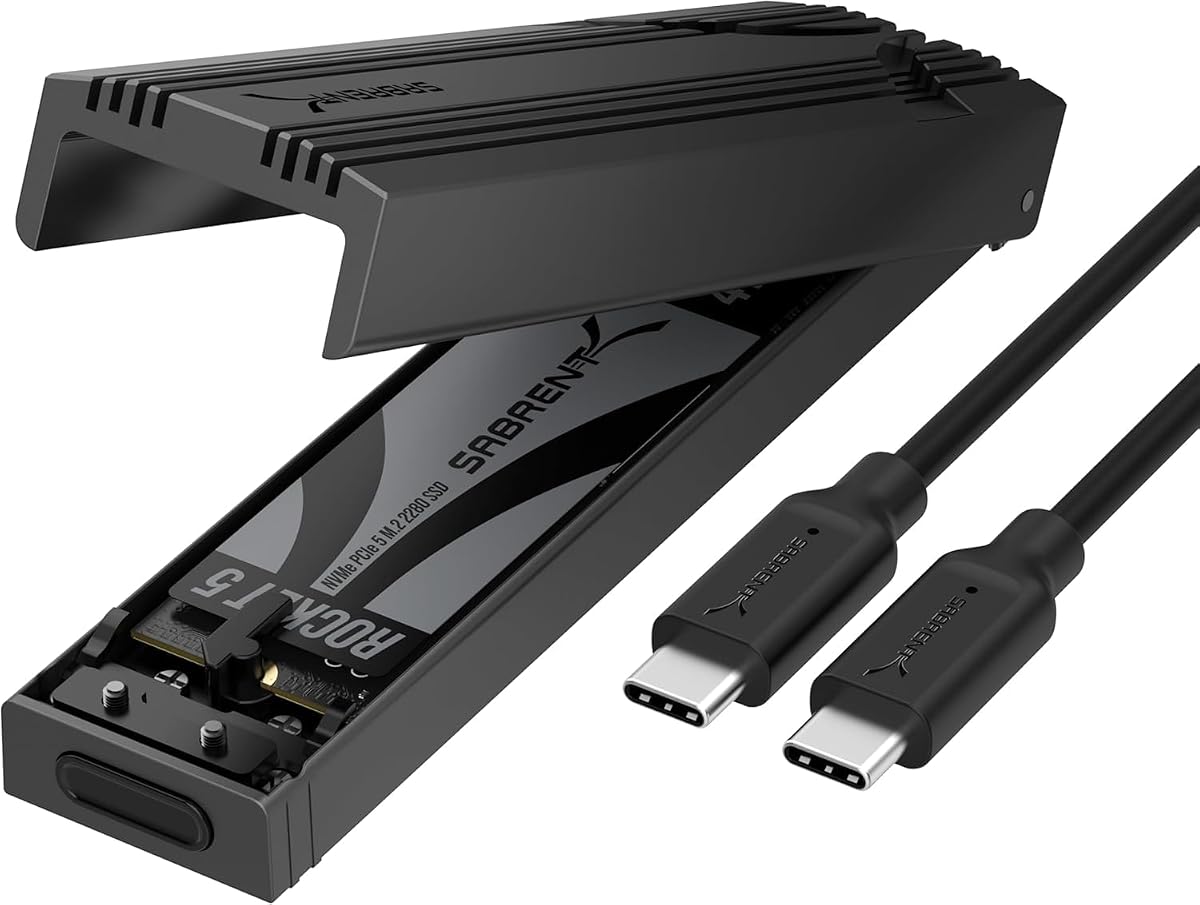
SABRENT USB-C NVMe Enclosure & Reader
4.5Editor score
Tool-free flip-open installation
USB 3.2 Gen 2 speed
Four NVMe drive sizes
Portable aluminum construction
Discover the best NVME enclosures for Mac, comparing speed, cooling, capacity, compatibility, portability, and ease of use across ten standout models today.
An NVMe enclosure turns a compatible M.2 solid-state drive into fast, flexible external storage for a Mac. The right model can accelerate file transfers, simplify backups, expand creative-project capacity, and provide a convenient way to carry frequently used files without changing the drive inside your computer.
This guide compares ten enclosures based on interface speed, NVMe compatibility, thermal design, supported drive sizes, capacity, installation method, portability, and Mac connectivity. It covers budget USB 3.2 options, faster USB4 and Thunderbolt enclosures, and premium models designed to approach the performance of internal NVMe storage.
Each pick reveals a different balance of transfer speed, cooling, convenience, and portability. The best budget choice emphasizes straightforward value, while higher-speed models target demanding creative workflows. Product availability and prices can change, so compare the specifications and confirm your Mac and drive are compatible before purchasing.
4.5Editor score

4.3Editor score

4.5Editor score
The comparison chart highlights interface speed, drive support, cooling approach, and practical advantages for Mac users ranging from straightforward 10Gbps storage to high-bandwidth USB4 and 80Gb/s solutions.
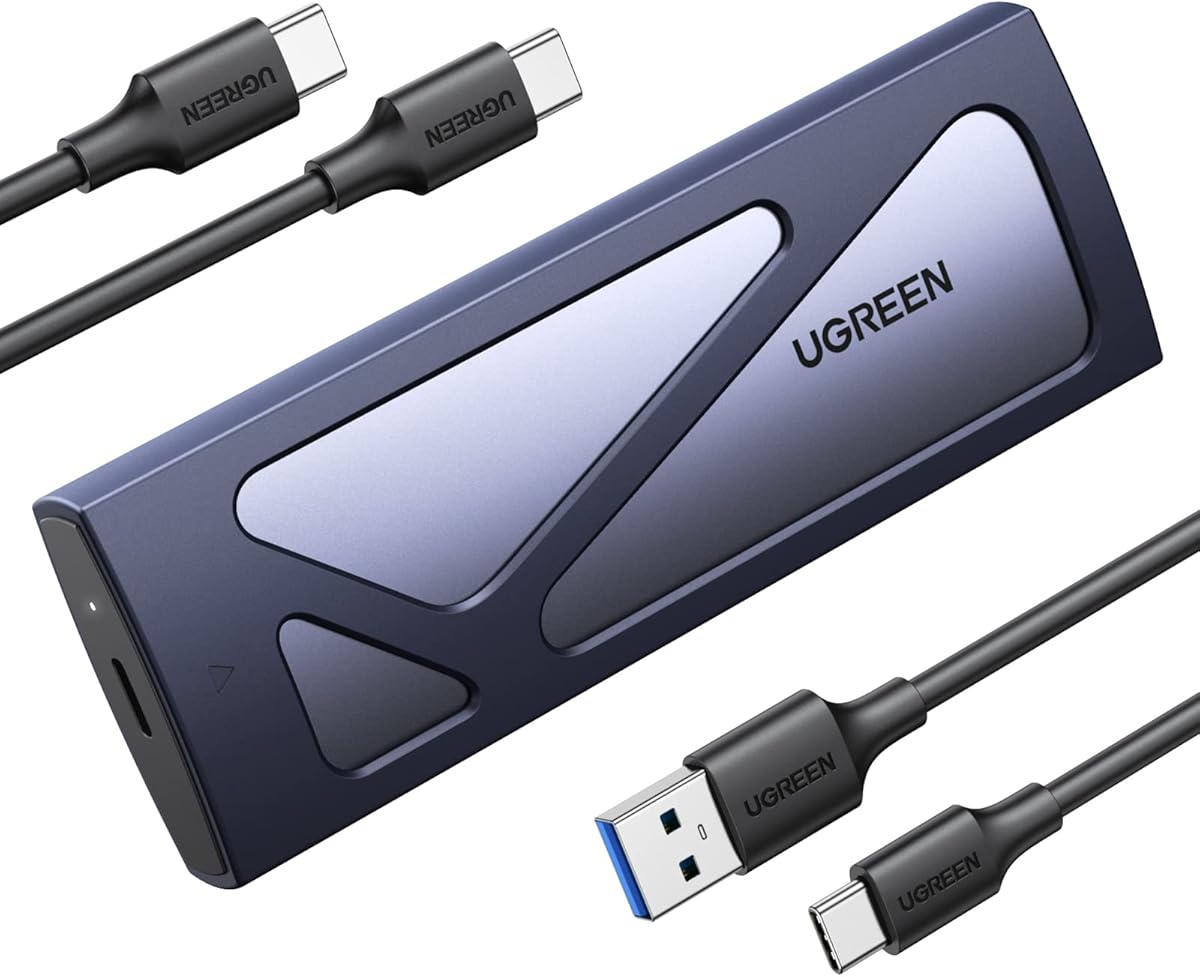


The UGREEN 40Gbps M.2 NVMe Enclosure is a strong all-around choice for Mac users who want more speed than a conventional 10Gbps USB enclosure without moving to the latest 80Gb/s category. Its 4.3 rating reflects a capable enclosure that combines a high-bandwidth interface, broad platform support, and a thoughtful thermal structure. It is particularly attractive for photographers, editors, developers, and power users who regularly move large working files.
We may earn a commission when you buy through this link, at no additional cost to you.
The enclosure uses the ASM2464PD chip and can reach a stated maximum speed of 3600MB/s. That headline figure requires Thunderbolt 4-compatible devices and cables, while USB4, USB 3.2, USB 3.1, USB 3.0, USB 2.0, Thunderbolt 3, and Thunderbolt 4 connections are supported at their respective capabilities. A Mac with a suitable Thunderbolt port can therefore use the enclosure as a high-performance external workspace, while newer USB4 Macs can also take advantage of the faster interface.
Thermal management is a major strength. Rather than relying on a noisy fan, UGREEN uses a double-sided fin design and three-dimensional cooling system intended to improve heat dissipation several times over a basic enclosure. The aluminum body also helps manage temperature, making the design appropriate for sustained transfers without introducing fan noise. Some unusually thick SSDs may require a thinner thermal pad, so buyers should check the physical clearance of their chosen drive.
This is the best overall enclosure for Mac users seeking a practical balance of speed, portability, and manageable size. It supports common M.2 NVMe lengths from 2230 through 2280 and drives up to 8TB, but the SSD is purchased separately. Users who need the absolute newest interface can consider the 80Gbps UGREEN or OWC alternatives, while those who only need affordable everyday expansion should look toward the 10Gbps models.
Choose the UGREEN 40Gbps model when your Mac has a modern Thunderbolt or USB4 port and your workflow benefits from rapid transfers. It is less compelling for routine document storage, but for active photo, video, game, or development libraries, it offers a persuasive upgrade over standard USB-C storage without requiring the newest high-end platform.
A high-bandwidth enclosure can make large project files feel much more responsive when editing, copying, or checking them. The stated 3600MB/s ceiling gives modern Macs with compatible Thunderbolt hardware a way to work with NVMe media at speeds well beyond conventional 10Gbps external storage.
The double-sided fin arrangement and three-dimensional cooling architecture provide a passive alternative to fan-equipped enclosures. That makes the UGREEN particularly useful in quiet workspaces, although physical SSD thickness and thermal-pad fit still deserve attention.
We may earn a commission when you buy through this link, at no additional cost to you.
The SABRENT USB-C NVMe Enclosure & Reader is a convincing budget option for Mac users who want simple external storage without paying for a Thunderbolt-specific design. Its 4.5 rating and tool-free flip-open design make it approachable, while the direct thermal-pad contact and aluminum construction help it remain stable during demanding transfers.
We may earn a commission when you buy through this link, at no additional cost to you.
Using USB 3.2 Gen 2, the enclosure supports speeds up to 10Gbps. It is suitable for backups, document libraries, application storage, and moderately sized creative projects. Connection is plug-and-play, with no drivers or external power supply required. Users need a USB-C host connection, and the drive must be an M.2 PCIe NVMe SSD rather than an M.2 SATA drive.
Installation is one of the enclosure's clearest advantages. Opening the cover exposes the drive position, after which the SSD can be inserted and locked into place without screws or additional tools. That makes it easy to move between a Windows PC, a gaming handheld, and a Mac, or to swap drives for different storage pools. Supported NVMe lengths include 2230, 2242, 2260, and 2280, with capacity stated for at least 8TB.
The principal limitation is the 10Gbps interface. It cannot deliver the transfer rates of USB4 or Thunderbolt enclosures, so it is better suited to everyday storage, backups, and less intensive editing than extremely large media workflows. The enclosure is also limited to NVMe drives and cannot accommodate SATA M.2 SSDs. Nevertheless, its installation convenience, strong rating, portable build, and direct thermal contact make it a well-rounded budget enclosure.
For a Mac owner who needs an affordable, dependable way to use an existing NVMe drive, this SABRENT is a strong starting point. Choose it when simplicity and everyday transfer speed matter more than maximum throughput. Editors seeking near-internal performance should instead prioritize a USB4 model with a compatible Mac and host cable.
The flip-open mechanism removes the small hardware hurdle associated with many screw-secured enclosures. Mac users can insert or replace an NVMe drive quickly, which is convenient for separate work, media, and backup libraries.
USB 3.2 Gen 2 remains useful for routine backups and active document storage. It cannot match USB4 performance, but it works across a wide range of modern USB-C devices without driver installation or external power.
We may earn a commission when you buy through this link, at no additional cost to you.
The UGREEN USB-C M.2 NVMe SSD Enclosure is a dependable option for Mac users who want a conventional 10Gbps enclosure with a good feature set. Its 4.4 rating is supported by a familiar tool-free installation design, a compact aluminum body, and broad compatibility across NVMe drive sizes and major operating systems.
We may earn a commission when you buy through this link, at no additional cost to you.
The enclosure uses USB 3.2 Gen 2 to provide up to 10Gbps and is backward compatible with USB 3.1 and USB 3.0. Achieving the full advertised interface speed requires a matching USB-C 3.2 Gen 2 data cable, which is an important distinction when a Mac has multiple USB-C ports with different capabilities. It also supports UASP and TRIM and uses an RTL9210 controller with short-circuit, over-current, and other protection functions.
The tool-free buckle keeps the installed SSD stable while avoiding screws. Supported drives use the M or B key arrangement and come in 2230, 2242, 2260, and 2280 sizes, with support stated for capacities up to 8TB. Compatibility extends to Windows, macOS, Linux, Android, and iOS, although it does not support SATA NGFF or mSATA SSDs.
Compared with faster USB4 models, the primary disadvantage is throughput. This enclosure is better for routine backups, working documents, application libraries, and media that does not require constant transfers between internal and external storage. Its slim aluminum construction and included silicone case make it convenient to carry, which adds useful flexibility for a MacBook user.
The UGREEN 10Gbps model is a sensible default for users who want no-fuss external NVMe storage. It may not suit a professional moving enormous video files every day, but it provides a strong combination of compatibility, compactness, tool-free operation, and protective electronics at a much more modest performance tier.
The RTL9210 controller, UASP support, and protective circuitry create a solid foundation for routine external storage. Its broad operating-system support also makes it easy to reuse the enclosure with more than one computer.
The slim aluminum shell is easy to carry, while the included silicone case adds protection for travel. It is a practical choice for MacBook owners who want compact backup or project storage.
We may earn a commission when you buy through this link, at no additional cost to you.
The UGREEN 80Gbps M.2 NVMe SSD Enclosure is designed for Mac users who want to be at the leading edge of external storage performance. Its 4.6 rating is the highest among the products in this guide, and the dual-chip design, stated 7000MB/s maximum, and enhanced cooling system distinguish it from conventional 10Gbps and 40Gbps alternatives.
We may earn a commission when you buy through this link, at no additional cost to you.
Internally, the enclosure pairs an Intel JHL9480 Thunderbolt controller with a JMicron JMS583 bridge controller. UGREEN states that this dual-chip architecture can move a 6GB file in approximately one second under suitable conditions. Those figures depend on the Mac, SSD, cable, host controller, and workload, so buyers should treat them as a performance ceiling rather than a guaranteed result in every application.
Cooling receives equal attention. Dual-sided aluminum alloy biomimetic fins are said to increase heat dissipation by 91%, while the enclosure's spatial structure is designed to improve airflow and reduce surface temperatures. The approach supports sustained performance without requiring an active fan, making the enclosure potentially attractive for quiet desks and mobile creative stations.
The enclosure supports 2230, 2242, 2260, and 2280 NVMe drives up to 8TB, along with Windows, macOS on the listed M5 Pro configuration, Linux, and Android. It does not accept SATA NGFF or mSATA SSDs, and SSDs with factory-installed heatsinks may not fit. Some thick drives can require a thinner thermal pad.
This is the best choice for users with current-generation high-bandwidth hardware who routinely work with enormous files. It is less relevant for ordinary document storage, where a 10Gbps enclosure provides sufficient performance at a more modest tier. For the fastest possible workflow available in this roundup, the UGREEN 80Gbps enclosure offers a compelling combination of bandwidth, cooling, and flexibility.
The 80Gb/s interface is designed for workloads where external drive latency would otherwise be disruptive. Users moving very large video, image, project, or dataset archives can benefit more from this class of enclosure than from standard 10Gbps storage.
Biomimetic fins and a carefully structured airflow path address the heat generated by high-bandwidth transfers. This passive design avoids fan noise while helping the enclosure maintain consistent performance during demanding jobs.
We may earn a commission when you buy through this link, at no additional cost to you.
The ACASIS 40Gbps M.2 NVMe SSD Enclosure with Cooling Fan is built for Mac users who need high bandwidth and active heat management during prolonged transfers. Its 4.4 rating reflects a mature feature set that includes an Intel JHL7440 controller, USB4 and Thunderbolt compatibility, and a built-in fan that can be activated when thermal management becomes important.
We may earn a commission when you buy through this link, at no additional cost to you.
The enclosure supports Thunderbolt 4, Thunderbolt 3, USB 3.2, USB 3.1, and USB 3.0, with backward compatibility allowing it to work on more conventional systems. ACASIS reports tested read and write speeds of up to 2805MB/s and 2734MB/s with a Samsung 980 Pro on a MacBook. Actual results depend on the SSD, Mac model, cable, thermal conditions, and workload.
Unlike fully passive designs, the ACASIS includes a precision-engineered fan and heat-dissipation holes. The fan must be switched on, allowing the user to control when it operates. That can be useful for sustained editing, backup, or cloning jobs where keeping the SSD cool supports stable performance. The trade-off is additional noise compared with fin-based passive enclosures.
Mac compatibility is a major strength. The enclosure is listed for M1, M2, and M3 Pro and Max MacBook systems, as well as iPad Pro, Windows, and Linux. It accepts M.2 sizes 2230, 2242, 2260, and 2280, including high-capacity drives. Its aluminum body and pocket-sized form make it easy to integrate into a mobile professional setup.
Choose the ACASIS if sustained heavy transfers are more important than silent operation. For quieter use, a passive 40Gbps model may be preferable, while ordinary backup users can get adequate performance from 10Gbps. Within its active-cooled category, however, the ACASIS offers strong Mac focus, reliable interface support, and useful thermal control.
The switch-activated fan gives users a way to increase cooling during demanding transfers without making it run continuously. This makes the enclosure adaptable to both quiet work and thermally intensive production tasks.
Support for M1, M2, and M3 Pro and Max MacBook systems makes the enclosure especially relevant to creative professionals. Thunderbolt 3 and 4 support provides high bandwidth when the Mac and cable meet the necessary requirements.
We may earn a commission when you buy through this link, at no additional cost to you.
The SABRENT Tool-Free NVMe & SATA M.2 SSD Enclosure is the practical choice for a Mac user who may have older SATA M.2 drives as well as newer NVMe models. Its 4.5 rating and unusually broad protocol support distinguish it from enclosures limited to one type of M.2 SSD.
We may earn a commission when you buy through this link, at no additional cost to you.
This model supports PCIe NVMe and SATA SSDs in 2242, 2260, and 2280 lengths. It does not accept 2230 drives, drives with factory-installed heatsinks, 2.5-inch SATA drives, or mSATA devices. That fit limitation makes it less flexible than some competing models, but it remains versatile for the most common M.2 sizes and both major M.2 storage protocols.
The USB 3.2 Type-C interface supports up to 10Gbps and up to 1000MB/s in real transfers, with backward compatibility for USB 3.1 and USB 3.0. The enclosure is bus-powered, needs no drivers, and includes an eight-inch Type-C to Type-C cable. That combination makes it particularly convenient for MacBook owners who want a complete, immediately usable external-storage solution.
Installation is entirely tool-free, and the thermal pad helps transfer heat away from the SSD. Its slim aluminum shell and ABS frame are light enough for a laptop bag while still offering a rigid protective structure. System support includes Windows 7 or later, macOS 10.5 or later, and Linux.
The SABRENT is best for users who value drive flexibility and simplicity over maximum speed. It is useful for organizing separate SATA and NVMe libraries, repairing a system, or giving an older M.2 drive useful external life. Mac users moving massive media every day should consider a USB4 enclosure, but this model remains an accessible general-purpose option.
Supporting both NVMe and SATA M.2 drives makes this enclosure useful for mixed storage collections. It can reuse compatible older SSDs without requiring a separate SATA-specific enclosure.
The included Type-C cable, bus-powered operation, and driver-free setup reduce the number of accessories Mac users need. The slim enclosure then fits naturally into a mobile backup or media-transfer kit.
We may earn a commission when you buy through this link, at no additional cost to you.
The SABRENT USB4 NVMe SSD Enclosure combines high throughput, tool-free installation, and active cooling in a compact package. Its 4.5 rating makes it one of the strongest choices for creators and other Mac users who want a fast external workspace without relying on a screwdriver.
We may earn a commission when you buy through this link, at no additional cost to you.
SABRENT states that the enclosure can transfer files at up to 3900MB/s over USB4 and up to 2700MB/s over Thunderbolt 3 or Thunderbolt 4. It also supports USB-C connections operating at 20Gbps, 10Gbps, or 5Gbps. Actual results depend on the host port, cable, SSD, and whether the connected Mac supports the required USB4 or Thunderbolt generation.
The enclosure accepts PCIe NVMe SSDs in 2230, 2242, 2260, and 2280 sizes. It is not compatible with SATA M.2 SSDs. Installation is tool-free, allowing the drive to be inserted and secured quickly. This is particularly helpful for professionals who maintain separate SSDs for active projects, archival media, and client delivery.
Active cooling is built into the aluminum and ABS body. The fan is intended to maintain stable performance during large transfers, reducing the likelihood that the SSD becomes constrained by heat. It is a sensible choice for long transfers, but users who prioritize silence may prefer a passive design with a larger heatsink structure.
The enclosure works with Thunderbolt 3, Thunderbolt 4, USB4, and USB-C ports on Windows and macOS systems. It requires no drivers or external power. Overall, it is an appealing high-speed option for MacBook Pro users, creative professionals, and developers who want quick drive changes alongside strong sustained performance.
USB4 bandwidth makes large project transfers substantially quicker than a standard 10Gbps connection. The tool-free design allows the benefit to be used flexibly, since compatible SSDs can be changed without opening a screw-secured shell.
The integrated fan helps the enclosure manage the heat generated during sustained high-speed transfers. This supports performance stability for users who regularly copy large media libraries or work with continuous data streams.
We may earn a commission when you buy through this link, at no additional cost to you.
The OWC Express 1M2 80G is the premium choice in this guide for Mac users who want to combine cutting-edge bandwidth with portability and refined cooling. Its 4.5 rating reflects a specialized design capable of more than 6000MB/s peak real-world speed while remaining bus-powered and compact.
We may earn a commission when you buy through this link, at no additional cost to you.
Unlike many USB4 enclosures that stop at 40Gbps, this model uses an 80Gb/s USB4 interface. That additional bandwidth can make a meaningful difference when moving large video files, high-resolution images, virtual environments, or project directories. The enclosure is optimized for PCIe NVMe drives and supports PCIe Gen 3, Gen 4, and carefully selected Gen 5 SSDs.
OWC's patented heat-dissipating design is intended to cool the drive silently while protecting it from physical damage. That approach makes the enclosure appealing for mobile work, where fan noise and extra moving parts can be disadvantages. The included USB4 cable provides bus-powered operation, and the enclosure can also be purchased as a DIY solution or used with a ready-to-run configuration.
Compatibility extends across Macs, PCs, iPad Pros, Chromebooks, and Surface devices. The stated broad platform support reflects the enclosure's suitability for users who move between different systems. However, PCIe Gen 5 SSDs must be selected carefully because host computers, docks, and hubs can have power limitations. OWC recommends a Gen 5 drive that consumes 11 watts or less during sustained read or write operations.
This is the premium recommendation for a Mac workstation where external performance should approach internal-storage responsiveness. It is not necessary for ordinary file storage, and the host and SSD must support the available bandwidth to realize the full benefit. For users ready to invest in top-tier hardware, the OWC offers the most ambitious performance and portability combination in the list.
A stated peak above 6000MB/s places this enclosure among the fastest options available for a Mac. That capability is most valuable when large files must move between internal and external storage without long pauses.
The patented thermal design keeps the SSD cool without relying on a conventional fan. It combines that quiet operation with a rugged portable form suited to professional workspaces that move between locations.
We may earn a commission when you buy through this link, at no additional cost to you.
The Satechi USB4 Slim NVMe SSD Enclosure stands out for its compact dimensions, clean appearance, and 40Gbps interface. Its 4.1 rating is the lowest among the reviewed models, but the product remains distinctive for Mac users who value design, portability, and a tidy desktop setup.
We may earn a commission when you buy through this link, at no additional cost to you.
Satechi lists read speeds of up to 3840MB/s and write speeds of up to 3200MB/s based on internal testing. Actual performance depends on the host hardware, configuration, SSD, and operating environment. The enclosure supports Thunderbolt 5, Thunderbolt 4, Thunderbolt 3, and USB4 hosts, along with MacBook, Mac Mini M4, iPad, and PC systems.
Its enclosure measures 5 inches by 5 inches and 0.63 inches thick, weighing 197 grams. The 16mm profile was designed to align visually with the Mac Mini M4, while a hidden compartment stores the braided cable. It is therefore a strong candidate for a minimalist desk where an adapter, flash drive, and loose cable would be undesirable.
Cooling is handled with vents and a thermal pad, and the enclosure supports NVMe drives in 2230, 2242, 2260, and 2280 sizes with capacities up to 8TB. Installation requires the included screw and screwdriver. Unlike the tool-free SABRENT models, this process adds a small amount of inconvenience but provides a straightforward secure fit.
The included 15-centimeter USB-C cable may be too short for some setups, and Satechi recommends a longer USB4 cable for optimal positioning and performance. Mac users should also note that the SSD is not included. Overall, this enclosure is ideal for design-conscious users and Mac Mini owners who want fast, compact external storage that blends into the workspace.
The square aluminum enclosure and concealed cable compartment reflect Satechi's accessory design for modern Apple workspaces. Its slim profile takes up less visual and physical space than many cylindrical or rectangular competitors.
Support for current Thunderbolt generations, USB4, MacBooks, Mac Mini systems, and iPads broadens the enclosure's usefulness. A suitable host and cable are essential for reaching its highest stated performance.
We may earn a commission when you buy through this link, at no additional cost to you.
The Satechi USB4 NVMe SSD Pro Enclosure is built for Mac users who want fast external storage with room for a very large NVMe drive. Its 4.2 rating reflects a capable 40Gbps enclosure with broad platform compatibility, tool-free installation, and a maximum stated capacity of 16TB.
We may earn a commission when you buy through this link, at no additional cost to you.
The enclosure supports PCIe Gen 4 x4 SSDs and transfer rates up to 3840MB/s over a 40Gbps interface. It remains backward compatible with USB 3.2 Gen 2 at 10Gbps, USB 3.2 Gen 1 at 5Gbps, and USB 2.0 at 480Mbps. This makes it adaptable across both recent and older Macs, although actual throughput depends on the host port and attached drive.
Capacity is a defining feature. Support for 2230, 2242, 2260, and 2280 drives up to 16TB makes the enclosure useful for large media archives, project backups, game libraries, and consolidated storage that may be inconvenient to keep inside a laptop. The SSD itself is not included, so buyers must select a compatible NVMe drive separately.
Installation uses an included silicone pin and does not require a screwdriver. A thermal pad is also supplied to help move heat away from the drive. The clear polycarbonate body gives the enclosure a distinctive appearance and keeps the installed SSD visually accessible, although it is more prone to visible marks than an aluminum shell.
Compatibility extends across Mac, Windows, and Linux systems. The enclosure measures 4.4 by 2.7 by 0.9 inches and includes a 15-centimeter USB4 cable, thermal pad, silicone pin, and manual. It is a strong recommendation for users whose priority is maximum supported capacity combined with fast USB4 performance and simple drive changes.
Supporting SSDs up to 16TB gives Mac users a practical way to consolidate archives and high-volume project storage. It is especially useful when keeping large collections internal would reduce portability or consume valuable space.
The silicone pin secures an installed drive without a screwdriver, while the included thermal pad helps manage heat. This keeps the enclosure convenient to maintain while supporting sustained data movement.
We may earn a commission when you buy through this link, at no additional cost to you.
The right Mac NVMe enclosure depends on your drive, interface, workflow, and tolerance for heat or noise. These factors help separate ordinary external storage from a high-performance professional setup.
Prioritize a matching interface and capable cable before considering minor controller differences.
Choose NVMe-only for simplicity, or dual-protocol support if you need to reuse SATA M.2 drives.
Verify size and physical clearance, including any factory heatsink, before ordering.
Use passive cooling for quiet everyday work and active cooling for sustained maximum-speed transfers.
Select enough supported capacity for present and future projects without overlooking physical SSD size.
Frequent drive swapping favors tool-free access; fixed installations may favor a simpler screw-secured design.
Compatibility depends on the complete chain: Mac, port, cable, enclosure, and installed SSD.
Before installing a drive, confirm that it is an M.2 NVMe SSD, check its length, and read the enclosure's installation instructions. Open a tool-free cover or remove the securing hardware on a screw-secured model, seat the SSD at the correct angle, and ensure the connector is fully engaged without forcing it. Replace the thermal pad or cover so the drive is held evenly.
Format the drive using the Mac's Disk Utility or your preferred drive-management application, then assign a useful volume name and verify that the full capacity appears. Eject the volume from Finder before disconnecting the enclosure. For the best available transfer rate, use a cable and host port that support the interface advertised by the manufacturer.
To protect performance and data, let the enclosure cool after long transfers and avoid covering its vents or fins. Do not unplug it during active writes, and use the included thermal pad if the supplied one does not fit a thicker SSD. Keep the enclosure in its case or a padded area during travel, and back up important data separately because an enclosure does not replace a backup strategy.
Only if the drive protocol, physical size, and key arrangement match the enclosure. Most modern enclosures support M.2 NVMe drives, but many do not support SATA M.2 drives, and some omit smaller lengths such as 2230. Drives with preinstalled heatsinks may also be too thick to fit.
Yes. The enclosure can usually connect through USB-C, but it will only reach its highest stated speed when the Mac supports USB4 or the appropriate Thunderbolt generation and the cable carries that bandwidth. A Mac limited to 10Gbps will operate at the lower interface speed even if the enclosure is much faster.
They overlap but are not interchangeable in every situation. Thunderbolt 3, Thunderbolt 4, and USB4 can provide high bandwidth, but the host, enclosure controller, and cable must support a compatible mode. Check the enclosure's stated host compatibility and use a cable rated for the intended interface.
Most M.2 NVMe SSDs and the enclosures in this guide are bus-powered through USB-C. They generally do not require a separate power adapter. A drive with unusually high power demands, especially some PCIe Gen 5 models, may be constrained by the Mac, dock, or hub.
Yes, provided the enclosure uses a compatible USB-C connection and the host port supplies the required interface and power. The connection will work at a lower speed if the port is limited to USB 3.2 or another older standard. Check whether the included cable is long enough for the intended setup.
Passive cooling is quieter and works well for typical transfers, while active cooling can help maintain speed during sustained maximum-bandwidth workloads. Choose active cooling for frequent large transfers, cloning, or continuous access. Choose passive cooling when silence and a simpler enclosure design are more important.
The listed models are designed for plug-and-play use without additional drivers. macOS should recognize a compatible formatted NVMe drive as external storage. You can use Disk Utility to erase, partition, or verify the volume after installation.
Yes, provided the enclosure allows drive removal and the replacement remains compatible with its protocol, size, and clearance requirements. Tool-free models are especially convenient for frequent upgrades. Always eject the volume and safely shut down activity before opening the enclosure or changing the drive.
The SABRENT USB-C 10Gbps enclosure is the strongest budget-oriented choice for straightforward expansion, while the UGREEN 40Gbps model is the most balanced option for users with modern Thunderbolt or USB4 hardware. The OWC Express 1M2 80G stands apart as the premium selection, combining extreme bandwidth, portable construction, and silent patented cooling.
The most important choice is the one that matches your actual Mac, cable, SSD, and workflow. A 10Gbps enclosure may be entirely sufficient for backups and everyday storage, while video editors, photographers, developers, and data-heavy users can benefit from USB4 or Thunderbolt performance. Also consider capacity, physical SSD size, cooling, noise, and tool-free access before buying.
Product specifications, availability, and prices can change, so verify the current listing and included components before ordering. Most of these products are enclosures only, meaning the compatible M.2 SSD must be purchased separately. Confirm the Mac interface, drive protocol, dimensions, and cable requirements to avoid compatibility surprises.